

Last Updated on May 14, 2026 by Jawad
Introduction
Finding the best cheap gaming mouse under $20 can be challenging, but today’s market offers impressive options that deliver solid performance without breaking the bank. While premium gaming mice often feature advanced sensors, RGB lighting, and customizable weights, budget-friendly models have improved greatly in recent years. Many now provide accurate tracking, comfortable designs, and even features once found only in higher-end devices.
For casual and competitive gamers alike, these affordable mice can make a big difference in gameplay without requiring a big investment.
We also have a recommendation for the Best Budget Wireless Gaming Mouse Under $50, so make sure to check that out too!
Top Cheap Gaming Mouse Under $20
![Redragon M602 Gaming Mouse, Ergonomic RGB Gaming Mouse Wired with 7200 Adjustable DPI, 9 Programmable Buttons, Professional Software for Gamer Office [Black]](https://m.media-amazon.com/images/I/4189L2UBl9L._AC_.jpg)


Comparison
| Product | Image | Rating | DPI | Buttons | Lighting | Connectivity | Best For | Buy |
|---|---|---|---|---|---|---|---|---|
|
Redragon M602 Gaming Mouse 🏆 Best Overall |
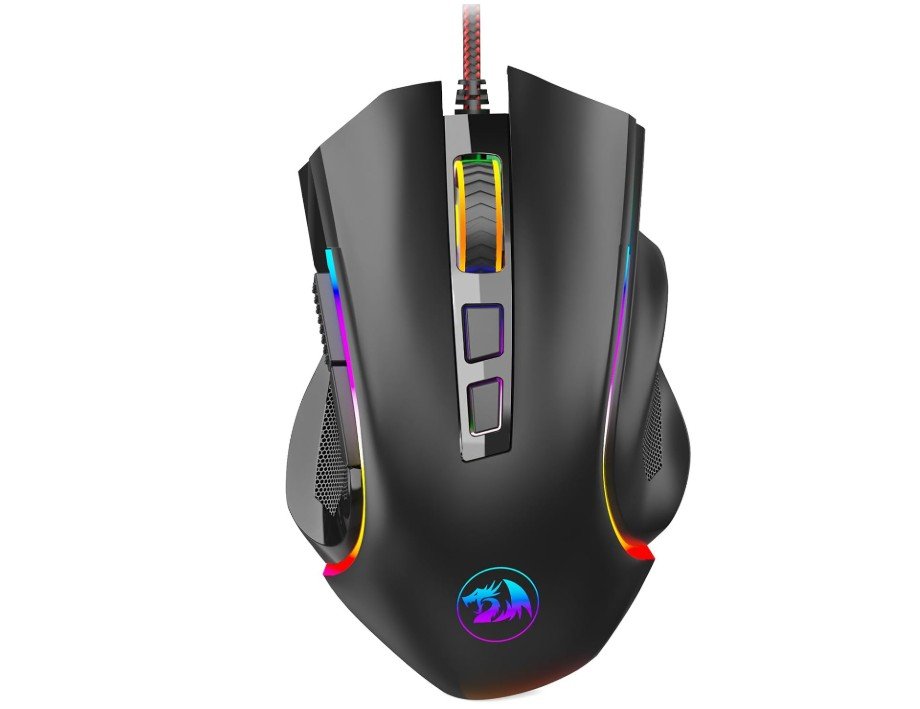 | ★★★★★ | Up to 7200 DPI | 9 Programmable | RGB Backlighting | Wired USB | Affordable competitive gaming | Check Price |
|
VersionTECH Wired Gaming Mouse 💰 Best Budget |
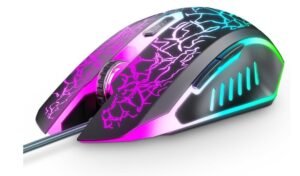 | ★★★★☆ | Up to 3600 DPI | 6 Programmable | 7-Color RGB LED | Wired USB | Casual gaming & office use | Check Price |
|
BENGOO Gaming Mouse Wired 💰 Best Budget |
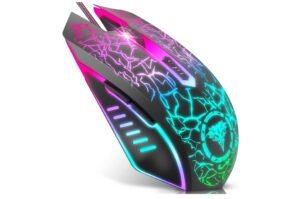 | ★★★★☆ | Up to 3600 DPI | 6 Programmable | RGB Backlit | Wired USB | Budget gaming & daily use | Check Price |
| TMKB Falcon M1SE |
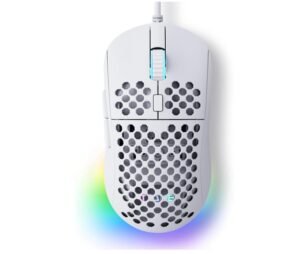 | ★★★★☆ | Up to 12800 DPI | 6 Programmable | RGB Backlight | Wired USB | Ultralight FPS gaming | Check Price |
| WEEMSBOX Gaming Mouse |
 | ★★★★☆ | Up to 7200 DPI | 7 Programmable | Breathing RGB LED | Wired USB | Budget RGB gaming setups | Check Price |
Redragon M602 Gaming Mouse
Redragon M602 Gaming Mouse
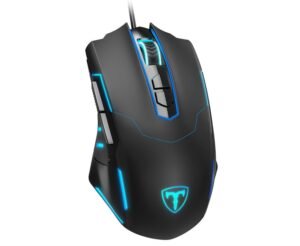
The Redragon M602 Gaming Mouse is a solid budget-friendly option for gamers who want performance without spending too much. It features an ergonomic design that feels comfortable during long gaming sessions, while the adjustable 7200 DPI sensor delivers smooth and accurate tracking for both gaming and office use.
The RGB lighting adds a stylish look, and the programmable buttons with software support make customization easy. Its durable braided cable and responsive clicks improve the overall experience.
Although it may feel slightly heavy for some users, the mouse offers excellent value, reliable performance, and useful gaming features for beginners and casual gamers alike.
VersionTECH. Wired Gaming Mouse
VersionTECH. Wired Gaming Mouse
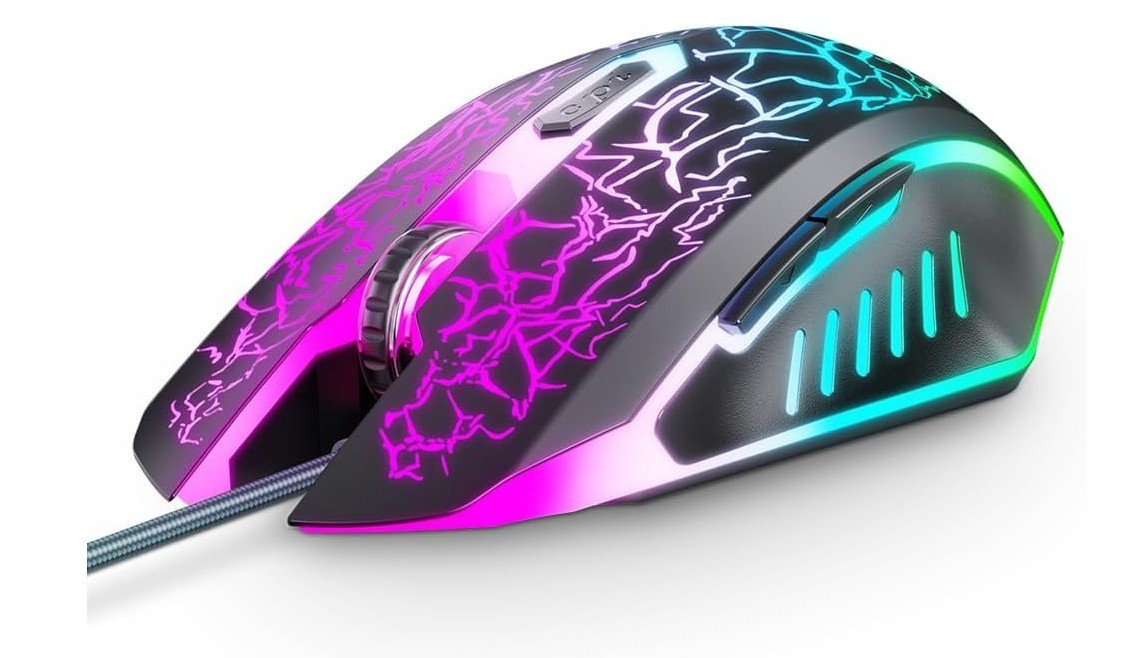
The VersionTECH Wired Gaming Mouse is a great affordable option for casual gamers and everyday users. Its ergonomic shape feels comfortable during long gaming or work sessions, while the RGB backlit design with 7 LED lighting effects gives it a stylish gaming look.
The mouse features 6 programmable buttons and 4 adjustable DPI levels, allowing smooth and responsive control for different tasks and games. It is easy to use with plug-and-play support and works with Windows, Mac, Chromebook, and gaming setups.
Although advanced gamers may want higher DPI options, this mouse delivers solid performance, comfort, and value for budget-conscious users.
BENGOO Gaming Mouse Wired
BENGOO Gaming Mouse Wired
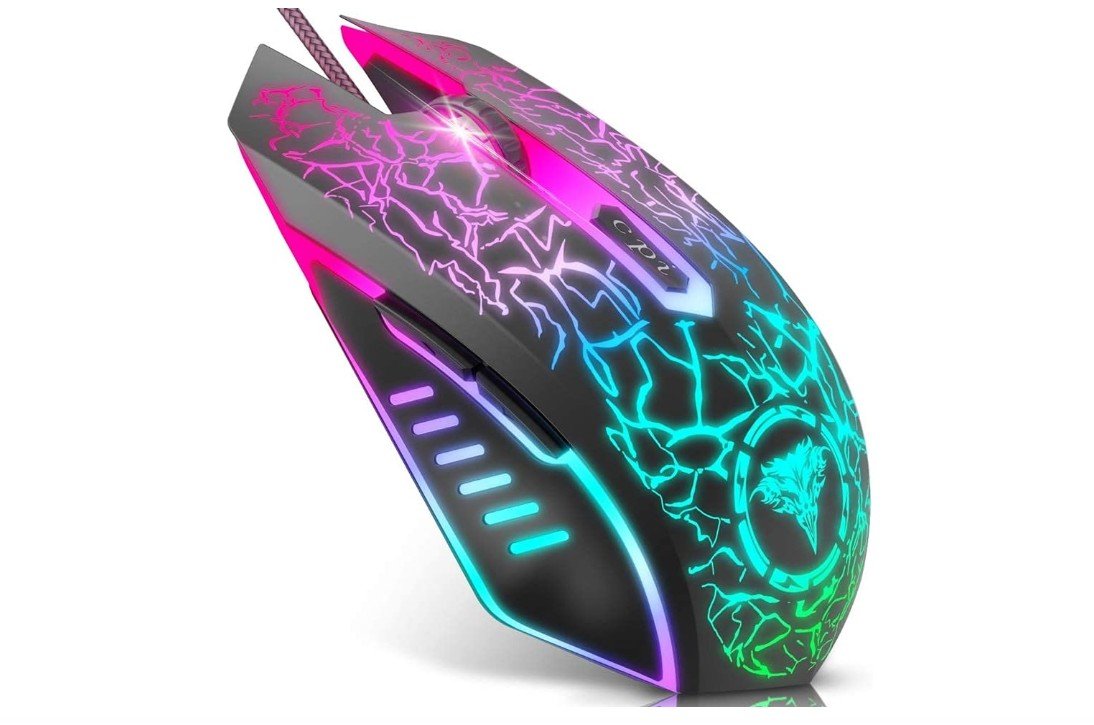
The BENGOO Wired Gaming Mouse is a good choice for gamers who want an affordable and comfortable mouse for daily use. Its ergonomic shape fits nicely in the hand and helps reduce discomfort during long gaming sessions.
The RGB lighting gives it a cool gaming appearance, while the adjustable DPI settings provide smooth and accurate movement for different games and tasks. The buttons are responsive and easy to use, and the mouse works well on most computers with simple plug-and-play setup.
Although it may not have premium features found in expensive gaming mice, it offers reliable performance and great value for casual gamers and beginners.
TMKB Falcon M1SE Ultralight Honeycomb Gaming Mouse
TMKB Falcon M1SE Ultralight Honeycomb Gaming Mouse
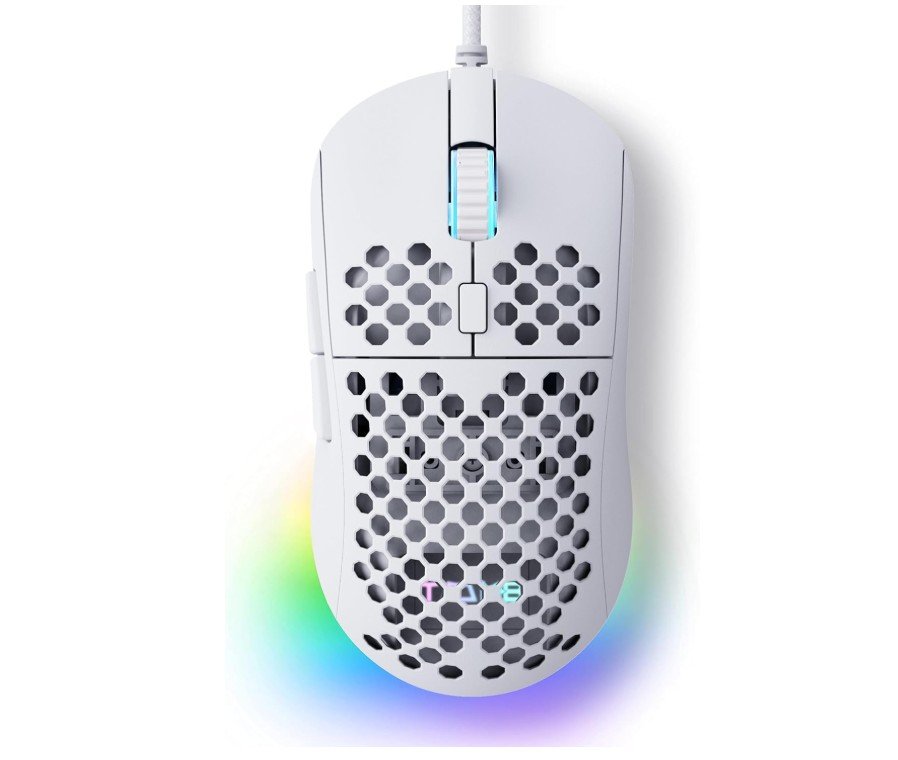
The TMKB Falcon M1SE is a surprisingly good budget gaming mouse for beginners and casual gamers. Its lightweight 75g honeycomb shell feels comfortable during long gaming sessions, while the ergonomic shape gives a secure grip. The 12800 DPI optical sensor delivers smooth tracking and responsive movement for FPS and competitive games.
The drag-free paracord cable and smooth mouse feet help it glide easily across mousepads, almost like a wireless mouse. RGB lighting adds a stylish touch, and the software allows button remapping and macro customization.
Overall, it offers excellent value for gamers wanting an affordable, lightweight, and responsive wired gaming mouse.
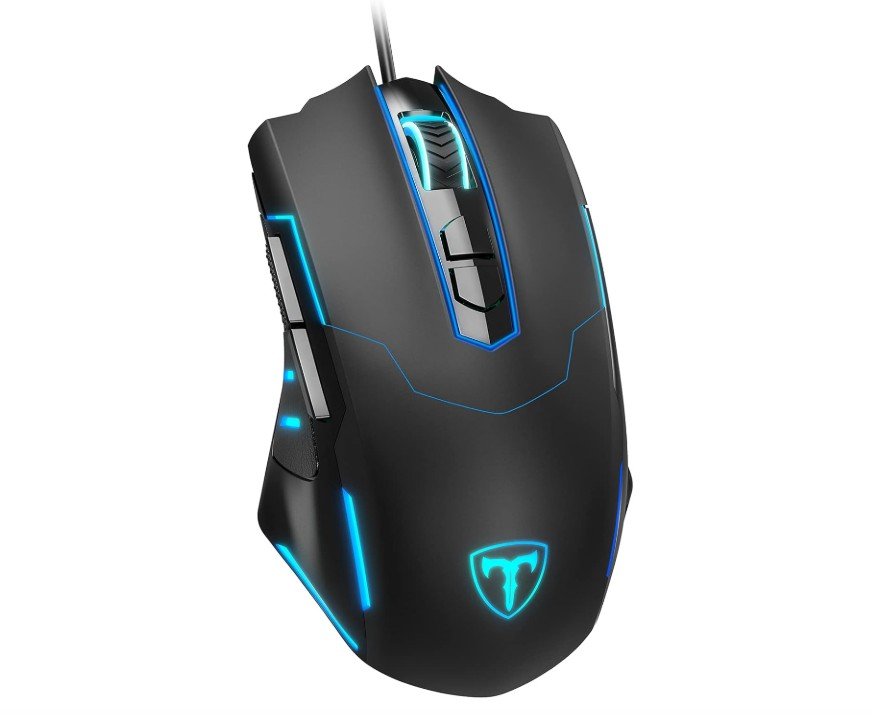
WEEMSBOX Gaming Mouse
WEEMSBOX Gaming Mouse
The WEEMSBOX Wired Gaming Mouse is a solid budget-friendly option for casual gaming and everyday use. It features adjustable DPI settings up to 7200, giving smooth cursor control for gaming, office work, and browsing. The ergonomic design feels comfortable in hand during long sessions, while the RGB LED lighting adds a stylish gaming look to any setup.
Its 7 programmable buttons are useful for shortcuts and in-game commands, especially for MMO or FPS players. The wired USB connection provides stable performance with minimal delay.
Overall, the WEEMSBOX mouse offers good value for beginners who want an affordable gaming mouse with customizable features and attractive RGB lighting.
Buying Guide for Gaming Mouse Under $20
Buying a good gaming mouse for less than $20 is totally possible if you know what to prioritize. This guide walks you through the features that really matter, what to avoid, and how to get the most value for your money. Read it as a checklist you can use while browsing Amazon, local stores, or discount deals.
What matters most (and why)
Sensor quality and real tracking — The sensor is the heart of the mouse. Even cheap mice can use decent optical sensors that track reliably; avoid mice with vague sensor specs or marketing-only numbers. Good sensors give accurate movement without smoothing or jitter. Aim for mice that list a known sensor family (e.g., Pixart variants) or clear DPI and IPS specs.
Polling rate (responsiveness) — Polling rate tells how often the mouse reports its position to the PC. Higher is smoother. For competitive play, look for 500 Hz or 1000 Hz if possible; many budget wired mice at least support 500 Hz. Lower polling rates can feel sluggish in fast games.
Shape and grip fit — Comfort beats flashy features for long sessions. Choose a shape that matches your grip (palm, claw, fingertip). Ergonomic doesn’t always mean large—some smaller ambidextrous shapes work better for fingertip users. Try to read dimensions and user photos/reviews to judge fit.
Buttons and programmability — Extra buttons (5–8) are common at this price. Programmable side buttons and DPI switches are useful; check whether the mouse needs software to program buttons and whether that software is available for your OS. If you use macros a lot, confirm the software’s capabilities before buying.
Build quality & switches — Expect plastic construction, but look for solid seams, a stable scroll wheel, and switches rated for many clicks (10M–20M is common). Poorly made buttons and cheap scroll wheels are the most frequent failure points in budget mice.
Weight and cable — Heavier mice can feel sluggish; many gamers prefer lighter mice (70–100 g). Also check the cable: a soft braided or paracord-style cable reduces drag compared to thick rubber cables.
Features to prioritize in this price range
- Reliable optical sensor with real DPI options (not just marketing DPI). Look for explicit adjustable DPI stages (e.g., 800/1600/2400/3200 or up to 7200) and stable tracking.
- At least one easily reachable DPI button so you can change sensitivity on-the-fly.
- Comfortable shape for your hand size — check length/width and user reviews for hand-size matching.
- Extra side buttons if you play MMOs, MOBAs, or like keyboard shortcuts.
- Decent polling rate (500–1000 Hz) and low input latency — wired mice usually win here.
- Replaceable or supported software if you need macros and profiles; otherwise prefer plug-and-play simplicity.
What you can safely skip (for <$20)
- Full RGB ecosystems and advanced lighting control — nice but not worth priority if performance matters.
- Ultra-high DPI numbers (like 20k+) — they’re often marketing fluff; real-world sensitivity depends on eDPI and in-game settings.
- Swappable top shells or modular weights — rare at this price.
How to compare models quickly
- Read the product page for explicit sensor name, DPI range, and polling rate. If the sensor name is missing, treat it cautiously.
- Scan user reviews for “double-clicking”, “scroll wheel failure”, or “sensor jitter” — those are red flags.
- Compare dimensions and weight to your current mouse to approximate fit.
- Prefer wired models if low latency is important; wireless under $20 often sacrifices battery life or responsiveness.
Where budget mice usually shine (and where they don’t)
Strengths: Comfortable everyday use, extra buttons, decent plug-and-play sensors for casual and entry-level esports, attractive RGB looks. Weaknesses: Longevity may be lower than premium mice, software is sometimes basic, and very high-end sensor features (e.g., perfect tracking at extreme speeds) are rare. Reviews from budget-mouse roundups can help identify standout models that outperform their price.
Quick buying checklist (use before purchase)
- Does the listing show a sensor name or give clear DPI/IPs/polling specs? If not, be cautious.
- Are there clear photos and dimensions? Measure your hand against listed size.
- Do recent reviews mention clicks, double-clicking, or sensor issues? Avoid patterns of hardware failure.
- Is the cable flexible or described as “paracord/braided”? Prefer flexible cables for smooth movement.
- Is the return policy/warranty acceptable? A 30-day return window is ideal for testing comfort.
Setup tips after purchase
- Test multiple DPI settings and pick an eDPI you’re comfortable with (sensitivity × DPI).
- If the mouse has software, configure polling rate to 500 or 1000 Hz.
- Use a mousepad suited to your sensor (cloth pads work well for most optical sensors).
- Break in new switches gently — many budget switches feel stiff at first.
- If a mouse develops double-clicking early, contact seller/manufacturer for RMA; it’s a common early-failure symptom they often fix or replace.
Example trusted brands and models to watch for
Budget-focused brands that often produce reliable <$20 offerings include Redragon, Corsair (Katar series on sale), and various Amazon/house brands that use decent sensors. Professional reviews and “best budget” roundups help find current bargains — those lists are refreshed frequently and often spotlight which models outperform expectations.
Final recommendations
- If you want the safest bet: focus on a wired mouse that lists a known sensor family, includes at least one DPI button, and has clear measurements to match your hand.
- If you want extra buttons for macros: prioritize 6–8 programmable buttons and software support.
- If you want pure responsiveness for FPS: choose the lowest-latency wired option with the highest stable polling rate you can find.
Buying the best gaming mouse under $20 means balancing a few real priorities (sensor, fit, build) and ignoring flashy, irrelevant specs. Use the checklist above, read the most recent user reviews to catch early-failure patterns, and don’t be afraid to try a couple of different shapes — comfort is personal, and the right cheap mouse can feel far better than an expensive one if it matches your grip and playstyle.
FAQs
At this price point you’ll usually get:
Basic optical sensor with adjustable DPI (sensitivity)
Wired USB connection (more reliable than cheap wireless)
RGB lighting on some models
Around 5–7 buttons including side buttons
Decent feel for casual gaming
More advanced features like ultra-lightweight builds, premium switches, or advanced software customisation are rare at this price.
Yes — for casual or entry-level gaming you can get surprisingly solid performance. Many cheap gaming mice are ergonomic and accurate enough for games like CS:GO, Fortnite, MOBAs, or general PC gaming. If you’re going competitive at high levels, though, more advanced sensors and build quality matter.
Most cheap gaming mice offer DPI from around 800 up to 2400 or 3200. That’s good enough for most games and screen resolutions — you don’t need ultra-high DPI unless you’re using very high-resolution monitors.
Yes! Many budget mice include RGB effects as a visual bonus. It doesn’t improve performance, but it gives that “gamer aesthetic” for a low cost. Just check reviews or photos to make sure it’s not just plastic lighting.
Budget mice are usually less durable than higher-end models, but if you pick one with good build quality and user reviews, many can last years with regular gaming. Look for solid buttons and good scroll wheels — these are common failure points.
Final Words
Choosing the right gaming mouse under $20 is not an easy task. A good gaming mouse in this price tag should offer consistent, accurate tracking and clicks. The medium range DPI and some basic RGB lighting should also available in this price range. Whether wired or wireless, lightweight or modular, your perfect mouse should provide the control, reliability, and confidence to perform at your best every time you hit the battlefield.

Jawad is a passionate tech enthusiast and writer who loves exploring the latest trends in hardware, gadgets, and digital innovation. With a sharp eye for performance and value, he delivers in-depth recommendations and buying guides to help readers make smarter tech decisions.