Skip to content

Best Xbox Gaming Headsets

Best Xbox Gaming Headsets

Last Updated on March 30, 2026 by Jawad

Introduction

Xbox gaming headsets are an important accessory for anyone who plays on Xbox Series X, Series S, or Xbox One. They help you hear game sounds more clearly, talk to teammates, and feel more connected to the game world. With a good headset, you can hear footsteps, gunfire, and background details that regular TV speakers often miss. This can give you a real advantage in multiplayer games and make single-player games more exciting and immersive.

Most Xbox gaming headsets come with a built-in microphone, which makes it easy to chat with friends during online matches. Clear voice communication is very important in team-based games, where quick callouts and coordination can change the outcome of a match. Many headsets also include noise-canceling or noise-reducing microphones, so your voice sounds clear even if there is background noise in your room.

Comfort is another big reason gamers choose a dedicated Xbox headset. These headsets are designed for long gaming sessions, with soft ear cushions, adjustable headbands, and lightweight designs. Some models are wired, which usually means lower price and zero battery worries, while others are wireless, giving you more freedom to move without cables. Wireless headsets often connect directly to the Xbox console or use a USB dongle, and many also support Bluetooth for phones and PCs.

Sound quality can vary from basic stereo to advanced surround sound technologies like Windows Sonic or Dolby Atmos. These features help create a more realistic 3D audio experience, making games feel more lifelike. Whether you are a casual player or a competitive gamer, choosing the right Xbox gaming headset can improve your comfort, communication, and overall gaming enjoyment.

We also have a recommendation for the Best Headsets for Nintendo Switch, so make sure to check that out too!

Top Xbox Gaming Headsets
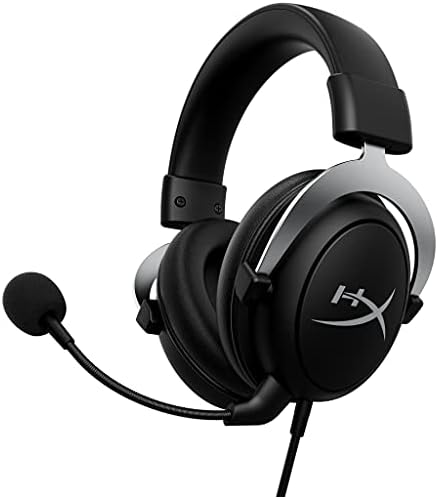
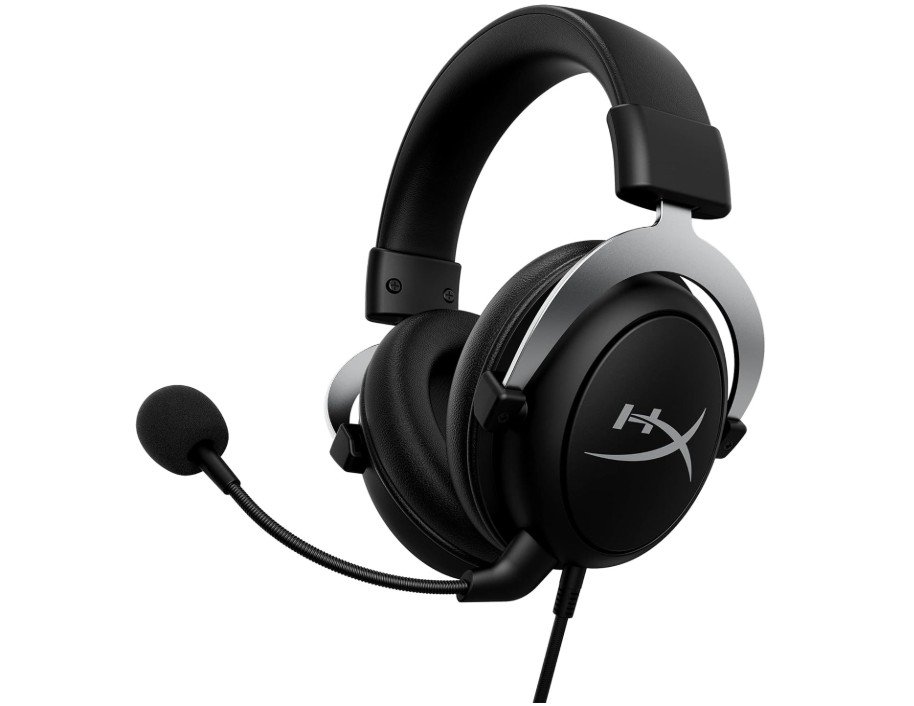
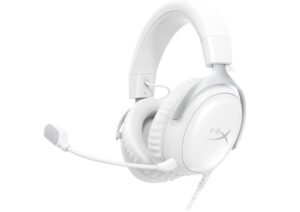
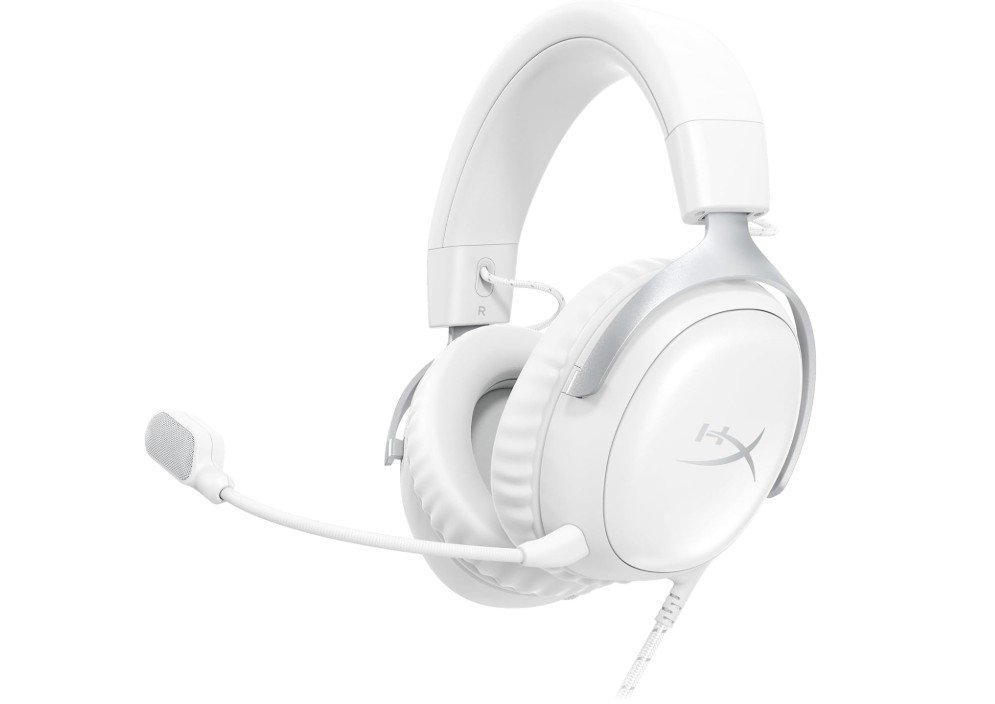
HyperX CloudX, Official Xbox Licensed Gaming Headset
Our Pick

HyperX CloudX, Official Xbox Licensed Gaming Headset

  • Compatibility: Xbox One, Xbox Series X|S
  • License: Officially licensed for Xbox
  • Connection: Wired (3.5mm jack)
  • Drivers: 53mm dynamic drivers
  • Sound: Clear stereo audio tuned for gaming
  • Microphone: Detachable noise-cancelling mic
  • Ear Cushions: Signature HyperX memory foam
  • Controls: In-line audio controls for volume and mic mute
  • Design: Durable aluminum frame
  • Color: Black / Silver
  • Comfort: Lightweight and suitable for long gaming sessions

HyperX CloudX, Official Xbox Licensed Gaming Headset

The HyperX CloudX Official Xbox Licensed Gaming Headset is a solid choice for Xbox players who want good sound and comfort without spending too much. Right out of the box, it feels sturdy and well made. The black and silver design looks nice and matches many Xbox setups. It connects easily to the Xbox One, Series X, or Series S using a simple 3.5mm cable, so you do not need extra adapters. The plug-and-play setup means you can start gaming quickly without complicated steps.

One of the best things about this headset is how comfortable it feels. The memory foam ear cushions are soft and sit gently around your ears. This makes it easy to play for long periods without feeling tired or uncomfortable. The headband is also padded just right, so it fits well on different head sizes. Whether you play for an hour or several hours, the CloudX stays comfortable.

The sound quality is clear and balanced, which helps you hear game details like footsteps, explosions, and background music. It is not the absolute highest level of audio you can get, but it is excellent for most gamers. The detachable noise-cancelling microphone works well too. It picks up your voice clearly and reduces background noise, so friends can hear you without distractions during voice chat. If you need to remove the mic for solo gaming or listening to music, you can easily detach it.

The in-line audio controls are convenient. You can quickly adjust volume or mute the mic without going into menus. This makes changes fast when you are in the middle of a game. Overall, the HyperX CloudX headset offers good value for Xbox players, combining comfort, solid sound, and easy controls in one package.

Pros

  • Comfortable memory foam ear cushions
  • Official Xbox licensed for easy compatibility
  • Clear sound quality for gaming
  • Detachable noise-cancelling microphone
  • Simple in-line controls for volume and mic
  • Lightweight and good for long sessions

Cons

  • Wired connection limits movement
  • No advanced surround sound features
  • Sound quality not as high as premium headsets
  • Mic could be better in very noisy environments
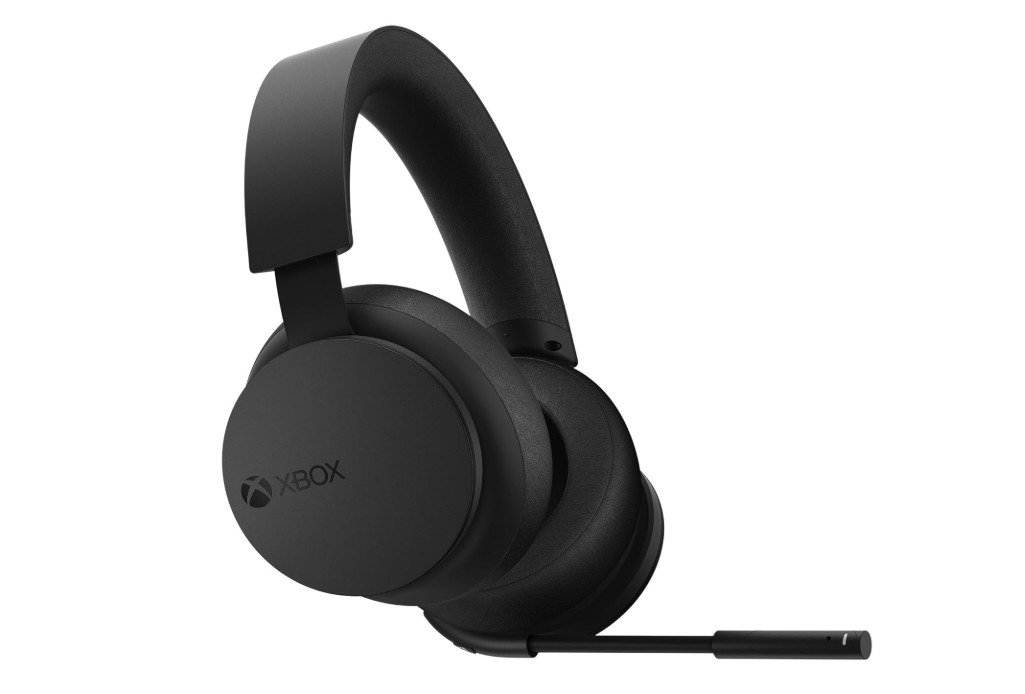
Xbox Wireless Gaming Headset
Runner-Up

Xbox Wireless Gaming Headset

  • Compatibility: Xbox Series X|S, Xbox One, Windows PC, Mobile
  • Connection: Xbox Wireless, Bluetooth
  • Design: Over-ear, wireless
  • Audio: Spatial audio support (Dolby Atmos, Windows Sonic)
  • Drivers: Custom tuned dynamic drivers
  • Microphone: Built-in auto-mute, voice isolation
  • Controls: On-ear dials for volume and game/chat balance
  • Battery Life: Up to 15 hours
  • Color: Carbon Black
  • Extras: Adjustable headband, lightweight design

Xbox Wireless Gaming Headset

The Xbox Wireless Gaming Headset is a strong choice for Xbox players who want great audio and easy setup. It connects directly to Xbox Series X|S and Xbox One without any cables, so you can move freely while you play. Setup is simple and quick, and many users can start gaming in minutes without extra adapters or complicated steps. The wireless connection also works with Windows PC and mobile devices using Bluetooth, which adds flexibility if you like to game or listen to audio on other devices.

Sound quality on this headset is impressive for its price. It supports spatial audio formats like Dolby Atmos and Windows Sonic, which make games feel more immersive. You can hear direction and distance in game sounds, like footsteps or environmental effects, which helps especially in competitive titles. Music and movies also sound clear and full, giving you a richer experience overall. The over-ear design fits comfortably around your ears and helps block out outside noise, so you can stay focused on the game.

The built-in microphone is clear and reliable. It automatically mutes when flipped up, so you don’t have to fumble with buttons if you need to pause talking. Voice quality is good and catches your voice well while reducing background noise. This makes chatting with friends online smooth and easy. Physical controls on the ear cups are simple to use. You can quickly adjust volume and balance between game and chat audio without interrupting your play.

Battery life is solid, lasting many hours on a single charge, which is great for long sessions or weekend marathons. The headset also feels light and comfortable, even after a few hours of play. Overall, the Xbox Wireless Gaming Headset gives great sound, comfort, and ease of use for Xbox gamers who want high-quality audio without extra hassle.

Pros

  • Easy wireless connection to Xbox consoles
  • Immersive spatial audio (Dolby Atmos, Windows Sonic)
  • Comfortable over-ear design
  • Works with PC and mobile via Bluetooth
  • Clear built-in microphone with auto-mute
  • Simple on-ear controls

Cons

  • Battery life could be longer
  • Not as powerful bass as some premium headsets
  • Bluetooth audio may have slight latency for gaming
  • Price higher than basic wired headsets
Recommended

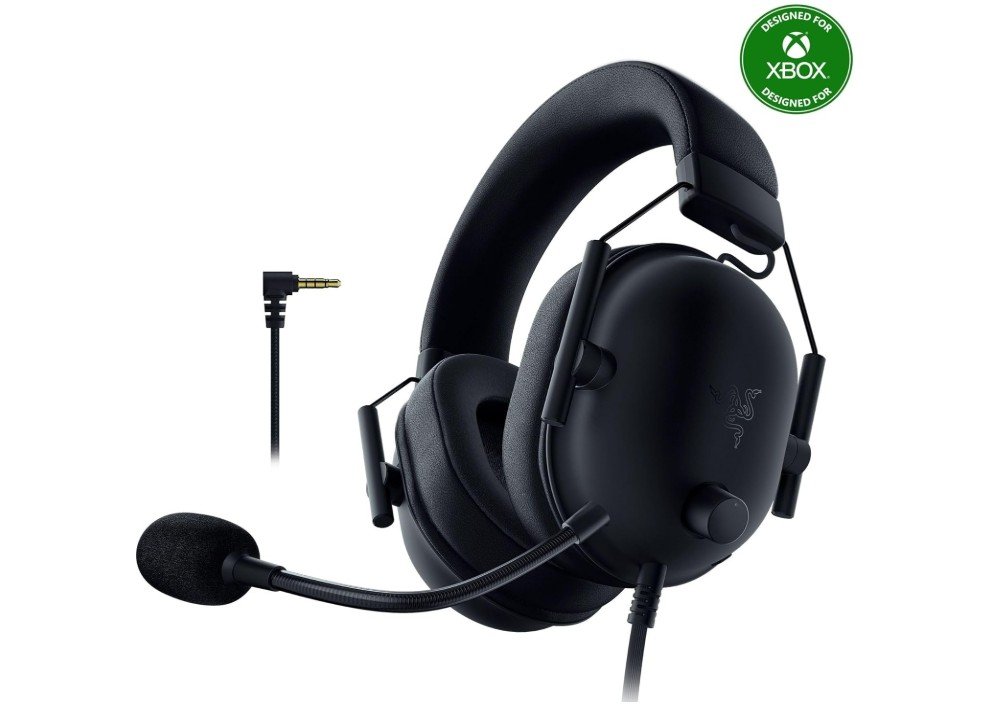
Razer BlackShark V2 X Xbox Gaming Headset

  • Drivers: 50 mm audio drivers
  • Microphone: Cardioid-pattern mic (noise isolating)
  • Compatibility: Xbox Series X|S, PS5, PC, Nintendo Switch (3.5 mm jack)
  • Connection: Wired (3.5 mm audio jack)
  • Design: Lightweight and comfortable
  • Earcups: Noise-isolating cushioned earcups
  • Controls: In-line volume and mic mute
  • Color: Black
  • Use: Gaming, chat, multimedia audio

Razer BlackShark V2 X Xbox Gaming Headset

The Razer BlackShark V2 X Xbox Gaming Headset is a solid wired option for Xbox players who want clear sound and long-lasting comfort without spending too much. Right from the start, it feels lightweight and easy to wear, even during long gaming sessions. The earcups are softly cushioned and designed to block out background noise, so you can focus on your game without distractions. Because it uses a simple 3.5 mm audio jack, it works with Xbox Series X, Series S, and many other devices like PS5, PC, and Nintendo Switch without needing extra adapters.

Sound quality on the BlackShark V2 X is good for its price range. The 50 mm drivers deliver clear audio with balanced highs and mids, which helps when hearing footsteps or game effects. While it does not offer advanced surround sound features, the soundstage feels wide enough for most games, making the experience more immersive than standard TV speakers. Music and movies also sound decent, although bass is not as strong as more expensive headsets. Still, for the majority of gamers, the sound delivers what is needed in gameplay situations.

The cardioid microphone is a nice feature for team chat. It focuses on your voice and reduces noise from the sides and back, so friends can hear you clearly during online matches. The mic quality may not be studio level, but it performs well for regular gaming communication. In-line controls make it easy to adjust volume or mute the mic quickly, which is helpful without having to pause the game.

Overall, the Razer BlackShark V2 X is a comfortable, reliable, and affordable headset for Xbox gamers. It offers clear audio, a decent mic, and a lightweight design that makes it a great choice for everyday gaming. Its simple 3.5 mm connection means wide compatibility and easy use across devices.

Pros

  • Lightweight and comfortable for long play sessions
  • Clear sound with 50 mm drivers
  • Noise-isolating earcups help focus on game audio
  • Cardioid mic delivers good voice clarity
  • Simple 3.5 mm connection works with many devices
  • In-line controls for volume and mic mute

Cons

  • No wireless option
  • Bass isn’t as strong as premium headsets
  • Lacks advanced surround sound features
  • Mic quality is good but not top-tier
HyperX CloudX Stinger Core – Wireless Gaming Headset
Recommended

HyperX CloudX Stinger Core – Wireless Gaming Headset

  • Compatibility: Xbox Series X|S, Xbox One
  • Connection: 2.4 GHz wireless (USB dongle)
  • Design: Over-ear wireless headset
  • Ear Cushions: Memory foam with premium leatherette
  • Audio: Tuned for Xbox gaming
  • Microphone: Noise-cancelling mic
  • Controls: On-ear volume and mic mute
  • Battery Life: Long lasting (up to ~17–20 hrs)
  • Color: Black
  • Use: Wireless gaming audio and chat

HyperX CloudX Stinger Core – Wireless Gaming Headset

The HyperX CloudX Stinger Core Wireless Gaming Headset is a good choice for Xbox players who want wireless freedom without a high price tag. It connects easily to Xbox Series X|S and Xbox One using a USB dongle, so you can play without being tied down by cables. Setup is simple and fast, and once connected, the wireless signal stays strong with very little lag, which is important for fast-paced games. The headset feels light on your head, and the memory foam ear cushions wrapped in premium leatherette make it comfortable to wear even during long play sessions.

Sound quality on the Stinger Core is clear and enjoyable for most games. You can hear important details like footsteps or environmental effects, which helps in both casual and competitive games. While it does not have advanced audio features like spatial or surround sound, the stereo output is balanced and easy to listen to. Music and movies also sound fine through this headset, making it versatile beyond just gaming.

The noise-cancelling microphone works well for voice chat. It catches your voice clearly and reduces background noise, so friends in party chat can understand you easily. The mic is flexible, and you can mute or adjust volume from the controls on the ear cup without opening menus. These controls are easy to reach and responsive, which makes adjusting settings quick during gameplay.

Battery life is decent and lasts long enough for extended gaming sessions. You can play for many hours before needing to recharge, which means fewer interruptions. Overall, the HyperX CloudX Stinger Core offers a good mix of comfort, wireless convenience, and solid audio. It is a solid pick for Xbox gamers who want a reliable wireless headset without spending too much.

Pros

  • Wireless freedom with strong connection
  • Comfortable memory foam and leatherette ear cushions
  • Easy setup with USB dongle
  • Clear sound for games and chat
  • Noise-cancelling microphone
  • On-ear controls for volume and mic

Cons

  • No advanced surround or spatial audio
  • Battery life is good but not top tier
  • Wireless via dongle only (no Bluetooth)
  • Bass and audio depth are basic compared to premium headsets
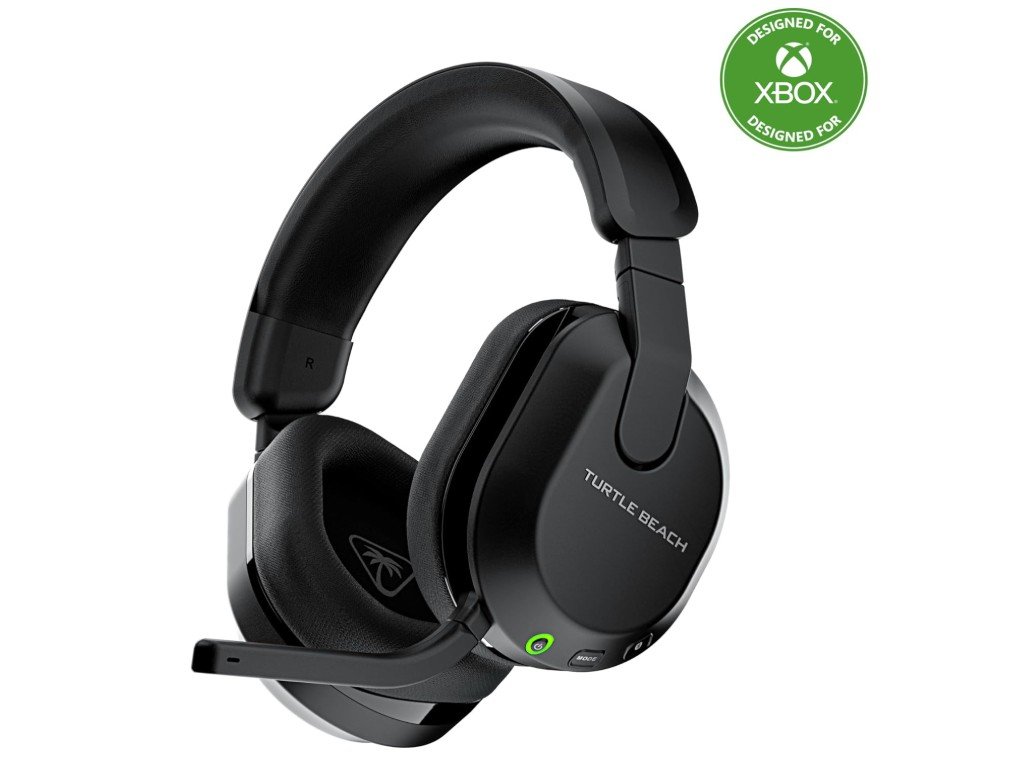
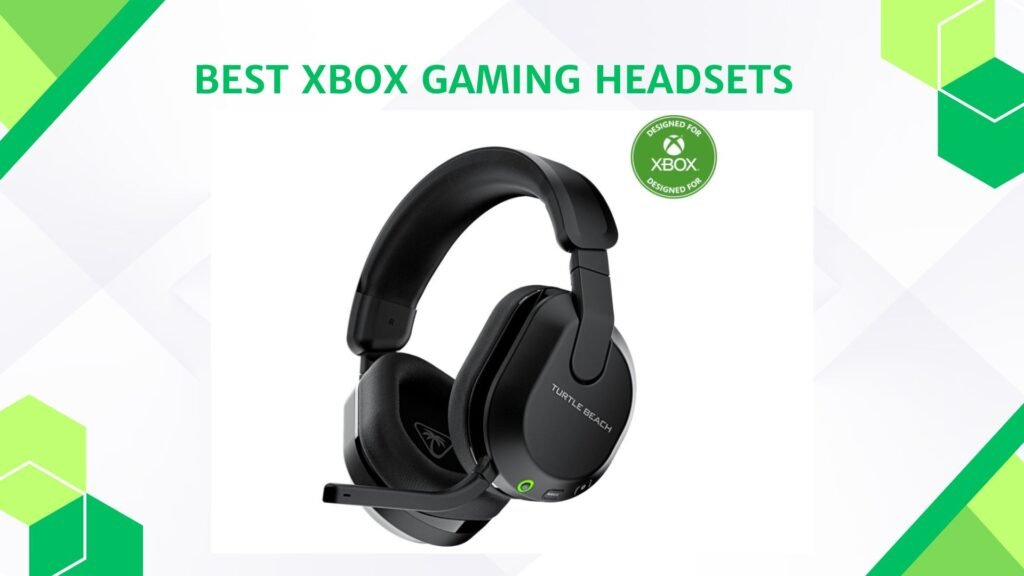
Turtle Beach Stealth 600 Wireless Multiplatform Amplified Gaming Headset
Recommended

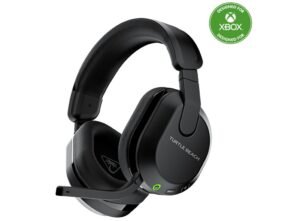
Turtle Beach Stealth 600 Gaming Headset

  • Compatibility: Xbox Series X|S, Xbox One, PC, PS5, PS4, Mobile
  • Connection: Xbox Wireless, Bluetooth
  • Design: Over-ear wireless headset
  • Microphone: Noise-cancelling flip-to-mute mic
  • Audio: Amplified gaming audio
  • Battery Life: Up to 80 hours
  • Controls: On-ear volume and mode controls
  • Color: Black
  • Use: Gaming and mobile audio

Turtle Beach Stealth 600 Gaming Headset

The Turtle Beach Stealth 600 Wireless Gaming Headset is a strong all-around choice for Xbox players who want good sound, long battery life, and wireless freedom without a high price. It connects easily to Xbox Series X|S and Xbox One using Xbox Wireless, which means a stable connection with low delay. You can also pair it with other devices like PC, PS5, PS4, or mobile phones using Bluetooth, giving you flexibility if you play on multiple platforms. Setup is simple, and once connected, the headset works smoothly without constant reconnection.

One of the best features of this headset is its long battery life. With up to 80 hours of playtime on a single charge, you can enjoy many gaming sessions over several days without worrying about charging. This makes it great for weekend gaming marathons or long online sessions with friends. The wireless freedom also means you can move around your room, stretch, or play from different spots without being tied down by a cable.

Sound quality is clear and enjoyable for most games. The amplified audio brings out game details, and you can hear footsteps, explosions, and background effects clearly, which helps in both casual and competitive gaming. Music and movies also sound good through these headphones, making them useful beyond just games.

The noise-cancelling microphone works well for voice chat. It reduces background noise so your friends can hear you clearly while you talk during online matches. The flip-to-mute feature is handy if you need to quickly mute yourself. Controls on the earcups are easy to use, letting you adjust volume or switch modes without stopping your game.

Overall, the Turtle Beach Stealth 600 Wireless Gaming Headset gives a comfortable experience with strong battery life, wireless convenience, and solid audio, making it a good pick for Xbox gamers.

Pros

  • Long battery life (up to 80 hrs)
  • Wireless with Bluetooth and Xbox Wireless support
  • Comfortable for long play sessions
  • Clear amplified audio
  • Noise-cancelling mic with flip-to-mute
  • Works with multiple platforms

Cons

  • Bass and audio depth not as rich as high-end headsets
  • Bluetooth and game audio can’t always run at full quality together
  • Slightly bulky for some users
  • No advanced surround sound features
Recommended

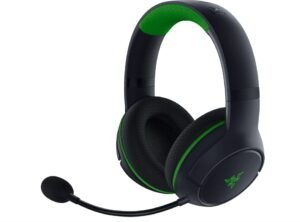
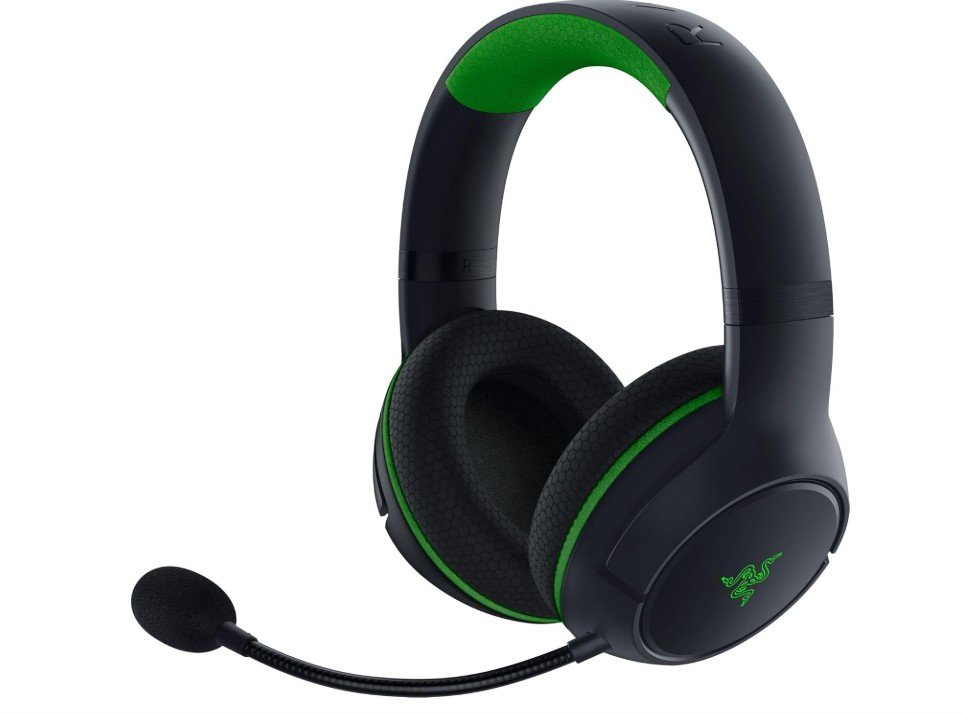
Razer Kaira Wireless Gaming Headset

  • Compatibility: Xbox Series X|S, Xbox One
  • Connection: Xbox Wireless, Bluetooth
  • Drivers: Razer Triforce Titanium 50 mm
  • Microphone: Cardioid-pattern mic (noise reduction)
  • Ear Cushions: Breathable memory foam
  • Audio: Windows Sonic support
  • Controls: EQ pairing button and on-headset controls
  • Color: Black
  • Use: Wireless gaming audio and chat

Razer Kaira Wireless Gaming Headset

The Razer Kaira Wireless Gaming Headset for Xbox is a strong choice for players who want good sound quality, comfort, and wireless convenience. Right away, the headset feels solid and well-built, with breathable memory foam cushions that sit comfortably around your ears. This makes it easy to wear for long gaming sessions without feeling too heavy or warm. The wireless connection to Xbox Series X|S and Xbox One is simple to set up and stays stable, so you can play without worrying about cables or interruptions. It also supports Bluetooth, which means you can connect to phones or other devices at the same time for multitasking like listening to music or taking calls.

The audio quality is one of the best parts of this headset. The Razer Triforce Titanium 50 mm drivers deliver clear and detailed sound, so you can hear important in-game details like footsteps, gunfire, or environmental effects. This makes games feel more immersive and helps you stay aware of what’s happening. The headset also supports Windows Sonic spatial sound, which adds depth to the audio and enhances the overall experience. Whether you’re playing shooters, action games, or adventure titles, the sound is strong and enjoyable.

The cardioid microphone does a good job picking up your voice while reducing background noise. Your teammates can hear you clearly, which is important for online play and communication. The headset also has an EQ pairing button that lets you switch sound profiles easily, so you can customize audio for different games or media. On-headset controls are easy to reach and use, making volume and mic adjustments quick and intuitive.

Battery life is solid and lasts through long play sessions without frequent charging. Overall, the Razer Kaira Wireless Gaming Headset gives Xbox gamers a comfortable, high-quality wireless audio option with clear sound, a good mic, and reliable performance.

Pros

  • Wireless with Xbox Wireless and Bluetooth support
  • Clear, detailed sound with 50 mm Triforce Titanium drivers
  • Comfortable breathable memory foam ear cushions
  • Good cardioid mic with noise reduction
  • Easy EQ pairing button and on-headset controls
  • Supports Windows Sonic spatial audio

Cons

  • Battery life is decent but not top tier
  • Lacks advanced surround formats like Dolby Atmos
  • Bluetooth and game audio sometimes limited in quality
  • Slightly bulky for some users
Recommended

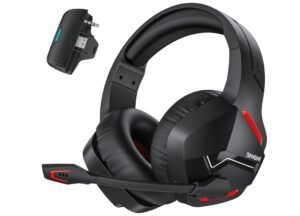
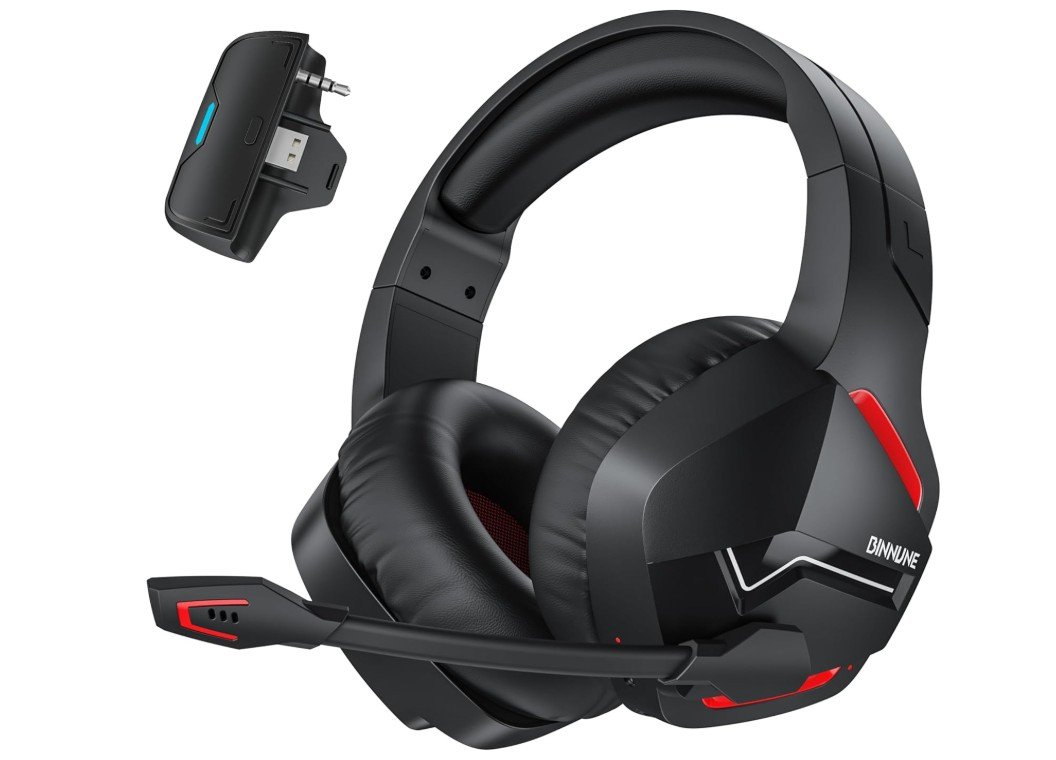
BINNUNE Xbox Wireless Gaming Headset

  • Compatibility: Xbox Series X|S, Xbox One
  • Connection: Xbox Wireless, Bluetooth 5.3
  • Design: Over-ear wireless headset
  • Microphone: Noise-canceling mic
  • Battery Life: Up to 120 hours
  • Comfort: Soft cushioned earcups
  • Controls: On-ear controls
  • Use: Gaming, chat, mobile audio

BINNUNE Xbox Wireless Gaming Headset

The BINNUNE Xbox Wireless Gaming Headset is a budget-friendly wireless headset designed for Xbox Series X|S and Xbox One players who want long battery life and solid performance. Right away, one of the most impressive features is the battery life. With up to 120 hours on a single charge, this headset can easily last through many gaming sessions, weekends of play, or long travel days without needing to recharge. For gamers who dislike frequent charging, this long battery life is a big advantage.

Connection to the Xbox console is simple and stable using the built-in Xbox Wireless support, so you can enjoy games without cables getting in the way. There’s also Bluetooth 5.3 support, which makes it easy to connect to a phone or other Bluetooth devices at the same time. This is useful if you want to listen to music, take calls, or watch videos without switching headsets. Setup is straightforward, and once connected, the wireless signal stays smooth with very little delay, which matters especially in fast-paced games.

Comfort is good for a long headset session. The over-ear design and cushioned earcups sit nicely around your ears and help reduce outside noise. Even after a few hours of play, the headset remains comfortable without causing too much pressure or heat. The noise-canceling microphone does a decent job of picking up your voice clearly during online chat. Friends can hear you well, and background sounds are minimized, which keeps communication sharp and clear during team matches.

Sound quality is balanced and clear for most games. You can hear footsteps, explosions, and music with enough detail to enjoy the experience. While it may not match premium headsets in deep bass or advanced surround sound, it performs well for its price. On-ear controls make adjusting volume and managing calls or audio quick and easy without interrupting gameplay. Overall, the BINNUNE Xbox Wireless Gaming Headset offers a compelling combination of long battery life, comfort, and reliable wireless performance that makes it a practical choice for many Xbox gamers.

Pros

  • Extremely long battery life (up to 120 hrs)
  • Wireless with Xbox Wireless and Bluetooth 5.3
  • Comfortable cushioned over-ear design
  • Noise-canceling mic for clear chat
  • Easy setup and on-ear controls

Cons

  • Sound quality is basic compared to premium headsets
  • No advanced spatial audio features
  • Build quality feels more budget-oriented
  • Bluetooth audio may lag slightly in games

Buying Guide: Xbox Gaming Headsets

Choosing the right Xbox gaming headset can greatly improve your overall gaming experience. A good headset helps you hear game details more clearly, communicate better with teammates, and stay comfortable during long gaming sessions. With many options available, understanding the key features will help you choose the best Xbox gaming headset for your needs.

Xbox Compatibility

The first thing to check is compatibility. Make sure the headset works with Xbox Series X, Xbox Series S, and Xbox One. Some headsets are made specifically for Xbox and connect directly using Xbox Wireless, while others use a 3.5mm wired connection through the controller. Wireless Xbox headsets offer a cleaner setup and better integration, but wired headsets are usually cheaper and simpler.

Wired vs Wireless Headsets

Wired headsets connect using a cable and do not require charging. They usually have low audio delay and are budget-friendly. Wireless headsets give you freedom to move around without cables and often include extra features like on-ear controls and Bluetooth support. However, they cost more and need regular charging. Choose wired if you want simplicity, or wireless if you want convenience.

Sound Quality and Audio Features

Sound quality is one of the most important factors. Most Xbox headsets offer stereo sound, which is good for everyday gaming. Some headsets support spatial audio technologies like Windows Sonic, Dolby Atmos, or DTS Headphone:X. These create a 3D sound experience, helping you hear the direction of footsteps, gunfire, and in-game effects more accurately.

Microphone Quality

If you play online multiplayer games, a good microphone is essential. Look for headsets with noise-canceling or noise-reducing microphones. These help block background noise so your voice sounds clear to teammates. Features like flip-to-mute or detachable microphones add extra convenience.

Comfort and Fit

Comfort matters a lot, especially for long gaming sessions. Over-ear headsets with memory foam ear cushions are usually the most comfortable. Breathable materials help reduce heat buildup. Adjustable headbands ensure a better fit for different head sizes. Lightweight designs reduce pressure on your head and ears.

Battery Life for Wireless Headsets

For wireless headsets, battery life is very important. Some headsets last around 15–20 hours, while others can go up to 80–120 hours on a single charge. Longer battery life means fewer interruptions and more gaming time. Fast charging support is also a useful bonus.

Controls and Ease of Use

On-ear controls make it easy to adjust volume, mute the microphone, or balance game and chat audio without opening Xbox menus. These controls are very useful during intense gameplay. Simple and well-placed buttons improve the overall user experience.

Multi-Device and Bluetooth Support

Some Xbox headsets support Bluetooth, allowing you to connect to your phone, tablet, or PC. This is useful if you want to take calls, listen to music, or use voice chat apps while gaming. Multi-device support adds flexibility and value.

Build Quality and Durability

A headset should feel solid and well built. Strong plastic, metal headbands, and quality ear cushions help the headset last longer. A durable headset is a better long-term investment, especially if you game regularly.

Price and Value

Xbox gaming headsets are available in different price ranges. Budget models offer basic sound and comfort. Mid-range headsets provide better audio, comfort, and wireless features. Premium headsets deliver the best sound quality, microphones, and battery life but cost more. Choose based on your budget and gaming needs.

FAQs

Do all gaming headsets work with Xbox Series X|S and Xbox One?

Not all headsets work perfectly with every Xbox console. Officially licensed Xbox headsets and those with Xbox Wireless support connect easily. Wired headsets with a 3.5mm jack also work if your controller has a headphone port.

What is Xbox Wireless?

Xbox Wireless is a built-in wireless technology that connects headsets directly to the Xbox without a dongle. It provides stable audio with low latency and is designed specifically for Xbox consoles.

Do I need a special headset for Xbox spatial audio?

Headsets that support audio formats like Windows Sonic, Dolby Atmos, or DTS Headphone:X offer enhanced spatial sound. Not all headsets have these, but it’s a bonus feature for more immersive audio.

What battery life is good for a wireless headset?

A battery life of 20+ hours is solid. Some headsets offer 40–80 hours or more, which is great for longer gaming sessions without frequent charging.

Can I connect Xbox headsets to mobile phones or PCs?

Many wireless headsets also support Bluetooth so you can connect to phones or PCs. Wired headsets with a 3.5mm jack can also work with multiple devices.

Are more expensive headsets always better?

Not necessarily. Higher prices often bring better sound, comfort, and features, but many affordable headsets still deliver great performance for casual and competitive gaming.

Final Thoughts

The best Xbox gaming headset depends on how you play, your budget, and what features matter most to you. Focus on compatibility, sound quality, comfort, microphone performance, and battery life. Taking time to compare these features will help you find a headset that enhances your Xbox gaming experience and keeps you comfortable and connected for years to come.