
Last Updated on May 15, 2026 by Jawad
Introduction
Mechanical keyboards have become very popular among gamers because they offer better performance, faster response time, and a more satisfying typing experience compared to regular membrane keyboards. The good news is that you don’t need to spend a lot of money to enjoy these benefits. Today, you can easily find a mechanical keyboard for gaming under $50 that delivers great value without compromising too much on quality. These budget-friendly keyboards are perfect for beginners, casual gamers, and even competitive players who want solid performance at an affordable price.
We also have a recommendation for the Best Gaming Keyboard Under $100, so make sure to check that out too!
Let’s dive into the Top Budget Mechanical Gaming Keyboards available on Amazon.
Top Budget Mechanical Keyboard for Gaming



Comparison
| Keyboard | Image | Rating | Switch Type | Layout | Keycaps | Anti-Ghosting | Weight | Backlighting | Durability | Buy |
|---|---|---|---|---|---|---|---|---|---|---|
|
Redragon K552 🏆 Best Overall 🔥 Top Pick |
 | ★★★★★ | Outemu Blue | TKL (87-Key) | Double-Shot ABS | N-Key Rollover | ≈ 0.87 kg | RGB | 50M Keystrokes | Check Price |
|
Black Shark Mechanical Keyboard 💰 Best Budget |
 | ★★★★☆ | Linear Red | Full Size | ABS | Anti-Ghosting | ≈ 1.1 kg | RGB | 50M Keystrokes | Check Price |
| TECWARE Phantom 87 |
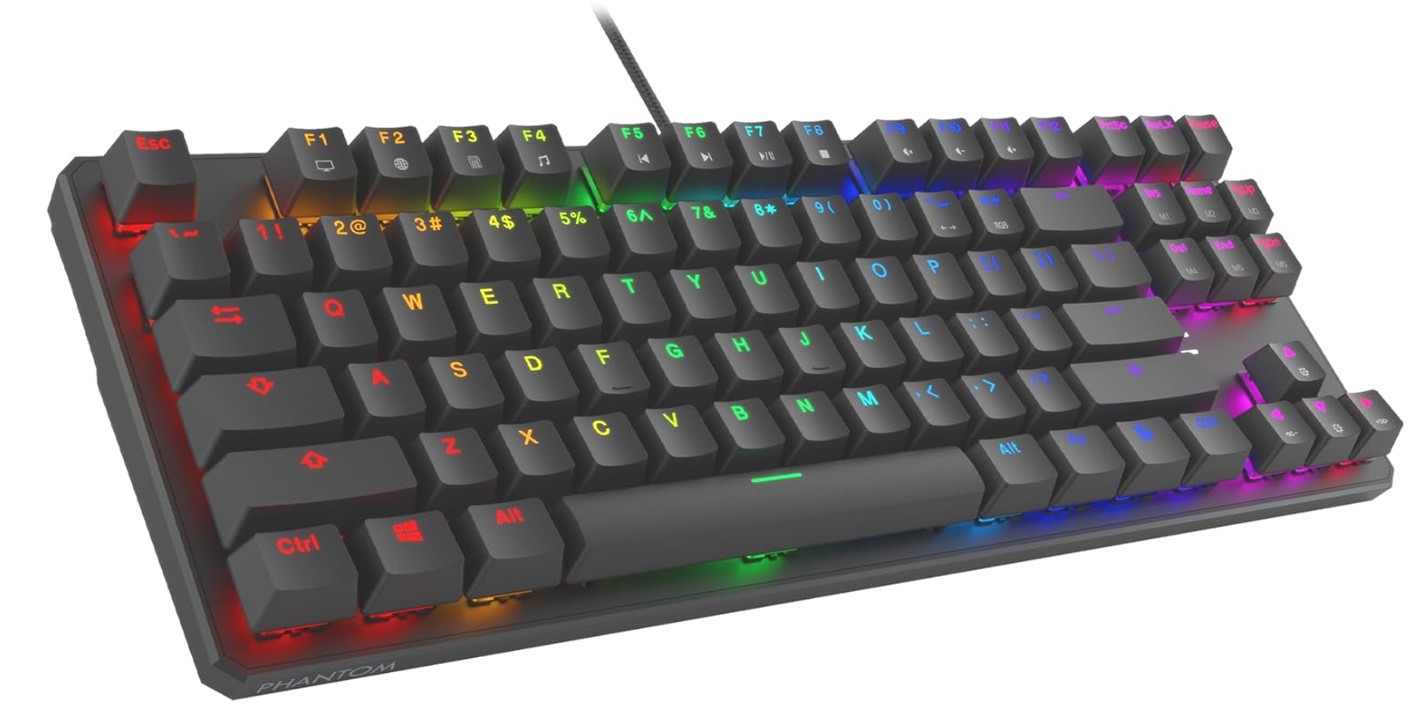 | ★★★★★ | Outemu Brown | TKL | Double-Shot ABS | N-Key Rollover | ≈ 0.95 kg | RGB | 50M Keystrokes | Check Price |
| Granvela OUTEMU Brown |
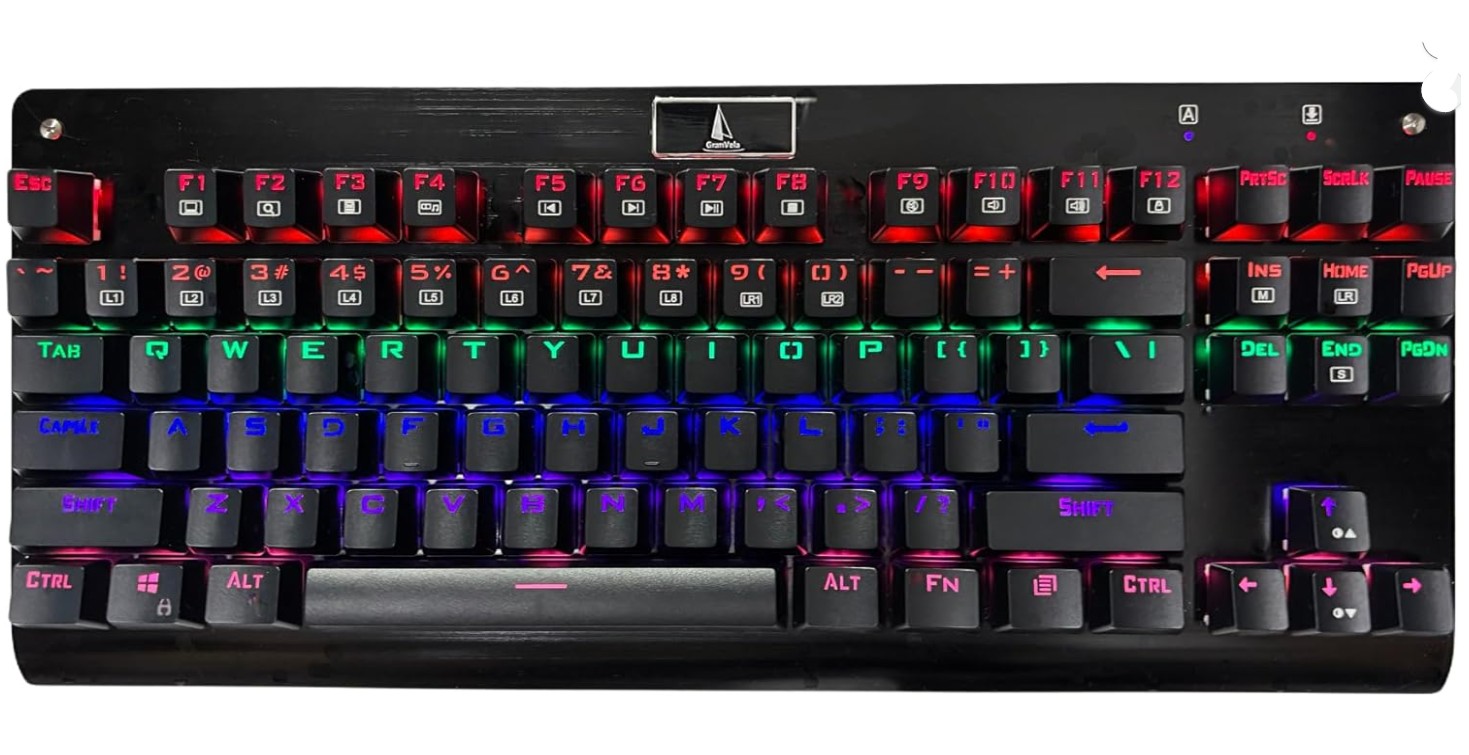 | ★★★★☆ | Outemu Brown | TKL | ABS | Anti-Ghosting | ≈ 0.88 kg | LED | 50M Keystrokes | Check Price |
| RK Royal Kludge RK87 |
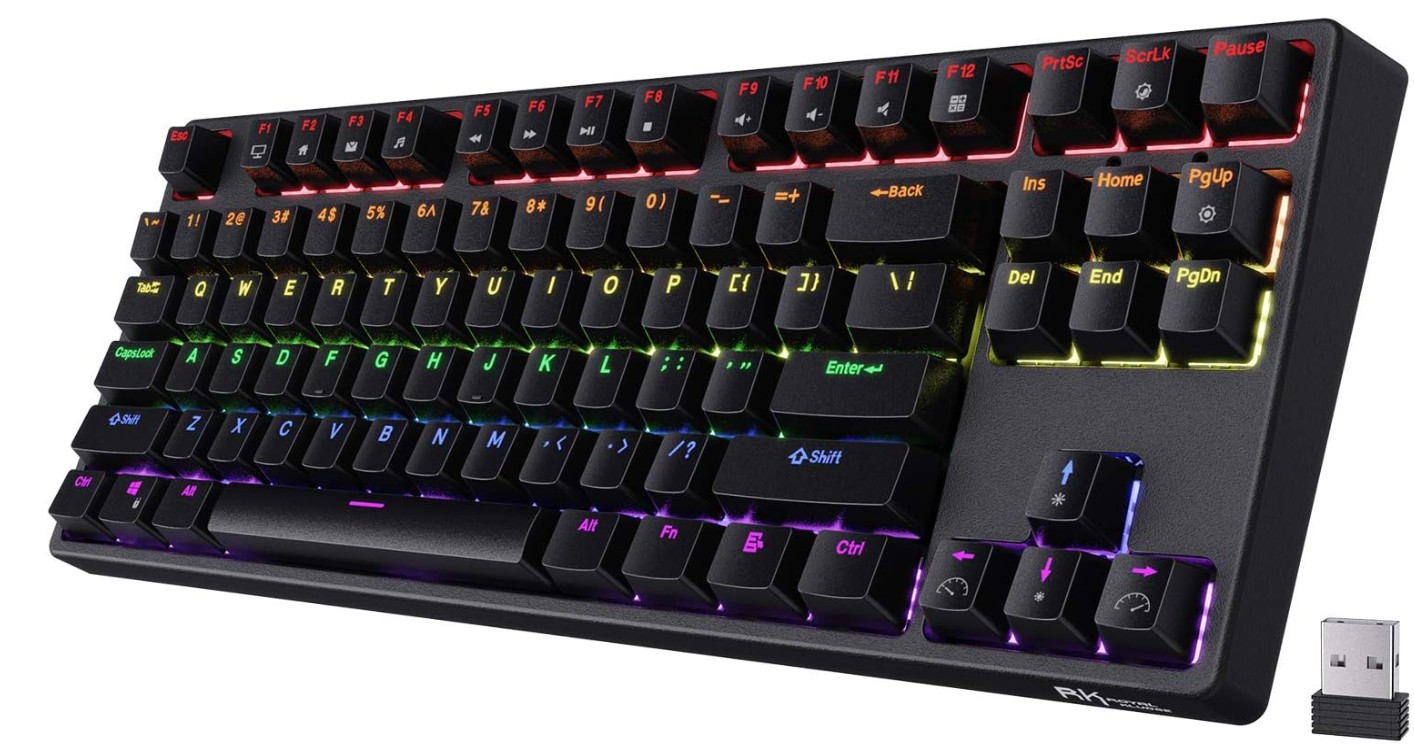 | ★★★★★ | Brown Switch | TKL | Double-Shot ABS | N-Key Rollover | ≈ 0.85 kg | RGB | 50M Keystrokes | Check Price |
Redragon K552 Mechanical Gaming Keyboard
Redragon K552 Mechanical Gaming Keyboard
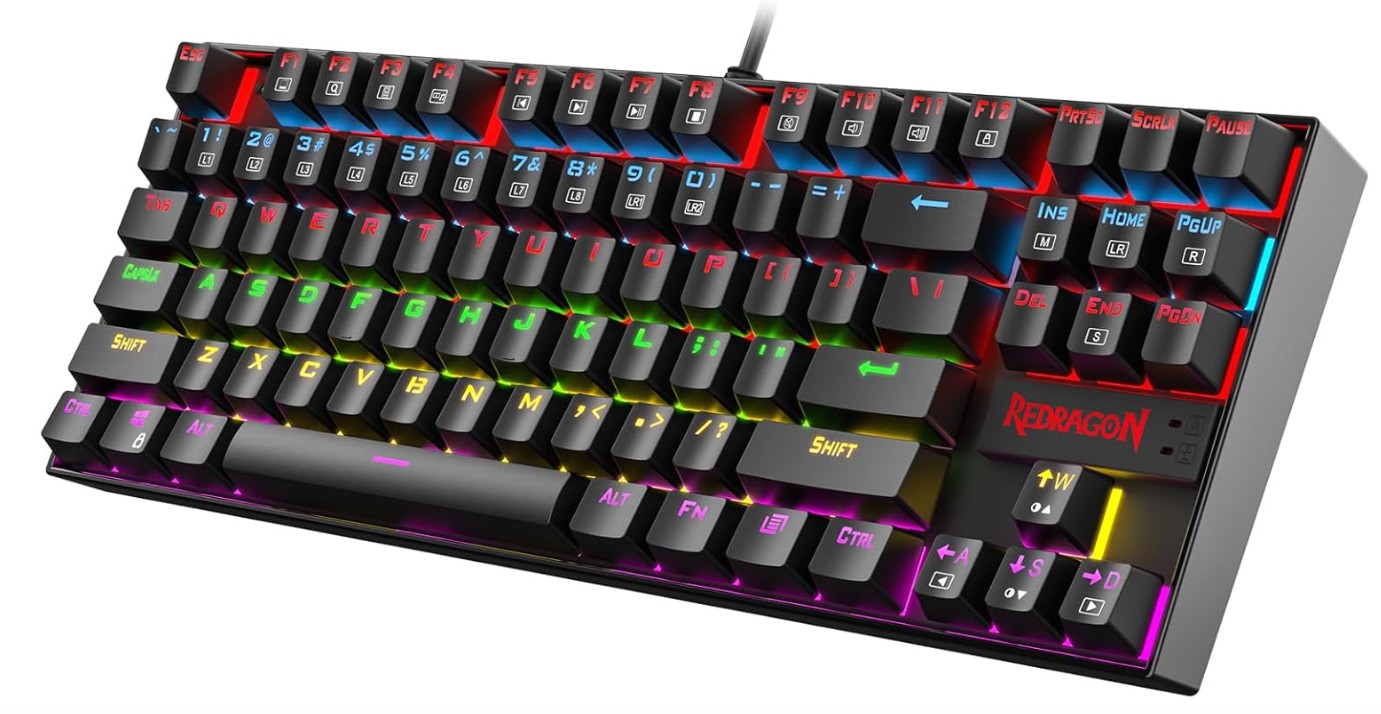
The Redragon K552 Mechanical Gaming Keyboard is a great budget-friendly option for gamers and beginners who want a solid mechanical keyboard without spending too much. Its compact 87-key design saves desk space while still feeling comfortable for gaming and typing. The red switches provide smooth and fast keystrokes with less noise compared to blue switches, making it suitable for long sessions.
The sturdy metal frame gives the keyboard a premium and durable feel, while the LED lighting adds a stylish gaming look. Anti-ghosting support ensures accurate key registration during gameplay.
Overall, the K552 offers impressive performance, durability, and value for everyday gaming and productivity.
Black Shark RGB Mechanical Gaming Keyboard
Black Shark RGB Mechanical Gaming Keyboard
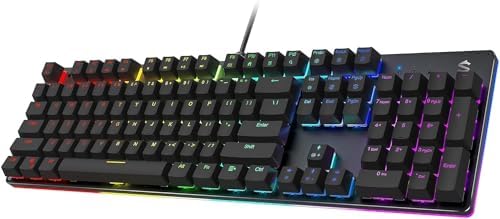
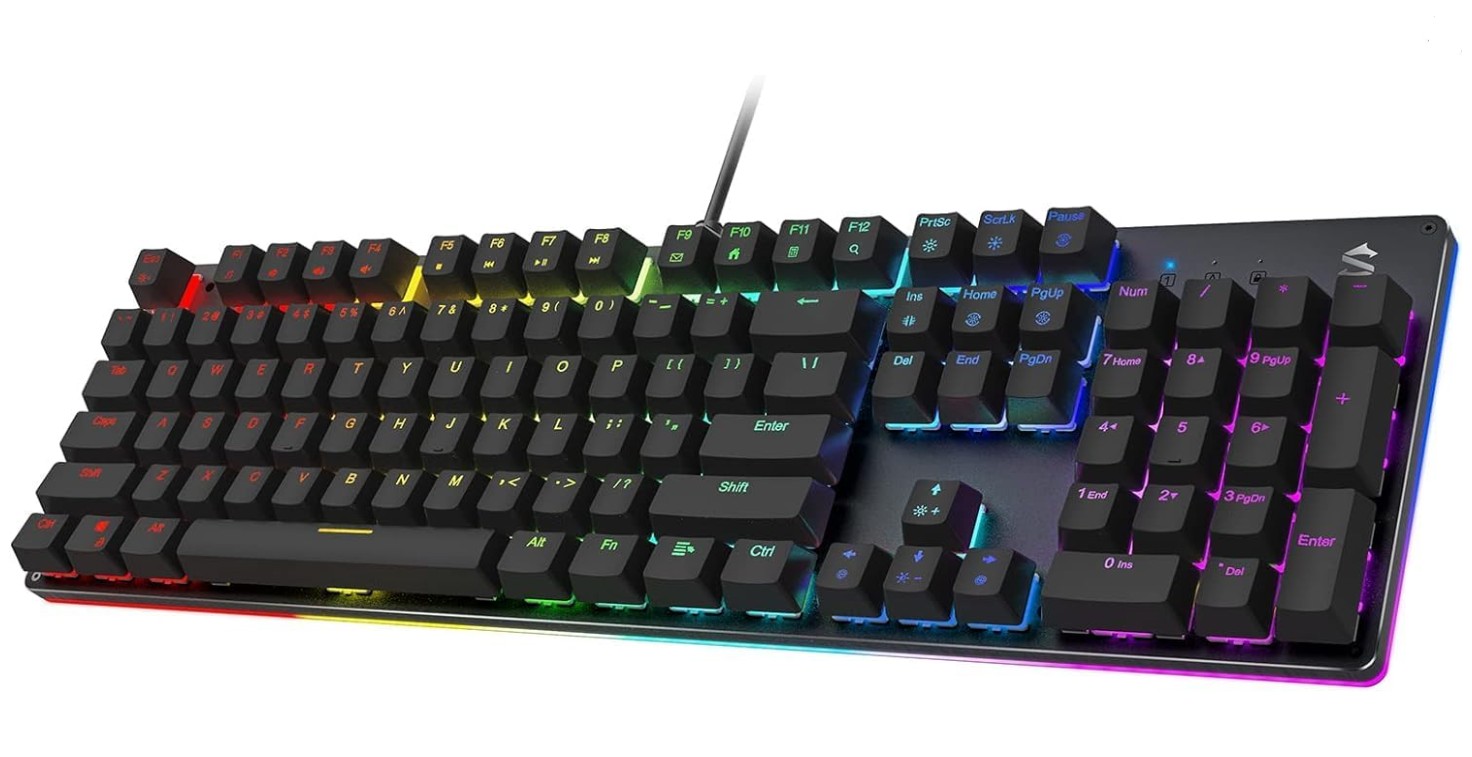
The Black Shark Sixgill K2 Mechanical Gaming Keyboard is a solid budget gaming keyboard with impressive features for its price. It comes with responsive red switches that feel smooth and fast, making it great for both gaming and everyday typing. The full-size 104-key layout includes anti-ghosting support, helping every keypress register accurately during intense gameplay.
Its RGB backlighting looks vibrant and offers multiple lighting effects for a stylish gaming setup. The metal top frame gives the keyboard a durable and premium feel, while programmable keys add extra customization options.
Overall, the Sixgill K2 delivers reliable performance, attractive lighting, and excellent value for beginner and casual gamers.
TECWARE Phantom 87 Key Mechanical Keyboard
TECWARE Phantom 87 Key Mechanical Keyboard
The TECWARE Phantom 87 is an excellent budget mechanical keyboard that delivers impressive performance for gaming and typing. Its Outemu Brown switches provide a balanced tactile feel that is comfortable for long typing sessions while still responsive enough for gaming. The compact 87-key design saves desk space without sacrificing essential keys.
RGB lighting looks vibrant with multiple preset effects and software customization options for a personalized setup. Features like N-key rollover, low latency, and anti-ghosting help ensure accurate input during intense gameplay. The keyboard also feels durable thanks to its solid construction and double-shot keycaps.
Overall, it offers fantastic value for beginners and budget-conscious gamers.
Granvela OUTEMU Tactile Brown Switches Mechanical Keyboard
Granvela OUTEMU Tactile Brown Switches Mechanical Keyboard
The Granvela Z-77 Mechanical Keyboard is a reliable budget-friendly keyboard designed for gamers and everyday users who want a true mechanical typing experience. Its Outemu Brown switches provide a comfortable tactile feel with quieter feedback, making it suitable for both gaming and office work. The compact 87-key layout saves desk space while still offering essential functionality.
Rainbow LED backlighting gives the keyboard a stylish gaming appearance, and N-key rollover ensures accurate input during fast gameplay. The metal and ABS construction feels sturdy and durable for long-term use.
Overall, the Z-77 offers excellent value, responsive performance, and a satisfying typing experience for beginners and casual gamers.
RK ROYAL KLUDGE RK87 Sink87G Mechanical Gaming Keyboard
RK ROYAL KLUDGE RK87 Sink87G Mechanical Gaming Keyboard
The RK ROYAL KLUDGE RK87 Sink87G is an excellent budget wireless mechanical keyboard that offers strong performance for both gaming and typing. Its compact 80% tenkeyless layout saves desk space while still feeling comfortable for everyday use. The tactile brown switches provide satisfying feedback without being overly loud, making the keyboard suitable for work and gaming sessions.
RGB lighting looks vibrant with multiple customizable effects, and the programmable software adds useful personalization features. Wireless 2.4G connectivity works reliably with low latency, while the sturdy build quality feels premium for the price.
Overall, the RK87 delivers impressive value, comfort, and functionality for beginner and casual mechanical keyboard users.
Mechanical Keyboard for Gaming Under $50 — Buying Guide
Mechanical keyboards have become very popular among gamers because they provide better performance, faster response time, and a more satisfying typing experience than traditional keyboards. In the past, mechanical keyboards were expensive, but today many brands offer high-quality options for under $50. These budget keyboards give gamers many useful features such as RGB lighting, anti-ghosting, and mechanical switches without costing a lot of money. If you are building a gaming setup on a budget, a mechanical keyboard under $50 can be a great starting point.
In this buying guide, you will learn what mechanical keyboards are, why they are good for gaming, and what important features you should look for before buying one.
Why Choose a Mechanical Keyboard for Gaming
Mechanical keyboards use individual mechanical switches under each key. This means every keypress is registered separately, which improves accuracy and responsiveness. Compared to membrane keyboards, mechanical keyboards usually feel more precise and durable. Many mechanical switches are designed to last for 50 million or more keystrokes, making them much more durable than standard rubber-dome keyboards.
For gamers, fast response and reliable input are very important. Mechanical keyboards help reduce missed inputs and make rapid key presses easier. This can be helpful in many game genres such as FPS, MOBA, or battle royale games where quick reactions matter.
Another advantage is the typing feel. Mechanical switches provide feedback when you press a key, making gaming and typing more comfortable. Many gamers prefer this tactile feedback because it improves control during gameplay.
Types of Mechanical Switches
One of the most important things to consider when buying a gaming keyboard is the type of switch. Different switches provide different feelings and sounds when typing or gaming.
Red Switches (Linear)
Red switches are very popular for gaming. They are smooth and quiet because they do not have a tactile bump when pressed. These switches require less force, allowing gamers to press keys quickly during fast gameplay. Because of their speed and smoothness, many competitive gamers prefer red switches.
Blue Switches (Clicky)
Blue switches are known for their loud click sound and tactile bump. They provide strong feedback when typing, which many people enjoy. However, they can be noisy, so they may not be ideal if you share a room or play games late at night.
Brown Switches (Tactile)
Brown switches are a balanced option between red and blue switches. They provide a small tactile bump but are quieter than blue switches. Many people choose brown switches because they work well for both gaming and typing.
If you want a keyboard mainly for gaming, red switches are usually the best option. If you also type a lot, brown switches can be a good choice.
Keyboard Layout and Size
Mechanical keyboards come in different sizes, and the layout you choose can affect your gaming experience.
Full-Size Keyboard
A full-size keyboard usually has 104 keys and includes a number pad. It is useful for productivity tasks like data entry or office work. However, it takes more desk space.
Tenkeyless (TKL)
Tenkeyless keyboards remove the number pad and usually have 87 keys. Many gamers prefer this layout because it creates more space for mouse movement.
Compact Layout (60% or 65%)
Compact keyboards remove additional keys such as function rows or navigation keys. These keyboards are very small and portable, but some users may find them less convenient for everyday tasks.
Choosing the right layout depends on your desk space and how you plan to use the keyboard.
Anti-Ghosting and N-Key Rollover
When gaming, you often press multiple keys at the same time. For example, you might press keys for moving, jumping, and attacking simultaneously.
If a keyboard cannot detect all these keys correctly, it can cause a problem called “ghosting.” Anti-ghosting technology helps prevent this issue by ensuring that every key press is detected correctly.
N-Key rollover (NKRO) is another important feature. It allows the keyboard to register multiple key presses at the same time without errors. This feature is especially useful in fast-paced games where many keys are pressed simultaneously.
Most good gaming keyboards under $50 include anti-ghosting or at least partial NKRO.
RGB and Backlighting
Lighting is not just about style; it can also improve usability. Many budget mechanical keyboards come with LED or RGB backlighting.
RGB lighting allows you to customize colors and lighting effects. Some keyboards support multiple lighting modes such as wave, breathing, or reactive lighting. While cheaper keyboards may not offer full customization, they still provide attractive lighting effects that make your gaming setup look better.
Backlighting is also helpful when gaming in dark environments because it makes the keys easier to see.
Build Quality and Materials
Build quality is another important factor when choosing a mechanical keyboard. Even in the budget category, some keyboards offer strong construction.
Look for keyboards with:
- Metal top plates
- Durable ABS or PBT keycaps
- Solid frame construction
A metal plate can make the keyboard feel more stable and durable. Many affordable keyboards use ABS plastic keycaps, which are common in this price range.
While budget keyboards may not feel as premium as high-end models, they can still provide good durability if built well.
Wired vs Wireless Keyboards
Most mechanical keyboards under $50 are wired. Wired keyboards are generally preferred for gaming because they provide a stable connection and low input delay.
However, some budget models now include wireless features such as Bluetooth or 2.4GHz connections. Wireless keyboards provide a cleaner desk setup and more flexibility, but they may need regular charging.
For competitive gaming, a wired connection is usually the most reliable option.
Extra Features to Consider
Even budget mechanical keyboards now include several useful features. Some of the most helpful ones include:
Hot-Swappable Switches
Some keyboards allow you to change switches without soldering. This means you can easily replace switches or customize your typing experience.
Programmable Keys and Macros
Some gaming keyboards allow you to program keys or create macros for specific commands in games.
Detachable USB Cable
A detachable cable makes the keyboard easier to carry and replace if the cable is damaged.
Software Customization
Some keyboards include software that lets you change lighting effects or customize key functions.
These features can improve the overall gaming experience, even on a budget keyboard.
FAQs
Yes — there are mechanical keyboards available under $50, though choices are limited and you’ll often find compact layouts (like 60 % or 65 %) or models with more basic features compared to premium options.
60 %: Minimal, no arrow pad or numpad — great for small desks and esports gaming.
65 % / TKL: Compact but keeps arrow keys — a good balance for gaming + typing.
Full-size: Rare under $50, usually only with simpler switches and basic features.
RGB lighting doesn’t improve performance, but it:
1. Makes the keyboard look more premium
2. Helps you game in low-light setups
3. Can be fun for customization if the keyboard supports profiles
Many under-$50 boards include RGB or single-color backlight options.
Hot-swappable means you can replace the mechanical switches yourself.
Good news: a few budget models offer it, though it’s less common under $50 than on more expensive boards — so check specs before buying.
Wired USB is typical at this price and great for gaming because it avoids latency or battery issues.
Wireless mechanical gaming keyboards tend to cost more than $50.
At this price, keyboards often have ABS keycaps (standard plastic) rather than higher-end PBT keycaps. ABS can shine or wear faster over time, but functionally, they still work fine for gaming.
Final Thoughts
Mechanical keyboards under $50 have improved significantly in recent years. Many affordable models now include features that were once available only on expensive gaming keyboards. With mechanical switches, anti-ghosting technology, RGB lighting, and durable builds, budget mechanical keyboards can deliver excellent performance for gamers.
When choosing a keyboard, focus on important features such as switch type, layout, build quality, and gaming features like N-key rollover. These factors will have the biggest impact on your gaming experience.
If you choose carefully, a mechanical keyboard under $50 can provide great performance, comfort, and durability without exceeding your budget. It is a smart investment for beginners, casual gamers, and anyone looking to upgrade their gaming setup without spending too much money.

Jawad is a passionate tech enthusiast and writer who loves exploring the latest trends in hardware, gadgets, and digital innovation. With a sharp eye for performance and value, he delivers in-depth recommendations and buying guides to help readers make smarter tech decisions.