
Last Updated on May 15, 2026 by Jawad
Introduction
You’ve come to the right spot if you’re looking for a top-notch gaming keyboard without going over budget. Performance and price are expertly balanced in a “Gaming Keyboard Under $100.” These keyboards offer the necessary features for engaging gameplay without the hefty price tag of more expensive models. Your keyboard is essential for comfort and performance, whether you’re playing fast-paced shooters, exploring large open worlds, or participating in multiplayer online adventures.
We also have a recommendation for the Best Mechanical Keyboard for Gaming Under $50, so make sure to check that out too!
Top Gaming Keyboard Under $100


Comparison
| Keyboard | Image | Rating | Switch Type | Layout | Keycaps | Build | Backlighting | Special Feature | Buy |
|---|---|---|---|---|---|---|---|---|---|
|
SteelSeries Apex 5 🏆 Best Overall 🔥 Top Pick |
 | ★★★★★ | Hybrid Mechanical | Full Size | ABS | Aluminum Alloy | Per-Key RGB | OLED Display | Check Price |
|
Logitech G Pro 💰 Best Value |
 | ★★★★★ | GX Mechanical | TKL | ABS | Compact Durable | LIGHTSYNC RGB | Detachable Cable | Check Price |
| Redragon K556 |
 | ★★★★☆ | Brown Mechanical | Full Size | ABS | Metal Base | RGB | Hot-Swappable | Check Price |
| HyperX Alloy Origins 60 |
 | ★★★★★ | HyperX Red | 60% | PBT | Aluminum | RGB | Ultra Compact | Check Price |
| DURGOD Taurus K320 |
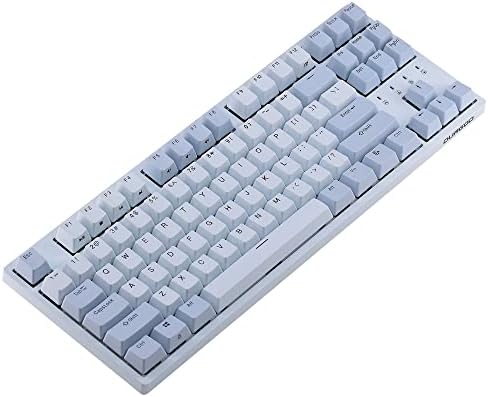
 | ★★★★☆ | Cherry MX | TKL | PBT | Solid Frame | No RGB | Premium Typing Feel | Check Price |
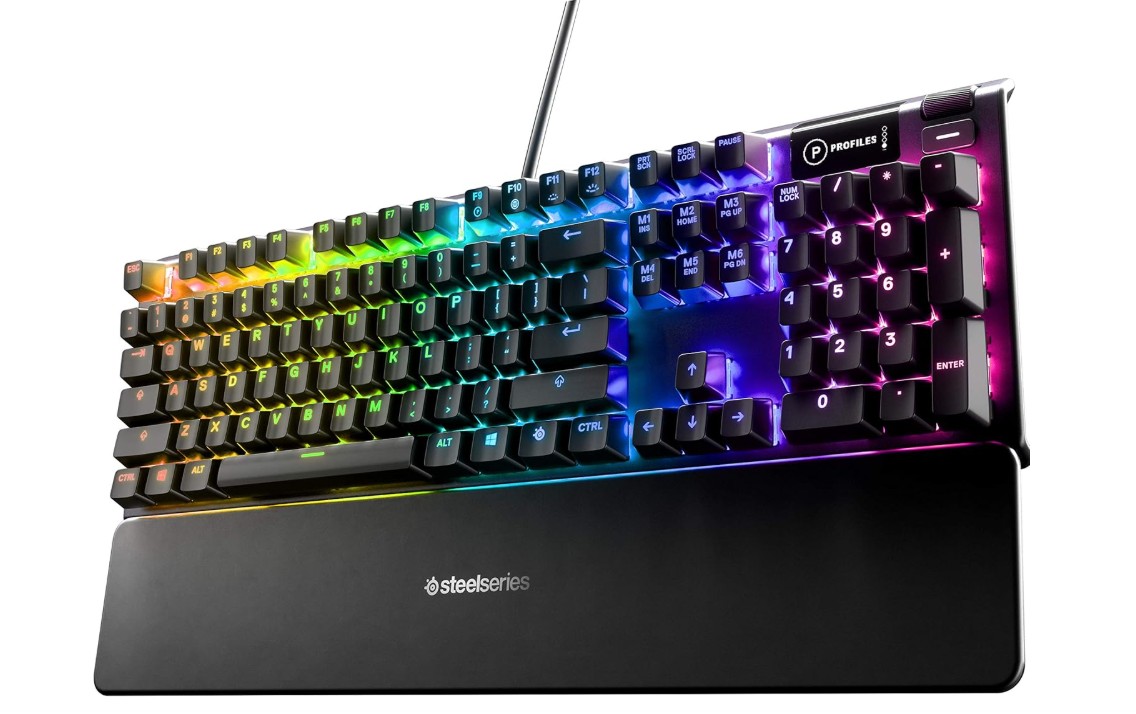
SteelSeries USB Apex 5 Hybrid Mechanical Gaming Keyboard
SteelSeries USB Apex 5 Hybrid Mechanical Gaming Keyboard
The SteelSeries Apex 5 is a premium hybrid mechanical gaming keyboard that combines the feel of mechanical switches with the affordability of membrane technology. Its Hybrid Blue switches deliver satisfying tactile feedback and clicky sound, making gaming and typing enjoyable. The aircraft-grade aluminum alloy frame feels extremely sturdy and durable, while the magnetic wrist rest adds extra comfort during long sessions.
Per-key RGB illumination looks vibrant and highly customizable through SteelSeries software. One standout feature is the OLED Smart Display, which can show notifications, profiles, and media controls.
Overall, the Apex 5 offers excellent build quality, stylish design, and strong gaming performance at a competitive price.
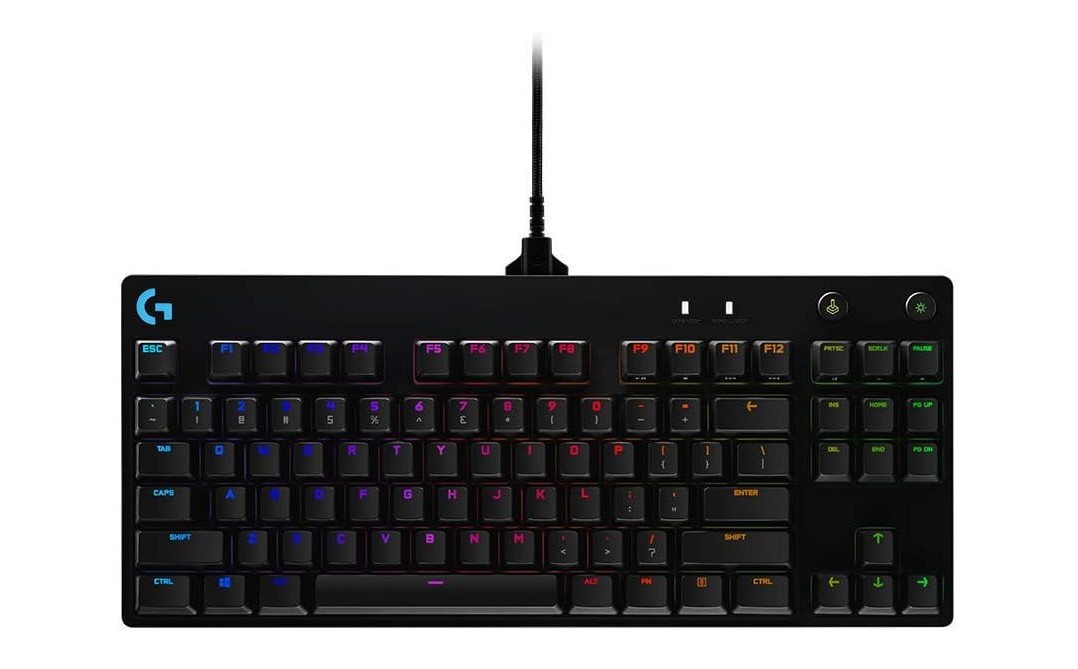
Logitech G PRO Mechanical Gaming Keyboard
Logitech G PRO Mechanical Gaming Keyboard
The Logitech G PRO Mechanical Gaming Keyboard is a premium tenkeyless keyboard built for competitive gamers who want speed, portability, and reliability. Its compact design saves desk space and makes it easy to carry to tournaments or gaming setups. The detachable Micro USB cable adds convenience for travel and cable management. Logitech’s mechanical switches feel responsive and accurate, offering a satisfying typing and gaming experience.
LIGHTSYNC RGB lighting looks vibrant with deep customization through Logitech G HUB software. The keyboard also feels sturdy and durable thanks to its solid build quality.
Overall, the Logitech G PRO is an excellent choice for esports players and serious gamers.
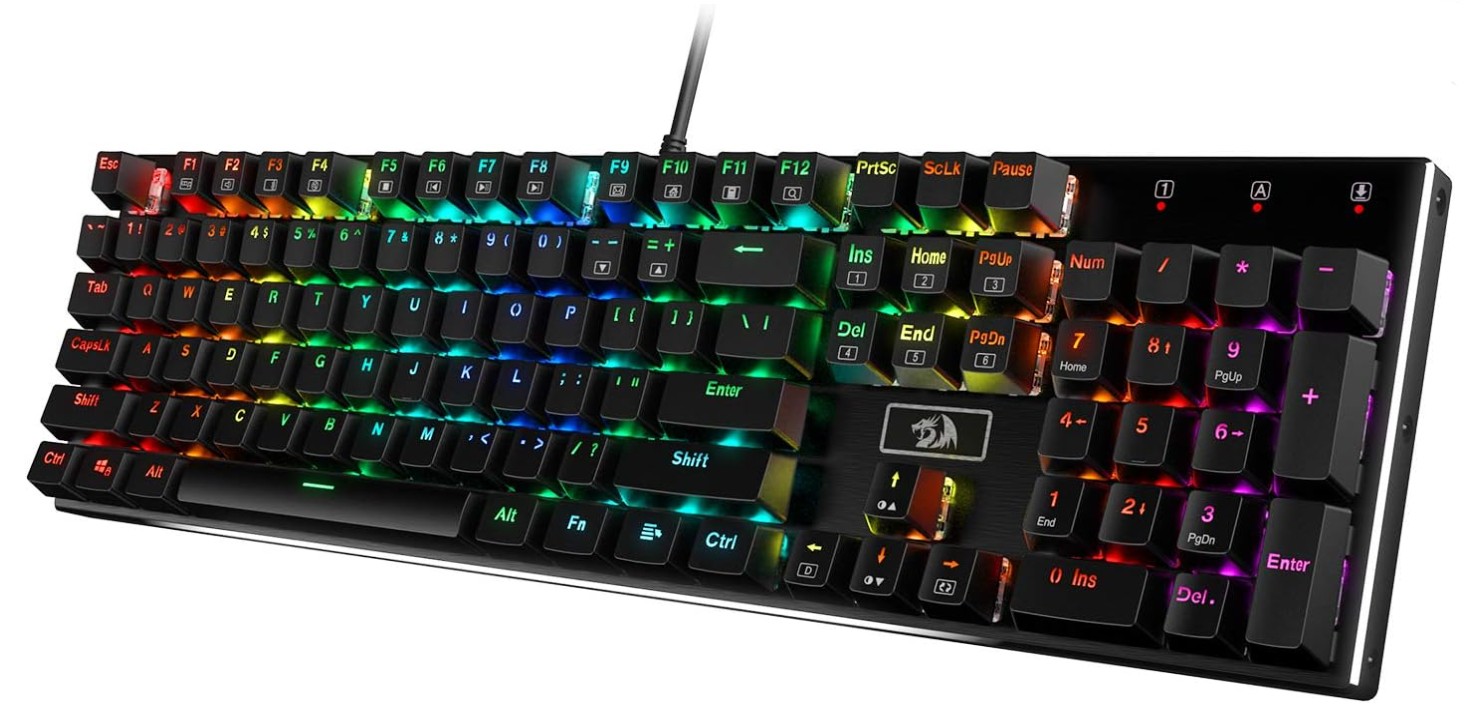
Redragon K556 Mechanical Gaming Keyboard
Redragon K556 Mechanical Gaming Keyboard
The Redragon K556 RGB Mechanical Gaming Keyboard is an excellent full-size keyboard that offers premium features at a budget-friendly price. Its soft tactile brown switches provide a smooth and comfortable typing experience that works well for both gaming and daily use. The sturdy aluminum base gives the keyboard a durable and premium feel, while the hot-swappable switch design makes customization easy for beginners and enthusiasts alike.
RGB lighting looks bright and vibrant with multiple effects to personalize your setup. Noise-absorbing foam helps reduce unwanted sound, making typing quieter and smoother.
Overall, the K556 delivers strong build quality, reliable performance, and outstanding value for gamers and typists.
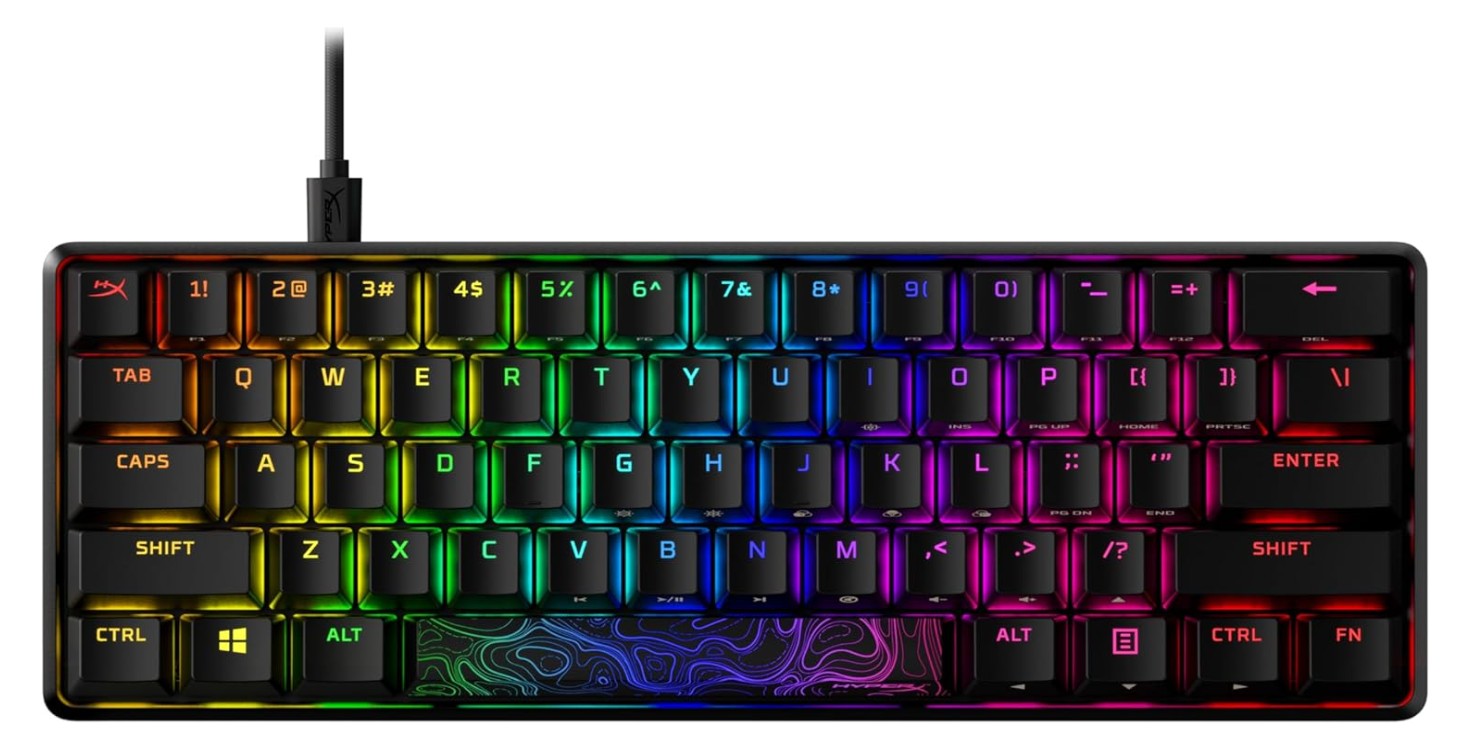
HyperX Alloy Origins 60 – Mechanical Gaming Keyboard
HyperX Alloy Origins 60 – Mechanical Gaming Keyboard
The HyperX Alloy Origins 60 is a premium compact mechanical gaming keyboard designed for gamers who want more desk space and fast performance. Its ultra-compact 60% layout is perfect for FPS gaming, allowing wider mouse movement while maintaining a clean setup. The HyperX Red linear switches feel smooth, responsive, and fast, making gameplay and typing enjoyable.
Double-shot PBT keycaps add durability and resist wear over time, while the aircraft-grade aluminum body gives the keyboard a sturdy premium feel. RGB lighting looks vibrant and customizable through HyperX NGENUITY software.
Overall, the Alloy Origins 60 delivers excellent build quality, portability, and reliable gaming performance in a compact design.
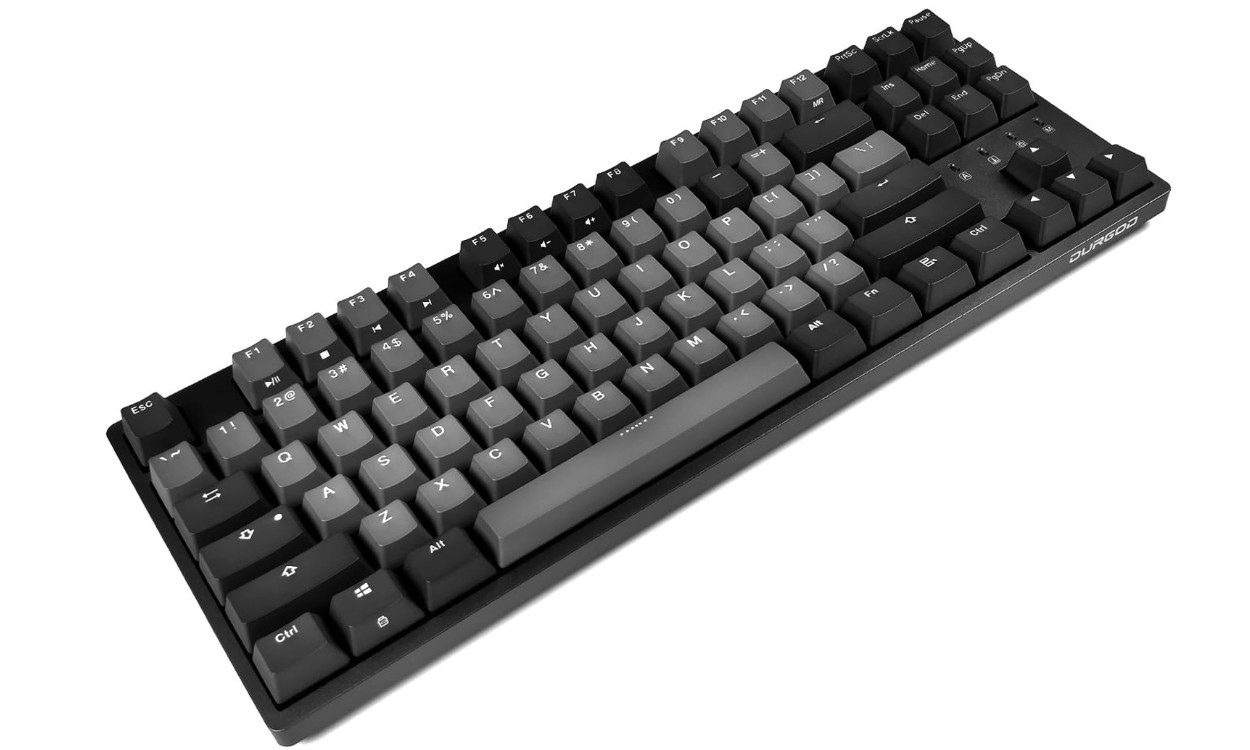
DURGOD Taurus K320 TKL Mechanical Gaming Keyboard
DURGOD Taurus K320 TKL Mechanical Gaming Keyboard
The DURGOD Taurus K320 TKL Mechanical Gaming Keyboard is a high-quality compact keyboard built for gamers and typing enthusiasts who value durability and comfort. Its Cherry Speed Silver switches feel extremely fast and responsive, making the keyboard ideal for competitive gaming. The double-shot PBT keycaps provide a premium feel and resist wear over time, while the sturdy construction gives the keyboard a solid and reliable design.
N-key rollover ensures accurate input during fast gameplay, and the detachable USB Type-C cable adds convenience for portability. Although it lacks flashy RGB lighting in some versions, the K320 delivers excellent typing quality, smooth performance, and impressive overall build quality.
Buying Guide: Gaming Keyboard Under $100
Buying a good gaming keyboard under $100 is easy if you know what to look for. This guide will walk you through the most important things in plain, simple English. I will explain the parts that matter, what to avoid, and how to pick the keyboard that fits your play style and budget.
Start with the basics: mechanical or membrane?
Mechanical keyboards use real switches under each key. They give clear feel and louder or quieter sounds depending on the switch. Many gamers prefer mechanical switches for faster, more consistent key presses. Membrane keyboards are cheaper and quieter, but they usually feel softer and wear out faster. If you play a lot or want a keyboard that lasts, mechanical is usually the better choice.
Key Factors to Consider
Types of switches — feel and sound
Mechanical switches come in three main types: linear (smooth, quiet), tactile (small bump when the key activates), and clicky (bump plus loud click). Which one you pick depends on you. If you want fast, repeat presses for FPS games, linear or speed switches work well. If you type a lot and like feedback, tactile or clicky might be better. Try switches in a store or watch short sound clips online before you buy.
Keycaps — PBT vs ABS
Keycaps are the plastic tops of keys. PBT keycaps are tougher and resist shiny wear. ABS keycaps are common and can look nice, but they get glossy from oil and use. For a $100 or lower keyboard, getting PBT keycaps is a nice bonus because they stay looking new longer.
Layout and size — full, TKL, 75%, 60%
Full-size keyboards have a number pad. Tenkeyless (TKL) remove the number pad and free desk space for the mouse. Smaller layouts (75%, 65%, 60%) remove more keys to be compact. Pick a layout that fits how you use your keyboard. If you do spreadsheets or number entry often, pick full-size. If you need extra mouse space for gaming, a TKL or 60% may be best.
Hot-swap sockets — change switches without soldering
Some keyboards let you pull switches out and replace them easily. This is called hot-swap. It is great for trying new switches or fixing a broken switch later. Hot-swap is not always common under $100, but you can find models with this feature and it adds long-term value.
Polling rate and latency — how fast the keyboard talks to your PC
Polling rate tells how often the keyboard reports presses to the computer (measured in Hz). Common values are 125Hz, 500Hz, 1000Hz. Higher rates (1000Hz or more) lower delay and feel more responsive, which can help in very fast games. For most players, 1000Hz wired is plenty. Wireless keyboards can also reach high polling rates but wired usually gives the lowest latency.
NKRO and anti-ghosting — no missed keys
NKRO (n-key rollover) means the keyboard can register many keys pressed at the same time. Anti-ghosting and NKRO are important for gaming: they make sure your many-key combos are read correctly. Most true mechanical gaming keyboards include NKRO or very good anti-ghosting.
Build quality — frame, plate, and stabilizers
A keyboard with a strong top plate (metal or thick plastic) feels more solid. Aluminum top plates add weight and a premium feel. Stabilizers (the parts under long keys like spacebar) matter a lot for smooth, quiet keys. Look for boards with decent stabilizers or ones that reviewers say have good stabilizer tuning.
FAQs
Yes — many keyboards in this price range offer responsive performance, RGB lighting, mechanical or semi-mechanical switches, and gaming-friendly features that make them solid for both competitive and casual gaming.
Mostly yes — it won’t boost performance, but RGB can help highlight important keys, improve visibility in darker setups, and create personalized lighting effects.
Often yes — keyboards closer to the $90–$100 range tend to have better switches, sturdier build quality, and more advanced features (like hot-swappable switches or customizable macros).
You’ll find:
• Full-size (100%) — best for all keys included.
• TKL (Tenkeyless) — more desk space for mouse movement.
• Compact (60–75%) — minimal and portable but may miss dedicated arrow keys.
Yes — some include 2.4 GHz or Bluetooth wireless modes, but be aware that wireless can sometimes have slightly higher latency than wired.
Absolutely — many offer good typing experiences with tactile feedback and satisfying key feel, making them suitable for everyday use as well as gaming.
Common well-rated budget gaming keyboards include models with mechanical switches, RGB lighting, hot-swappable options, and solid build quality — providing great performance without breaking the bank.
Conclusion
You can get an excellent gaming keyboard for under $100. Choose a mechanical keyboard if you can; pick the switch feel you like; prefer PBT keycaps if available; look for NKRO and 1000Hz polling for gaming; and decide on the layout that fits your desk. Check trusted review sites and look for sales to maximize value. With the right choices, your new keyboard will feel great for gaming and for everyday typing.

Jawad is a passionate tech enthusiast and writer who loves exploring the latest trends in hardware, gadgets, and digital innovation. With a sharp eye for performance and value, he delivers in-depth recommendations and buying guides to help readers make smarter tech decisions.