

Last Updated on May 17, 2026 by Jawad
Introduction
A wireless gaming mouse under $100 is a great choice for gamers who want freedom from cables without spending too much. These mice offer smooth performance, fast response times, and reliable wireless connections for both casual and competitive gaming. Many affordable models now feature advanced sensors with adjustable DPI, allowing players to fine-tune sensitivity for precise aiming and fast movement. Modern wireless technology ensures minimal input lag, making them just as responsive as wired options.
We also have a recommendation for the Best Budget Wireless Gaming Mouse Under $50, so make sure to check that out too!
Top Wireless Gaming Mouse Under $100


| Mouse | Image | Rating | Sensor | Buttons | Connectivity | Battery | Weight | Best For | Buy |
|---|---|---|---|---|---|---|---|---|---|
|
Logitech G502 Lightspeed 🏆 Best Overall 🔥 Top Pick | 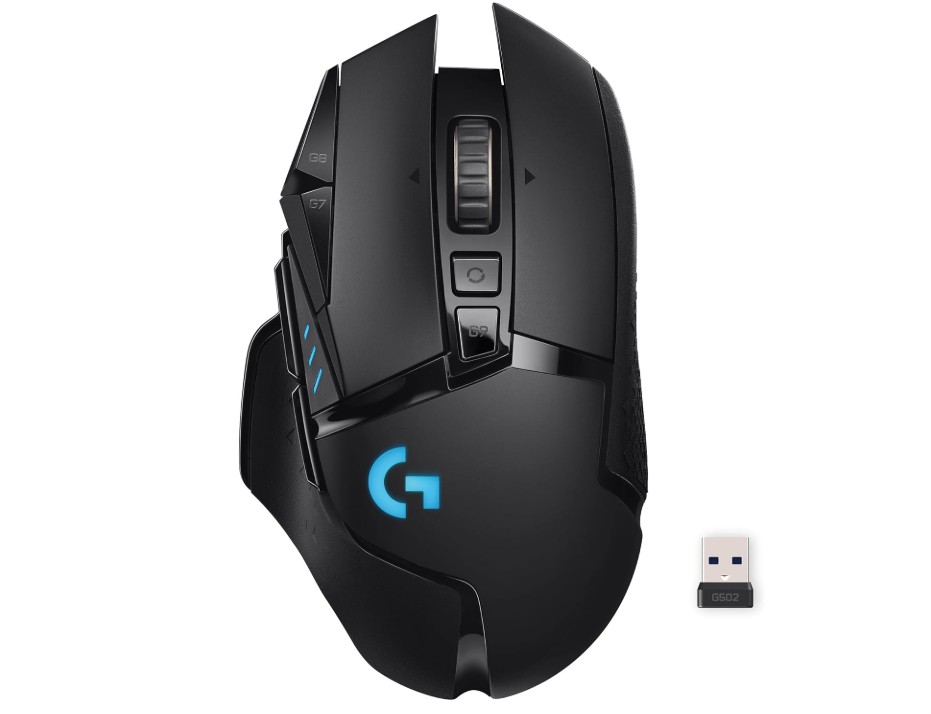 | ★★★★★ | HERO 25K | 11 | LIGHTSPEED Wireless | ~60h | ~114g | All‑Round Gaming | Check Price |
| Razer Naga V2 HyperSpeed 💰 Best Value |  | ★★★★☆ | Focus Pro 30K | 19 | HyperSpeed / Bluetooth | ~400h (AA) | ~125g | MMO / Macro Heavy | Check Price |
| Redragon M913 Impact Elite | 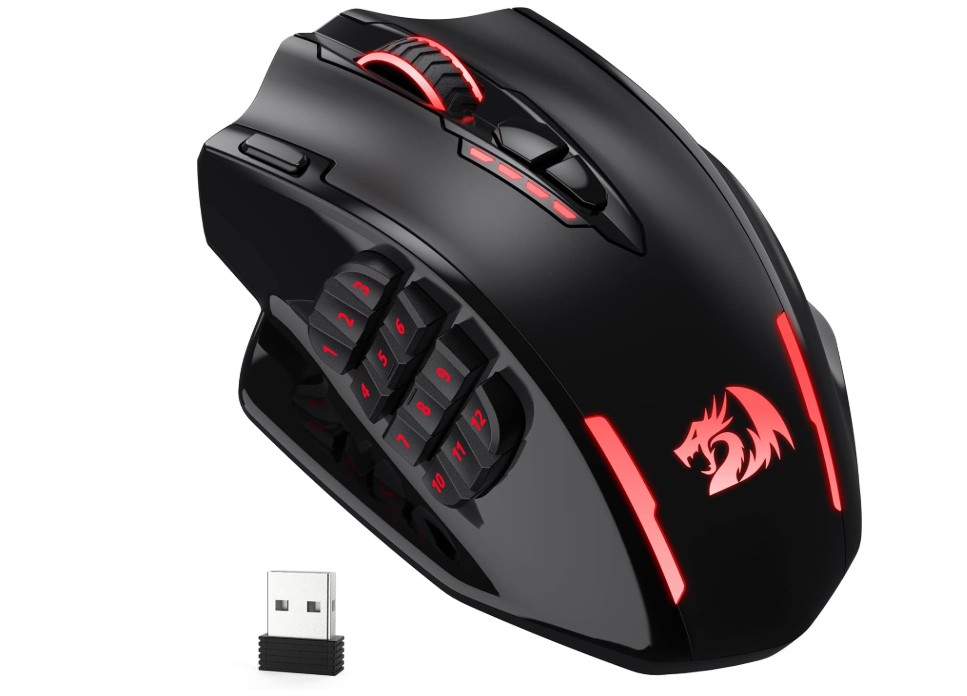 | ★★★★☆ | Pro Optical | 16 | 2.4GHz / Wired | ~45h | ~120g | MMO / Macro | Check Price |
| Corsair Dark Core RGB Pro |  | ★★★★☆ | 18,000 DPI Optical | 8 | Slipstream / Bluetooth / Wired | ~50h | ~133g | Comfort + RGB | Check Price |
| Logitech G PRO X SUPERLIGHT | 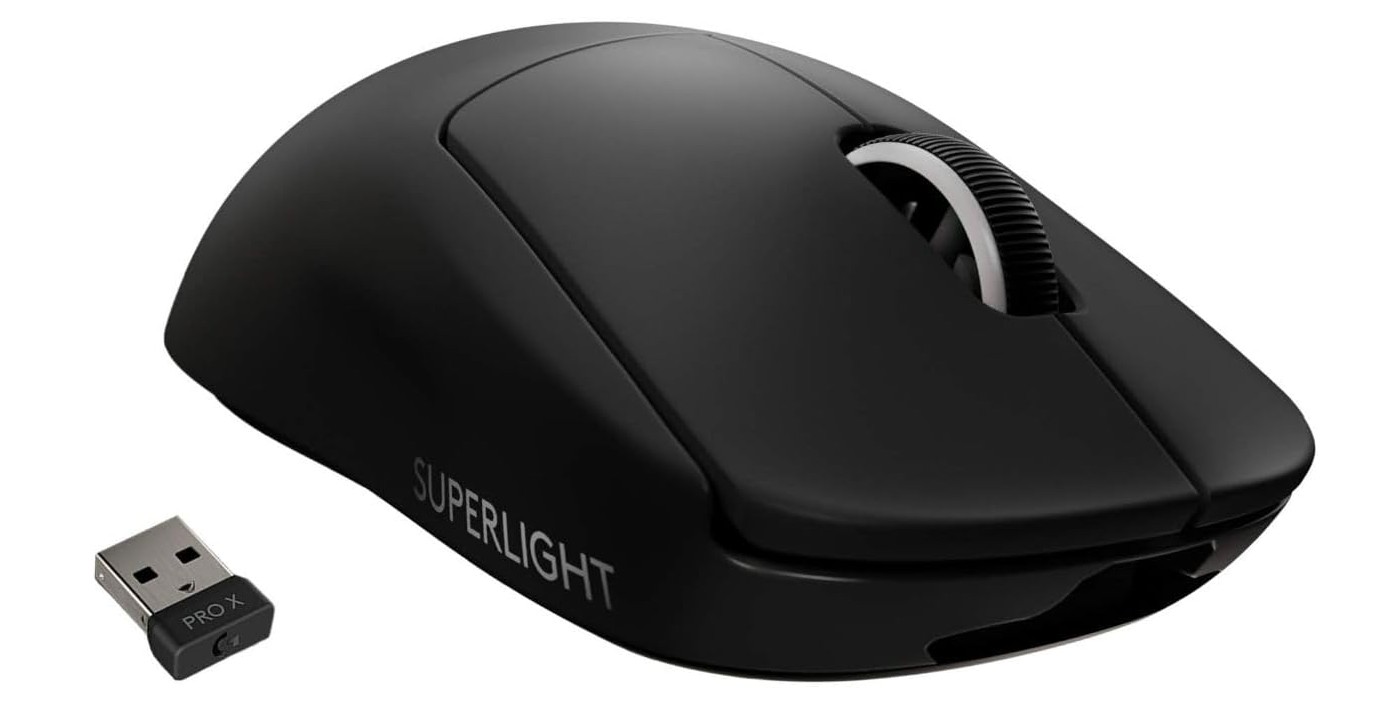 | ★★★★★ | HERO 25K | 5 | LIGHTSPEED Wireless | ~70h | ~63g | Competitive / FPS | Check Price |
Logitech G502 Lightspeed Wireless Gaming Mouse
Logitech G502 Lightspeed Wireless Gaming Mouse
The Logitech G502 Lightspeed is a premium wireless gaming mouse built for gamers who want top-level performance and customization. It features the powerful HERO 25K sensor, delivering extremely accurate tracking with up to 25,600 DPI and excellent responsiveness. The LIGHTSPEED wireless technology feels smooth and lag-free, making it suitable for competitive gaming.
Its ergonomic design is comfortable for long sessions, while the adjustable weights help users customize the feel of the mouse. With 11 programmable buttons, onboard memory, and LIGHTSYNC RGB lighting, it offers plenty of personalization options.
Overall, the G502 Lightspeed combines comfort, precision, durability, and advanced wireless performance in one excellent gaming mouse.
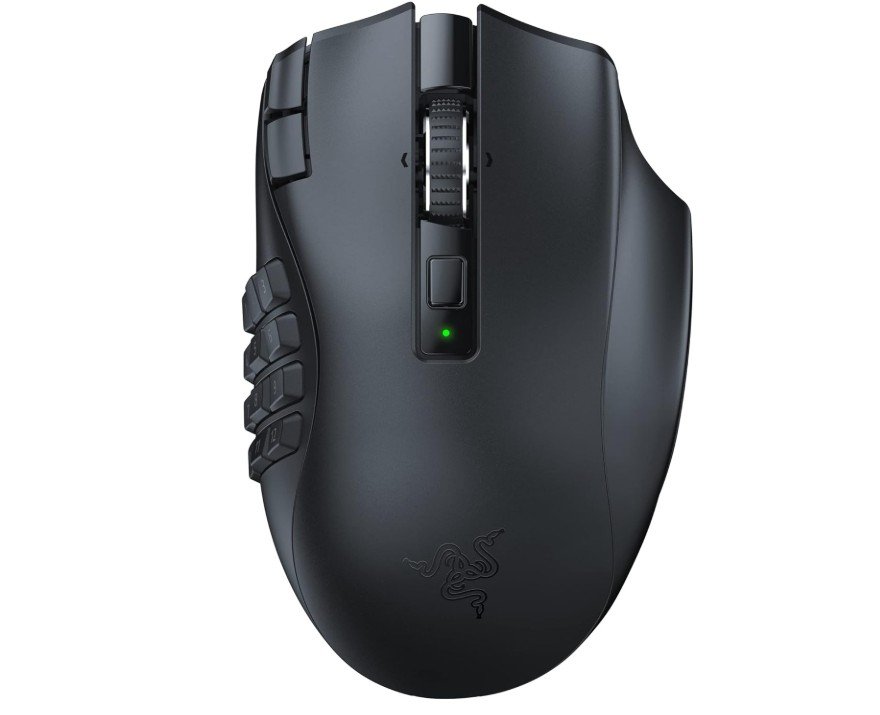
Razer Naga V2 HyperSpeed Wireless MMO Gaming Mouse
Razer Naga V2 HyperSpeed Wireless MMO Gaming Mouse
The Razer Naga V2 HyperSpeed is an outstanding wireless MMO gaming mouse built for gamers who need maximum control and customization. It features 19 programmable buttons, including a responsive thumb grid that works great for MMO, MOBA, and productivity tasks. The Focus Pro 30K optical sensor delivers extremely accurate tracking and smooth performance, while Razer’s HyperScroll technology provides flexible scrolling options.
Its ergonomic shape feels comfortable during long gaming sessions, and the Gen-2 mechanical switches offer fast, satisfying clicks. Battery life is excellent, lasting up to 400 hours on Bluetooth mode.
Overall, it is a powerful, feature-rich gaming mouse ideal for serious MMO players.
Redragon M913 Impact Elite Wireless Gaming Mouse
Redragon M913 Impact Elite Wireless Gaming Mouse
The Redragon M913 Impact Elite is a feature-packed wireless gaming mouse designed especially for MMO and RPG gamers. It offers both 2.4GHz wireless and wired connectivity, giving flexibility for different gaming setups. The 16 programmable buttons, including 12 side buttons, make it excellent for complex keybindings and macros.
Its Pixart optical sensor delivers accurate tracking with up to 16,000 DPI, while the ergonomic design feels comfortable during long gaming sessions. RGB lighting adds a stylish gaming look, and the battery life is solid with up to 45 hours of use.
Overall, the M913 delivers impressive performance, customization, and value for gamers who need extra controls.
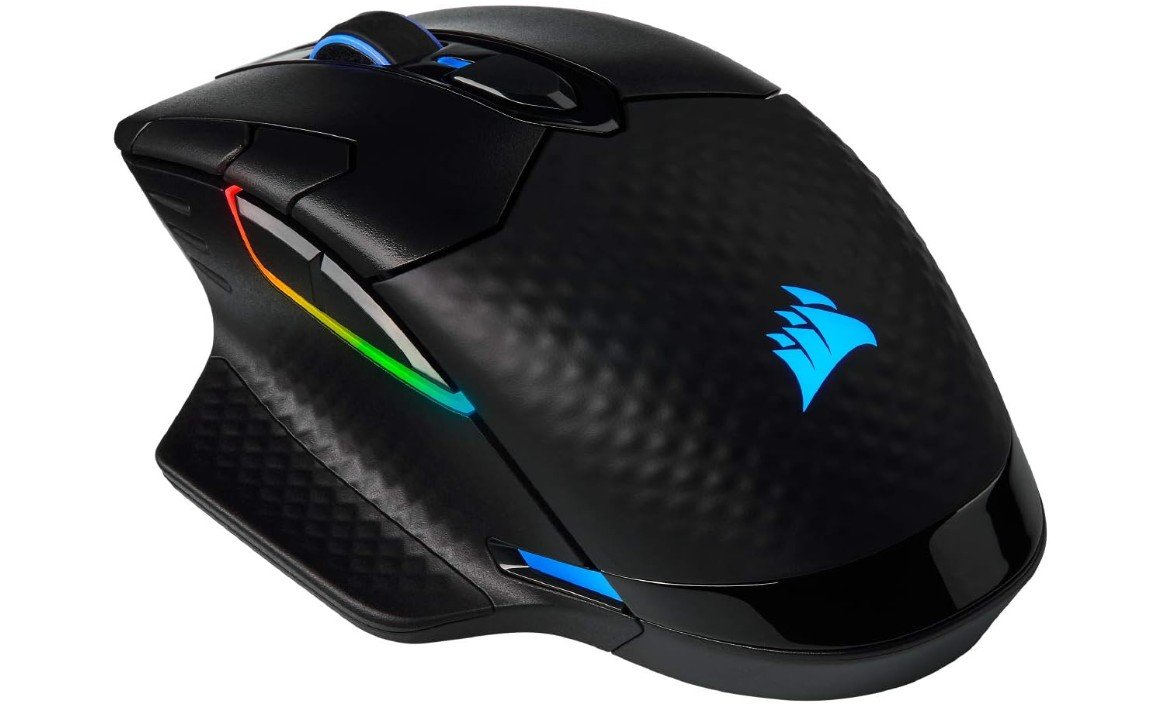
Corsair Dark Core RGB Pro, Wireless Gaming Optical Mouse
Corsair Dark Core RGB Pro, Wireless Gaming Optical Mouse
The Corsair Dark Core RGB PRO is a versatile gaming mouse designed for FPS and MOBA players who want comfort, customization, and reliable wireless performance. It features an accurate 18,000 DPI optical sensor that delivers smooth tracking and fast response times during competitive gaming.
The ergonomic shape and textured side grips make it comfortable for long gaming sessions, while the eight programmable buttons allow useful macro customization. It supports both ultra-fast SLIPSTREAM wireless and wired connectivity for flexibility. The dynamic RGB lighting looks stylish and integrates well with Corsair iCUE software.
Overall, it offers strong performance, premium features, and solid comfort for serious gamers.
Logitech G PRO X SUPERLIGHT Wireless Gaming Mouse
Logitech G PRO X SUPERLIGHT Wireless Gaming Mouse
The Logitech G PRO X Superlight is a premium wireless gaming mouse designed for competitive gamers who value speed, precision, and lightweight performance. Weighing under 63 grams, it feels incredibly light and smooth during fast movements, making it excellent for FPS and esports gaming. The HERO 25K sensor delivers highly accurate tracking with up to 25,600 DPI, while LIGHTSPEED wireless technology provides fast and reliable responsiveness.
Its minimalist design is comfortable for different grip styles, and the long battery life is great for extended gaming sessions. Although it only includes five programmable buttons, the overall performance, build quality, and comfort make it one of the best gaming mice available.
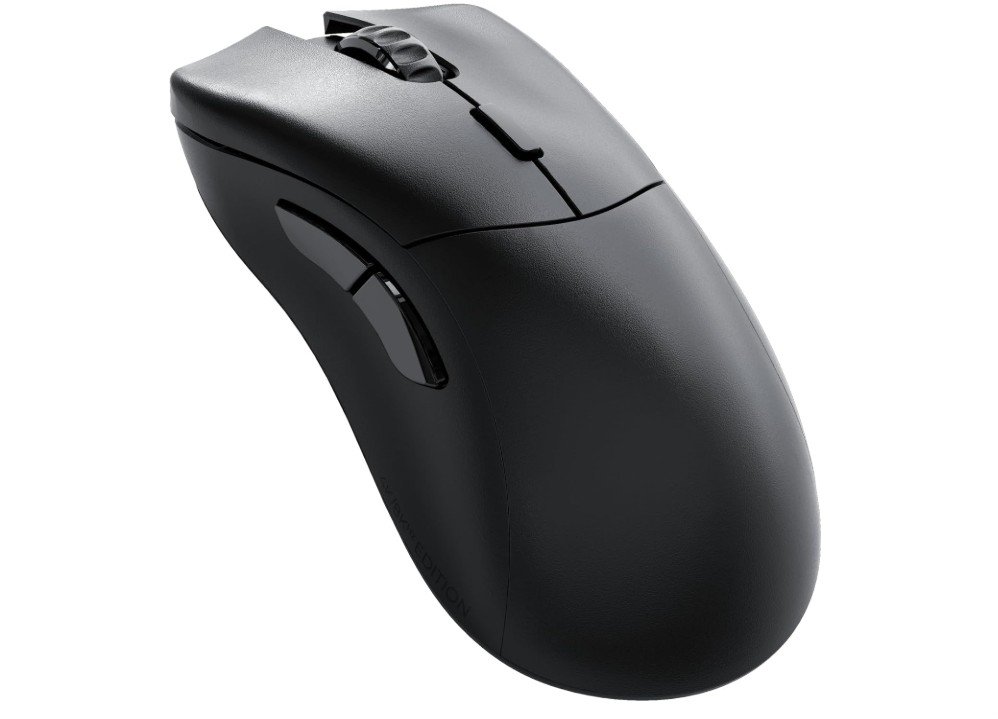
Glorious Gaming Model D 2 PRO Wireless Gaming Mouse
Glorious Gaming Model D 2 PRO Wireless Gaming Mouse
The GLORIOUS Model D 2 PRO is a high-performance wireless gaming mouse built for competitive gamers who want speed, comfort, and precision. Its ergonomic shape feels very comfortable during long gaming sessions, especially for FPS games. Weighing around 60g, the mouse feels extremely light and smooth to move, while the BAMF 2.0 sensor delivers accurate tracking with up to 26,000 DPI.
The 2.4GHz wireless connection offers low-latency performance with up to 4K wireless polling and 8K wired polling support. The PTFE feet glide smoothly, and the optical switches are rated for 100 million clicks.
Overall, it delivers excellent responsiveness, comfort, and premium gaming performance.

GravaStar Mercury M2 Wireless Gaming Mouse
GravaStar Mercury M2 Wireless Gaming Mouse
The GravaStar Mercury M2 is a stylish wireless gaming mouse that combines futuristic design with strong gaming performance. Its hollowed-out transparent body gives it a unique sci-fi appearance while keeping the mouse lightweight at around 79g. The PAW3395 sensor delivers excellent tracking accuracy with up to 26,000 DPI, making it suitable for competitive gaming.
The mouse supports Bluetooth, 2.4GHz wireless, and wired connectivity for added flexibility. Its smooth PTFE feet and responsive switches provide fast and comfortable gameplay, while the RGB lighting adds extra personality to gaming setups.
Overall, the Mercury M2 offers solid performance, eye-catching design, and great customization features for gamers.
Buying Guide — Wireless Gaming Mouse Under $100
Below is a clear, practical buying guide to help you choose the best wireless gaming mouse under $100. It explains the important features, how they affect gameplay, and which trade-offs to expect so you can pick the right mouse for your play style.
Why pick a wireless gaming mouse under $100
Wireless mice now give nearly the same responsiveness as wired models while offering the freedom of no cable. In the under-$100 range you can find low-latency wireless connections, good sensors, and decent battery life. That makes these mice great for most gamers who want solid performance without spending a lot.
Start with your priorities: FPS, MMO, or everyday play
Decide what matters most. If you play fast FPS games, you probably want the lightest possible mouse, an excellent sensor, and the lowest click/connection latency. MMO players usually value many programmable buttons and a comfortable thumb pad more than ultra-light weight. For general gaming or mixed use, balance comfort, battery life, and sensor quality.
Key specs and what they mean (simple terms)
Sensor and tracking accuracy — the most important spec
The sensor is the heart of a gaming mouse. Good sensors track exactly where you move the mouse with no jitter or weird acceleration. Look for optical sensors from known families (Logitech HERO, PixArt/PAW, Razer/Focus Pro, etc.) and check real-world reviews for reliable tracking. High maximum DPI numbers are common, but real accuracy and consistency matter more than the top DPI figure.
DPI — sensitivity settings, not performance magic
DPI (dots per inch) controls cursor sensitivity. Higher DPI means the cursor moves farther for the same hand movement. More important than the top number is the ability to set useful DPI steps (for example 400/800/1600/3200) and to change them on the fly. Don’t chase extremely high DPI; choose what fits your desk space and play style.
Polling rate and latency — responsiveness matters for FPS
Polling rate (measured in Hz) is how often the mouse reports position to your PC. Common values are 125Hz, 500Hz, and 1000Hz. For wireless, many mice now use tech that keeps latency very low, but if you want the smallest possible input delay, prefer mice with higher polling rates and proven wireless performance. Note: beyond a certain point, most players won’t notice major differences, but e-sports players sometimes prefer the fastest settings.
Weight and build — comfort vs speed
Weight affects how quickly you can flick and move. Lighter mice (under ~75g) are easier for fast aiming and reduce fatigue. Heavier mice can feel more stable and may suit palm-grip players. Also check the shell shape and materials — a mouse that fits your hand will always feel better than one with the perfect spec sheet.
Buttons and programmability — how many and where
Think about how many extra buttons you’ll use. MMO players want many side buttons; FPS players usually only need a couple of thumb buttons. Good software that lets you remap buttons and save profiles is useful, but test whether the software is stable and easy to use.
Switches and click feel — mechanics matter
Switch type affects feel, durability, and click latency. Mechanical switches or rated optical/mechanical hybrid switches typically last longer (tens of millions of clicks) and can feel crisper. If you like a tactile click, check hands-on reviews to confirm the click feel.
Battery life and charging options
Under $100, battery life ranges from a few dozen hours of heavy RGB use to hundreds of hours in basic modes. Consider whether the mouse uses rechargeable internal batteries, AA/AAA replaceable batteries, or supports wireless charging. If you play long sessions or forget to charge, longer battery life or quick wired play mode is important.
Wireless tech — dongle vs Bluetooth vs multi-mode
Most gaming wireless mice use a 2.4GHz USB dongle for low latency. Bluetooth is convenient for laptops and multi-device switching but usually has higher latency. Many mice offer both dongle and Bluetooth so you can pick the best for each use case. For gaming, prefer a dedicated 2.4GHz mode unless you must use Bluetooth.
Feet (skates) and glide
Good PTFE (Teflon) feet give smooth glide. If you use a hard desk or a cloth pad, the quality of the mouse feet will change how the mouse feels. Check whether the mouse has replaceable feet or comes with high-quality skates.
Shape and grip style — match your hand and play style
There are three common grips: palm (whole hand rests), claw (arch with fingertips and base), and fingertip (only fingertips hold mouse). Choose a shape that fits your grip and hand size. Many brands list the recommended hand sizes; try to test in-store if you can.
Software and onboard memory
Mouse software allows DPI tuning, button mapping, macros, and lighting control. Onboard memory is handy to store profiles so your settings travel with the mouse when you use another PC. Check whether the software is stable and supports the actions you need.
RGB and aesthetics — nice but optional
RGB lighting looks good but uses battery. If long battery life is a must, consider a model with minimal or switchable RGB.
Durability and build quality
Look for solid button housings, stable scroll wheels, and no creaks. Reviews that stress-test buttons and switches are helpful to confirm claimed lifespans.
How to balance trade-offs under $100
Every budget mouse has trade-offs. Here are common choices you’ll face and quick advice:
- Want lowest latency and lightest weight? Prioritize a lightweight mouse with a modern sensor and reliable 2.4GHz connection.
- Need lots of buttons? Pick a slightly heavier MMO mouse with a dedicated sidepad and good software.
- Want long battery life? Choose models with a big internal battery or AA options and minimal RGB.
- Don’t want to tinker? Pick a mouse with simple, stable software and good default ergonomics.
FAQs
Yes — many offer solid wireless performance, responsive tracking, and reliable connections suitable for both casual and competitive gaming.
Most use 2.4 GHz wireless with a USB dongle for low-latency gaming. Some also offer Bluetooth for broader device compatibility.
Battery life varies by model but typically ranges from 20 to 70+ hours on a full charge depending on features like RGB lighting.
Yes — most are compatible with Windows, macOS, and many work with consoles (PS4/PS5/Xbox) depending on support. Always check specific compatibility.
2.4 GHz dongle connections generally offer lower latency and better performance for gaming than Bluetooth.
Conclusion
A wireless gaming mouse under $100 can be an excellent choice. Focus first on sensor quality and real-world tracking, then on shape, weight, and battery life according to your play style. Use trusted review sites to confirm performance, and balance the trade-offs that matter most to you (buttons vs weight, battery vs RGB). With a clear priority list and a short checklist, you’ll find a wireless mouse that plays well and stays within budget.

Jawad is a passionate tech enthusiast and writer who loves exploring the latest trends in hardware, gadgets, and digital innovation. With a sharp eye for performance and value, he delivers in-depth recommendations and buying guides to help readers make smarter tech decisions.