
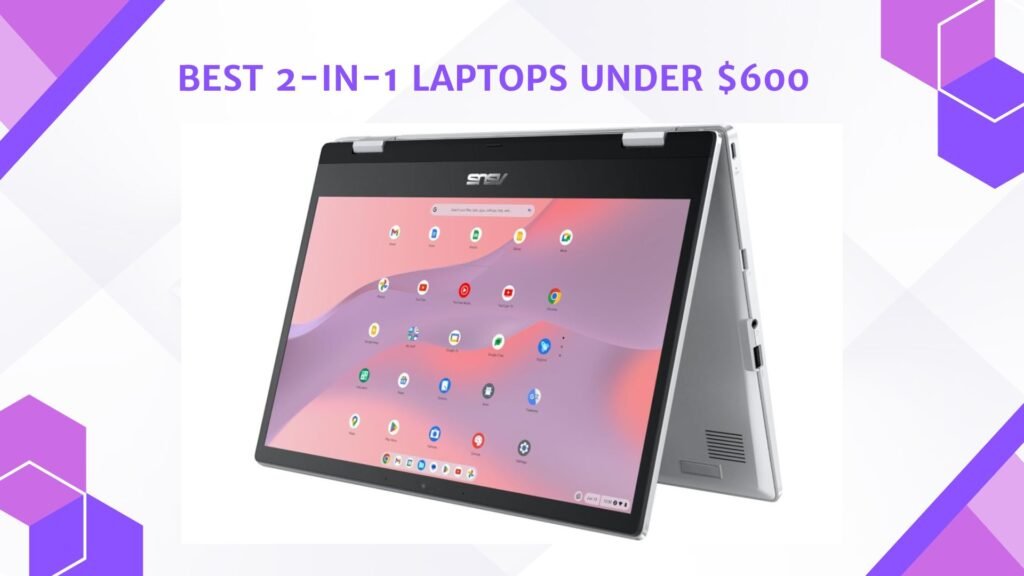
Last Updated on May 15, 2026 by Jawad
Introduction
The best 2-in-1 laptops under $600 offer a perfect balance of portability, flexibility, and affordability for students, professionals, and casual users. These convertible laptops can switch between laptop and tablet modes, making them ideal for note-taking, streaming, online classes, and everyday productivity. Many budget-friendly 2-in-1 models feature touchscreen displays, lightweight designs, SSD storage, and decent battery life for smooth daily performance. Some also support stylus pens for drawing and creative tasks. Despite their affordable price, modern 2-in-1 laptops provide reliable multitasking capabilities and user-friendly features.
Whether for work, school, or entertainment, a budget convertible laptop delivers versatility and excellent value without exceeding your budget.
We also have a recommendation for the Best Budget Touchscreen Laptop, so make sure to check that out too!
Top 2-in-1 Laptops Under $600


Comparison
| Product | Image | Rating | Screen & Type | Processor | RAM | Storage | Operating System | Best For | Buy |
|---|---|---|---|---|---|---|---|---|---|
|
Lenovo Flex 14 2‑in‑1 Convertible Laptop 🏆 Best Overall | 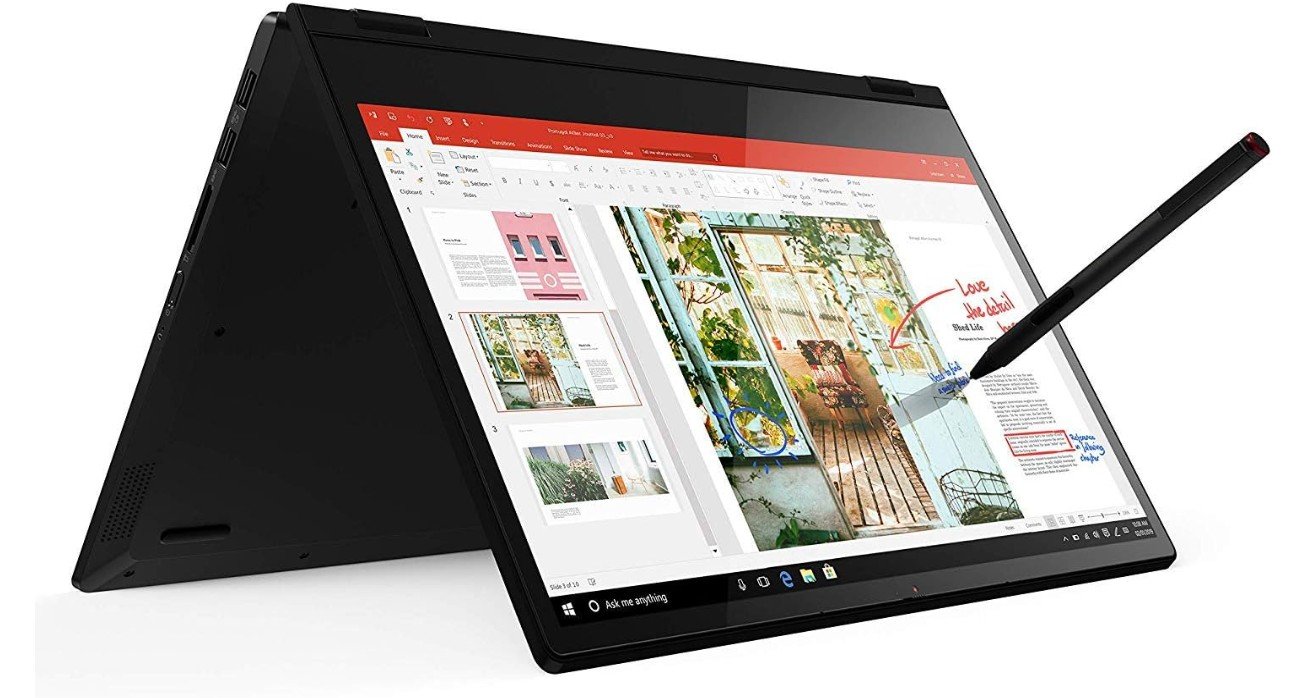 | ★★★★★ | 14″ FHD Touch | AMD Ryzen 5 3500U | 12 GB | 256 GB SSD | Windows 10 | Everyday use, school, work | Check Price |
| HP 2020 Pavilion x360 14″ 2‑in‑1 Laptop |  | ★★★★☆ | 14″ FHD Touch | Intel Core i5‑1035G1 | 8 GB | 256 GB SSD | Windows 10 | Students, productivity | Check Price |
| Lenovo Yoga 7i 2‑in‑1 Laptop 16″ 2K Touchscreen |  | ★★★★☆ | 16″ 2K Touch | Intel Core Ultra 5 226V | 16 GB | 512 GB SSD | Windows 11 Pro | Multitasking, creative | Check Price |
| ASUS Chromebook Flip CX1 Convertible Laptop |  | ★★★★☆ | 14″ FHD NanoEdge | Intel Celeron N4500 | 8 GB | 128 GB eMMC | ChromeOS | Web, school, media | Check Price |
| Lenovo IdeaPad Flex 5i Chromebook Plus |  | ★★★★☆ | 14″ FHD+ Touch | Intel Core i3‑1315U | 8 GB | 256 GB | ChromeOS | Everyday & school use | Check Price |
Lenovo Flex 14 2-in-1 Convertible Laptop
Lenovo Flex 14 2-in-1 Convertible Laptop
The Lenovo Flex 14 2-in-1 is a versatile and budget-friendly convertible laptop that delivers solid performance for students, professionals, and casual users. Powered by the AMD Ryzen 5 3500U and 12GB DDR4 RAM, it handles multitasking, web browsing, office work, streaming, and light creative tasks smoothly. The 14-inch Full HD touchscreen combined with the 360-degree hinge makes it flexible for laptop, tablet, tent, and presentation modes. Included stylus pen support adds extra convenience for note-taking and drawing. Its 256GB NVMe SSD provides fast boot times and responsive performance, while the compact black design feels modern and portable.
Battery life is respectable for daily productivity, and the keyboard is comfortable for long typing sessions. Although integrated Radeon graphics limit demanding gaming performance, the Flex 14 remains an excellent value-packed convertible laptop for everyday use, entertainment, and school or work productivity.
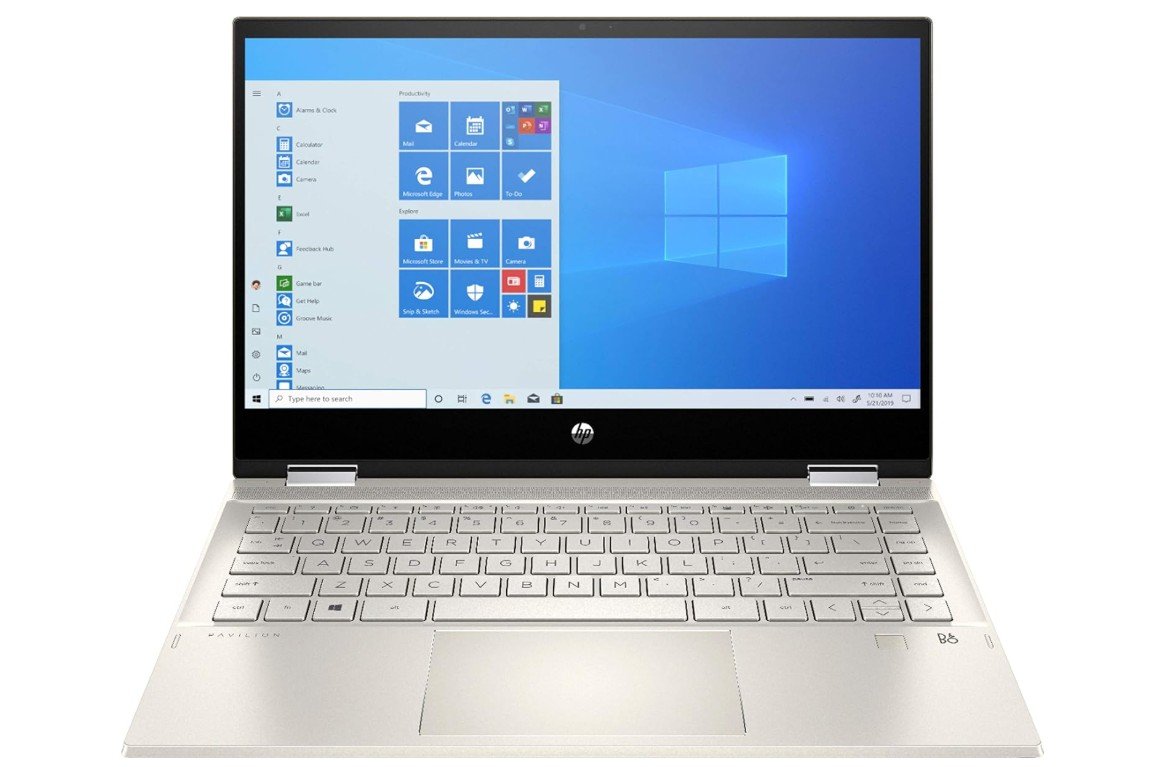
HP 2020 Pavilion x360 14″ 2-in-1 Convertible Laptop
HP 2020 Pavilion x360 14″ 2-in-1 Convertible Laptop
The HP Pavilion x360 14 (2020) is a versatile 2-in-1 convertible laptop that combines portability, solid performance, and flexibility for students, professionals, and everyday users. Powered by the Intel Core i5-1035G1 with 8GB DDR4 RAM, it handles multitasking, web browsing, office work, streaming, and online meetings smoothly. The 14-inch Full HD touchscreen and 360-degree hinge allow easy switching between laptop, tablet, tent, and presentation modes, making it ideal for productivity and entertainment. Its 256GB SSD provides fast boot times and responsive performance, while features like a fingerprint reader, webcam, Bluetooth, and HDMI add convenience for daily use.
The sleek design feels modern and portable, and battery life is respectable for a convertible laptop. Although integrated graphics limit gaming and demanding creative tasks, the Pavilion x360 remains an excellent value-packed 2-in-1 laptop for everyday productivity, media consumption, and flexible mobile use.
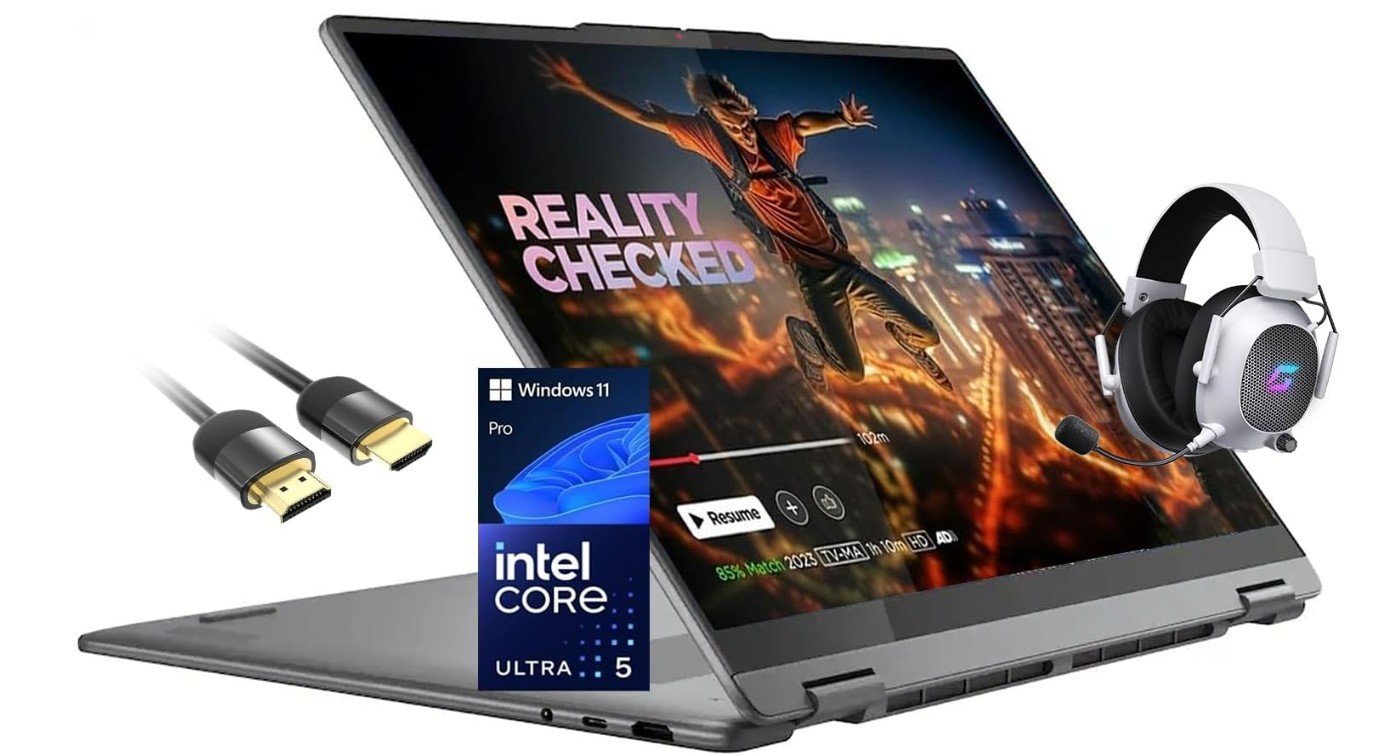
Lenovo Yoga 7i 2-in-1 Laptop 16″ 2K Touchscreen Laptop
Lenovo Yoga 7i 2-in-1 Laptop 16″ 2K Touchscreen Laptop
The Lenovo Yoga 7i 2-in-1 is a premium convertible laptop that combines strong productivity performance, portability, and versatility in a sleek modern design. Powered by the Intel Core Ultra 5 226V processor and 16GB DDR5 RAM, it handles multitasking, office work, streaming, creative tasks, and AI-enhanced productivity smoothly. The 16-inch 2K touchscreen display delivers sharp visuals, vibrant colors, and responsive touch functionality, while the 360-degree hinge allows flexible laptop, tablet, tent, and presentation modes. With a fast 512GB SSD, Wi-Fi 7, Thunderbolt 4 support, and Windows 11 Pro, the system feels modern and highly responsive.
The backlit keyboard offers comfortable typing, and the premium aluminum build gives the laptop a refined look and feel. Battery life is impressive for daily productivity, and Lenovo’s Yoga series remains known for excellent build quality and portability. Although it is not designed for heavy gaming, the Yoga 7i stands out as an excellent premium 2-in-1 laptop for students, professionals, and multitaskers seeking flexibility and performance.
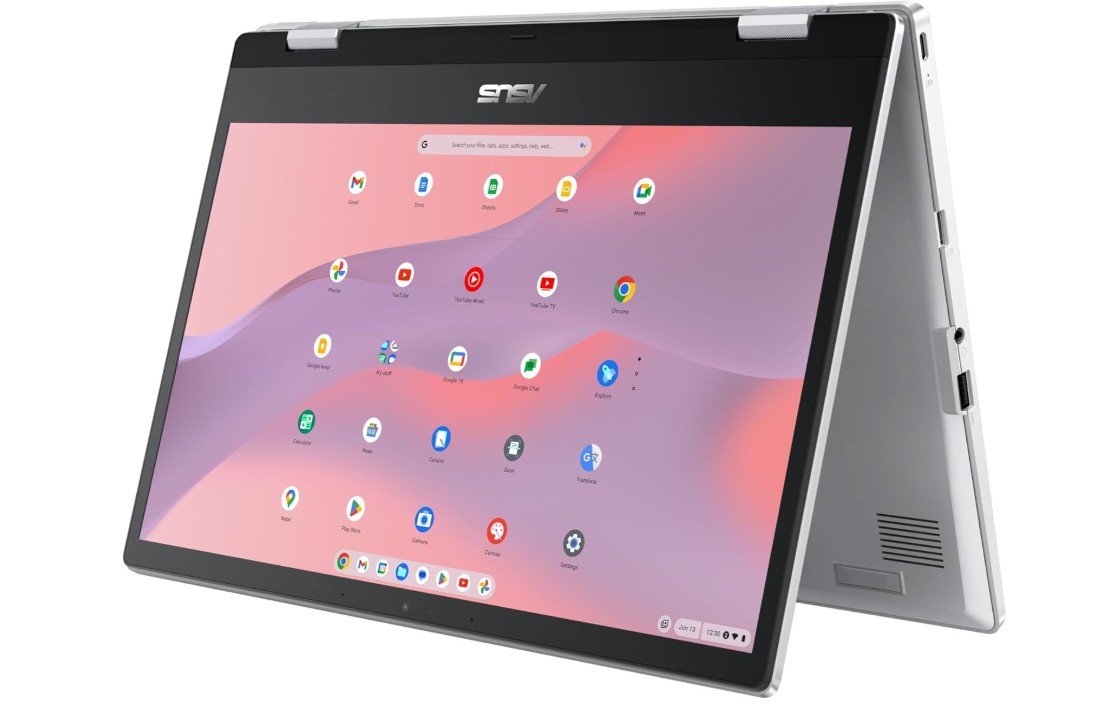
ASUS Chromebook Flip CX1 Convertible Laptop
ASUS Chromebook Flip CX1 Convertible Laptop
The ASUS Chromebook Flip CX1 CX1400FKA-AS88FT is a versatile and budget-friendly convertible Chromebook designed for students, casual users, and everyday productivity. Powered by the Intel Celeron N4500 and 8GB RAM, it handles web browsing, online classes, streaming, and cloud-based tasks smoothly within ChromeOS. The 14-inch Full HD NanoEdge touchscreen delivers clear visuals with slim bezels, while the 360-degree hinge allows flexible laptop, tablet, tent, and presentation modes for added convenience. With 128GB eMMC storage, performance feels responsive for everyday ChromeOS usage, and battery life is excellent for all-day portability.
The lightweight Transparent Silver design looks modern and easy to carry for school or travel. Features like touchscreen support, solid keyboard comfort, and reliable ChromeOS security add to its practicality. Although it is not built for heavy gaming or advanced desktop applications, the Chromebook Flip CX1 remains an excellent affordable 2-in-1 laptop for students, browsing, streaming, and productivity-focused users.
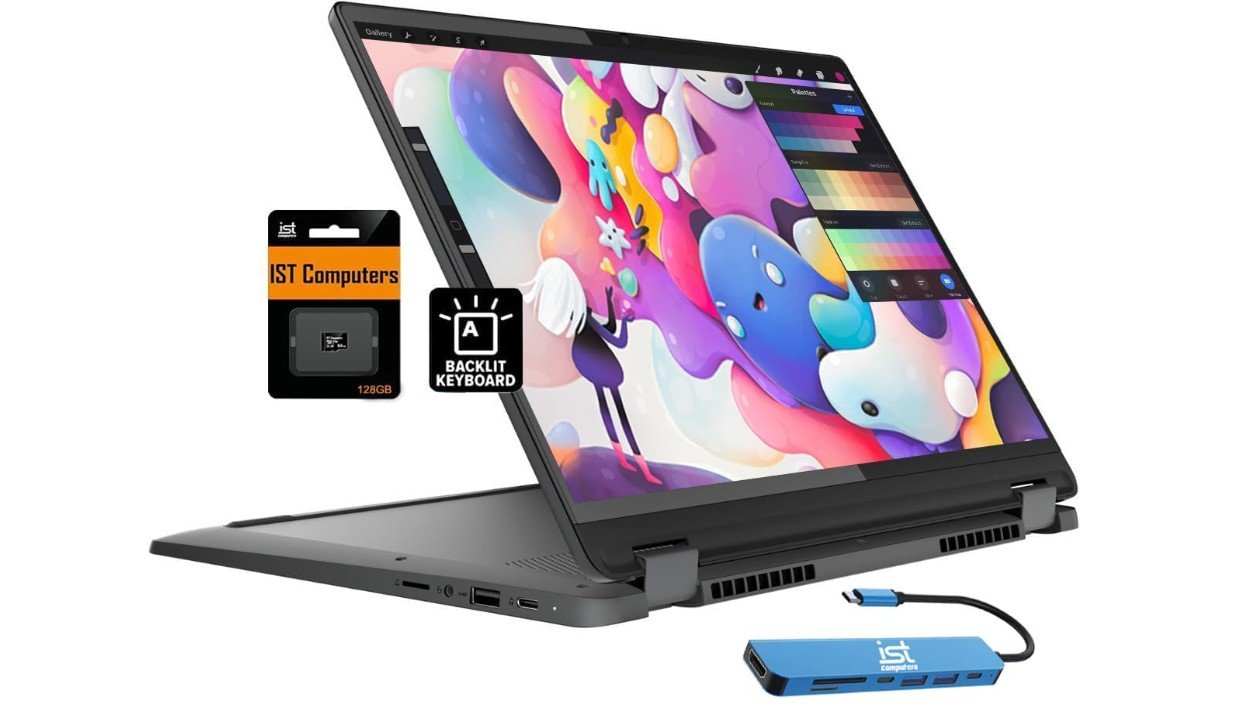
Lenovo IdeaPad Flex 5i Chromebook Plus
Lenovo IdeaPad Flex 5i Chromebook Plus
The Lenovo IdeaPad Flex 5i Chromebook Plus is a premium 2-in-1 Chromebook that offers excellent performance, versatility, and everyday usability for students and productivity users. Powered by the Intel Core i3-1315U with 8GB RAM, it handles multitasking, web browsing, streaming, online classes, and Google Workspace applications smoothly. The 14-inch FHD+ touchscreen provides sharp visuals and responsive touch functionality, while the 360-degree hinge allows flexible laptop, tablet, tent, and presentation modes. With combined 256GB storage, including 128GB eMMC and a 128GB SD card, users get more space than many Chromebooks in this category.
Features like a backlit keyboard, FHD webcam, and ChromeOS optimization enhance remote work and online learning experiences. Battery life is excellent, and the lightweight design makes it easy to carry for travel or school. Although it is not intended for demanding gaming or professional desktop software, the Flex 5i Chromebook Plus stands out as one of the best premium Chromebooks for portability, multitasking, and productivity-focused users.
2-in-1 Laptops Under $600 — A Practical Buying Guide
2-in-1 laptops under $600 are designed for people who want flexibility, portability, and good everyday performance without spending too much money. These laptops can be used as a traditional laptop for typing and work, and they can also fold or flip into tablet mode for touch use, note-taking, or watching videos. This makes them very popular with students, work-from-home users, and casual users who want one device for many tasks.
In this price range, you will not get high-end gaming or professional-level machines, but you can easily find laptops that are fast enough for browsing, online classes, office work, video calls, and streaming. If you choose the right specs, a budget 2-in-1 can feel smooth and reliable for years.
Who Should Buy a Budget 2-in-1 Laptop
2-in-1 laptops under $600 are ideal for students who take online classes or need to carry a light device to school. They are also great for remote workers who attend video meetings, write documents, and manage emails. Casual home users who mostly browse the internet, watch movies, or use social media will also find these laptops more than enough.
These laptops are not meant for heavy gaming, advanced video editing, or large 3D software. If your needs are simple and everyday-focused, a budget 2-in-1 is a smart and cost-effective choice.
Types of 2-in-1 Laptop Designs
There are two main types of 2-in-1 laptops you will see under $600. The first is the 360-degree convertible design. These laptops have a hinge that lets the screen rotate all the way around. You can use them in laptop mode, tablet mode, tent mode, or stand mode. This is the most common design and offers the most flexibility.
The second type is the detachable design, where the keyboard can be removed completely. These are less common under $600 but can sometimes be found as Chromebooks. Detachables feel more like tablets but often have smaller keyboards and less power.
Processor: What Is Enough Under $600
The processor is one of the most important parts of a 2-in-1 laptop. In this budget, you should look for Intel Core i3 or i5 U-series processors, AMD Ryzen 3 or Ryzen 5 processors, or newer Intel Core Ultra i3 variants when discounted. These processors are strong enough for everyday tasks and multitasking.
Avoid very old or weak processors if possible, as they can feel slow with modern apps. For Chromebooks, Intel Core i3 or newer Pentium/Celeron chips are usually fine because ChromeOS is lightweight.
RAM: How Much Memory Do You Need
RAM plays a big role in how smooth your laptop feels. For a 2-in-1 under $600, 8GB of RAM should be your minimum target. This allows you to keep multiple browser tabs open and switch between apps without slowdown.
Some models offer 12GB or even 16GB of RAM at this price during sales or in renewed units. More RAM is always better for multitasking and long-term use, especially if you plan to keep the laptop for several years.
Storage: SSD vs eMMC
Storage type matters more than storage size for speed. Always choose a laptop with SSD storage if possible. A 256GB SSD is common in this price range and offers fast boot times and quick app loading. NVMe SSDs are even faster, but SATA SSDs are still very good.
Some cheaper models use eMMC storage, which is slower. eMMC can still work for basic use, especially on Chromebooks, but an SSD will give a much better experience on Windows laptops.
Display and Touchscreen Quality
Most 2-in-1 laptops under $600 come with a Full HD (1920×1080) touchscreen. This resolution is ideal for reading text, watching videos, and working on documents. Avoid HD (1366×768) displays if possible, as they look less sharp.
Brightness and color quality may not be perfect at this price, but a decent Full HD panel is good enough for indoor use. Touch responsiveness should be smooth, especially if you plan to use a stylus for notes or drawing.
Keyboard, Touchpad, and Pen Support
A comfortable keyboard is important if you type a lot. Look for laptops with well-spaced keys and good key travel. A backlit keyboard is a bonus, especially for working at night. The touchpad should be responsive and accurate for daily navigation.
Some 2-in-1 laptops include a pen or support active stylus input. This is very useful for students, artists, or anyone who likes handwritten notes. If pen support matters to you, check whether the pen is included or sold separately.
Battery Life Expectations
Battery life on budget 2-in-1 laptops is usually decent but not amazing. Expect around 7 to 10 hours of light use such as browsing, documents, and video playback. Heavy tasks like video calls or multitasking will reduce battery life faster.
Chromebooks often have better battery life than Windows laptops because ChromeOS is more efficient. Always check real user reviews, as advertised battery life numbers are often optimistic.
Ports and Connectivity
Even budget laptops should have basic connectivity options. Look for at least one USB-C port, one or two USB-A ports, and an HDMI port or USB-C display support. A headphone jack is still useful for calls and media.
Wi-Fi 5 is common and works well, while Wi-Fi 6 or Wi-Fi 6E is a bonus if available. Bluetooth support is standard and important for wireless accessories.
Windows vs ChromeOS: Which Is Better
Windows 2-in-1 laptops are better if you need full desktop software like Microsoft Office, Adobe apps, or Windows-only programs. They offer more flexibility but may feel heavier on hardware.
Chromebooks are simpler, faster to start, and easier to maintain. They work best for online tasks, Google apps, Android apps, and students. If you do not need special desktop software, ChromeOS can be a great choice under $600.
New vs Renewed Laptops on Amazon
Buying new gives peace of mind and a full warranty. However, renewed or refurbished laptops on Amazon can offer much better specs for the same price. Many renewed laptops are tested, cleaned, and come with a limited warranty.
When buying renewed, always check seller ratings, return policies, and warranty details. A good renewed laptop can be an excellent value if you are careful.
Final Buying Tips
Always prioritize RAM and SSD over a slightly faster processor. Read user reviews to learn about real battery life and build quality. If possible, wait for sales events like Prime Day or back-to-school deals, as prices often drop below $600.
FAQs
A 2-in-1 laptop can switch between laptop and tablet modes either by folding or detaching the keyboard, giving flexibility for work, study, and entertainment.
Yes — most under $600 handle browsing, video calls, documents, streaming, and light multitasking smoothly.
Yes — all 2-in-1 laptops under $600 include touchscreens, which are essential for tablet mode.
Yes — they’re great for note-taking, online classes, writing, and media consumption.
They handle light gaming and casual titles but won’t be powerful enough for demanding AAA games.
Most budget 2-in-1s are well-built for everyday use, though premium materials and fast components are more limited at this price.
Conclusion
A 2-in-1 laptop under $600 can be a smart and flexible choice if you know what to look for. By focusing on a good processor, at least 8GB of RAM, SSD storage, and a Full HD touchscreen, you can get a device that handles everyday tasks smoothly. Whether you choose Windows or ChromeOS, these laptops offer great value for students, remote workers, and casual users who want versatility without overspending.

Jawad is a passionate tech enthusiast and writer who loves exploring the latest trends in hardware, gadgets, and digital innovation. With a sharp eye for performance and value, he delivers in-depth recommendations and buying guides to help readers make smarter tech decisions.