
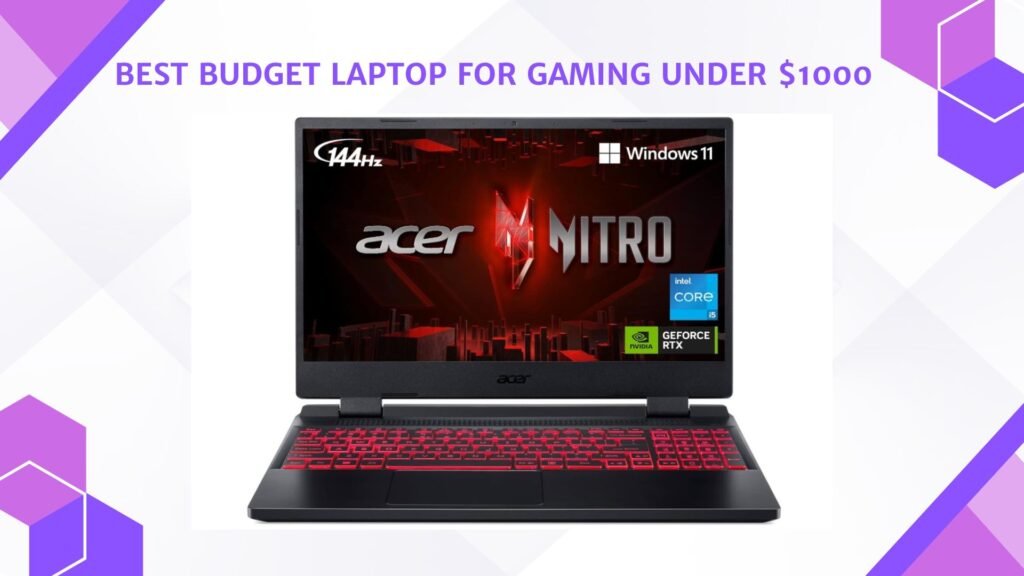
Last Updated on May 15, 2026 by Jawad
Introduction
A budget laptop for gaming under $1000 offers an excellent balance of affordability and performance for gamers who want smooth gameplay without spending a premium price. These laptops typically include dedicated NVIDIA or AMD graphics cards, modern multi-core processors, fast SSD storage, and high-refresh-rate displays for responsive gaming experiences. Many models can comfortably handle popular games like Fortnite, Valorant, Apex Legends, Call of Duty, and GTA V at 1080p settings with solid frame rates.
Budget gaming laptops under $1000 are also suitable for multitasking, streaming, and everyday productivity tasks. With improving hardware technology, affordable gaming laptops now provide impressive value, portability, and reliable gaming performance for beginners and intermediate gamers alike.
We also have a recommendation for the Best High End Gaming Laptop, so make sure to check that out too!
Top Budget Laptop for Gaming Under $1000


| Laptop | Image | Rating | CPU | GPU | RAM | Storage | Display | Best For | Buy |
|---|---|---|---|---|---|---|---|---|---|
|
ASUS TUF Gaming A15 🏆 Best Overall 🔥 Top Pick |
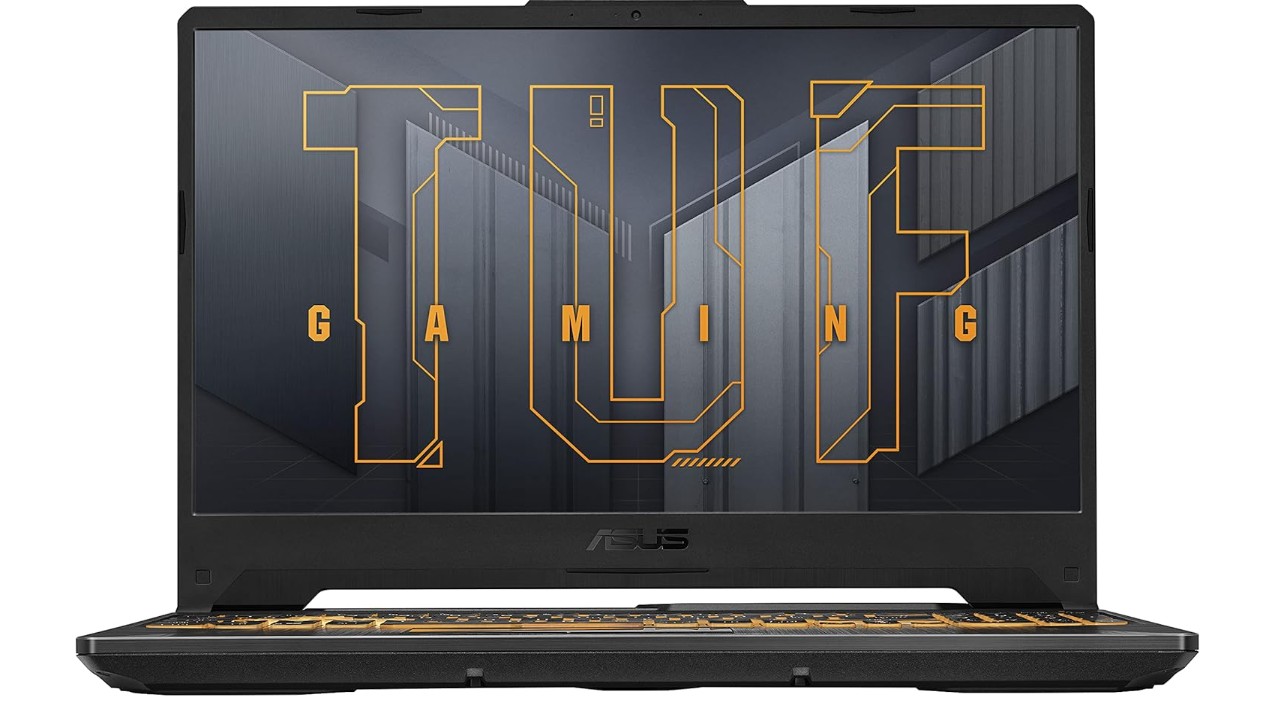 | ★★★★★ | Ryzen 5 7535HS | RTX 3050 | 8GB | 512GB SSD | 15.6″ FHD 144Hz | Balanced Gaming | Check Price |
|
MSI Thin 15 💰 Best Value |
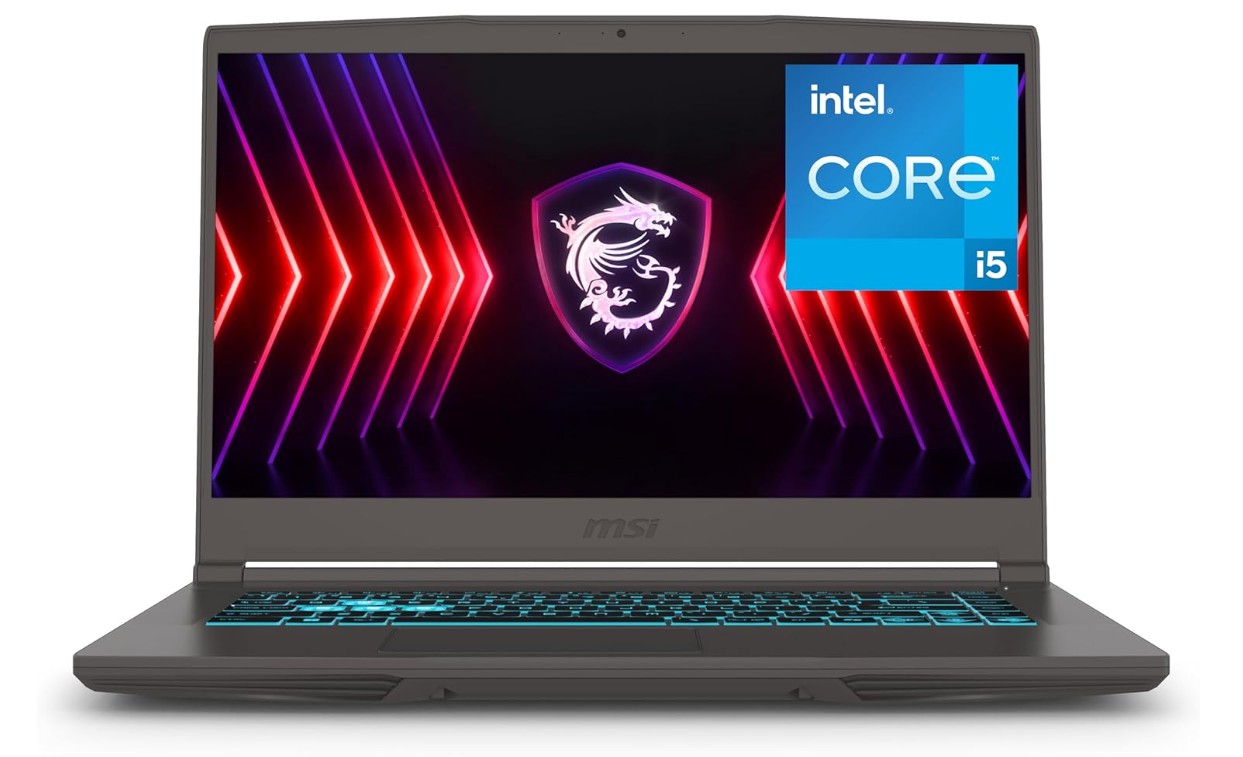 | ★★★★☆ | Intel Core i5 | RTX 4050 | 16GB | 512GB SSD | 15.6″ FHD 144Hz | Best Price-to-Performance | Check Price |
| Acer Nitro 5 |
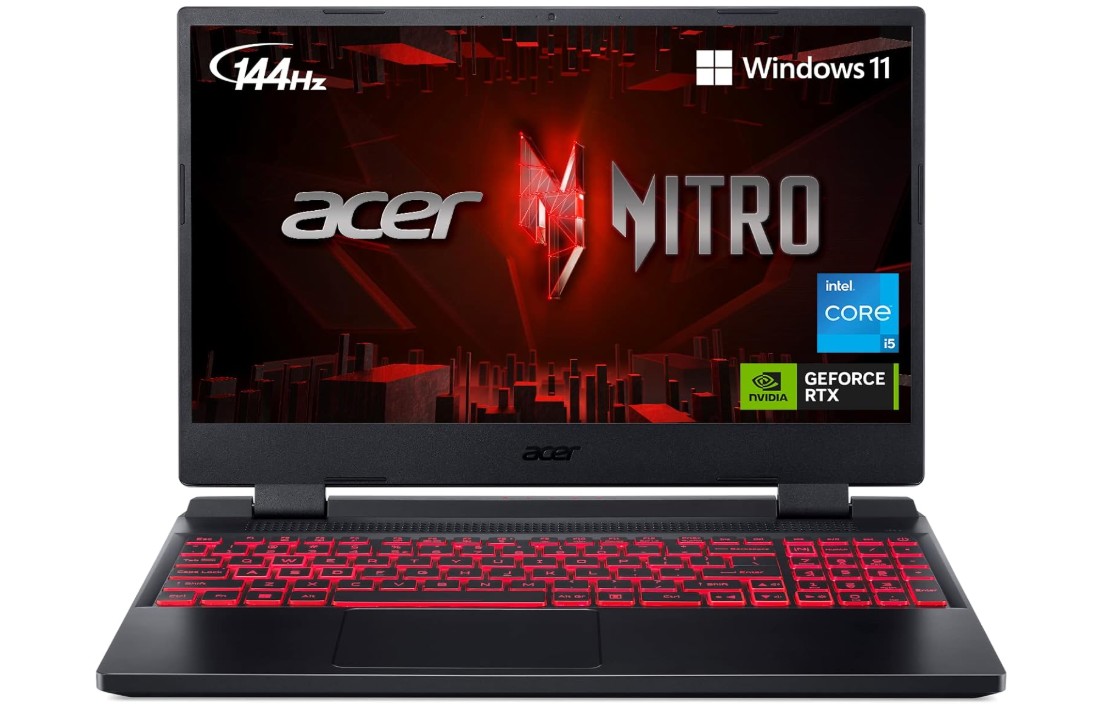 | ★★★★☆ | Intel i5-12500H | RTX 3050 Ti | 16GB | 512GB SSD | 15.6″ FHD 144Hz | Reliable Gaming | Check Price |
| HP Victus 15 |
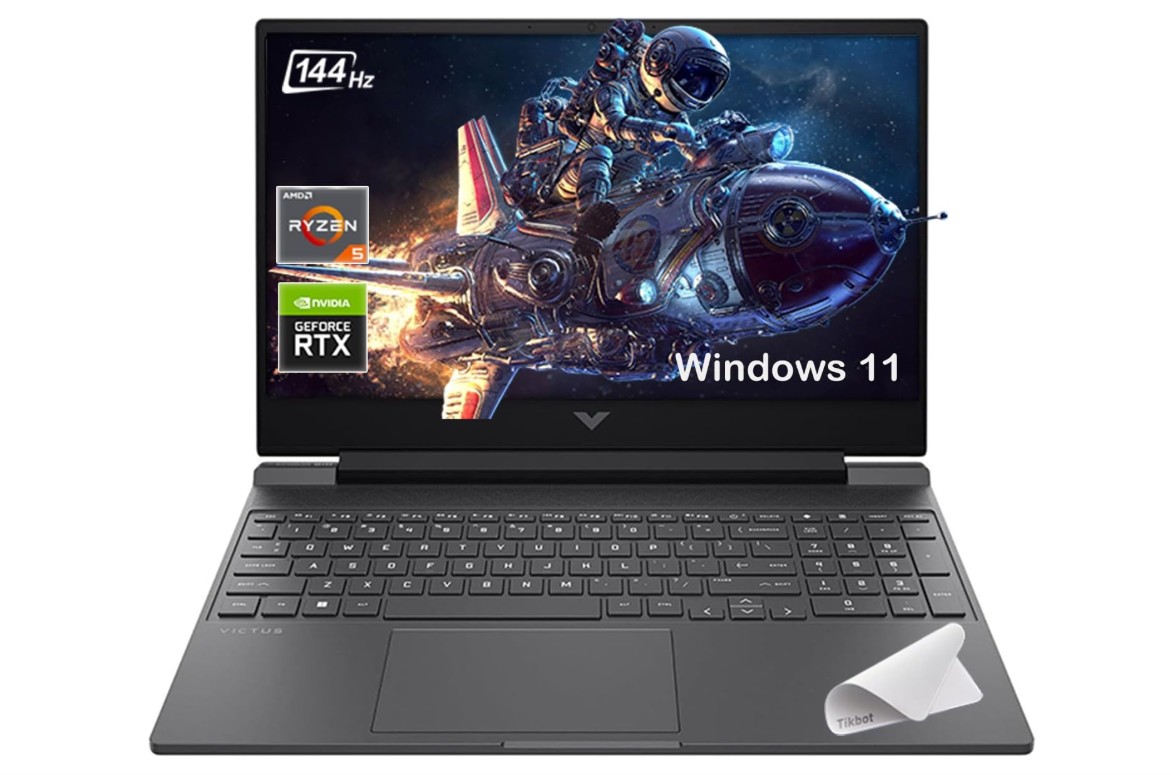 | ★★★★★ | Ryzen 7 7445HS | RTX 4050 | 16–32GB | 512GB–2TB SSD | 15.6″ FHD 144Hz | Performance + Multitasking | Check Price |
| Acer Nitro 16 |
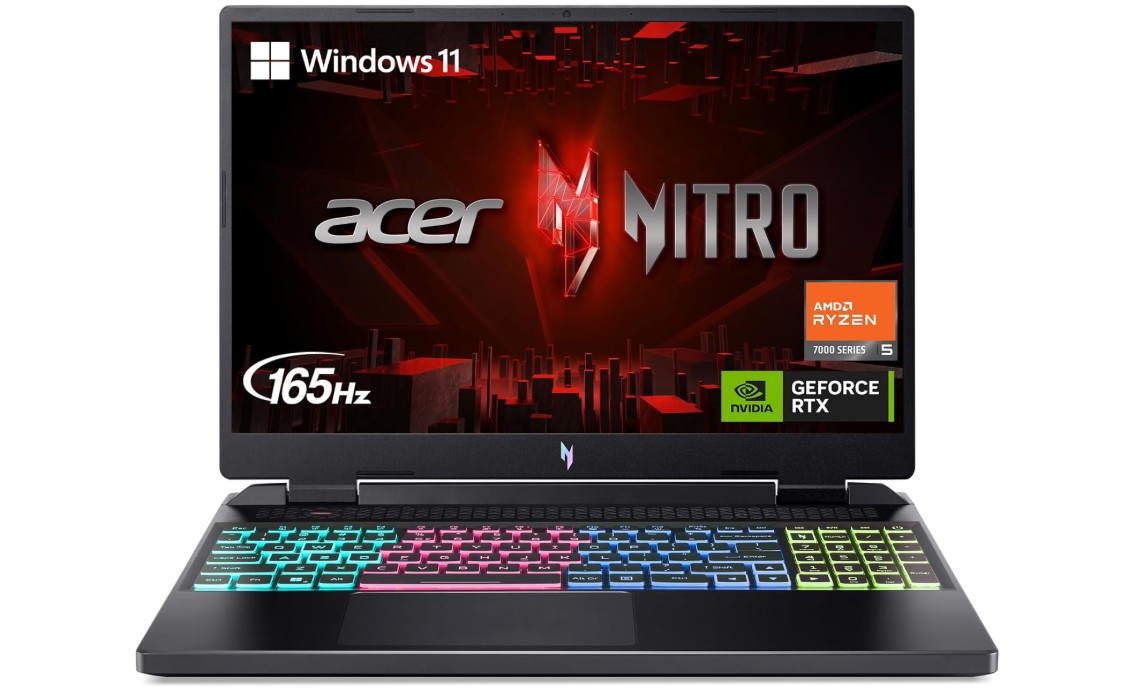 | ★★★★☆ | Ryzen 5 7640HS | RTX 4050 | 8GB | 512GB SSD | 16″ WUXGA 165Hz | Larger Display Gaming | Check Price |
ASUS TUF Gaming A15 Gaming Laptop
ASUS TUF Gaming A15 Gaming Laptop
The ASUS TUF Gaming A15 FA506NC-ES51 is an excellent budget-friendly gaming laptop that offers solid performance for casual and competitive gamers. Powered by the AMD Ryzen 5 7535HS and NVIDIA GeForce RTX 3050, it handles popular esports titles and modern AAA games at 1080p with smooth frame rates. The 15.6-inch FHD 144Hz display provides fluid gameplay and responsive visuals, making fast-paced gaming feel enjoyable.
Its durable TUF design, comfortable keyboard, and efficient cooling system add to the overall value. While the 8GB RAM may need upgrading for heavier multitasking, the laptop still delivers strong everyday performance, fast boot times, and reliable gaming power for its price range.
MSI Thin 15 15.6″ 144Hz Gaming Laptop
MSI Thin 15 15.6″ 144Hz Gaming Laptop
The MSI Thin 15 B13VE-1697CA is a solid budget-friendly gaming laptop that balances performance, portability, and value. Powered by the Intel Core i5-13420H and NVIDIA GeForce RTX 4050, it delivers smooth 1080p gaming performance for popular esports titles and modern AAA games with DLSS support. The 15.6-inch 144Hz display provides fluid gameplay and responsive visuals, making competitive gaming feel fast and immersive. With 16GB RAM and a 512GB NVMe SSD, multitasking and load times remain quick and reliable.
Its lightweight design makes it easier to carry than many gaming laptops, while MSI’s cooling system handles everyday gaming well. However, battery life and display brightness are average, and heavy gaming can produce noticeable fan noise. Overall, it’s a great mid-range gaming laptop for gamers seeking strong performance at a reasonable price.
Acer Nitro 5 Gaming Laptop
Acer Nitro 5 Gaming Laptop
The Acer Nitro 5 AN515-58-57Y8 is a great mid-range gaming laptop that offers strong performance and excellent value for gamers on a budget. Powered by the Intel Core i5-12500H and NVIDIA GeForce RTX 3050 Ti, it handles modern games smoothly at 1080p while also performing well for school, work, and content creation tasks. The 15.6-inch Full HD 144Hz IPS display delivers smooth gameplay with sharp visuals and responsive motion for competitive gaming. With 16GB DDR4 RAM and a fast 512GB Gen 4 SSD, multitasking and load times feel quick and reliable.
Acer’s cooling system keeps temperatures manageable during long gaming sessions, while the RGB backlit keyboard adds a stylish gaming touch. Although battery life and speaker quality are average, the Nitro 5 remains one of the best value gaming laptops in its class.
HP Victus 15.6″ 144Hz Full HD Gaming Laptop
HP Victus 15.6″ 144Hz Full HD Gaming Laptop
The HP Victus 15.6″ Gaming Laptop is an excellent mid-range gaming machine that offers impressive performance and great value for gamers and multitaskers. Powered by the AMD Ryzen 7 7445HS and NVIDIA GeForce RTX 4050, it delivers smooth 1080p gaming, strong multitasking, and reliable performance for streaming, editing, and everyday productivity. The 144Hz Full HD display provides fluid visuals and responsive gameplay, making fast-paced titles feel smooth and immersive. With an upgraded 32GB RAM and massive 2TB PCIe SSD, load times and multitasking are exceptionally fast.
The laptop also features a clean design, good cooling, Wi-Fi connectivity, and Windows 11 with Copilot integration. While battery life is average under heavy gaming, the overall gaming experience, upgrade potential, and performance make the HP Victus 15 a fantastic value-packed gaming laptop.
Acer Nitro 16 Gaming Laptop
Acer Nitro 16 Gaming Laptop
The Acer Nitro 16 AN16-41-R148 is a strong value-focused gaming laptop that delivers excellent 1080p gaming performance for its price range. Powered by the AMD Ryzen 5 7640HS and NVIDIA GeForce RTX 4050, it handles modern games smoothly while also performing well for multitasking, streaming, and everyday productivity. The 16-inch WUXGA 165Hz IPS display offers sharp visuals, smooth motion, and immersive gameplay with responsive performance in fast-paced titles.
Its modern design, RGB backlit keyboard, and effective cooling system give it a premium gaming feel without a flagship price tag. Wi-Fi 6E connectivity and the fast Gen 4 SSD improve responsiveness and loading times. Although the included 8GB RAM may benefit from an upgrade for demanding games and multitasking, the Nitro 16 remains a great mid-range gaming laptop for gamers seeking performance, display quality, and value.
Buying Guide: Budget Laptop for Gaming Under $1000
Choosing the best budget gaming laptop under $1000 can feel like a challenge because you want a machine that delivers smooth gameplay, fast performance, and durability without breaking the bank. However, the good news is that in 2025, several options will offer strong 1080p gaming performance with modern GPUs and CPUs at a reasonable price. This guide will explain what to look for in a budget gaming laptop, the key specifications that matter most, and how to get the best value for your money.
Performance Components
The most critical components of any gaming laptop are the processor (CPU) and graphics card (GPU). For laptops under $1000, you generally want at least a quad-core or six-core CPU. AMD Ryzen 5 or Ryzen 7 mobile processors and Intel Core i5 or i7 H-series processors are ideal because they balance power and efficiency. These CPUs can handle games, streaming, and productivity tasks without slowing down.
The GPU is equally important. Many budget gaming laptops now feature NVIDIA GeForce RTX 3050, RTX 4050, or GTX 1650/1660 Ti GPUs. These GPUs allow smooth 1080p gameplay in most modern titles. Laptops with dedicated GPUs perform much better than those relying solely on integrated graphics. While you may not hit ultra settings on modern games, medium to high settings are very achievable in this price range. If you can find a laptop with an RTX 40-series GPU, you also get access to features like ray tracing and DLSS, which can improve visual quality and frame rates.
Memory (RAM) and Storage
RAM is crucial for smooth gaming and multitasking. A minimum of 8GB is acceptable, but 16GB is highly recommended. Some budget laptops allow you to upgrade RAM later, which can extend the lifespan of your device. Storage is another factor to consider. SSDs (Solid State Drives) offer fast load times compared to traditional HDDs. A 512GB SSD is a good starting point, providing enough space for several games and applications. Laptops with PCIe Gen 4 NVMe SSDs are even faster, which can reduce game load times significantly.
Display and Refresh Rate
For gaming, the display can make a big difference. Most budget gaming laptops offer a 15.6-inch or 16-inch Full HD (1920×1080) screen. Look for IPS panels as they provide better color accuracy and viewing angles. Refresh rates are equally important. While 60Hz is standard, gaming laptops under $1000 increasingly feature 120Hz, 144Hz, or even 165Hz panels. Higher refresh rates result in smoother gameplay, especially in fast-paced games like first-person shooters.
Build Quality and Design
Even on a budget, build quality matters. Many budget gaming laptops feature plastic chassis, which keeps costs low but can still be durable if well-built. Some laptops follow military-grade design standards for added durability. Consider the weight and thickness if you plan to carry your laptop frequently. While thin and light designs are convenient, they may compromise cooling efficiency. Backlit keyboards, especially RGB, are common in gaming laptops and improve usability in low-light conditions.
Cooling System
Gaming laptops generate heat during intensive tasks. A laptop with an efficient cooling system ensures stable performance and prevents thermal throttling. Look for laptops with dual-fan designs, heat pipes, and good airflow. Some models include software to monitor and control fan speeds, which can help manage temperatures during extended gaming sessions.
Battery Life
Battery life in gaming laptops is often limited. Most budget gaming laptops provide 4-7 hours of mixed usage, but during gaming, expect around 1-2 hours unplugged. While not ideal for long travel without a charger, this is normal for laptops with dedicated GPUs. Features like battery-saving modes can help extend usage when performing non-gaming tasks.
Connectivity Options
Modern gaming laptops should include fast wireless connectivity. Wi-Fi 6 or Wi-Fi 6E ensures stable and fast online gaming, while Bluetooth allows you to connect headphones, controllers, or other peripherals. Ports are also important. Look for USB Type-C, multiple USB 3.2 ports, HDMI, and an audio jack. Ethernet ports can be helpful for a more stable internet connection during competitive gaming.
Software and Operating System
Most gaming laptops come with Windows 11 Home or Pro. Windows is ideal for gaming because it supports most titles and offers compatibility with gaming platforms like Steam, Epic Games Store, and Xbox Game Pass. Some laptops include utility software for performance tuning, fan control, and RGB keyboard customization. Avoid laptops that come with excessive bloatware, as it can slow down performance.
Upgradeability
A good budget gaming laptop should allow some upgrades, particularly for RAM and storage. Over time, games and software require more memory and space, so having the option to expand helps extend the laptop’s lifespan. Check the manufacturer’s specifications to see if RAM slots are accessible or if the SSD can be replaced.
Choosing the Right Brand
Brands like ASUS, Acer, MSI, HP, and Lenovo offer reliable budget gaming laptops. ASUS TUF and ROG series, Acer Nitro series, MSI Thin series, HP Victus, and Lenovo Legion 5 are popular choices in this price range. Each brand has its pros and cons, such as cooling efficiency, design, and support. Reading reviews and comparing models helps you pick a laptop that balances performance and features within your budget.
Yes — many can run popular games smoothly at 1080p with medium to high settings, though very demanding titles might need settings lowered.
Aim for a recent-generation CPU (Intel i5/Ryzen 5 or better), a dedicated GPU (like NVIDIA GTX/RTX or AMD Radeon), 8–16 GB RAM, and at least 512 GB SSD.
Yes — a 1080p screen with at least 120 Hz refresh rate gives smoother gameplay and better visuals.
Faster SSD storage helps with quicker game loading and overall system responsiveness.
For gaming, yes — the GPU matters most for higher frame rates and better graphics performance.
Yes — they work well for productivity, streaming, and everyday tasks in addition to gaming.
Conclusion
Buying a budget gaming laptop under $1000 requires balancing performance, features, and portability. Focus on a strong CPU and dedicated GPU, sufficient RAM and storage, a fast display with high refresh rate, and good cooling. Consider build quality, upgrade options, and connectivity to get a laptop that will last several years. While there will be compromises compared to premium models, careful selection can give you a gaming laptop that delivers excellent value and smooth 1080p gameplay for both casual and competitive gaming. By understanding specifications and prioritizing key features, you can confidently choose a budget gaming laptop that meets your needs without overspending.

Jawad is a passionate tech enthusiast and writer who loves exploring the latest trends in hardware, gadgets, and digital innovation. With a sharp eye for performance and value, he delivers in-depth recommendations and buying guides to help readers make smarter tech decisions.