
Last Updated on May 15, 2026 by Jawad
Introduction
RGB gaming keyboards have become very popular among gamers because they combine style, comfort, and performance in one device. These keyboards are designed to make gaming more enjoyable by adding colorful lighting effects that look great on any desk, especially in low-light rooms. RGB lighting is not just for looks, it can also help players see keys clearly, set custom colors for different games, and create a more immersive gaming setup.
Many RGB keyboards allow users to control lighting effects through software, so you can choose static colors, rainbow waves, breathing effects, or match colors with other gaming accessories.
We also have a recommendation for the Best Hot-Swappable Mechanical Keyboards, so make sure to check that out too!
Top RGB Gaming Keyboard


Comparison
| Keyboard | Image | Rating | Lighting | Switch Type | Connectivity | Best For | Buy |
|---|---|---|---|---|---|---|---|
| SteelSeries Apex 3 RGB Gaming Keyboard 🏆 Best Overall | 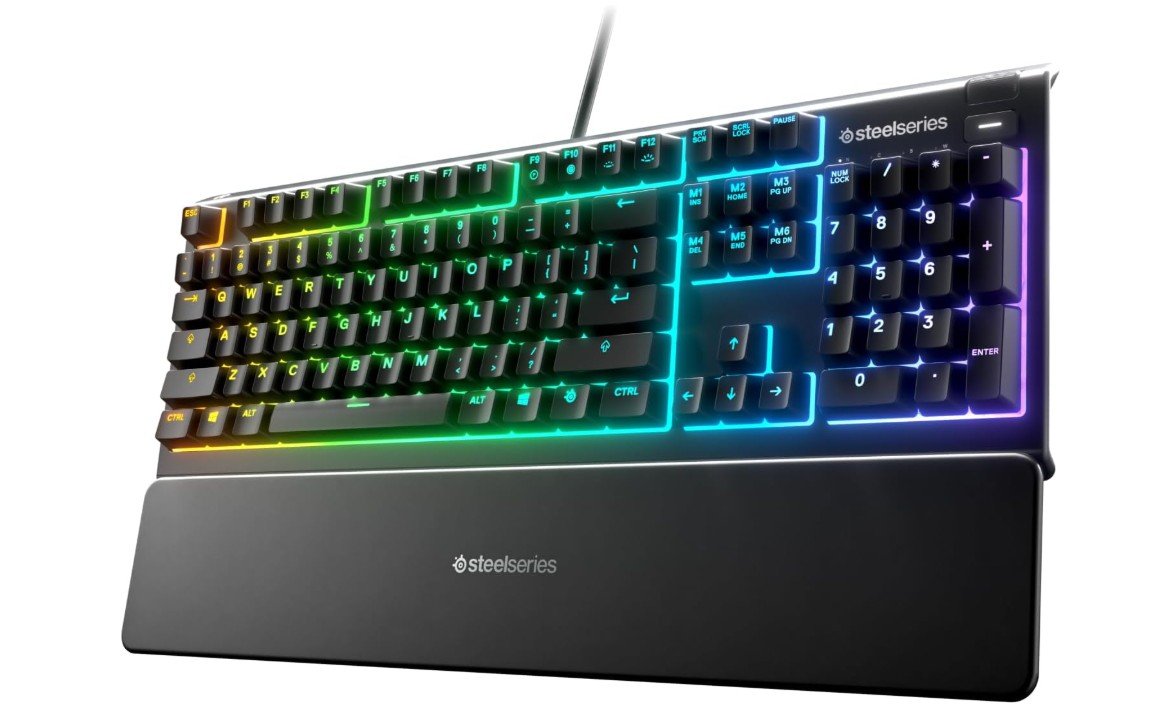 | ★★★★☆ | 10‑Zone RGB | Whisper Quiet Gaming Switch | Wired USB | Balanced RGB Gaming | Check Price |
| TECKNET Gaming Keyboard (RGB) |  | ★★★★☆ | 15‑Zone RGB | Whisper Quiet Switches | Wired USB | Value RGB Gaming | Check Price |
| RisoPhy Mechanical Gaming Keyboard |  | ★★★★☆ | Full RGB Backlit | Blue Mechanical Switches | Wired USB | Clicky Gaming & Typing | Check Price |
| Corsair K100 AIR Wireless RGB | 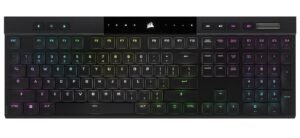 | ★★★★☆ | Per-Key RGB | Low‑Profile Mechanical | Wireless / USB | Premium Wireless RGB | Check Price |
| HyperX Alloy Core RGB Keyboard | 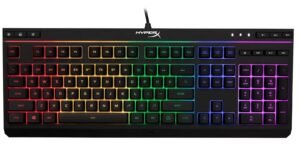 | ★★★☆☆ | RGB LED Lighting | Membrane Switches | Wired USB | Budget RGB Gaming | Check Price |
SteelSeries Apex 3 RGB Gaming Keyboard
SteelSeries Apex 3 RGB Gaming Keyboard
The SteelSeries Apex 3 RGB Gaming Keyboard is a great option for gamers who want a quiet and comfortable keyboard without spending too much. Its whisper-quiet gaming switches feel soft and smooth, making it ideal for late-night gaming or office use.
The 10-zone RGB lighting looks vibrant and adds a stylish gaming setup appearance. The included magnetic wrist rest provides excellent comfort during long gaming sessions, while the IP32 water resistance helps protect against accidental spills. Although it uses membrane switches instead of mechanical ones, typing still feels responsive and satisfying for casual gaming and daily use.
Overall, it offers solid durability, comfort, and value for budget gamers.
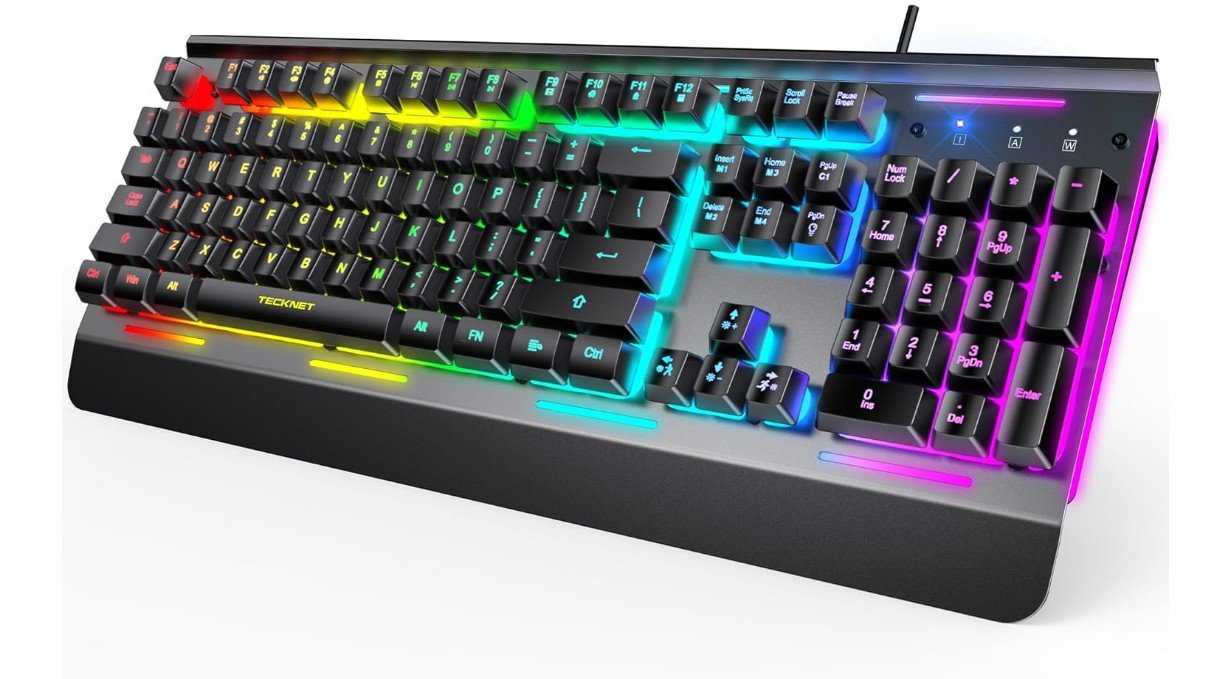
TECKNET Gaming Keyboard
TECKNET Gaming Keyboard
The TECKNET Gaming Keyboard is a solid budget-friendly option for casual gamers and everyday users who want quiet performance with stylish RGB lighting. Its whisper-quiet membrane switches feel soft and comfortable, making it suitable for late-night gaming or office use without creating too much noise.
The 15-zone RGB illumination adds a vibrant gaming look, while the all-metal panel gives the keyboard a sturdy and durable feel. With 25 anti-ghosting keys, key presses register accurately during gaming sessions. The IP32 water resistance also helps protect against accidental spills.
Overall, it delivers excellent value for beginners looking for an affordable, comfortable, and reliable gaming keyboard.
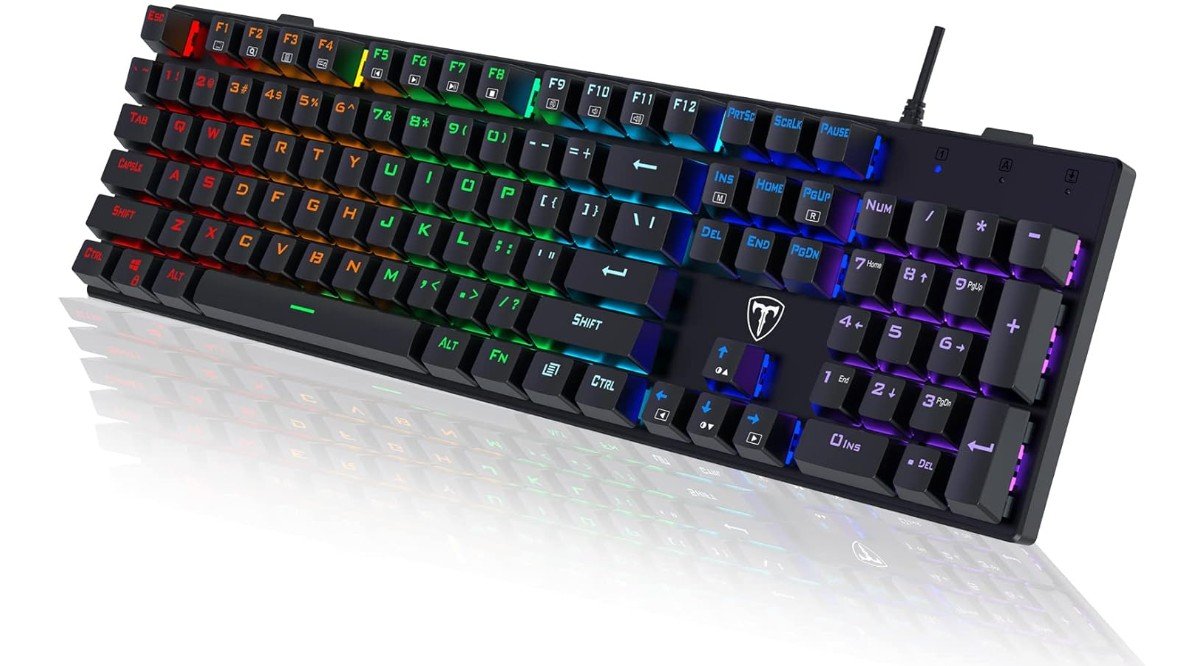
RisoPhy Mechanical Gaming Keyboard
RisoPhy Mechanical Gaming Keyboard
The RisoPhy Mechanical Gaming Keyboard is a great budget-friendly option for gamers and typists who enjoy a clicky mechanical feel. Its blue switches provide satisfying tactile feedback and fast response, making typing and gaming feel responsive and enjoyable. The ultra-slim design gives it a modern look, while the RGB LED backlighting adds vibrant style to any setup.
Anti-ghosting support helps register multiple key presses accurately during gaming sessions, and the spill-resistant design adds extra durability for everyday use. The ABS keycaps feel decent for the price, and the full-size 104-key layout is practical for work and gaming alike.
Overall, it offers impressive value for budget users.
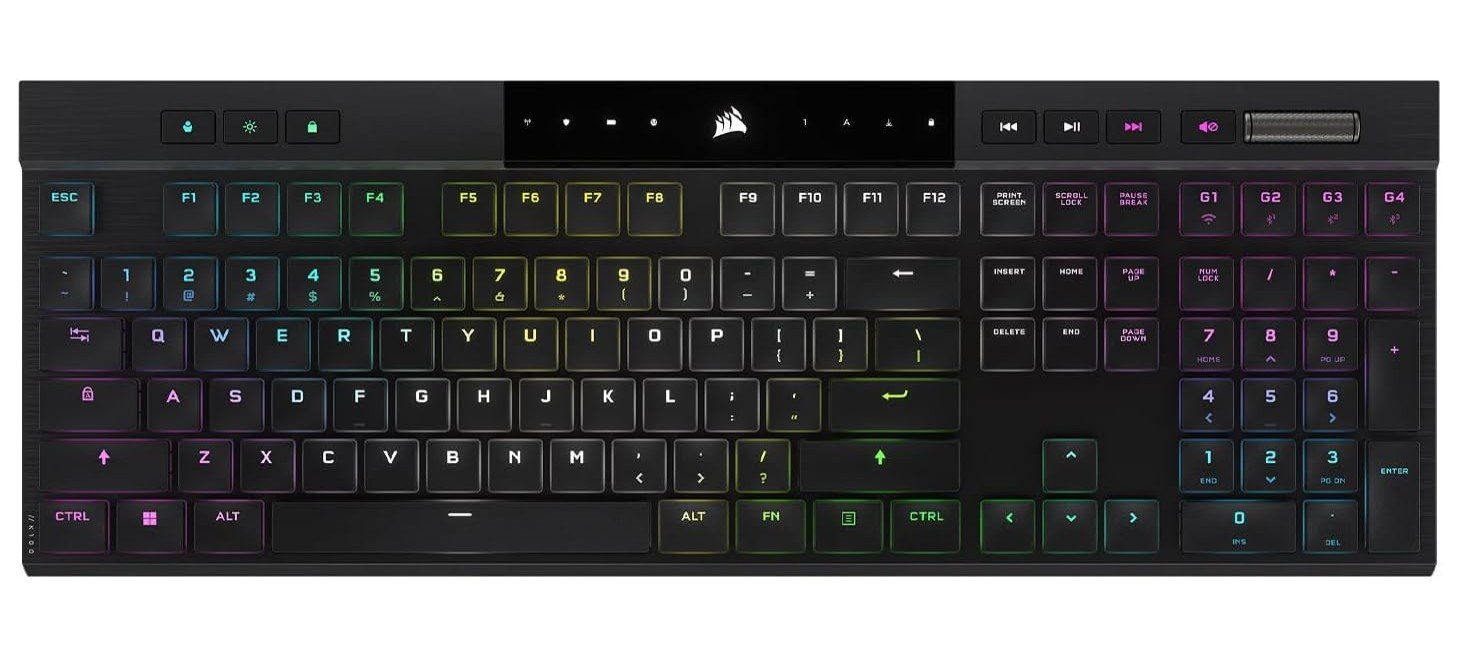
Corsair K100 AIR Wireless RGB Mechanical Gaming Keyboard
Corsair K100 AIR Wireless RGB Mechanical Gaming Keyboard
The Corsair K100 AIR Wireless is a premium ultra-thin mechanical keyboard designed for gamers and fast typists who want top-tier speed and comfort. Its Cherry MX Ultra Low Profile switches feel smooth, responsive, and incredibly fast for both gaming and productivity. The slim aluminum design looks sleek and modern while still feeling sturdy and high-end.
Slipstream wireless technology delivers extremely low latency, and Bluetooth support makes switching between devices easy. RGB lighting is vibrant and fully customizable through iCUE software. Despite its thin design, typing feels comfortable and satisfying during long sessions.
Overall, it’s an outstanding high-performance keyboard for professionals, gamers, and enthusiasts who want a luxury typing experience.
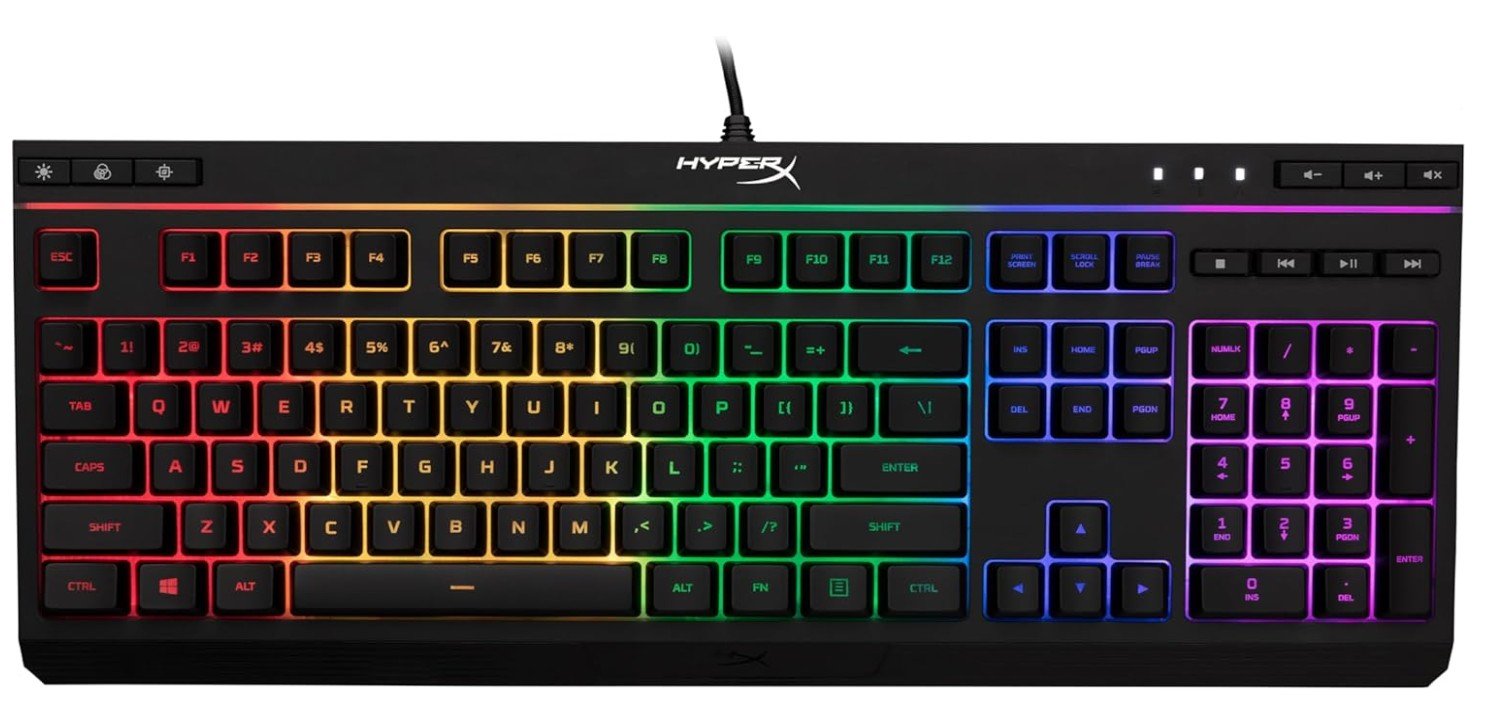
HyperX Alloy Core RGB
HyperX Alloy Core RGB
The HyperX Alloy Core RGB is a comfortable and budget-friendly gaming keyboard designed for users who prefer quiet keys over loud mechanical switches. Its soft-touch membrane keys feel smooth and responsive, making it suitable for gaming, typing, and everyday use. The RGB lighting looks vibrant with multiple lighting effects, while the dedicated media controls are convenient during gaming sessions.
The spill-resistant design adds extra durability and peace of mind for daily use. Although it lacks the clicky feel of mechanical keyboards, it still delivers a satisfying typing experience with minimal noise.
Overall, it’s a reliable entry-level gaming keyboard offering solid comfort, style, and value for casual gamers.
RGB Gaming Keyboard — a complete buying guide
Why RGB matters
RGB lighting is more than decoration for many gamers: it improves visibility in low light, helps you mark important keys (macros, ability binds), and ties your whole setup together when synced with other gear. There are two common RGB styles to know: per-key RGB (each key has its own LED for full customization) and zone/segment RGB (the board is divided into a few colored zones). Per-key gives the most flexibility for game profiles and custom effects; zone lighting is cheaper and still looks good.
Switch types (why they matter)
Switches define feel, sound, and speed. Mechanical switches are the standard for gaming; within them you’ll see linear (smooth, fast), tactile (bump feedback), and clicky (audible click) varieties. Big switch brands include Cherry MX, Gateron, and Kailh — Cherry MX is often praised for durability and consistency, while Gateron and Kailh offer excellent value and many modern variants (factory-lubed, silent, low-profile). If you want quiet typing, look for silent or low-profile switches; if you want sharp actuation for esports, choose a light linear or low-travel switch.
Key rollover & anti-ghosting
N-Key Rollover (NKRO) and anti-ghosting ensure multiple simultaneous key presses are registered reliably — critical for fast, complex inputs in games. If you play fast-paced competitive games, prefer keyboards that advertise full NKRO or at least 6–10 key rollover. This avoids missed or “ghost” presses during intense moments.
Size & layout choices
- Full-size (104 keys): best if you need a numpad for work.
- Tenkeyless (TKL): removes numpad — more desktop space and better mouse movement.
- 75% / 65% / 60%: more compact, minimal, needs function-layer learning.
Choose based on desk space and whether you use the numpad or macros frequently.
Build quality & materials
Look at plate material (aluminum, steel, or plastic). Metal or aluminum plates feel stiffer and reduce flex. Keycaps: ABS is common and cheaper but shines over time; PBT is more durable and preferred by enthusiasts. A detachable USB-C cable, braided cable, and a solid case mean better long-term value.
Hot-swappable switches
Hot-swappable sockets let you change switches without soldering. If you want to try different switch types (or replace a bad switch), hot-swap is a huge convenience. Many mid-to-high tier boards offer this now.
Software & ecosystem
RGB customization, macros, and game integrations usually come through manufacturer software (Corsair iCUE, Razer Synapse, Logitech G Hub, SteelSeries Engine). These apps let you create profiles, synchronize lighting across devices, and bind macros — but software quality varies; some heavy apps can be clunky or resource-hungry. If you want deep lighting control and device sync, check the software’s reputation before buying.
Wired vs wireless vs low-latency wireless
Wired gives lowest latency and no battery worries. Modern wireless solutions (proprietary low-latency dongles) can achieve sub-1ms performance and are excellent for those who need a clean desk. Bluetooth is convenient but higher latency and can be less consistent for fast gaming. If you’re a competitive gamer, wired or a high-performance wireless mode is safest.
Additional features to consider
- Per-key macro programming and onboard storage (save profiles to keyboard)
- Dedicated media keys and volume wheel for convenience
- Wrist rest (magnetic or detachable) for comfort during long sessions
- Water/spill resistance if you’re clumsy or drink near your desk
- Battery life reporting and adjustable RGB power modes (for wireless boards)
Price tiers & what to expect
- Budget (≤ $50–$70): membrane or basic mechanical clones, zoned RGB, limited software. Good for casual users.
- Mid-range ($70–$150): true mechanical switches, per-key or many zones, hot-swap sometimes, better software. Best value for most gamers.
- Premium (>$150): high-end switches (factory lubed/linear/optical), full per-key RGB, premium build, low-latency wireless options, advanced software and extras (macro keys, OLED displays).
Who should buy what
- Competitive FPS player: light linear switches, TKL or compact, wired/low-latency wireless, and NKRO.
- MMO/MOBA player: full-size or TKL with dedicated macro keys and per-key RGB for binds.
- Streamer/enthusiast: per-key RGB, strong software, and signature effects for camera looks.
- Budget shopper: zoned RGB is fine, focus on build and basic NKRO.
Maintenance & care
Clean keycaps and switches every few months. Use compressed air to remove dust; remove and wash keycaps (if ABS/PBT) and dry fully. Keep firmware and software updated for new RGB features or bug fixes.
FAQs
An RGB gaming keyboard features multicolor backlighting under each key or in lighting zones that you can customize with effects (wave, ripple, per-key colors, etc.), adding style and better visibility in low light.
RGB lighting doesn’t improve game performance, but it can help highlight important keys and create visual cues, plus it enhances the look of your setup.
Most keyboards include software to customize lighting profiles, macros, and effects — letting you sync lighting with games or adjust per-key colors.
Higher-end RGB keyboards often offer more lighting zones, better switches, customization software, and build quality. If you’re serious about gaming or aesthetics, they’re worth the upgrade.
Final tips
If RGB is the main draw, prioritize per-key lighting and strong software that synchronizes other gear. If performance is the priority, prioritize switches, NKRO, and low-latency connectivity over fancy lighting effects. Read recent user reviews for the exact model and check that the software supports the lighting profiles you want — some brands update lighting features more often than others.

Jawad is a passionate tech enthusiast and writer who loves exploring the latest trends in hardware, gadgets, and digital innovation. With a sharp eye for performance and value, he delivers in-depth recommendations and buying guides to help readers make smarter tech decisions.