
Last Updated on March 31, 2026 by Jawad
Introduction
A 27-inch gaming monitor under $300 is a popular choice for gamers who want a large screen and smooth performance without spending too much money. This size is considered one of the best options for gaming because it provides a good balance between screen space, clarity, and comfort. With a 27-inch display, players can enjoy a more immersive gaming experience, especially in action games, racing games, and open-world titles.
In recent years, gaming monitors in this price range have improved a lot. Many affordable models now include features that were once only available in expensive monitors. For example, many 27-inch gaming monitors under $300 offer high refresh rates such as 144Hz, 165Hz, or even higher, which helps games look smoother and more responsive. A faster refresh rate reduces motion blur and allows players to react more quickly during gameplay.
Another important feature is response time. Many modern gaming monitors offer a response time of around 1ms, which helps reduce ghosting and makes fast movements look clearer on the screen. This is especially important for competitive games like shooters and esports titles where quick reactions matter.
Most 27-inch gaming monitors under $300 also provide good resolution options. Some models use Full HD (1920×1080), while others offer sharper QHD or 1440p resolution (2560×1440), which produces clearer images and better detail in games and videos. Many of these monitors also use IPS or VA panels that provide better colors, wider viewing angles, and improved contrast.
Modern gaming monitors also include technologies like AMD FreeSync or NVIDIA G-Sync compatibility. These technologies help prevent screen tearing and make gameplay smoother when frame rates change. As a result, players get a more stable and enjoyable gaming experience.
Overall, a 27-inch gaming monitor under $300 is a great option for gamers who want a large display, smooth performance, and modern gaming features while staying within a reasonable budget.
We also have a recommendation for the Best 27 Inch 1440p Monitor for Gaming, so make sure to check that out too!
Top Best 27 Inch Gaming Monitor Under $300


Comparison
| Monitor | Image | Rating | Panel | Resolution | Refresh Rate | Response Time | Sync | HDR | Price | Buy |
|---|---|---|---|---|---|---|---|---|---|---|
|
AOC Q27G3XMN 🏆 Best Overall 🔥 Top Pick |
 | ★★★★★ | Mini-LED VA | 2560×1440 | 180Hz | 1ms | Adaptive Sync | HDR1000 | $279 | Check Price |
|
Acer Nitro XV271U 💰 Best Budget |
 | ★★★★☆ | IPS | 2560×1440 | 180Hz | 0.5ms | FreeSync Premium | HDR10 | $169 | Check Price |
| Samsung Odyssey G55C |
 | ★★★★☆ | VA (Curved 1000R) | 2560×1440 | 165Hz | 1ms | AMD FreeSync | HDR10 | $199 | Check Price |
| KTC 27″ QHD Gaming Monitor |
 | ★★★★☆ | Fast IPS | 2560×1440 | 210Hz | 1ms | Adaptive Sync | HDR400 | $219 | Check Price |
| CRUA 27″ 240Hz |
 | ★★★★☆ | IPS | 2560×1440 | 240Hz | 1ms | FreeSync | HDR | $179 | Check Price |
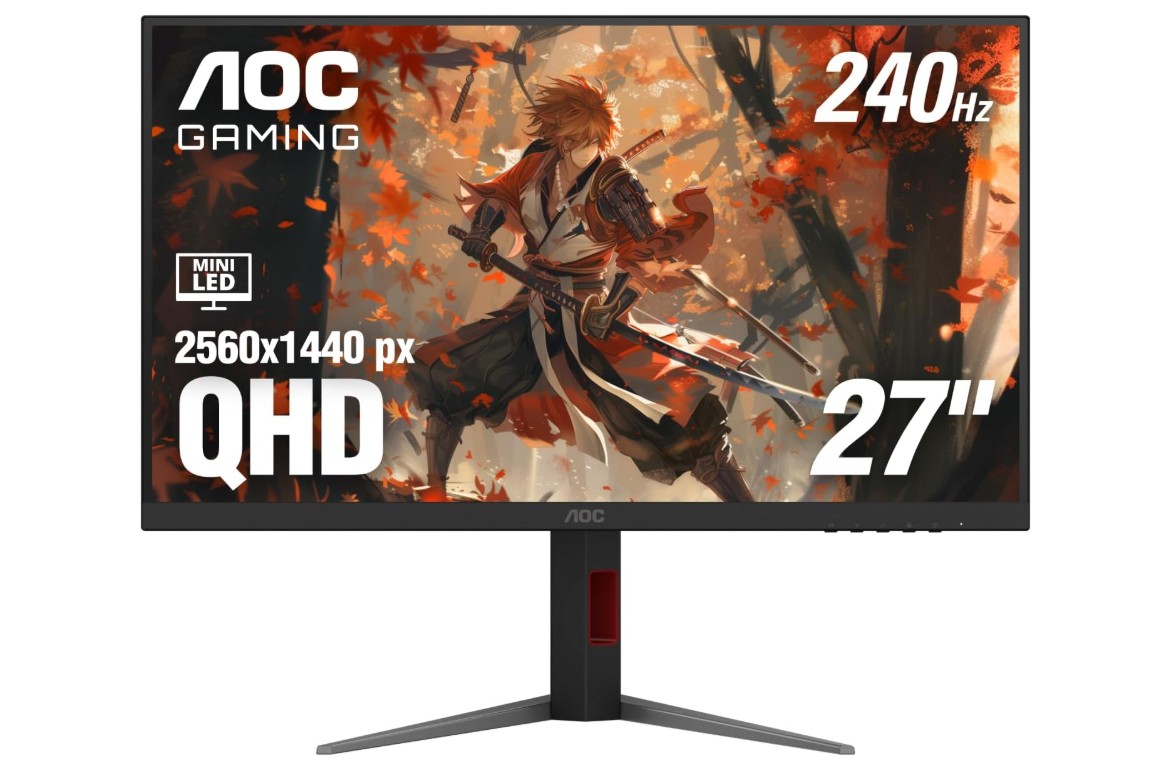
AOC Q27G3XMN 27″ 2K QHD Gaming Monitor
AOC Q27G3XMN 27″ 2K QHD Gaming Monitor
The AOC Q27G3XMN 27″ QHD Mini LED Gaming Monitor is a powerful gaming monitor designed for players who want high performance and impressive image quality at a reasonable price. With its 27-inch display and QHD resolution of 2560×1440, it delivers sharp visuals and detailed images that make games look clear and immersive. The larger screen size also gives players more viewing space, which is great for both gaming and everyday computer use.
One of the standout features of this monitor is its Mini LED backlight technology. Unlike traditional monitors, the Mini LED system uses hundreds of local dimming zones to improve contrast and brightness. This allows dark areas of the screen to appear deeper while bright areas become more vibrant. The monitor also supports VESA DisplayHDR 1000, which means it can reach very high brightness levels and produce impressive HDR visuals for games and movies.
For gaming performance, the monitor offers a fast 180Hz refresh rate and a 1ms GtG response time. This combination helps create smooth motion and reduces blur during fast-paced gameplay. Whether you are playing competitive shooters, racing games, or action titles, the fast refresh rate helps make movement look fluid and responsive. It also supports Adaptive Sync technology, which synchronizes the monitor’s refresh rate with the graphics card to reduce screen tearing and stuttering.
The display also provides a wide color range with over 137% sRGB coverage, allowing games and videos to look vibrant and colorful. With support for more than a billion colors and a strong contrast ratio from the VA panel, the monitor produces rich blacks and bright highlights that enhance the overall viewing experience.
In terms of connectivity, the monitor includes HDMI 2.0 and DisplayPort 1.4 inputs, making it compatible with most modern PCs and gaming systems. It also comes with a 3-year zero-bright-dot warranty, which gives extra confidence in its build quality. Overall, the AOC Q27G3XMN is a strong choice for gamers who want high refresh rates, real HDR performance, and excellent image quality in a mid-range gaming monitor.
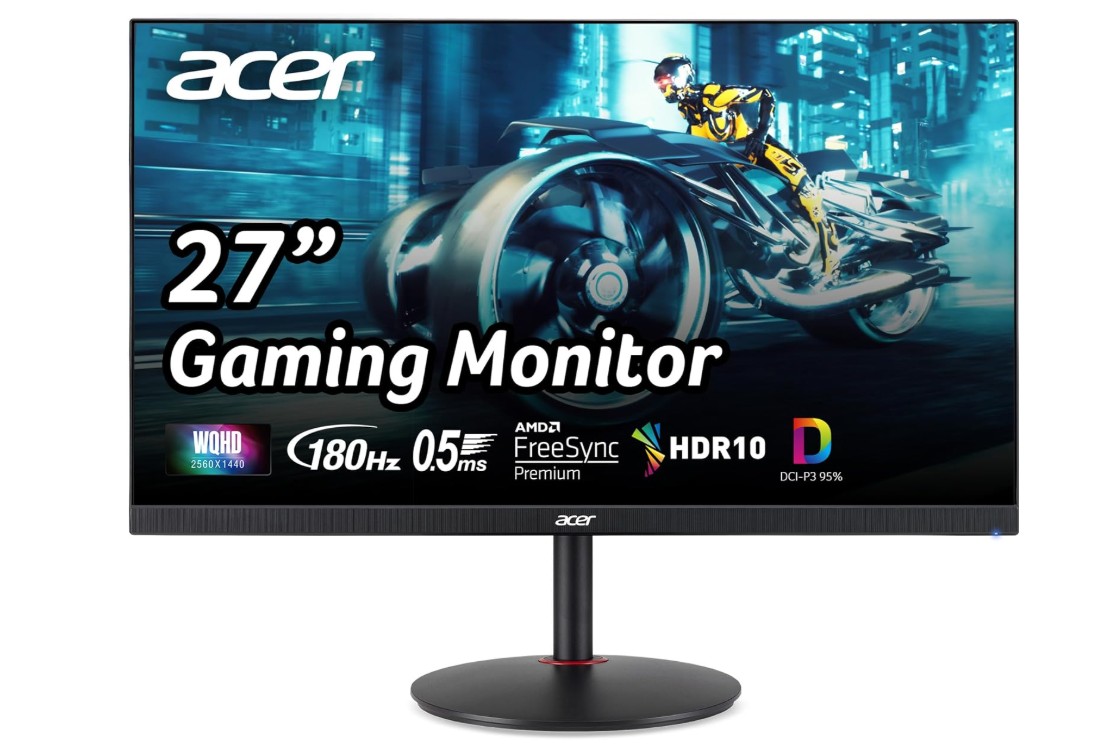
Acer Nitro 27″ WQHD 2560 x 1440 PC Gaming IPS Monitor
Acer Nitro 27″ WQHD 2560 x 1440 PC Gaming IPS Monitor
The Acer Nitro 27″ WQHD Gaming Monitor (XV271U M3bmiiprx) is a solid option for gamers who want smooth performance and clear visuals at an affordable price. It features a 27-inch IPS display with a WQHD resolution of 2560 × 1440, which delivers sharp images and good detail in games, videos, and everyday tasks. The 1440p resolution provides a noticeable improvement over Full HD, making games look clearer and more immersive on the larger screen.
One of the biggest highlights of this monitor is its fast 180Hz refresh rate. A high refresh rate allows the screen to update more frames every second, which makes gameplay look smoother and more responsive. This is especially helpful for competitive games such as shooters, racing games, and esports titles. The monitor also offers an extremely fast response time of up to 0.5ms, helping reduce motion blur and ghosting during fast movement on the screen.
The IPS panel technology is another advantage of this monitor. IPS panels are known for providing wide viewing angles and accurate colors, so the picture stays clear even when viewed from the side. This model also supports about 95% of the DCI-P3 color gamut, which means it can display vibrant and rich colors that make games, movies, and creative work look more impressive.
For gaming performance, the monitor includes AMD FreeSync Premium technology. This feature synchronizes the refresh rate of the monitor with the graphics card to reduce screen tearing and stuttering. As a result, gameplay feels smoother and more stable, especially when frame rates change during intense scenes.
The monitor also offers good connectivity options, including one DisplayPort 1.2 and two HDMI 2.0 ports, making it easy to connect gaming PCs, consoles, or other devices. Its simple black design and thin bezels give it a modern gaming look that fits well on most desks.
Overall, the Acer Nitro XV271U M3bmiiprx is a well-balanced gaming monitor that combines a sharp 1440p display, fast refresh rate, and strong color performance, making it a great choice for gamers who want smooth gameplay without spending too much money.
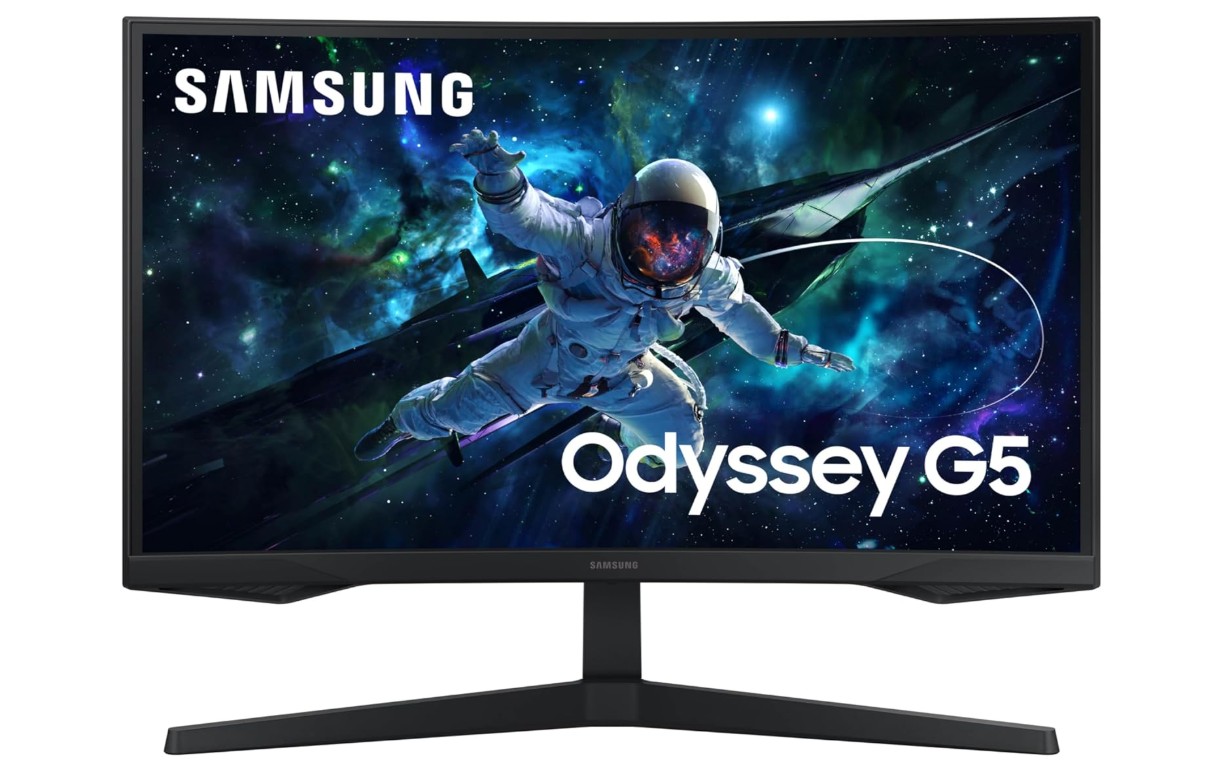
Samsung 27-Inch Odyssey G55C Series QHD 1000R Curved Gaming Monitor
Samsung 27-Inch Odyssey G55C Series QHD 1000R Curved Gaming Monitor
The Samsung 27-inch Odyssey G55C Series QHD Curved Gaming Monitor (LS27CG552ENXZA) is designed for gamers who want an immersive and smooth gaming experience at a reasonable price. It features a 27-inch display with a QHD resolution of 2560 × 1440, which provides sharper images and more detail than standard Full HD monitors. This higher resolution makes games, videos, and everyday tasks look clearer and more visually impressive.
One of the main highlights of this monitor is its 1000R curved screen design. The deep curve is designed to match the natural shape of the human eye, allowing the screen to wrap around your field of view. This creates a more immersive gaming experience, especially when playing racing games, open-world games, or fast-paced action titles. The curved design also helps you stay focused on the center of the screen during long gaming sessions.
The monitor delivers strong gaming performance with a 165Hz refresh rate and a 1ms MPRT response time. A high refresh rate means the screen updates more frames every second, resulting in smoother motion and more responsive gameplay. The 1ms response time helps reduce motion blur, which is important in competitive games where fast reactions matter.
Another useful feature is AMD Radeon FreeSync, which helps synchronize the monitor’s refresh rate with the graphics card. This reduces screen tearing and stuttering, making gameplay feel smoother and more stable. The monitor also supports HDR10, which improves brightness and color contrast so games and movies appear more vivid and realistic.
The Odyssey G55C uses a VA panel, which is known for strong contrast and deep blacks. This helps dark scenes in games look richer and more detailed. It also includes eye-care features designed to reduce eye strain during long gaming sessions.
Overall, the Samsung Odyssey G55C is a solid mid-range gaming monitor that combines a sharp 1440p display, smooth 165Hz refresh rate, and immersive curved design. It is a good choice for gamers who want an engaging gaming experience without spending too much money.
KTC 27 Inch Gaming Monitor
KTC 27 Inch Gaming Monitor
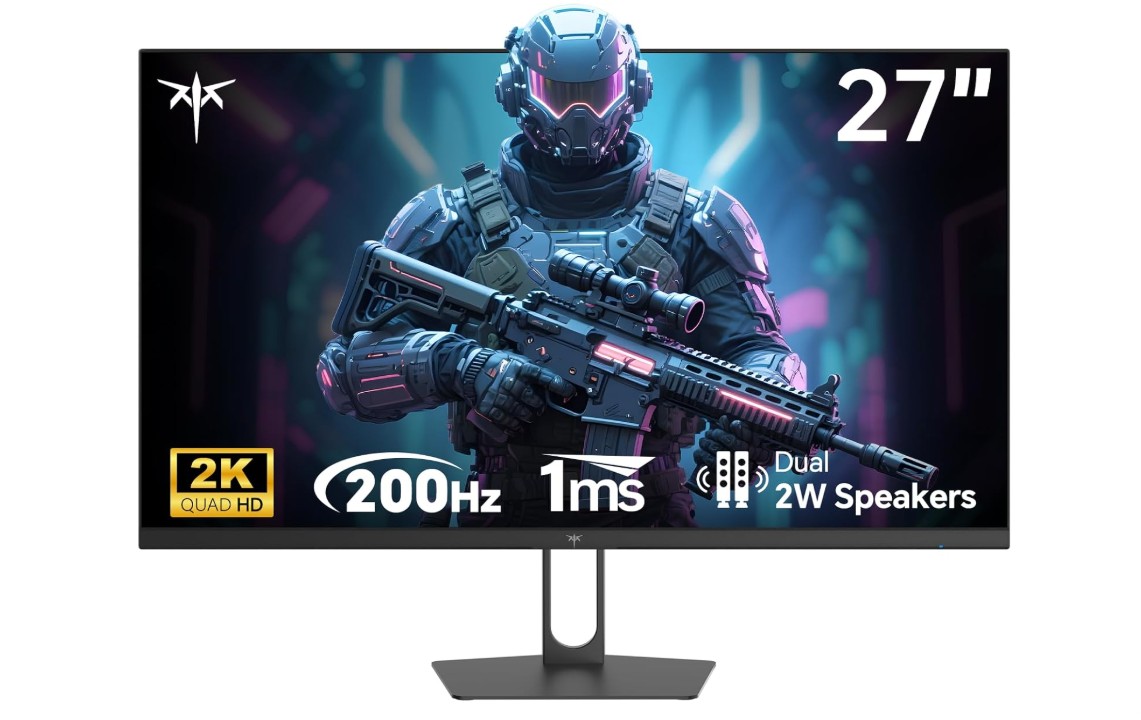
The KTC 27-inch Gaming Monitor (H27T22C-3) is a powerful and affordable display designed for gamers who want smooth performance and clear visuals without spending too much money. It features a 27-inch screen with a QHD resolution of 2560 × 1440, which provides sharper images and better detail than standard Full HD monitors. This higher resolution makes games, videos, and everyday tasks look clearer and more immersive on the larger screen.
One of the biggest highlights of this monitor is its very high refresh rate. It supports up to 210Hz, which allows the screen to display many frames per second for smoother and more responsive gameplay. Fast refresh rates are especially useful for competitive games like shooters and esports titles. The monitor also features a fast 1ms response time that helps reduce motion blur and ghosting when objects move quickly on the screen.
The monitor uses a Fast IPS panel, which is known for producing vibrant colors and wide viewing angles. This means the picture remains clear and accurate even when viewed from the side. With about 131% sRGB color coverage, the display can show bright and vivid colors that make games and videos look more lively and detailed. The monitor also supports HDR400, which improves brightness and contrast to create a more dynamic image, although the HDR effect is moderate compared to higher-end HDR monitors.
For gaming performance, the monitor includes Adaptive Sync technology. This feature synchronizes the refresh rate of the monitor with the graphics card to reduce screen tearing and stuttering during gameplay. As a result, players can enjoy smoother and more stable visuals while gaming.
The monitor also includes useful features such as built-in speakers and multiple connectivity options. It offers two HDMI 2.0 ports and two DisplayPort 1.4 ports, making it easy to connect gaming PCs, consoles, or other devices.
Overall, the KTC H27T22C-3 is an excellent value gaming monitor that combines a sharp 1440p display, extremely fast refresh rate, and vibrant colors. It is a great choice for gamers who want high performance and modern features at a budget-friendly price.
CRUA 27″ 240Hz Gaming Monitor
CRUA 27″ 240Hz Gaming Monitor
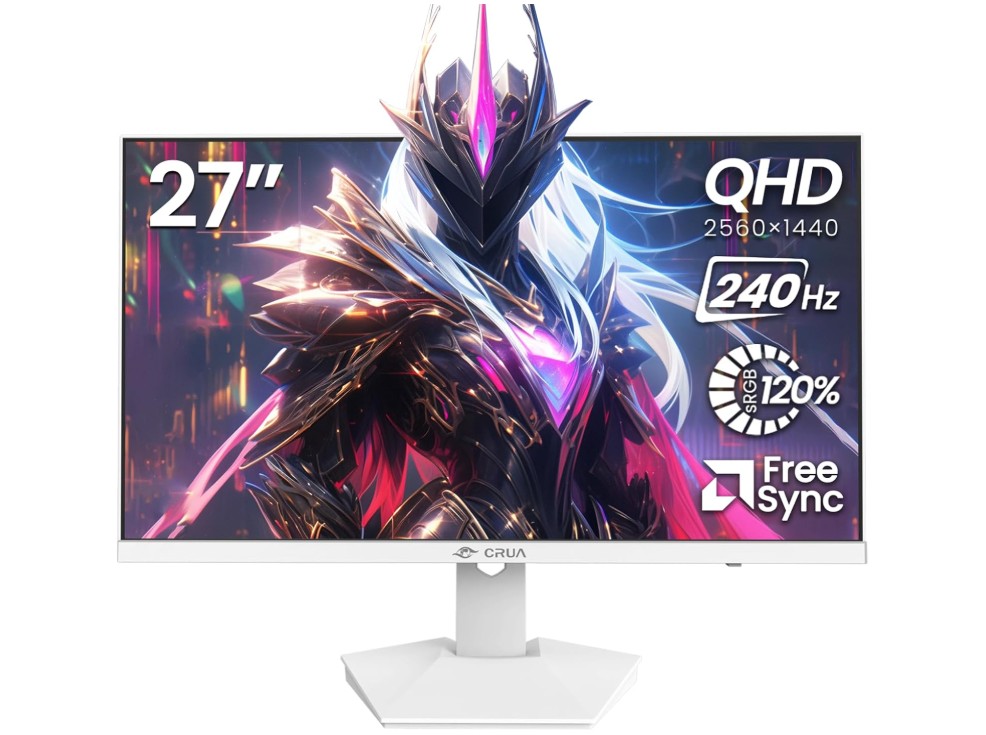
The CRUA 27″ 240Hz Gaming Monitor is a powerful display designed for gamers who want smooth performance and clear visuals without spending too much money. It features a 27-inch IPS screen with a 2K QHD resolution of 2560 × 1440, which delivers sharp images and good detail. Compared to standard Full HD monitors, the higher resolution provides clearer text, better textures in games, and a more immersive viewing experience on the larger screen.
One of the most impressive features of this monitor is its ultra-fast 240Hz refresh rate. A high refresh rate allows the screen to update many frames per second, making gameplay feel extremely smooth and responsive. This is especially useful in competitive games such as first-person shooters and esports titles where quick reactions are important. The monitor also helps reduce motion blur and input lag, giving players a smoother gaming experience during fast movements on the screen.
The monitor uses an IPS panel, which is known for providing accurate colors and wide viewing angles. This means the picture remains clear and vibrant even when viewed from different positions. With support for about 120% sRGB color coverage, the display produces bright and vivid colors that make games, movies, and creative work look more lively and realistic.
For smoother gameplay, the monitor supports AMD FreeSync technology. This feature synchronizes the refresh rate of the monitor with the graphics card, helping reduce screen tearing and stuttering. As a result, gameplay appears more stable and fluid, especially when frame rates change during intense scenes.
The CRUA monitor also includes practical features such as built-in speakers, a blue light filter for eye comfort, and VESA wall-mount support for flexible setup options. It provides multiple connectivity choices with HDMI 2.0 and DisplayPort 1.4, making it easy to connect gaming PCs, consoles, or other devices.
Overall, the CRUA 27″ 240Hz QHD gaming monitor is a great option for gamers who want a fast refresh rate, sharp resolution, and vibrant colors at an affordable price. It offers strong gaming performance along with useful features for everyday use.
Buying Guide: 27 Inch Gaming Monitor Under $300
A 27-inch gaming monitor under $300 is one of the best upgrades you can make for your gaming setup. This screen size provides a larger and more immersive display while still being affordable for most gamers. Over the past few years, budget gaming monitors have improved significantly, and many models now include high refresh rates, fast response times, and modern gaming technologies that were once only available on expensive displays. In this guide, you will learn what features to look for when buying a 27-inch gaming monitor under $300.
Why Choose a 27-Inch Gaming Monitor
A 27-inch screen is considered a sweet spot for many gamers. It is large enough to provide an immersive experience but still comfortable to use on most desks. This size allows players to see more detail in games and enjoy wider viewing angles compared to smaller monitors.
Another advantage is versatility. A 27-inch monitor is not only good for gaming but also useful for watching videos, browsing the internet, or working on creative tasks. Many gamers prefer this size because it provides a balance between performance, comfort, and screen space.
Resolution: 1080p vs 1440p
Resolution is one of the most important factors when choosing a gaming monitor. For 27-inch displays, the two most common resolutions are Full HD (1920×1080) and QHD (2560×1440).
Full HD monitors are cheaper and easier for your graphics card to run, which can result in higher frame rates. However, on a 27-inch screen, Full HD may look slightly less sharp.
QHD or 1440p resolution is usually the better choice for a 27-inch monitor because it provides much sharper images and better detail in games. Many modern gaming monitors under $300 now offer 1440p resolution, making them a great value option for gamers.
Refresh Rate
Refresh rate refers to how many times the monitor updates the image per second. It is measured in Hertz (Hz). A higher refresh rate makes gameplay smoother and more responsive.
For gaming monitors under $300, you will commonly see refresh rates such as:
- 144Hz
- 165Hz
- 180Hz
- 240Hz
A refresh rate of at least 144Hz is recommended for modern gaming. Higher refresh rates reduce motion blur and help players react faster in competitive games like shooters and esports titles.
Response Time
Response time measures how quickly pixels can change from one color to another. Faster response times reduce motion blur and ghosting during fast movement on the screen.
Most gaming monitors today offer response times between 1ms and 5ms. A monitor with a 1ms response time is ideal for competitive gaming because it provides clearer motion and smoother gameplay.
Panel Types
Gaming monitors typically use three main panel technologies: IPS, VA, and TN.
IPS panels are popular because they offer accurate colors and wide viewing angles. They are great for both gaming and general use.
VA panels usually provide better contrast and deeper blacks, which can make dark scenes in games look more impressive.
TN panels are known for extremely fast response times but usually have weaker color accuracy and viewing angles. They are less common in modern 27-inch monitors.
Many budget gaming monitors today use IPS or VA panels because they offer a good balance between performance and image quality.
Adaptive Sync Technology
Adaptive Sync technology helps prevent screen tearing and stuttering during gameplay. It works by synchronizing the monitor’s refresh rate with the graphics card.
Two popular technologies are:
- AMD FreeSync
- NVIDIA G-Sync compatibility
Many affordable gaming monitors support FreeSync and are also compatible with G-Sync, which makes gameplay smoother when frame rates change.
HDR Support
Some gaming monitors under $300 include HDR (High Dynamic Range) support. HDR improves brightness, contrast, and color range, making games and movies look more realistic.
However, budget HDR monitors usually offer entry-level HDR performance such as HDR400. While it may not be as impressive as high-end HDR displays, it still provides noticeable improvements in brightness and color.
Connectivity Options
Before buying a gaming monitor, it is important to check the available ports. Common connectivity options include:
- HDMI
- DisplayPort
- Audio jack
DisplayPort is usually recommended for PC gaming because it supports higher refresh rates and resolutions. Many monitors also include multiple HDMI ports so you can connect gaming consoles, PCs, or streaming devices.
Ergonomics and Design
Comfort is another important factor when choosing a gaming monitor. Many monitors include adjustable stands that allow you to tilt, rotate, or change the height of the display.
Some models also support VESA mounting, which allows you to attach the monitor to a wall mount or monitor arm. This can help improve desk space and create a cleaner gaming setup.
Thin bezels are also common in modern gaming monitors. They give the monitor a modern look and are useful for multi-monitor setups.
Example Monitors in This Price Range
Several excellent 27-inch gaming monitors are available under $300. One example is the AOC Q27G3XMN, which offers a 1440p resolution, a 180Hz refresh rate, and Mini-LED backlighting that improves contrast and HDR performance.
Another good example is the KTC H27T22C-3, which delivers strong gaming performance with a 1440p resolution and high refresh rate while keeping the price very affordable.
These types of monitors show how much performance you can get today without spending a large amount of money.
Things to Consider Before Buying
Before purchasing a gaming monitor, it is important to consider your gaming setup. Your graphics card should be powerful enough to handle the resolution and refresh rate of the monitor. For example, running games at 1440p and 165Hz requires more GPU power than 1080p gaming.
You should also consider what type of games you play. Competitive gamers may prioritize higher refresh rates, while casual gamers might focus more on color quality and display resolution.
Budget is another factor. Even within the $300 range, there are many options with different features, so it is important to choose the one that fits your needs.
FAQs
Yes. Under $300, you can get very solid 27-inch gaming monitors with features like 144Hz or higher refresh rates, 1440p resolution, adaptive sync, and good color quality. While you won’t get flagship HDR or OLED panels, the performance is excellent for most gamers.
1. 1080p (Full HD): Easier to run, higher FPS, but looks less sharp at 27 inches
2. 1440p (QHD): The sweet spot for 27-inch gaming — sharper image and better immersion
Most gamers under $300 should aim for 1440p if their GPU can handle it.
1. 144Hz: Ideal for smooth competitive and casual gaming
2. 165Hz–180Hz: Slightly smoother, often available under $300
Higher refresh rates improve motion clarity, especially in FPS games.
Yes. Look for:
1. 1ms–2ms (GTG or MPRT) advertised response time
This reduces motion blur and ghosting, which is important in fast-paced games like FPS and racing titles.
1. IPS: Best overall — great colors, viewing angles, and good speed
2. VA: Better contrast and deeper blacks, but can have smearing
3. TN: Fast, but worse colors (rare now at 27 inches)
👉 IPS panels are usually the best choice in this price range.
Curved monitors (mostly VA panels) offer:
1. Better immersion
2. Less eye movement on wide screens
However, flat IPS monitors are better for color accuracy and general use. It comes down to preference.
Budget HDR (HDR10) exists, but:
1. Brightness is usually limited
2. No local dimming
HDR under $300 is more of a bonus than a must-have. Don’t make it your top priority.
Final Thoughts
A 27-inch gaming monitor under $300 offers excellent value for gamers who want a larger screen and smooth performance without spending too much money. With features like 1440p resolution, high refresh rates, fast response times, and adaptive sync technologies, modern budget monitors provide a great gaming experience.
By focusing on important factors such as resolution, refresh rate, panel type, and connectivity, you can find a monitor that fits your gaming style and setup. With the right choice, a 27-inch gaming monitor can significantly improve your gaming experience and make your games look smoother, sharper, and more immersive.

Jawad is a passionate tech enthusiast and writer who loves exploring the latest trends in hardware, gadgets, and digital innovation. With a sharp eye for performance and value, he delivers in-depth recommendations and buying guides to help readers make smarter tech decisions.