
Last Updated on May 15, 2026 by Jawad
Introduction
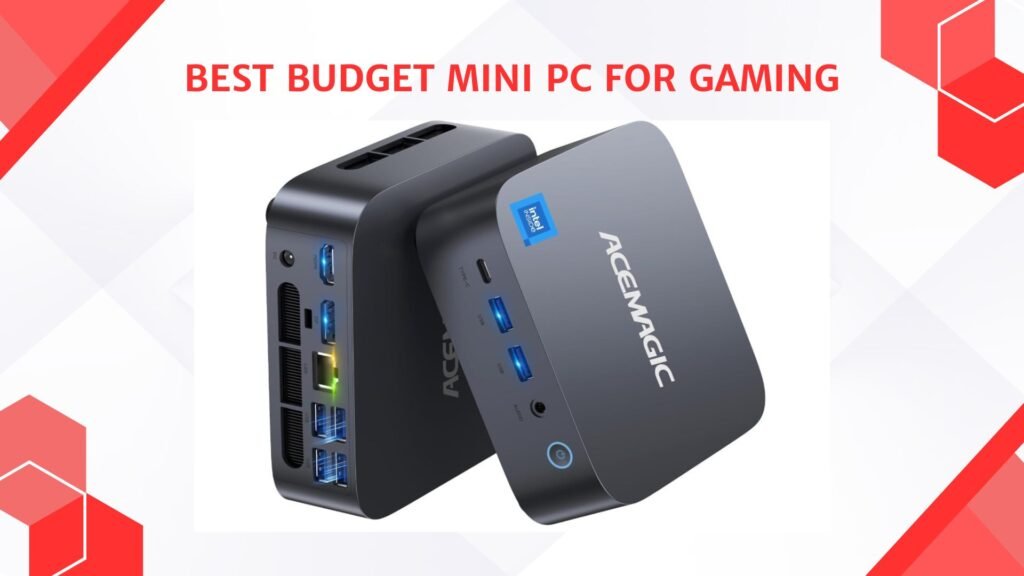
A budget mini PC for gaming offers a compact and affordable way to enjoy modern games without needing a large desktop setup. These small-form-factor systems are designed to save space while still delivering solid gaming performance for esports titles, casual gaming, and light AAA gameplay. Many budget mini PCs feature efficient processors, integrated graphics, fast SSD storage, and support for upgrades like additional RAM or storage expansion. They are ideal for gamers with limited desk space, dorm rooms, or portable gaming setups.
Despite their compact size, modern mini PCs can handle games like Valorant, Fortnite, Minecraft, and Rocket League smoothly, making them a practical and cost-effective gaming solution.
We also have a recommendation for the Best FPS gaming PC (Valorant/CS2/Apex), so make sure to check that out too!
Top Budget Mini PC for Gaming



Comparison
| Mini PC | Image | Rating | Processor | RAM / Storage | Graphics | Best For | Buy |
|---|---|---|---|---|---|---|---|
| GMKtec M6 Ultra Gaming Mini PC 🏆 Best Overall | 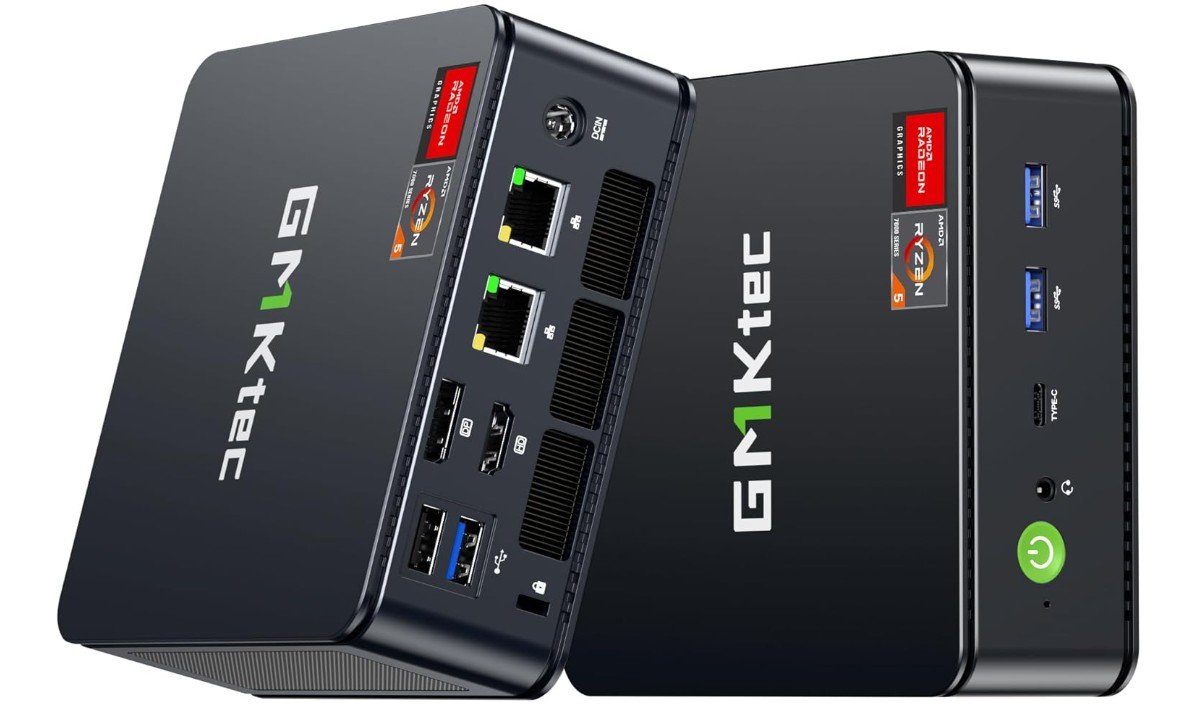 | ★★★★☆ | AMD Ryzen 5 7640HS | 32GB DDR5 RAM / 512GB SSD | AMD Radeon 760M Graphics | 1080p Gaming & Heavy Multitasking | Check Price |
| ACEMAGIC Mini Gaming PC | 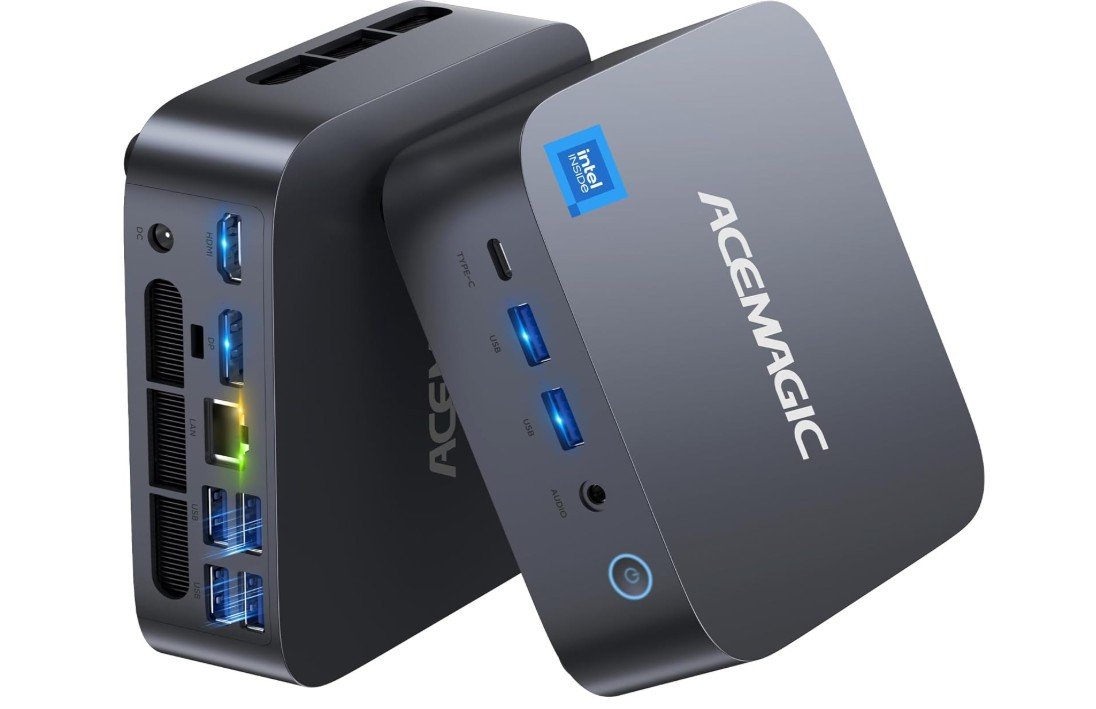 | ★★★★☆ | Intel Core i9‑13900HK | 32GB RAM / 1TB SSD | Intel Iris Xe Graphics | Powerful Integrated Gaming | Check Price |
| KAMRUI E3B Mini Gaming PC | 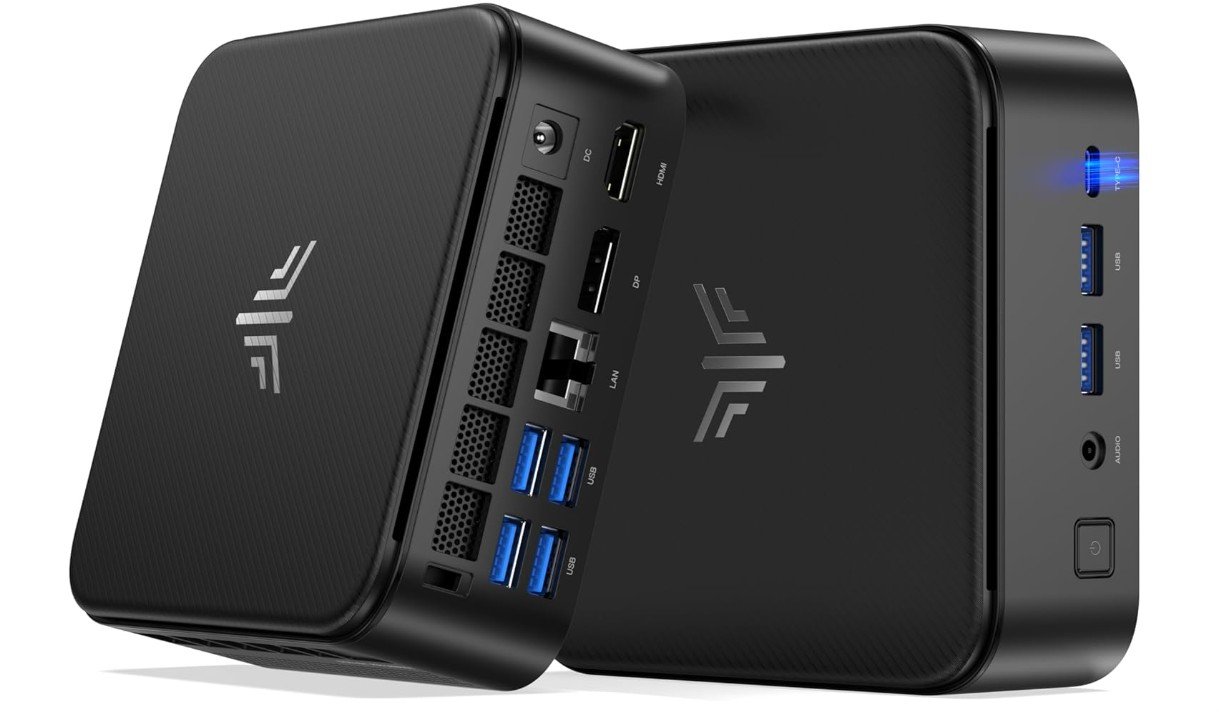 | ★★★★☆ | AMD Ryzen 7 7730U | 16GB RAM / 512GB SSD | Integrated Radeon Graphics | Balanced Gaming & Productivity | Check Price |
| BOSGAME P4 Light Gaming Mini PC | 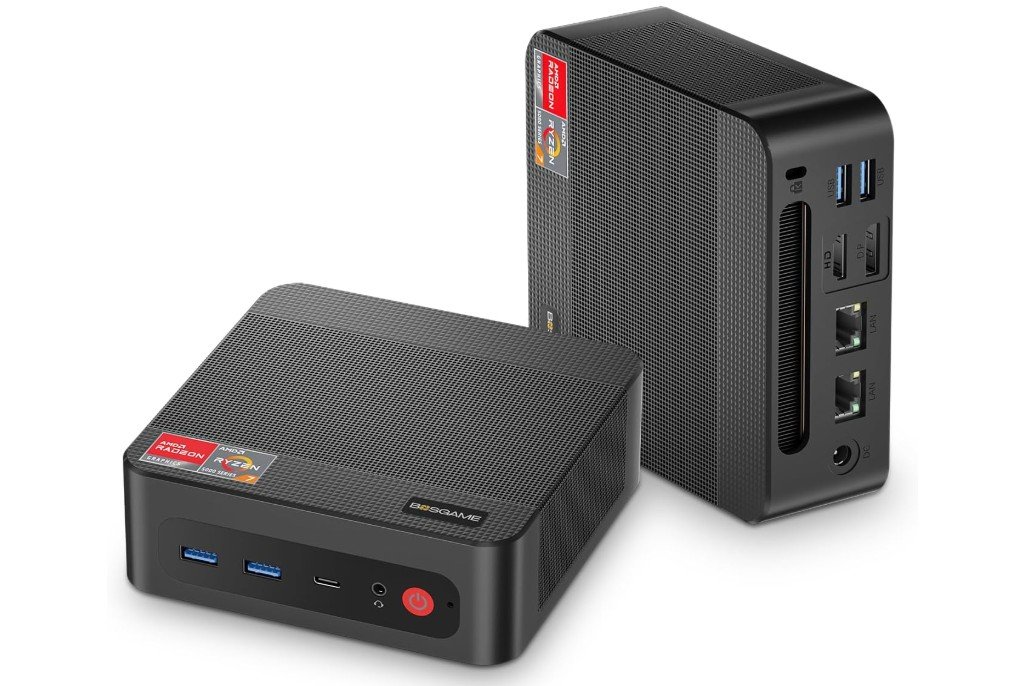 | ★★★★☆ | AMD Ryzen 7 5825U | 32GB RAM / 1TB SSD | Integrated Radeon Graphics | Light Gaming & Emulation | Check Price |
| KAMRUI Pinova P2 Mini PC 💰 Best Budget | 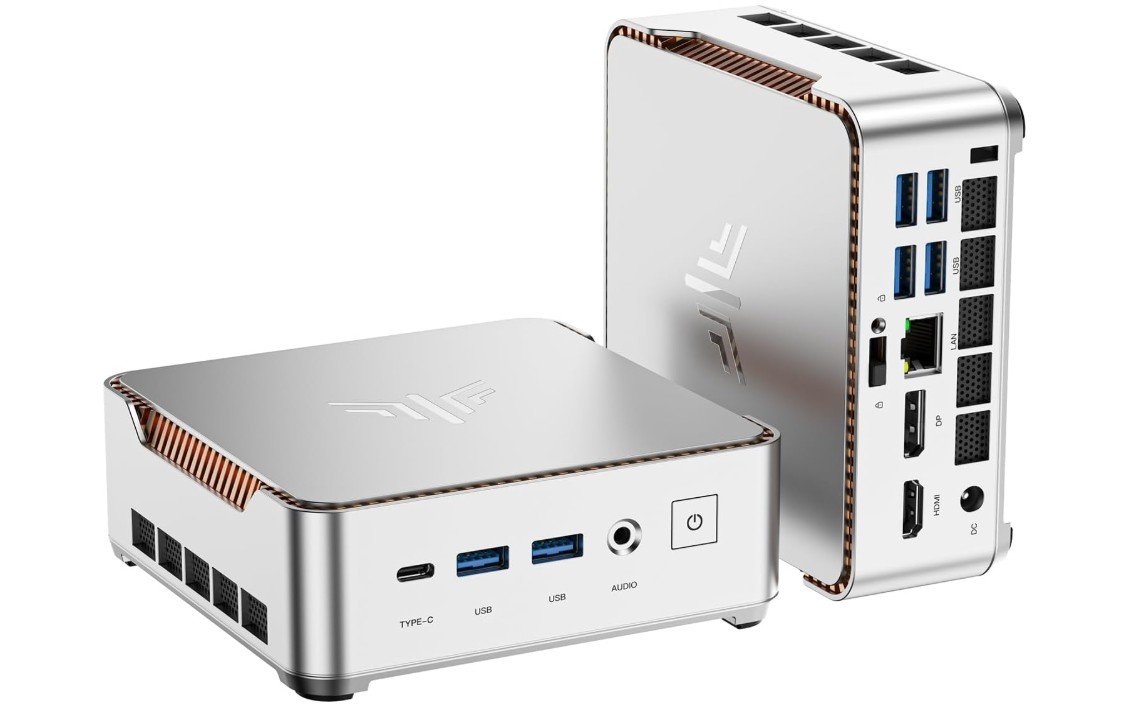 | ★★★☆☆ | AMD Ryzen 4300U | 16GB RAM / 512GB SSD | Integrated Radeon Graphics | Budget Everyday + Light Gaming | Check Price |
GMKtec M6 Ultra Gaming Mini PC
GMKtec M6 Ultra Gaming Mini PC
The GMKtec M6 Ultra is a compact yet surprisingly powerful mini gaming PC that delivers excellent performance for productivity, multitasking, and light gaming. Powered by the AMD Ryzen 5 7640HS with Radeon 760M graphics, it handles office work, media streaming, emulation, and competitive gaming smoothly while maintaining low power consumption.
The 32GB DDR5 RAM and 512GB NVMe SSD provide fast responsiveness and quick load times, while dual 2.5GbE LAN ports, USB4, Wi-Fi 6, and triple 4K display support make it highly versatile for both home and office setups. Its small form factor saves desk space without sacrificing connectivity or upgrade potential, making it an excellent value mini PC overall.
ACEMAGIC Mini Gaming PC
ACEMAGIC Mini Gaming PC
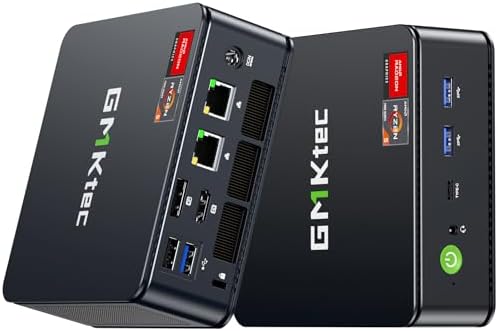
The ACEMAGIC Matrix Mini M1 is a compact yet powerful mini PC designed for productivity, multitasking, and light gaming in a space-saving form factor. Powered by the Intel Core i9-13900HK with 14 cores and boost speeds up to 5.4GHz, it delivers impressive performance for office work, content creation, and demanding multitasking workloads. The 32GB RAM and fast 1TB SSD ensure smooth responsiveness and quick load times, while USB4, HDMI, DisplayPort, Wi-Fi 6E, and 2.5G LAN provide excellent connectivity options.
Its triple-display support and compact design make it ideal for modern workspaces. Overall, it’s a versatile high-performance mini PC with strong value for professionals and home users.
KAMRUI E3B Mini Gaming PC
KAMRUI E3B Mini Gaming PC
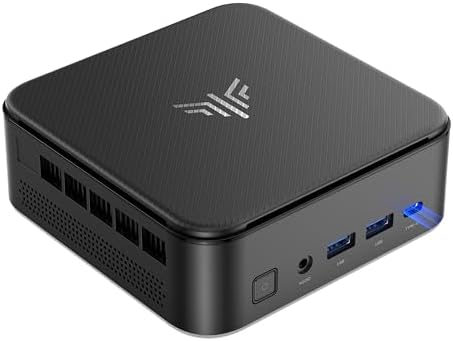
The KAMRUI E3B Mini Gaming PC is a compact and efficient desktop designed for home, office, and light gaming workloads. Powered by the AMD Ryzen 7 7730U with 8 cores and 16 threads, it delivers smooth multitasking, media streaming, and solid performance in esports and casual games. The 16GB RAM and 512GB SSD provide responsive everyday operation with fast boot times and enough storage for applications and files.
Triple 4K display support, Wi-Fi 6, Bluetooth 5.2, and multiple connectivity ports make it highly versatile for productivity setups. Its compact design runs quietly while saving desk space, making it an excellent value mini PC for students, professionals, and casual gamers.
BOSGAME P4 Light Gaming Mini PC
BOSGAME P4 Light Gaming Mini PC
The BOSGAME P4 Light Gaming Mini PC is a compact yet capable desktop designed for productivity, multitasking, media streaming, and light gaming. Powered by the AMD Ryzen 7 5700U, it delivers efficient performance for office work, emulation, and everyday computing while maintaining low power consumption and quiet operation. The generous 32GB RAM and fast 1TB SSD provide smooth multitasking and quick load times, while triple 4K display support enhances productivity for multi-monitor setups.
Dual 2.5GbE LAN ports, Wi-Fi 6E, Bluetooth 5.2, and USB-C connectivity add excellent networking flexibility. Overall, it’s a versatile mini PC offering strong value for home offices, entertainment setups, and casual gaming users.
KAMRUI Pinova P2 Mini PC
KAMRUI Pinova P2 Mini PC
The KAMRUI Pinova P2 Mini PC is a compact and budget-friendly desktop designed for home, business, and everyday productivity tasks. Powered by the AMD Ryzen 5 4300U, it delivers smooth performance for web browsing, office work, streaming, and light multitasking while outperforming many entry-level processors in its class. The 16GB RAM and 512GB SSD provide responsive everyday operation with fast boot times and ample storage for applications and files.
Triple 4K display support via HDMI, DisplayPort, and USB-C makes it ideal for multi-monitor productivity setups. Built-in Wi-Fi and Bluetooth add convenient wireless connectivity, while the compact design saves valuable desk space for modern home or office environments.
Budget Mini PC for Gaming: A Complete Buying Guide
Budget mini PCs for gaming are becoming very popular because they offer a good balance between performance, size, and price. These small computers are much more compact than traditional gaming desktops, yet they are powerful enough to handle many popular games. They are ideal for gamers who have limited desk space, want a clean setup, or need a PC that can also be used for office work, study, and entertainment. While they are not meant to replace high-end gaming rigs with powerful graphics cards, they can still deliver a smooth and enjoyable gaming experience if chosen wisely.
Why Choose a Budget Mini PC for Gaming
One of the main reasons to choose a budget mini PC is its small size. These systems take up very little space and can even be mounted behind a monitor. They are also energy efficient, meaning they use less electricity and produce less heat compared to full-size desktops. This makes them quieter and cheaper to run over time. Budget mini PCs are also more affordable, making them a good option for students, casual gamers, or anyone who wants decent gaming performance without spending too much money.
Understanding Gaming Performance Expectations
It is important to have realistic expectations when buying a budget mini PC for gaming. Most budget models use integrated graphics instead of a dedicated graphics card. This means they are best suited for esports games like Fortnite, Valorant, CS2, Rocket League, and League of Legends. Many older AAA games and indie titles also run well at low to medium settings. Newer AAA games can be played, but usually at lower graphics settings and sometimes with reduced frame rates. For 1080p gaming, a good mini PC can still provide a smooth experience if settings are adjusted correctly.
Choosing the Right Processor
The processor, also known as the CPU or APU, is the most important part of a mini PC. For gaming, modern AMD Ryzen processors with integrated Radeon graphics are often the best choice in the budget category. Ryzen 5 and Ryzen 7 mobile processors from recent generations offer strong performance for both gaming and multitasking. Intel processors can also be good, especially newer Core i5 or i7 models, but AMD APUs usually have better integrated graphics for gaming.
Importance of Integrated Graphics
Since most budget mini PCs do not include a dedicated GPU, the integrated graphics performance matters a lot. Integrated graphics have improved greatly in recent years and can now handle many games smoothly. They benefit heavily from fast and dual-channel memory. This means using two RAM sticks instead of one can noticeably improve gaming performance. Integrated graphics are also good for emulation, media playback, and light content creation.
RAM Requirements for Gaming
RAM plays a big role in how well games run on a mini PC. For gaming, 16GB of RAM is the recommended minimum. This allows games to run smoothly while also handling background tasks. If you plan to stream, use heavy mods, or run emulators, 32GB of RAM is even better. Always check if the mini PC supports dual-channel RAM, as this can significantly boost integrated graphics performance.
Storage Options and Game Loading
Fast storage improves overall system responsiveness and game loading times. An NVMe SSD is the best option and should be considered essential. A 512GB SSD is the minimum for most gamers, but 1TB is recommended if you plan to install many games. Some mini PCs allow adding a second SSD or upgrading the existing one, which is useful for future expansion.
Cooling and Noise Levels
Cooling is very important in small systems. Because mini PCs are compact, heat management can be a challenge. Look for models with good ventilation and quality cooling solutions. A well-designed mini PC should stay reasonably cool and quiet even during long gaming sessions. Reading user reviews about noise and thermal performance can help you avoid models that overheat or become too loud.
Ports, Connectivity, and Networking
A good gaming mini PC should have enough ports for your needs. Look for multiple USB ports for keyboards, mice, controllers, and external drives. HDMI and DisplayPort support is important for connecting monitors, and USB-C can be a bonus. For online gaming, a wired LAN connection is preferred, and 2.5GbE is a plus if available. Wi-Fi 6 or Wi-Fi 6E provides faster and more stable wireless performance, while Bluetooth is useful for wireless accessories.
Multi-Monitor and Display Support
Many budget mini PCs support dual or even triple displays, often up to 4K resolution. While this does not improve gaming performance, it is very useful for productivity, streaming, and multitasking. If you plan to use multiple monitors, check the supported resolutions and refresh rates to ensure compatibility with your setup.
Upgrade Potential and Longevity
Before buying, check what can be upgraded. Some mini PCs allow RAM and SSD upgrades, while others are more limited. Being able to upgrade RAM or storage can extend the life of your system and improve performance over time. This is especially important if you plan to keep the mini PC for several years.
Budget Ranges and What to Expect
Entry-level budget mini PCs are suitable for basic gaming and everyday tasks. Mid-range budget models offer the best balance for most gamers, handling 1080p gaming smoothly at medium settings. Higher-end mini PCs within the budget category provide stronger CPUs, more RAM, and better connectivity, making them suitable for heavier multitasking and more demanding games.
FAQs
A mini PC is a compact desktop computer that takes up little space but still delivers enough performance to play games — great for small desks or living-room setups.
Many budget mini PCs can run popular games at medium to high settings at 1080p; very demanding AAA titles may need settings lowered depending on GPU power.
Upgradability varies — some allow RAM/SSD upgrades, while others have soldered components. Always check before buying.
Yes — most include HDMI/DisplayPort, so you can use them with monitors or TVs for gaming.
Absolutely — mini PCs make excellent compact systems for streaming, work, school, and media alongside gaming.
Final Thoughts
When choosing a budget mini PC for gaming, focus on the processor, RAM, and storage first. Make sure your expectations match the hardware capabilities. A well-chosen mini PC can deliver great value, smooth gameplay for popular games, and a compact, quiet setup that fits almost anywhere. For gamers who want affordable performance and versatility in a small form factor, a budget mini PC is a smart and practical choice.

Jawad is a passionate tech enthusiast and writer who loves exploring the latest trends in hardware, gadgets, and digital innovation. With a sharp eye for performance and value, he delivers in-depth recommendations and buying guides to help readers make smarter tech decisions.