
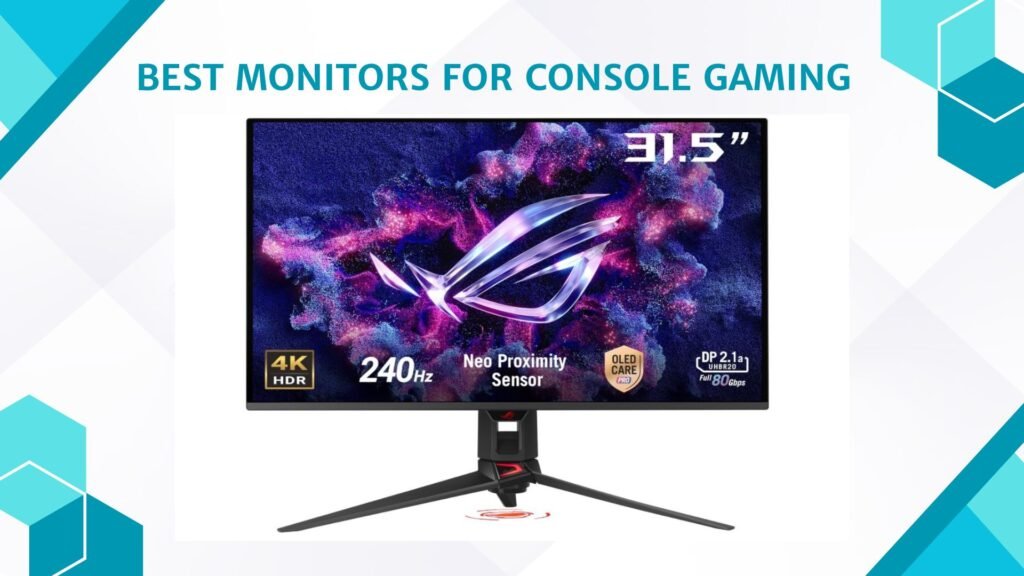
Last Updated on March 31, 2026 by Jawad
Monitors for console gaming are becoming more popular as gamers look for better picture quality, smoother gameplay, and faster response compared to regular TVs. While TVs are great for watching movies or playing casually from a couch, gaming monitors are designed to give you a more responsive and competitive gaming experience. This makes them a great choice for consoles like the PlayStation 5, Xbox Series X, Xbox Series S, and even Nintendo Switch.
One of the biggest advantages of using a monitor for console gaming is lower input lag. Input lag is the delay between pressing a button on your controller and seeing the action on screen. Gaming monitors usually have very low input lag, which helps your actions feel instant. This is especially important in fast-paced games like shooting, racing, or sports games.
Another key benefit is higher refresh rates. Many modern monitors support 120Hz or higher, which means the screen can show more frames per second. When paired with consoles that support 120fps, gameplay looks smoother and feels more fluid. This can make movement clearer and reduce motion blur, giving you an edge in competitive games.
Resolution also matters for console gaming. You can choose from Full HD (1080p), Quad HD (1440p), or 4K monitors depending on your budget and console. 4K monitors offer sharp details and beautiful visuals, while 1440p and 1080p monitors are often more affordable and still look great on smaller screens.
In short, a good console gaming monitor can greatly improve your gaming experience. With faster response, smooth visuals, and sharp picture quality, monitors are an excellent choice for console gamers who want better performance without the size of a large TV.
We also have a recommendation for the Best 1080p Gaming Monitors, so make sure to check that out too!
Top Monitors for Console Gaming



ASUS ROG Swift 32” 4K OLED Gaming Monitor
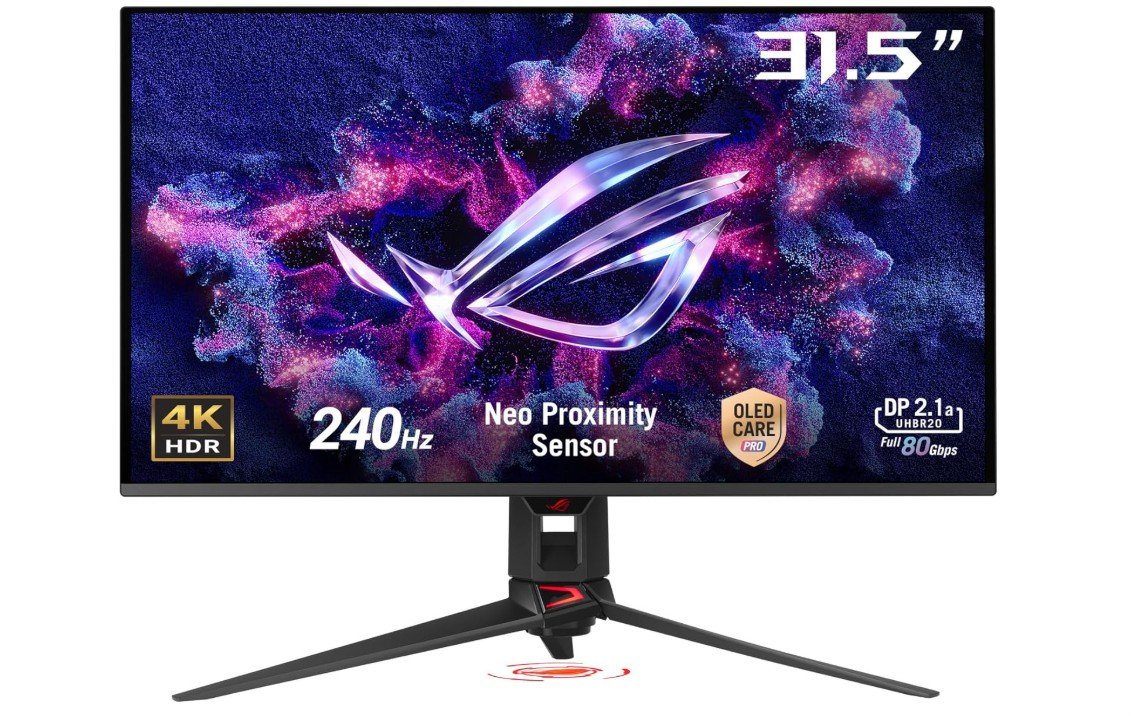
ASUS ROG Swift 32” 4K OLED Gaming Monitor
The ASUS ROG Swift 32” 4K OLED Gaming Monitor (PG32UCDMR) is an excellent choice for console gaming. Right from the start, the picture quality feels amazing. The 4K resolution makes games look sharp and detailed, and the OLED panel gives deep blacks and bright colors that make everything feel more real. Whether you are playing a story game, racing, or shooting with friends, the visuals are rich and smooth.
One of the best things about this monitor is how fast it responds. With a 240Hz refresh rate and a super quick 0.03ms response time, the screen keeps up with every movement without blurring. This means your games feel smooth and fluid, especially when playing fast action titles. Even though many consoles play at 60Hz or 120Hz, having a monitor that can push higher refresh helps make every frame look clear and reduces motion blur.
The monitor also works well with adaptive sync technology. This reduces screen tearing and makes sure the picture stays smooth when the frame rate changes during gameplay. For console players, this means less distraction and more focus on playing.
The color quality is strong too. With wide color coverage, games appear bright and lifelike. Dark areas look deep without losing detail, which helps with visibility in competitive games. The monitor also supports HDR, so compatible games look even more vibrant and dynamic.
Connecting your console is easy with HDMI and DisplayPort options, and the USB-C port can charge devices too. The design is modern and not too large, so it fits well on most desks.
Overall, this ASUS ROG monitor makes console gaming more immersive and fun. It delivers fantastic picture quality, fast performance, and smooth gameplay, making it worth considering if you want to upgrade from a TV or older monitor.
Samsung 34″ Odyssey OLED G8 (G85SD) Curved Gaming Monitor
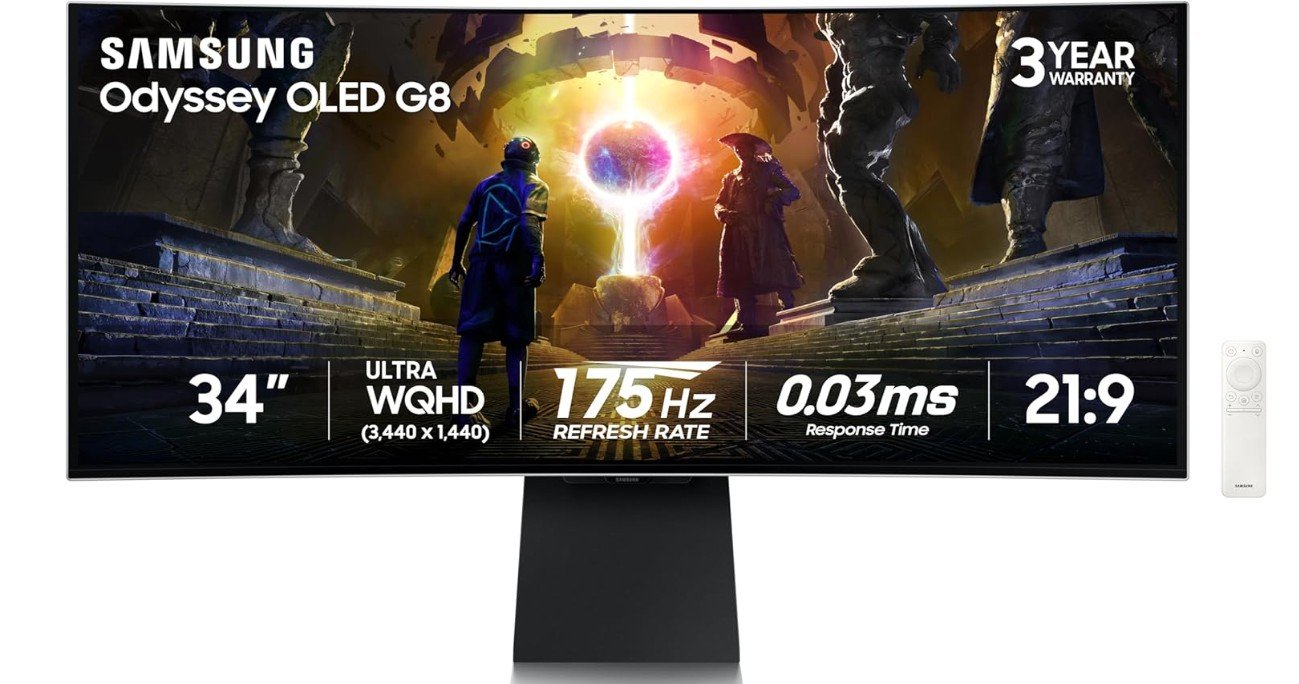
Samsung 34″ Odyssey OLED G8 (G85SD) Curved Gaming Monitor
The Samsung 34″ Odyssey OLED G8 (G85SD) is a strong choice for console gaming, especially if you love wide, immersive displays. The ultra-wide QWHD screen gives you a lot of space to see more of your game world. This makes racing games, open-world adventures, and action titles feel bigger and more exciting. The curved design wraps around your view, which helps you feel closer to the action compared to flat screens.
The picture quality is very impressive thanks to the QD-OLED panel. Colors look bright and rich, and blacks appear deep and detailed. This means dark scenes in games are easier to see without losing shadow detail, and bright areas really stand out. If you play games with HDR support, the experience feels more vivid and lifelike. Even games without HDR still look great because of the strong contrast and vibrant colors.
The monitor is also fast, with a 175Hz refresh rate and a very quick 0.03ms response time. While most consoles like the PlayStation 5 and Xbox Series X/S usually run games at up to 120Hz, the high refresh rate helps make motion look smooth and reduces blur. This is especially helpful in fast action games, shooters, and sports titles where quick reactions matter.
Adaptive sync technologies like G-SYNC Compatible and AMD FreeSync Premium Pro help reduce screen tearing and keep gameplay smooth, even when frame rates change. This makes the gaming feel more consistent and less distracting.
Connecting your console is easy with HDMI ports, and the glare-free screen helps reduce reflections if you play in a bright room. The wide aspect ratio might take a little time to get used to, especially if you mostly played on TVs before, but most games adapt well and use the extra space nicely.
Overall, the Samsung Odyssey OLED G8 delivers a rich, smooth, and immersive console gaming experience that many players will enjoy.
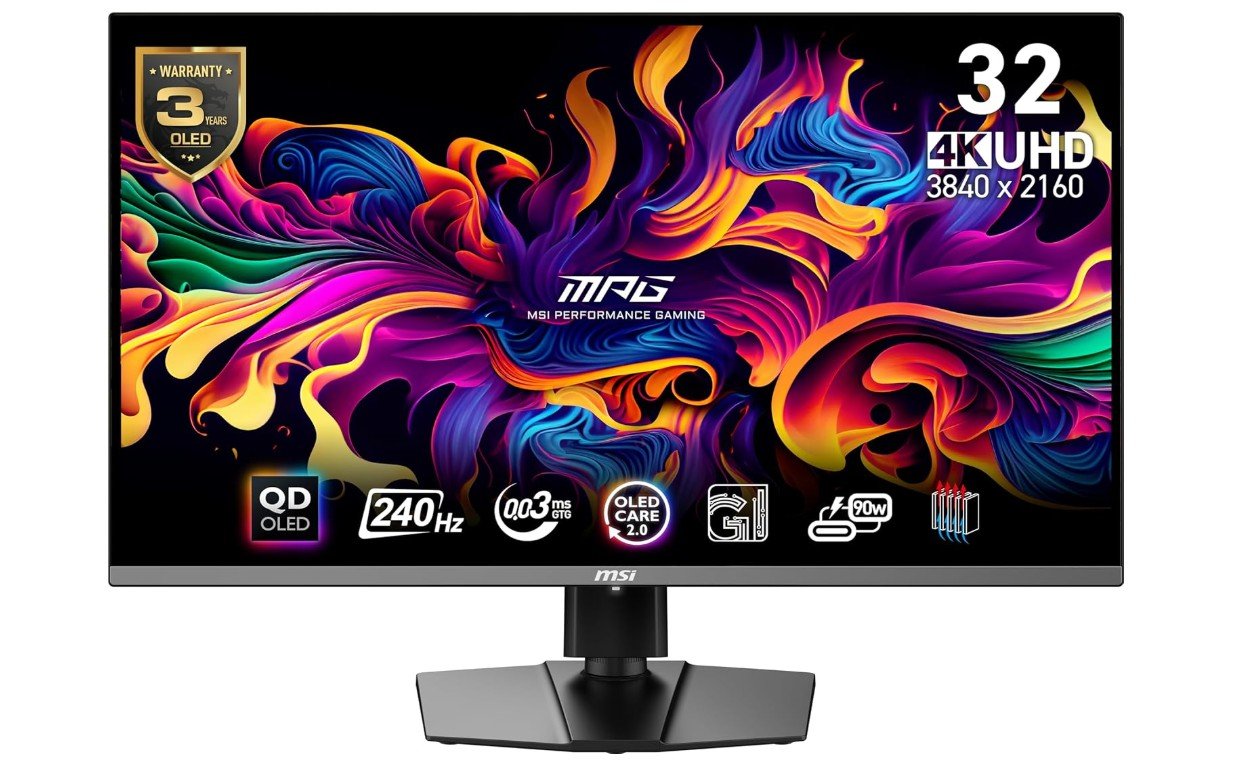
msi MPG 321URX QD-OLED Gaming Monitor
msi MPG 321URX QD-OLED Gaming Monitor
The MSI MPG 321URX QD-OLED monitor is an excellent choice for console gaming. From the moment you start playing, the picture quality stands out. The 4K resolution makes everything look sharp and detailed, so games feel more real and visually rich. Whether you are exploring big open worlds, racing at high speed, or playing competitive shooters, the images are clear and beautiful.
The screen uses Quantum Dot OLED technology, which means the colors are bright, vivid, and lifelike. Dark scenes look deep without hiding important details, and bright areas feel more dynamic. This makes games with varied lighting look better and helps you see enemies or items clearly even in shadowy corners.
The monitor is also very fast. With a 240Hz refresh rate and a super quick 0.03ms response time, motion on the screen feels smooth and fluid. While many consoles like the PlayStation 5 and Xbox Series X/S run up to 120Hz, the high refresh rate means the screen can keep up with fast movements without blur. This makes action games look clean and responsive, helping your reflexes feel sharper in intense moments.
True Black HDR 400 support adds more depth to visuals, making colors pop and contrast richer. Games that use HDR look especially good, bringing out more realistic light and shadow effects.
Connecting your console is easy with HDMI and DisplayPort options. The USB-C port with 90W power delivery is a bonus if you also use the monitor with a laptop or other devices.
The design is simple and nice, fitting well on most desks. Even though the monitor is high performance, it does not feel too complicated to use.
Overall, the MSI MPG 321URX provides stunning visuals, smooth gameplay, and quick reactions. It makes console gaming more immersive and enjoyable, especially for players who want vibrant colors and fast performance.
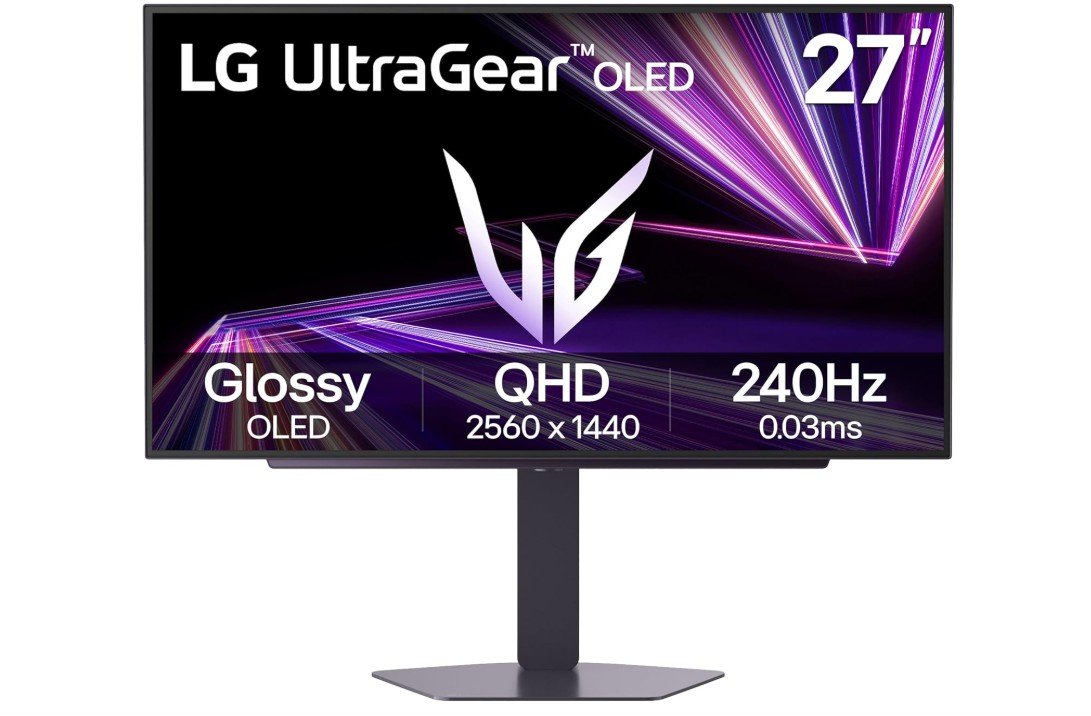
LG 27GX704A-B 27-inch Ultragear OLED Gaming Monitor
LG 27GX704A-B 27-inch Ultragear OLED Gaming Monitor
The LG 27GX704A-B 27-inch Ultragear OLED gaming monitor is a great choice for console gaming. When you start playing, the picture quality instantly looks clear and smooth. The QHD resolution makes games look sharp and detailed, and the OLED panel gives deep blacks and bright colors that make your favorite games feel more real. Whether you are exploring story worlds or playing fast action games, the visuals are rich and enjoyable.
This monitor is very fast. With a 240Hz refresh rate and a very low 0.03ms response time, the screen keeps up with every movement without blurring. This helps games look smooth even when things move quickly, which is perfect for fast-paced shooters, racing games, and sports titles. Even though many consoles like the PlayStation 5 and Xbox Series X usually run up to 120Hz, having a higher refresh rate still makes motion feel clean and responsive.
The monitor works well with both NVIDIA G-SYNC and AMD FreeSync technologies, which help reduce screen tearing and make gameplay smoother. This means frames flow nicely without distractions, letting you focus more on playing and less on visual glitches.
HDR support with VESA DisplayHDR TrueBlack 400 boosts contrast and makes colors look more vivid. Games with bright lighting or dark shadows show better detail, giving a more immersive experience. The HDMI 2.1 port is especially helpful for console gamers, as it supports higher bandwidth for better performance at higher refresh rates.
The design of the monitor is sleek and not too large, which fits well on most gaming desks. It stays sturdy and looks good next to your console setup.
Overall, the LG Ultragear OLED monitor delivers excellent picture quality, fast performance, and smooth gameplay, making it a strong choice for console gamers who want both speed and beautiful visuals.
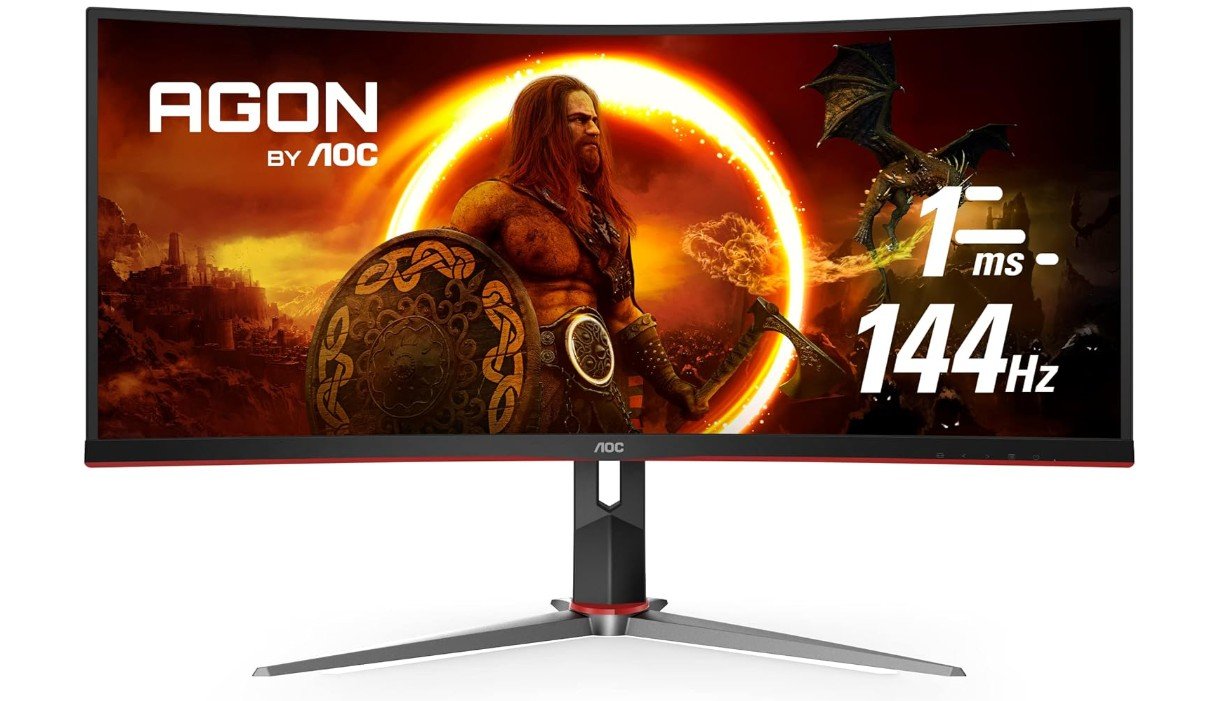
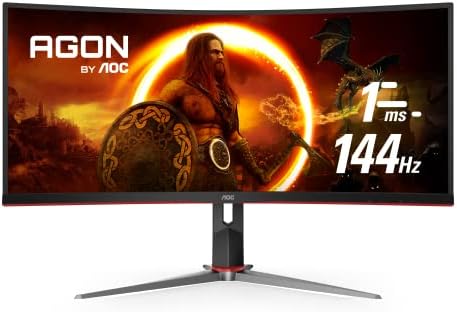
AOC CU34G2X 34″ Curved Frameless Immersive Gaming Monitor
AOC CU34G2X 34″ Curved Frameless Immersive Gaming Monitor
The AOC CU34G2X 34” Curved Gaming Monitor is a solid choice for console gaming, especially if you enjoy wide screens and immersive play. The ultra-wide 3440 × 1440 resolution gives you more space to see your games, making racing, adventure, and role-playing games feel bigger and more engaging. The curved design wraps around your view, helping you feel more inside the game world compared to a flat screen.
This monitor uses a VA panel, which means you get rich colors and good contrast. Dark scenes look deep, and bright areas stand out well, so visuals feel vibrant in many types of games. While the colors may not be as bright as some high-end OLED or IPS panels, they still look good for most console titles, and many players will enjoy the picture quality.
The 144Hz refresh rate and 1ms response time help motion appear smooth and responsive. Although consoles like PlayStation 5 and Xbox Series X usually run games at up to 120Hz, this monitor handles high frame rates nicely. Fast action, quick turns in racing games, and sharp movements in shooters feel fluid without much blur.
Adaptive-Sync support helps reduce screen tearing and keeps gameplay smooth when the frame rate changes. This makes a noticeable difference in games where the action moves quickly or when the performance varies. The curved screen also helps reduce eye strain over long gaming sessions, so you can play comfortably for hours.
Setting up your console with this monitor is simple, and the height-adjustable stand makes it easy to find a comfortable viewing position. The frameless design looks sleek and modern, fitting well with most gaming setups.
Overall, the AOC CU34G2X is a great option if you want a wide, immersive screen for console gaming. It delivers smooth gameplay, solid picture quality, and a comfortable viewing experience without being too complicated or costly.
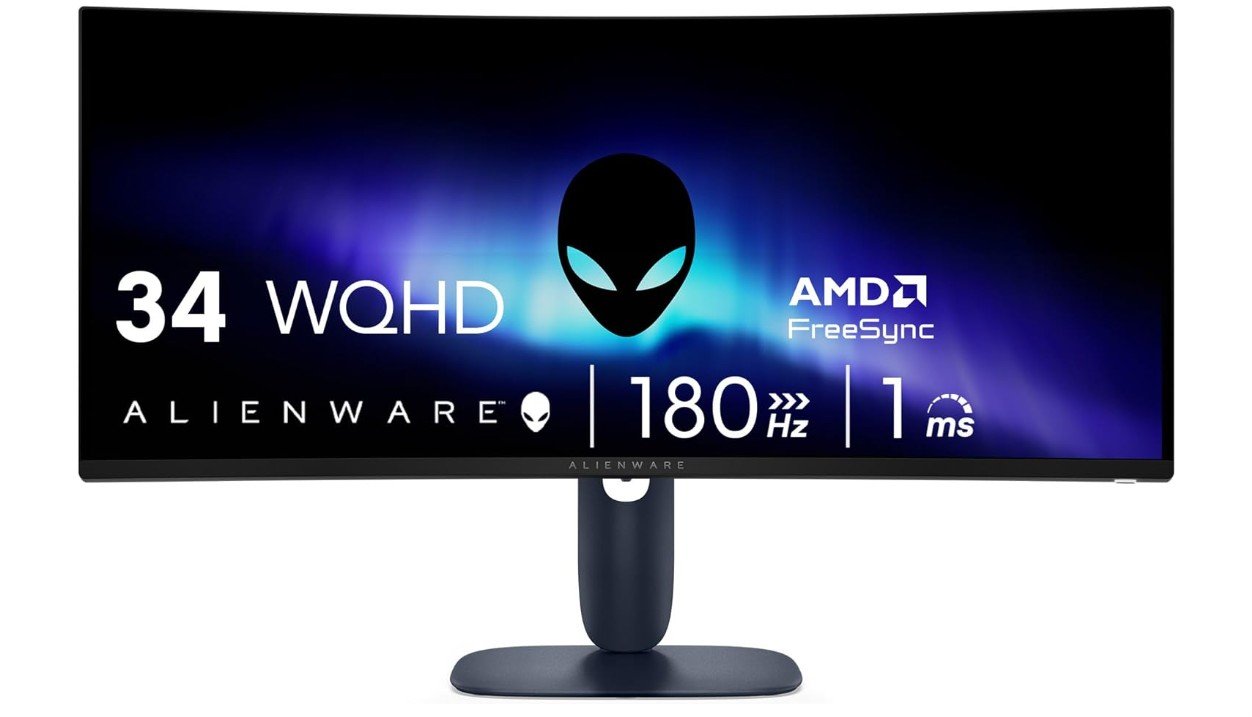
Alienware 34 Curved Gaming Monitor
Alienware 34 Curved Gaming Monitor
The Alienware 34 Curved Gaming Monitor (AW3425DWM) is a great choice for console gaming, especially if you like a more immersive experience. The 34-inch wide screen with WQHD resolution gives you a big and clear view of your games. The extra width means you can see more of the game world, which makes racing games, adventure titles, and shooters feel more exciting and real. The curved design wraps the screen slightly around you, making the experience feel more natural and drawing you into the action.
This monitor is also fast, with a high 180Hz refresh rate and a quick 1ms response time. Even though consoles like the PlayStation 5 and Xbox Series X usually run games at up to 120Hz, the higher refresh rate helps keep motion smooth and makes fast movements look clean. This is helpful in games where speed and reaction time matter, such as competitive shooters or fast-paced sports games.
Adaptive sync technology, including AMD FreeSync Premium and VESA AdaptiveSync, helps reduce screen tearing and makes gameplay feel smoother. When the frame rate changes during action, the picture stays steady and looks better overall. This makes the experience more enjoyable and less distracting.
The picture quality on this Alienware monitor is strong, with good colors and contrast that bring out details in bright and dark areas. This makes game environments look more vibrant and helps with visibility in scenes with complicated lighting. Whether you are playing story games with rich graphics or fast action titles with lots of movement, the visuals stay sharp and pleasing.
The design is sleek and fits well on most gaming desks. It also pairs nicely with consoles, as setup is easy with HDMI connections. Overall, the Alienware AW3425DWM delivers smooth, immersive, and enjoyable gameplay, making it a solid choice for console gamers who want a wide, curved display with strong performance.
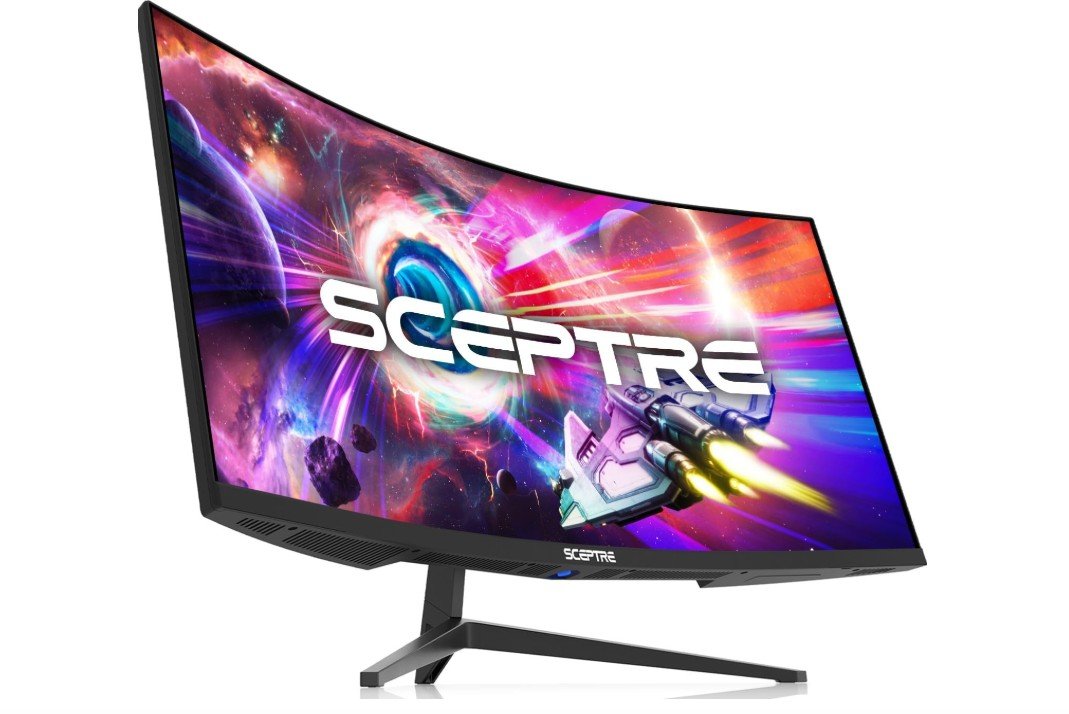
Sceptre 34-Inch Curved Ultrawide WQHD Monitor
Sceptre 34-Inch Curved Ultrawide WQHD Monitor
The Sceptre 34-inch Curved Ultrawide Monitor (C345B-QUT168) is an affordable and fun choice for console gaming, especially if you enjoy wide, immersive screens. The large 34-inch ultrawide display gives you extra space to see more of your game world. This is great for games like racing titles, open-world adventures, and action games because you can see more of the environment at once. The curved screen also wraps slightly around your view, which can make gameplay feel more engaging.
The picture quality is good for the price, with a WQHD resolution that keeps images clear and detailed. Colors look natural with 99% sRGB coverage, and the wide screen helps split tasks easily if you want to use Picture-by-Picture mode for multiple inputs. While the color and contrast may not be as strong as on premium OLED or IPS monitors, they still look solid for most console games and everyday use.
This monitor also performs well in motion. It supports high refresh rates up to 180Hz (or 165Hz on some inputs), which helps make fast action and quick movement look smooth. Even though consoles like PlayStation 5 and Xbox Series X/S usually run games at up to 120Hz, having a high refresh rate can still help reduce motion blur and make gameplay feel cleaner and more responsive.
The 1ms response time also helps reduce ghosting and keeps moving objects from looking blurry. Built-in speakers are a nice bonus if you don’t have external speakers or a headset ready, though they won’t be as powerful as standalone audio systems.
Overall, the Sceptre 34″ Curved Ultrawide Monitor offers good value for console gamers who want a wide, smooth gaming experience without spending too much. Its immersive view and strong motion performance make it a solid pick for many types of games.
Buying guide — Monitors for console gaming
Choosing the right monitor for console gaming can completely change how your games look and feel. Modern consoles like PlayStation 5 and Xbox Series X/S are very powerful, and to enjoy their full potential, you need a monitor that can keep up. This buying guide explains everything you need to know in simple English, so you can confidently pick the best monitor for your console gaming setup.
Why Choose a Monitor for Console Gaming?
Many gamers use TVs for console gaming, but monitors offer several advantages. Gaming monitors usually have much lower input lag, which means your controller actions appear on screen faster. This makes games feel more responsive, especially in fast-paced shooters, sports games, and racing titles.
Monitors also have faster response times and higher refresh rates than most TVs in the same price range. This results in smoother motion, less blur, and a more competitive gaming experience. If you play at a desk or sit close to the screen, a monitor is often more comfortable and sharper than a large TV.
HDMI Version: One of the Most Important Factors
Before anything else, check the HDMI version on the monitor.
- HDMI 2.1 is essential if you want 4K resolution at 120Hz on PS5 or Xbox Series X. It also supports features like Variable Refresh Rate (VRR) and Auto Low Latency Mode (ALLM), which improve smoothness and reduce lag.
- HDMI 2.0 is limited to 4K at 60Hz. It is fine for casual gaming, but you won’t get the full next-gen console experience.
If you are buying a monitor today and plan to keep it for several years, HDMI 2.1 is strongly recommended.
Resolution and Refresh Rate Explained
1080p (Full HD)
1080p monitors are the most affordable option. They work well for competitive gaming and fast action because high refresh rates are easy to achieve. However, image sharpness is lower compared to 1440p or 4K, especially on larger screens.
1440p (QHD)
1440p is a great middle ground. Games look much sharper than 1080p, and many monitors offer 120–165Hz refresh rates. While console support for native 1440p varies, many games scale well, making this a popular choice for value-focused gamers.
4K (Ultra HD)
4K monitors deliver the sharpest image and best detail. When paired with HDMI 2.1, you can enjoy 4K at 120Hz in supported games. This is ideal for story-driven games, open-world adventures, and visually rich titles.
Refresh Rate: How Smooth Games Feel
Refresh rate is measured in Hertz (Hz). A higher refresh rate means smoother motion.
- 60Hz: Standard, but not ideal for modern gaming.
- 120Hz: The sweet spot for console gaming.
- 144Hz–240Hz: Mostly useful if you also use a PC, since consoles usually cap at 120Hz.
Even if your console does not reach the monitor’s maximum refresh rate, higher refresh monitors still reduce motion blur and feel smoother overall.
Panel Types: OLED vs IPS vs VA
OLED / QD-OLED
OLED panels offer perfect blacks, excellent contrast, instant response times, and stunning colors. Games look incredibly realistic and immersive. The main downsides are higher price and possible burn-in if static images stay on screen for many hours.
IPS
IPS panels are bright, colorful, and have wide viewing angles. They are great for bright rooms and shared gaming spaces. Blacks are not as deep as OLED, but IPS monitors are reliable and long-lasting.
VA
VA panels provide better contrast than IPS and deeper blacks, making them good for dark-room gaming. However, some VA panels can show smearing in very fast scenes, so quality matters.
HDR: What to Expect
HDR can make games look more realistic by improving brightness, contrast, and colors. However, not all HDR monitors are equal.
- Entry-level HDR monitors often look similar to SDR.
- OLED monitors usually provide the best HDR experience because of perfect blacks.
- Look for HDR certifications like DisplayHDR True Black 400 for better results.
HDR is a bonus feature, but it should not be the only reason you buy a monitor.
Screen Size and Aspect Ratio
- 27-inch: Ideal for 1440p and competitive gaming.
- 32-inch: Perfect for 4K gaming with immersive visuals.
- 34-inch Ultrawide: Very immersive, great for racing and open-world games, but not all console games fully support ultrawide resolution.
Choose a size that fits your desk and viewing distance.
Adaptive Sync and Input Lag
Adaptive Sync technologies like VRR, FreeSync, and G-SYNC Compatible help reduce screen tearing and stuttering. This is very helpful when frame rates fluctuate during gameplay.
Low input lag is critical for fast games. Most gaming monitors are designed with low input lag, but always check reviews to confirm real-world performance.
Ports, Stand, and Extra Features
- At least one HDMI 2.1 port for next-gen consoles.
- DisplayPort for PC use.
- USB-C if you want to connect laptops.
- Height-adjustable stand for comfort.
- VESA mount support if you want a monitor arm.
Built-in speakers are convenient but usually average in sound quality.
Best Monitor Choice by Budget
- Budget ($200–$300): 1080p or 1440p monitors with high refresh rates.
- Mid-range ($300–$700): 1440p or entry-level 4K monitors, some with HDMI 2.1.
- High-end ($700+): 4K 120Hz OLED or premium IPS monitors with excellent HDR.
Final Tips Before Buying
- Measure your desk space before choosing a size.
- Use certified HDMI 2.1 cables for best performance.
- Enable VRR and performance mode in console settings.
- Balance resolution, refresh rate, and panel type based on the games you play.
FAQs
No, you don’t need it, but many gamers choose monitors because they offer lower input lag, faster response times, and higher refresh rates. This can make games feel smoother and more responsive compared to most TVs. Monitors are also easier to fit on a desk and are great for close-up gaming.
1. 1080p (Full HD): Best for budget builds and competitive games.
2. 1440p (QHD): Sharp visuals and smoother gameplay — good all-round choice.
3. 4K (Ultra HD): Highest detail and best image quality, especially for story-driven games.
For PS5 and Xbox Series X/S, a 4K monitor with HDMI 2.1 will get the most out of supported games.
Yes. Consoles can run games at up to 120 Hz. A higher refresh rate (like 120 Hz or 144 Hz) makes motion smoother and easier to follow, especially in fast action games. Monitors with higher rates also help reduce motion blur.
1. OLED / QD-OLED: Best picture, rich colors, deep blacks — great for single-player and cinematic games.
2. IPS: Bright colors and wide viewing angles — good for shared viewing and bright rooms.
3. VA: Strong contrast and deeper blacks than IPS, but sometimes slower pixel transition.
Your choice depends on what you value most: perfect blacks, brightness, or balanced performance.
Many monitors claim HDR support, but not all perform well. OLED monitors usually deliver better HDR with deeper contrast. LCD monitors with good peak brightness and local dimming zones also handle HDR well. Always check reviews for real HDR performance.
Yes, but some console games may not support the wider aspect ratio. On titles that do support it, the experience feels more immersive. If you mostly play games that work in 16:9, a standard monitor might be easier to use.
No. Consoles do not use DisplayPort. Only HDMI matters for console connections. DisplayPort is useful if you also plan to connect a PC.
Sizes between 27″ and 34″ are most popular:
27″: Good balance of clarity and desk space.
32″: Great for immersive 4K gaming.
34″ Ultrawide: Very immersive, but not all games use the full width.
Conclusion
The best monitor for console gaming depends on your budget, gaming style, and space. For competitive players, smooth motion and low input lag matter most. For story-driven and cinematic games, resolution, color, and contrast are more important. By understanding these features, you can choose a monitor that gives you a better, smoother, and more enjoyable console gaming experience.

Jawad is a passionate tech enthusiast and writer who loves exploring the latest trends in hardware, gadgets, and digital innovation. With a sharp eye for performance and value, he delivers in-depth recommendations and buying guides to help readers make smarter tech decisions.