
Last Updated on April 5, 2026 by Jawad
Introduction
Dual-band routers are modern Wi-Fi routers that use two wireless frequencies at the same time: 2.4 GHz and 5 GHz. This helps provide a faster, more stable, and more reliable internet connection compared to single-band routers. Today, dual-band routers are very common and are a great choice for most homes, apartments, and small offices.
The 2.4 GHz band is best for longer range and better wall penetration. It works well for basic tasks like web browsing, emails, and smart home devices such as cameras or smart bulbs. The 5 GHz band is faster and less crowded, making it ideal for online gaming, video calls, HD or 4K streaming, and large file downloads. By using both bands, a dual-band router can handle many devices at once without slowing down your network.
One of the biggest advantages of dual-band routers is reduced interference. Many older devices and neighboring networks use the 2.4 GHz band, which can cause congestion. The 5 GHz band offers cleaner channels, helping your devices stay connected at higher speeds. Most dual-band routers automatically move your devices to the best band, so you don’t need to change settings manually.
Dual-band routers are also designed for modern homes where many devices are connected at the same time. Smartphones, laptops, smart TVs, gaming consoles, and smart home gadgets can all work together smoothly. Features like better antennas, beamforming, and smart traffic management help keep the connection stable for everyone.
Overall, dual-band routers are a smart upgrade for anyone who wants better Wi-Fi performance. They offer a good balance of speed, coverage, and reliability, making everyday internet use smoother and more enjoyable for the whole household.
We also have a recommendation for the Best WiFi 7 Routers: Top Recommendations, so make sure to check that out too!
Top Dual-Band Routers





Comparison
| Dual‑Band Router | Image | Rating | Wi‑Fi Standard | Speed / Coverage | Best For | Buy |
|---|---|---|---|---|---|---|
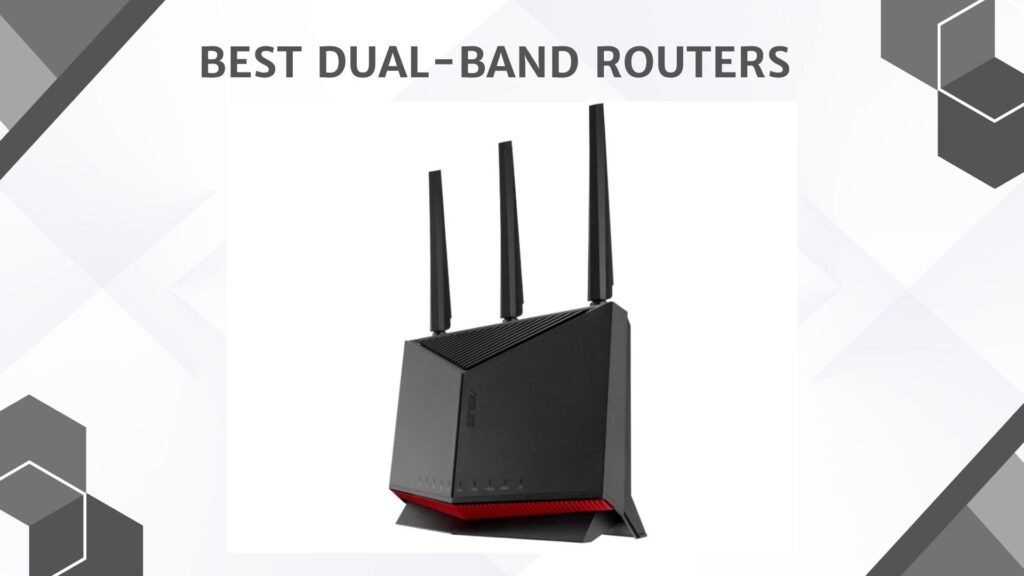
| ASUS RT‑BE86U BE6800 Dual‑Band Wi‑Fi 7 Router 🏆 Best Overall | 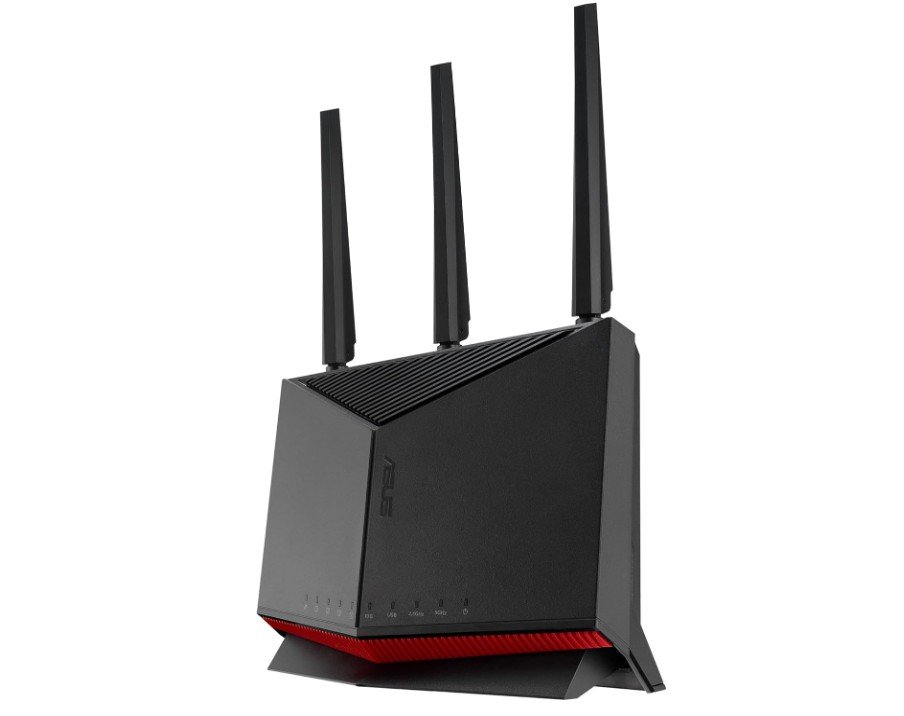 | ★★★★☆ | Wi‑Fi 7 (802.11be) | Multi‑Link Operation, 4096‑QAM | Gaming, Streaming & Smart Homes | Check Price |
| TP‑Link Dual‑Band AX3000 Wi‑Fi 6 Router (Archer AX55) |  | ★★★★☆ | Wi‑Fi 6 (802.11ax) | MU‑MIMO, EasyMesh & HomeShield | Home & Multi‑Device Use | Check Price |
| Amazon eero 7 Dual‑Band Mesh Wi‑Fi 7 Router (2‑Pack) |  | ★★★★☆ | Wi‑Fi 7 (802.11be) | Mesh Coverage up to ~4,000 sq ft | Whole‑Home Coverage | Check Price |
| TP‑Link AX1800 Wi‑Fi 6 Router (Archer AX21) 💰 Best Budget |  | ★★★☆☆ | Wi‑Fi 6 (802.11ax) | Easy Setup & Gigabit Internet | Affordable Everyday Use | Check Price |
| ASUS RT‑AX1800S Dual‑Band Wi‑Fi 6 Router |  | ★★★☆☆ | Wi‑Fi 6 (802.11ax) | AiMesh Compatible, VPN Support | Home Networking & Streaming | Check Price |
ASUS RT-BE86U BE6800 Dual-Band WiFi 7 Router
ASUS RT-BE86U BE6800 Dual-Band WiFi 7 Router
The ASUS RT-BE86U BE6800 Dual-Band WiFi 7 router is a powerful and fast router that works well for homes with many devices. From the moment you set it up, you can feel that it is built to handle heavy internet use. It supports the latest WiFi 7 standard, which makes it much faster and more reliable than older routers. This means you can stream videos in 4K or even 8K, play online games, and run video calls without lag or interruptions.
One thing that stands out about this router is its speed. With advanced technology like 4096-QAM and Multi-Link Operation (MLO), it gives strong wireless performance and steady connections even when many devices are connected at the same time. Whether you have phones, laptops, smart TVs, or gaming consoles, this router manages them smoothly. You will notice faster downloads and more stable connections, especially in busy internet environments.
The router also has smart tools to make your network work better. AI WAN Detection helps the internet stay stable by choosing the best connection automatically. AiMesh lets you connect other ASUS routers to create a larger Wi-Fi coverage area, which is great for bigger homes. Security is another strong point. The built-in network protection is subscription-free, so you get good safety without extra cost. There are also easy options for setting up guest Wi-Fi and managing parental controls.
For people who like to use VPNs, this router offers full VPN support, which is useful for privacy and remote access. Gamers will like the features that help reduce lag and keep game connections smooth. Overall, the ASUS RT-BE86U BE6800 is a high-end router that delivers excellent performance, strong security, and modern features. It may cost more than basic routers, but the speed, reliability, and tools it offers make it worth considering for anyone who wants a fast and stable home network.
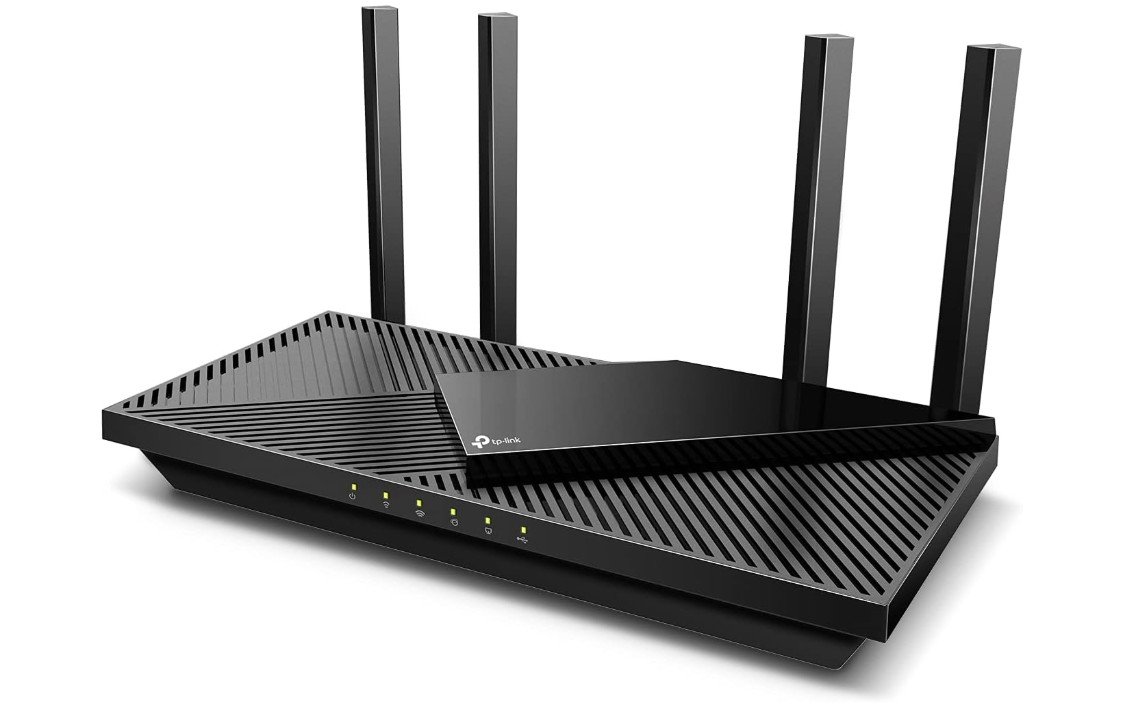
TP-Link Dual-Band AX3000 Wi-Fi 6 Router
TP-Link Dual-Band AX3000 Wi-Fi 6 Router
The TP-Link Archer AX55 AX3000 Dual-Band Wi-Fi 6 router is a strong and reliable choice for home internet. It offers fast Wi-Fi speeds and good coverage, making it great for daily use like browsing, streaming, and online gaming. Right out of the box, it is easy to set up and works well with many devices at the same time. Whether you have phones, laptops, smart TVs, or other smart home products, this router handles them smoothly without slowing down.
One of the main benefits of this router is its use of Wi-Fi 6 technology. This newer standard is faster and more efficient than older Wi-Fi versions, especially when many devices are connected. Features like OFDMA and MU-MIMO help the router manage traffic better, so everyone in the house can have a good online experience. Streaming videos or joining a video call feels smooth, and online games stay responsive with less lag.
Security is also built into this router with TP-Link HomeShield. This helps protect your network from threats and gives extra tools like parental controls and device management. It also supports VPN client and server functions, which is useful if you need more privacy or want to connect to a remote network securely. The router has a USB 3.0 port, which lets you share files or printers on your network easily.
Another useful feature is EasyMesh support, which means you can connect other compatible routers to expand your Wi-Fi coverage if you have a larger home. This makes the Archer AX55 a flexible option for future needs. The design is simple and modern, and it fits well in most homes without taking up much space.
Overall, the TP-Link Archer AX55 AX3000 is a well-rounded router with strong performance, solid features, and good security. It is a good choice for families or people who want faster and more reliable Wi-Fi for everyday internet use.
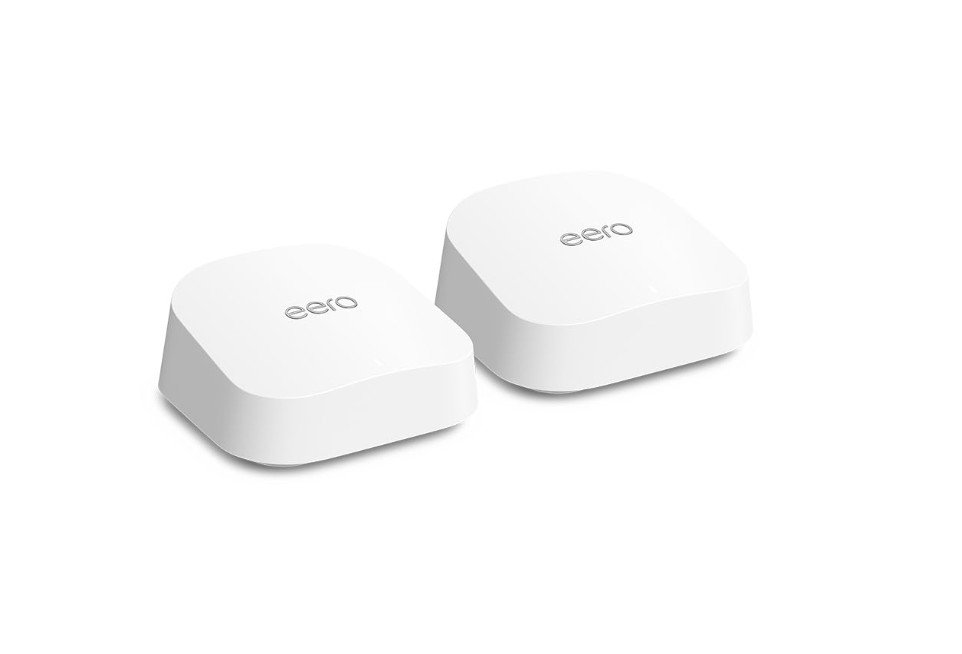
Amazon eero 7 dual-band mesh Wi-Fi 7 router
Amazon eero 7 dual-band mesh Wi-Fi 7 router
The Amazon eero 7 dual-band mesh Wi-Fi 7 router (2-pack) is a modern and easy-to-use system that brings fast internet to your whole home. From the moment you set it up, the mesh design helps spread strong Wi-Fi in every room. The fact that it uses the latest Wi-Fi 7 technology means you get better speed and reliability than older models. This makes it a great choice for families, people who stream a lot of video, gamers, and anyone who wants smooth internet with many devices connected at once.
One of the best things about this router is how simple it is to install and manage. You can set it up using the eero app on your phone, which guides you through step by step. The app also helps you see which devices are connected, run speed tests, and control settings like parental controls. Even if you are not very technical, you can still get everything working quickly.
The two units in the pack work together to cover up to about 4,000 square feet, so you should get strong Wi-Fi in larger homes or apartments. The mesh system means there are no dead spots and you can walk around without losing your connection. The router also supports high internet speeds up to 2.5 Gbps, so if you have a fast internet plan, you can take full advantage of it.
Performance is smooth during video calls, streaming, and gaming. Multiple devices can be used at the same time without slowing down. The built-in security helps protect your network, and regular updates keep it safe over time.
Overall, the Amazon eero 7 mesh Wi-Fi 7 system gives reliable, fast, and wide-range Wi-Fi with very easy setup and use. It is a solid choice for anyone who wants great home internet without complicated installation.
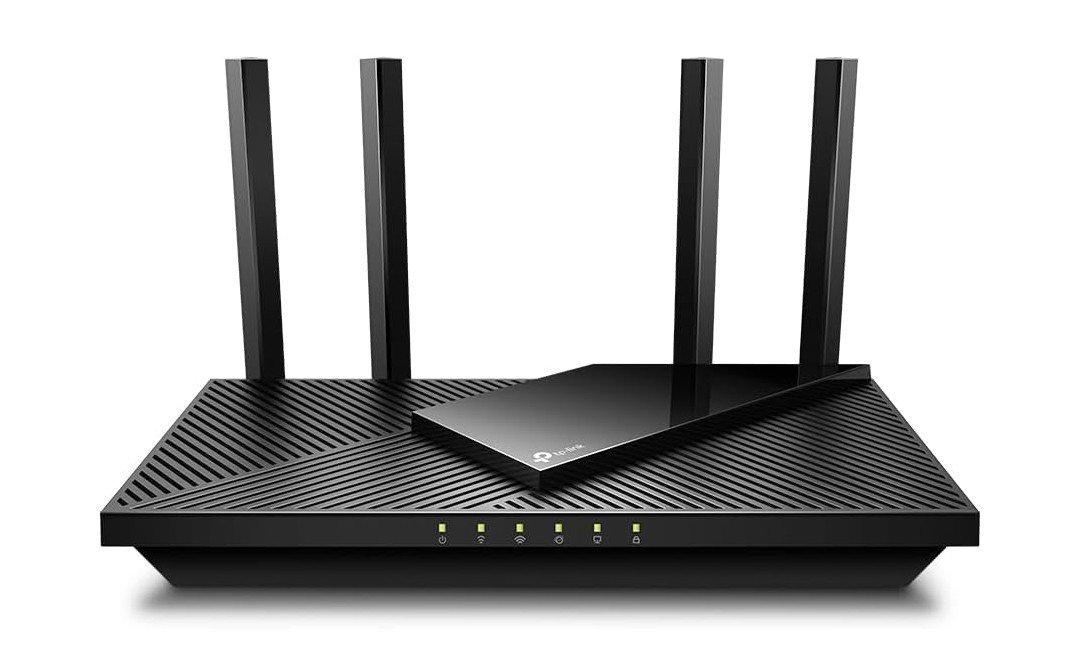
TP-Link AX1800 WiFi 6 Router
TP-Link AX1800 WiFi 6 Router
The TP-Link AX21 AX1800 Wi-Fi 6 router is a solid and affordable choice for everyday home internet. It brings faster and more stable Wi-Fi than older routers, especially when you have many devices connected. With Wi-Fi 6 technology, it handles things like streaming videos, online gaming, video calls, and browsing smoothly. Most users will notice better performance, even in busy homes with phones, laptops, smart TVs, and other smart devices all working at the same time.
Setting up the AX21 is simple and quick. You can use the TP-Link Tether app on your phone to guide you through the process step by step. The app also makes it easy to manage your network, check which devices are connected, and set parental controls if you need them. This makes the router a good choice for people who are not very technical but still want strong and reliable Wi-Fi.
The router supports EasyMesh, which means you can add other compatible TP-Link units to expand your Wi-Fi coverage if you have a larger home or areas with weak signal. It also works with Amazon Alexa, so you can use voice commands for simple tasks if you already use Alexa in your home. The built-in Gigabit Ethernet ports let you connect wired devices like desktops, game consoles, or smart TVs with fast and stable connections.
Performance is steady around the house for most usual internet tasks. Light gaming and HD streaming work well, and basic online work is smooth. Though it is not as powerful as high-end routers, it provides good value for its price. The design is compact and simple, fitting well in most spaces without clutter.
Overall, the TP-Link AX21 AX1800 is a reliable, affordable router that gives good Wi-Fi for everyday use. It is ideal for families or individuals who want fast and stable internet without spending too much.
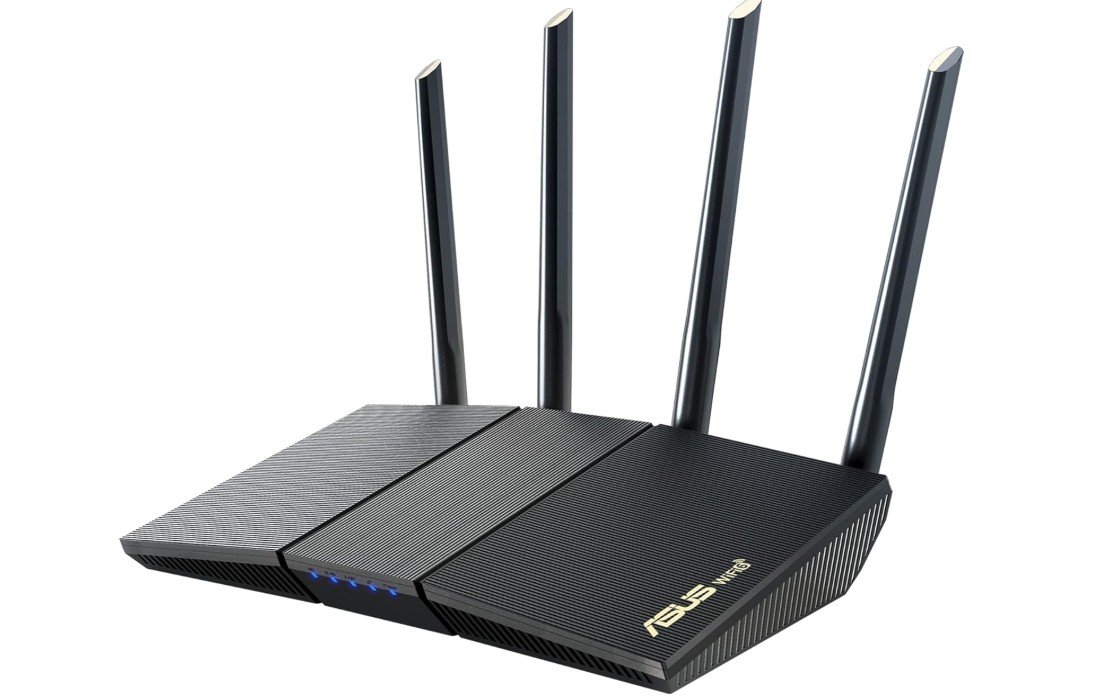
ASUS RT-AX1800S Dual Band WiFi 6 Extendable Router
ASUS RT-AX1800S Dual Band WiFi 6 Extendable Router
The ASUS RT-AX1800S Dual-Band Wi-Fi 6 router is a reliable and easy-to-use router for everyday home internet. It uses the newer Wi-Fi 6 technology, which makes your wireless network faster and stronger than older models. You will see smoother streaming, quicker downloads, and better performance when many devices are connected at the same time. This makes it a good choice for families, students, or anyone who wants stable internet for phones, laptops, tablets, and smart devices.
Setting up the router is simple. You can use the ASUS app to walk you through the process, and it does not take long to get your network running. The design is compact and fits well in most homes without taking up much space. Once set up, the router delivers strong Wi-Fi throughout a normal-sized home, and it handles streaming, video calls, and gaming with fewer drops or slowdowns.
One of the best things about this router is the built-in security that doesn’t require a subscription. You get network protection and tools to help keep your devices safe from threats. The parental controls are easy to use, so you can limit internet access for kids or set screen time rules. The router also has built-in VPN support, which is useful if you want more privacy or remote access.
This router works with ASUS AiMesh, so you can easily add other compatible ASUS routers to expand your Wi-Fi coverage if you have a larger home. Performance is solid for daily use, and many users will find it enough for most online activities. It may not be the fastest Wi-Fi 6 model, but it offers good speed and stability for its price.
Overall, the ASUS RT-AX1800S is a good, affordable Wi-Fi 6 router with useful features, easy setup, and strong performance for everyday internet needs.
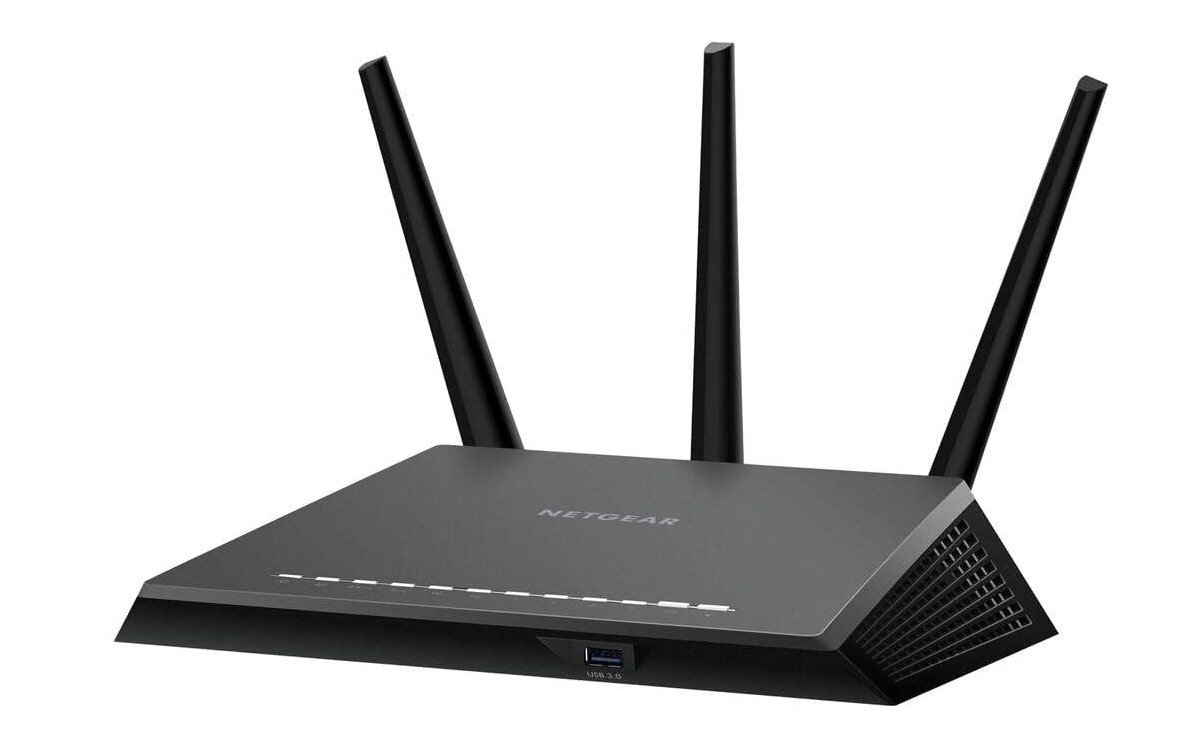
Netgear R7000 Dual-band Router
Netgear R7000 Dual-band Router
The Netgear R7000 Dual-Band Gigabit Wireless Router is a popular and reliable choice for home internet users. It has been around for many years and continues to deliver stable performance for everyday online activities. This router supports both 2.4 GHz and 5 GHz bands, which helps reduce interference and gives you better speed and connection quality. You can use it for web browsing, streaming videos, online gaming, and video calls without major slowdowns.
Setting up the R7000 is fairly simple, and most users can get it running in just a few minutes. The Netgear Genie app makes it easy to manage your network, check connected devices, and change basic settings. The router has Gigabit Ethernet ports, so you can connect wired devices like computers, game consoles, or smart TVs for faster and more stable connections. It also includes USB ports, which let you share files, printers, or media storage across your home network.
Performance with this router is solid for typical home use. The 5 GHz band provides faster speeds for high-bandwidth tasks like HD video streaming and gaming, while the 2.4 GHz band offers better range and wall penetration. Many users find the coverage to be enough for medium-sized homes, though walls and distance can affect signal strength. If you have a very large house, you might need a Wi-Fi extender or mesh system for full coverage.
Security features on the R7000 include WPA/WPA2 encryption and basic parental controls. These features help keep your network safe and let you control access for kids or guests. While it does not have the latest Wi-Fi 6 or Wi-Fi 7 technology, it still performs well with most modern devices.
Overall, the Netgear R7000 is a dependable router that offers balanced performance and good value. It is especially suited for users who want a straightforward and stable Wi-Fi connection without paying for the newest high-end features.
Buying Guide: Dual-Band Routers
A dual-band router is a Wi-Fi router that works on two wireless frequencies at the same time: 2.4 GHz and 5 GHz. The 2.4 GHz band offers longer range and better signal through walls, while the 5 GHz band delivers faster speeds with less interference. By using both bands, a dual-band router provides a smoother and more reliable internet experience compared to single-band routers.
Why Choose a Dual-Band Router?
Dual-band routers are ideal for modern homes where multiple devices are connected at once. Smartphones, laptops, smart TVs, gaming consoles, and smart home devices can all use the internet without slowing each other down. Compared to older routers, dual-band models reduce congestion, improve speed, and provide better overall stability.
Who Should Buy a Dual-Band Router?
Most users will benefit from a dual-band router. They are perfect for families, students, remote workers, and gamers. If you stream videos, attend video calls, play online games, or use smart home devices, a dual-band router is a smart and practical choice.
Understanding Wi-Fi Standards
Wi-Fi standards affect speed and performance.
- Wi-Fi 5 (802.11ac): Suitable for basic internet use and HD streaming.
- Wi-Fi 6 (802.11ax): Better efficiency, faster speeds, and improved performance with many devices.
- Wi-Fi 7 (802.11be): The newest standard, offering very high speeds and lower latency for future-ready networks.
For most homes, Wi-Fi 6 provides the best balance of price and performance.
Speed Ratings Explained
Router speed labels like AC1200 or AX3000 show the combined maximum speed of both bands. These numbers are theoretical. Real-world speeds depend on device quality, distance, walls, and interference. Higher-rated routers usually perform better, but don’t rely on numbers alone.
Coverage and Home Size
Coverage depends on antennas, router placement, and home layout. Apartments and small homes work well with a single router. Medium to large homes may need routers that support mesh systems like EasyMesh or AiMesh so coverage can be expanded easily.
MU-MIMO and OFDMA Technology
MU-MIMO allows the router to communicate with multiple devices at once. OFDMA improves efficiency by dividing bandwidth between devices. These features are especially useful in homes with many connected devices and are standard in Wi-Fi 6 routers.
Security and Parental Controls
Good security protects your data and devices. Look for routers with WPA3 encryption, firewall protection, and automatic firmware updates. Parental controls are helpful for managing kids’ screen time and blocking unsafe content. Subscription-free security is a bonus.
Ports and Connectivity
Gigabit Ethernet ports are important for wired connections like gaming PCs and smart TVs. USB ports allow you to share storage or printers on the network. If you have fast internet, make sure the router supports Gigabit or multi-gig WAN ports.
Mesh Support and Future Expansion
If you plan to upgrade coverage later, choose a router with mesh support. Mesh systems use multiple units to provide seamless Wi-Fi across the home without dead zones. This is more effective than traditional range extenders.
Gaming and Streaming Features
Gamers should look for routers with Quality of Service (QoS) or gaming modes that reduce lag and prioritize traffic. For streaming, stable 5 GHz performance and strong processing power matter more than raw speed numbers.
VPN and Advanced Features
Built-in VPN support allows secure remote access and privacy. Guest networks keep visitors separate from your main devices. Advanced users may also want features like traffic monitoring or port forwarding.
Budget and Price Ranges
- Budget: Basic dual-band routers for browsing and light streaming
- Mid-range: Wi-Fi 6 routers with strong performance and security
- High-end: Wi-Fi 7 or premium Wi-Fi 6 routers for large homes and power users
Most users get the best value from mid-range models.
Common Buying Mistakes
Many people buy routers based only on advertised speed. Others ignore security updates or coverage needs. Choosing the right router means balancing speed, coverage, features, and future needs.
Final Buying Tips
Place your router centrally and keep firmware updated. Use 5 GHz for speed-sensitive devices and 2.4 GHz for long-range needs. If coverage is weak, consider mesh expansion instead of replacing the router.
FAQs
A dual-band router broadcasts two Wi-Fi bands — 2.4 GHz and 5 GHz — so you can choose slower, longer-range Wi-Fi (2.4 GHz) or faster, less congested Wi-Fi (5 GHz) based on your needs.
It gives better performance and flexibility than single-band routers, especially when multiple devices are connected or when streaming, gaming, and browsing at the same time.
Yes — spreading devices across both bands helps reduce congestion and improves overall network performance.
Yes — using the 5 GHz band reduces interference and can lower latency for online gaming, especially when many devices are connected.
Yes — they work with most internet plans (cable, fiber, DSL) when connected to your modem or gateway.
Conclusion
A dual-band router is the best choice for most homes today. It offers a balance of speed, coverage, and reliability without high cost. By understanding your internet usage, home size, and future needs, you can choose a dual-band router that delivers fast, stable, and secure Wi-Fi for years to come.

Jawad is a passionate tech enthusiast and writer who loves exploring the latest trends in hardware, gadgets, and digital innovation. With a sharp eye for performance and value, he delivers in-depth recommendations and buying guides to help readers make smarter tech decisions.