
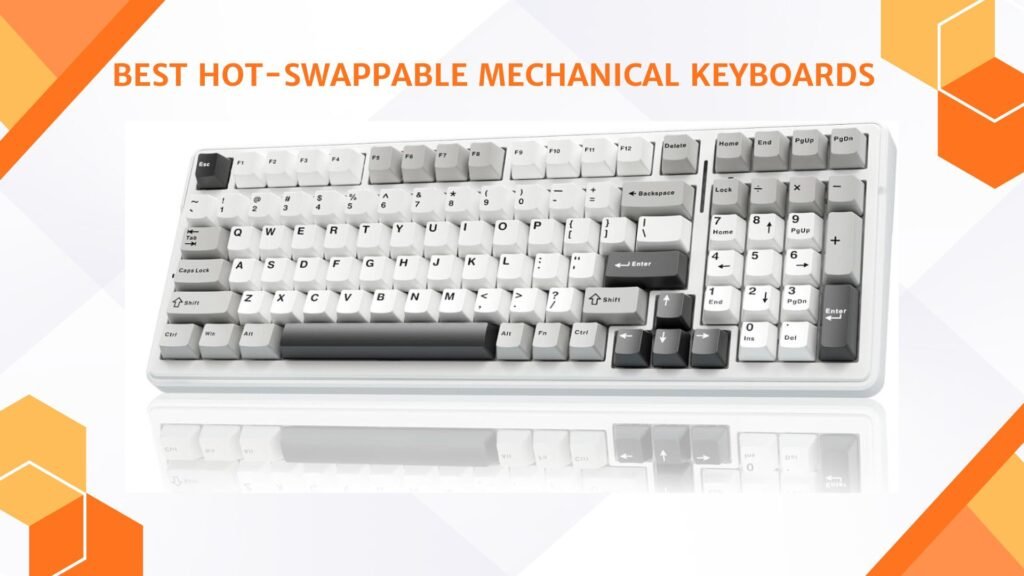
Last Updated on March 30, 2026 by Jawad
Introduction
Hot-swappable mechanical keyboards have quickly become a favorite choice among gamers, typists, and PC enthusiasts because they offer a perfect blend of customization, convenience, and long-term durability. Unlike traditional mechanical keyboards that require soldering to change switches, hot-swappable models allow you to pull out and replace switches with ease—no tools, experience, or technical skill required. This makes them an excellent option for anyone who wants to experiment with different switch types, fine-tune typing feel, or simply replace faulty switches without replacing the entire keyboard. Whether you prefer smooth linear switches, tactile feedback, or the satisfying click of clicky switches, a hot-swappable board gives you the freedom to swap your setup anytime.
Another reason these keyboards are becoming so popular is their cost-effectiveness. Instead of buying a whole new keyboard every time you want a different experience, you can simply purchase new switches and reuse the same board. This significantly extends the lifespan of your keyboard while helping you stay up to date with the latest switch innovations. Many hot-swappable keyboards also come with premium features like RGB lighting, programmable keys, wireless connectivity, and high-quality build materials such as aluminum frames and PBT keycaps.
For beginners, hot-swappable keyboards provide the easiest entry into the world of custom mechanical keyboards, while for enthusiasts they open the door to endless personalization. You can create your dream typing experience by mixing switch types, customizing stabilizers, or upgrading keycaps to match your setup. In short, hot-swappable mechanical keyboards deliver unmatched versatility and make customizing your typing feel more accessible than ever. Whether you want improved gaming performance, a smoother typing experience, or a completely unique keyboard layout, the best hot-swappable mechanical keyboards give you the flexibility to tailor your setup exactly how you like it.
We also have a recommendation for the Best Low-Profile Mechanical Keyboards, so make sure to check that out too!
Top Hot-Swappable Mechanical Keyboards


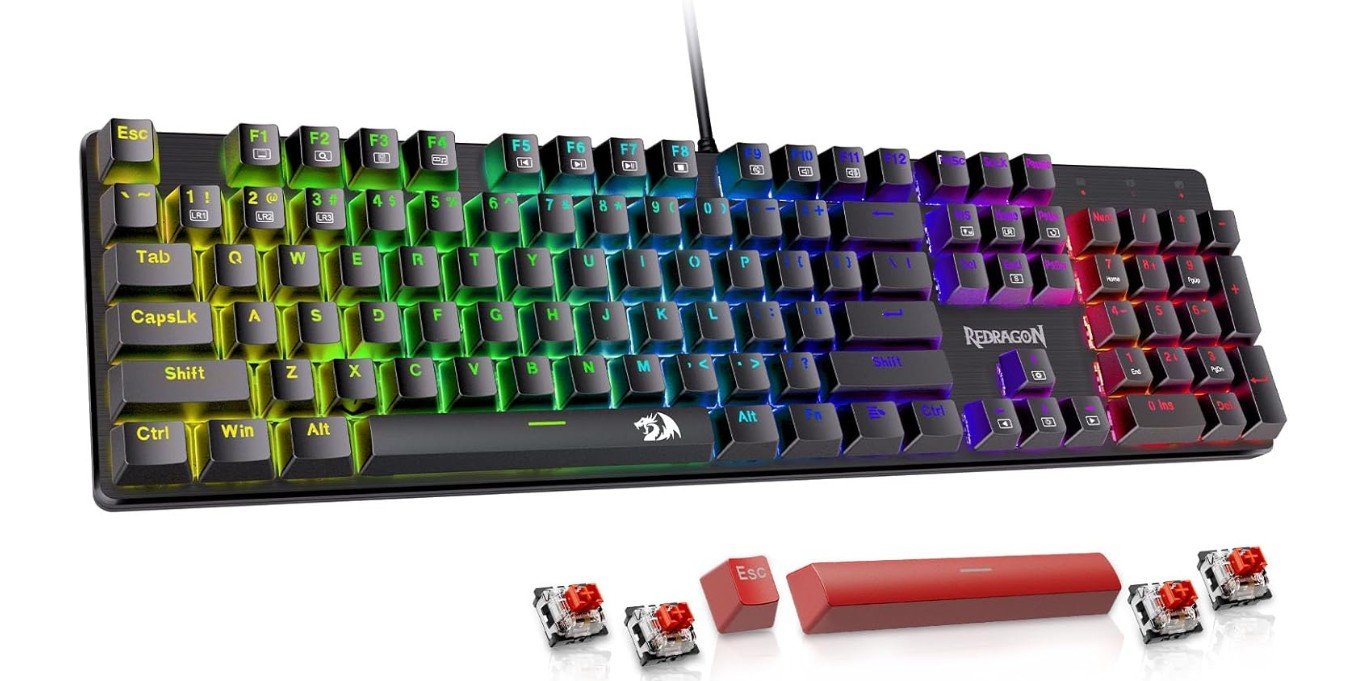
Redragon Mechanical Gaming Keyboard
Redragon Mechanical Gaming Keyboard
The Redragon mechanical gaming keyboard is a solid choice if you want a reliable and customizable keyboard without spending too much. From the moment you start using it, the smooth feel of the red switches stands out. They respond quickly and quietly compared to clicky switches. This makes typing comfortable whether you’re writing emails or playing games late at night. The hot-swappable feature gives you freedom — if you want a different feel, it’s easy to replace the switches yourself.
The 11 backlit modes add a nice touch of style. Whether you like a steady glow or dynamic lighting effects, you can pick what fits your mood or gaming setup. For gaming, the keyboard does well. Anti-ghosting and full key rollover ensure that every key press counts, especially during fast-paced action games. You won’t lose input even when pressing multiple keys at once.
The double-shot PBT keycaps feel sturdy and premium. They resist wear and shine over time — so even heavy use won’t quickly wear them down or make the letters fade. The build quality feels solid too. The frame gives enough firmness without being heavy or bulky. Everything stays steady even while typing hard or during intense gaming sessions.
For everyday use, the keyboard is great for both work and play. It’s easy to start with: plug in via USB and you’re ready to go. You don’t need drivers or special setup. It works with Windows, and macOS too. If you like customizing, you can even swap switches later — maybe try a tactile or clicky set for a different typing feel.
Overall, this Redragon keyboard gives a strong mix of comfort, performance, and flexibility. It won’t feel like an expensive, high-end board, but for its price it’s very hard to beat. For someone wanting good typing feel, gaming support, and let’s-do-it-yourself customization — this keyboard delivers.
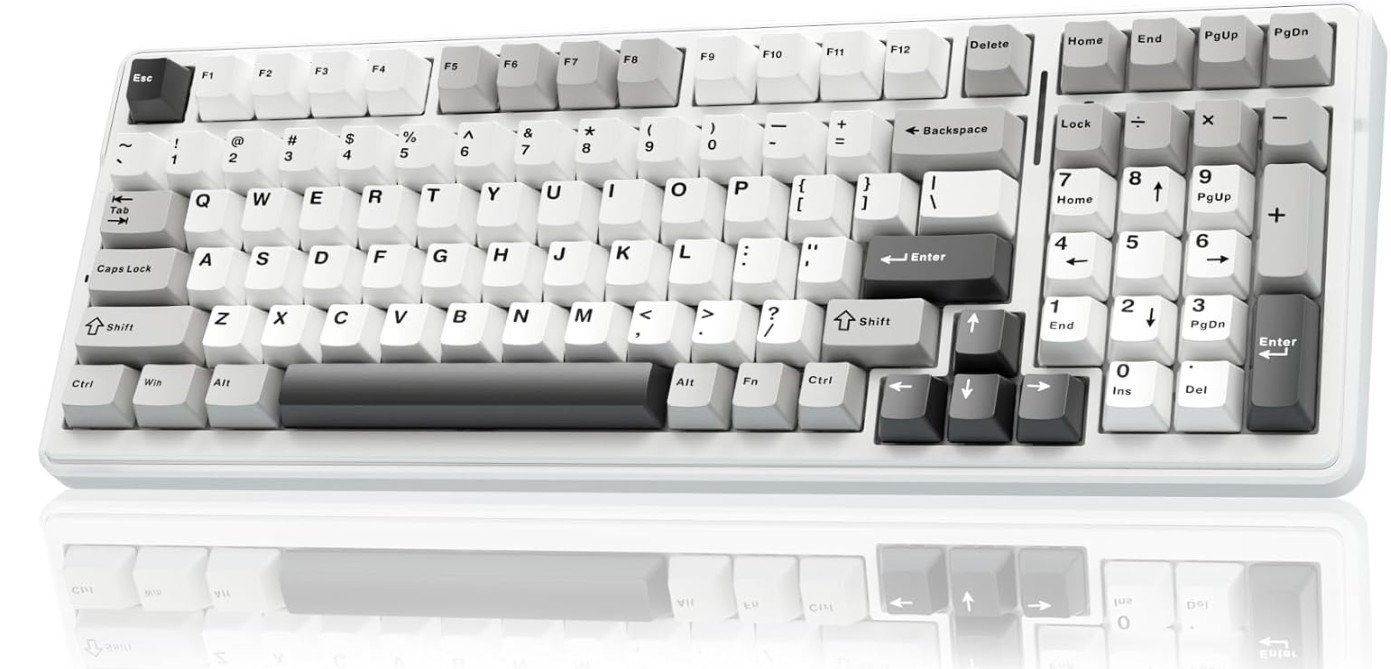
AULA F99 Wireless Mechanical Keyboard
AULA F99 Wireless Mechanical Keyboard
The AULA F99 wireless mechanical keyboard offers a lot of flexibility with its tri-mode connectivity. Whether you prefer Bluetooth, 2.4 GHz wireless, or a wired USB-C connection, it adapts easily to your device — handy if you switch between a PC, tablet, or gaming console. Setting it up is easy: plug it in or connect wirelessly and it’s ready to go, no complicated drivers required.
Typing and gaming both feel smooth thanks to the pre-lubed linear switches. These switches provide a light, even keypress that’s quiet and comfortable. You can type emails or play games without disturbing anyone nearby. Because the switches are hot-swappable, you can replace them later if you want a different feel — maybe tactile or clicky — giving you room to customize as you go.
The keycaps feel solid and premium, built from PBT plastic that resists shine and wears better over time compared to cheaper keys. The keyboard layout is compact yet functional. Even though it’s smaller than a full-size board, keys are placed smartly so you don’t feel cramped while typing or gaming.
The RGB backlighting is a fun addition and adds a nice mood when you work or play in low light. The multiple lighting effects let you customize appearance to match your desk or gaming setup.
Battery life is good, so you don’t need to recharge often if you mostly use Bluetooth or 2.4 GHz wireless. This portability makes it suitable for different scenarios — like working from a couch, gaming on a console, or using a tablet in bed.
Overall, the AULA F99 strikes a good balance between flexibility, comfort, and convenience. It may not have the heft or extra features of high-end keyboards, but for the price it delivers a versatile, satisfying typing and gaming experience — especially if you like to switch between devices or want a clean, less-cluttered setup.
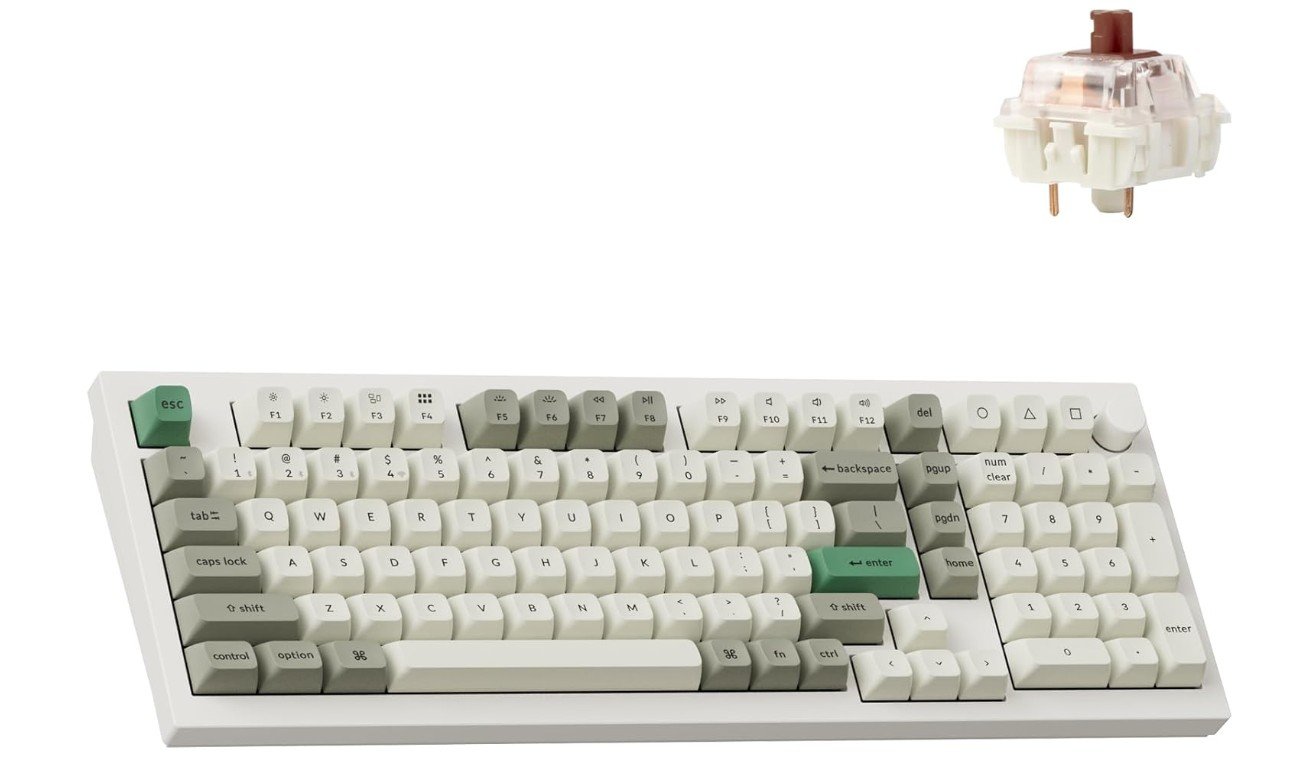
Keychron Q5 Max Wireless Custom Mechanical Keyboard
Keychron Q5 Max Wireless Custom Mechanical Keyboard
The Keychron Q5 Max wireless mechanical keyboard offers a top-notch typing and gaming experience while staying versatile enough for everyday use. Right away, you notice the quality build — the full aluminum frame gives the keyboard a sturdy, premium feel that won’t slide or wobble when you type or game hard. It feels solid under your hands, and this build quality makes it a pleasing long-term investment rather than a cheap, disposable board.
Using it is smooth whether you connect through Bluetooth, 2.4 GHz wireless, or wired USB-C, depending on your device and need. Switching between a laptop, desktop, or even a tablet is easy and quick. The layout is 96%, which means you get almost a full-size keyboard but in a slightly more compact form — a sweet spot if you want numpad-like functionality without the bulk of a full board. For most users, this balance works well for both typing documents and gaming sessions.
The hot-swappable Gateron Brown switches add to the appeal with their tactile but not noisy feedback. Typing feels responsive and comfortable, letting you work for hours without finger fatigue. And if you like tinkering, you can swap the switches later — maybe try smoother linear or louder clicky switches — giving this keyboard long-term flexibility. The RGB lighting adds a nice aesthetic touch and you can customize it to match your setup or mood.
For power users, support for programmable keys via QMK/VIA is a huge plus. You can remap keys, adjust layers, and tweak functions to suit your workflows — handy if you code, design, or play games needing custom macros. The south-facing LEDs and sound-dampening features also make typing quieter and cleaner.
Overall, the Keychron Q5 Max delivers a balanced mix of build-quality, comfort, customization, and flexibility. It’s not the cheapest keyboard out there, but for anyone serious about typing feel, long-term customization, and reliability across devices — it’s hard to beat.
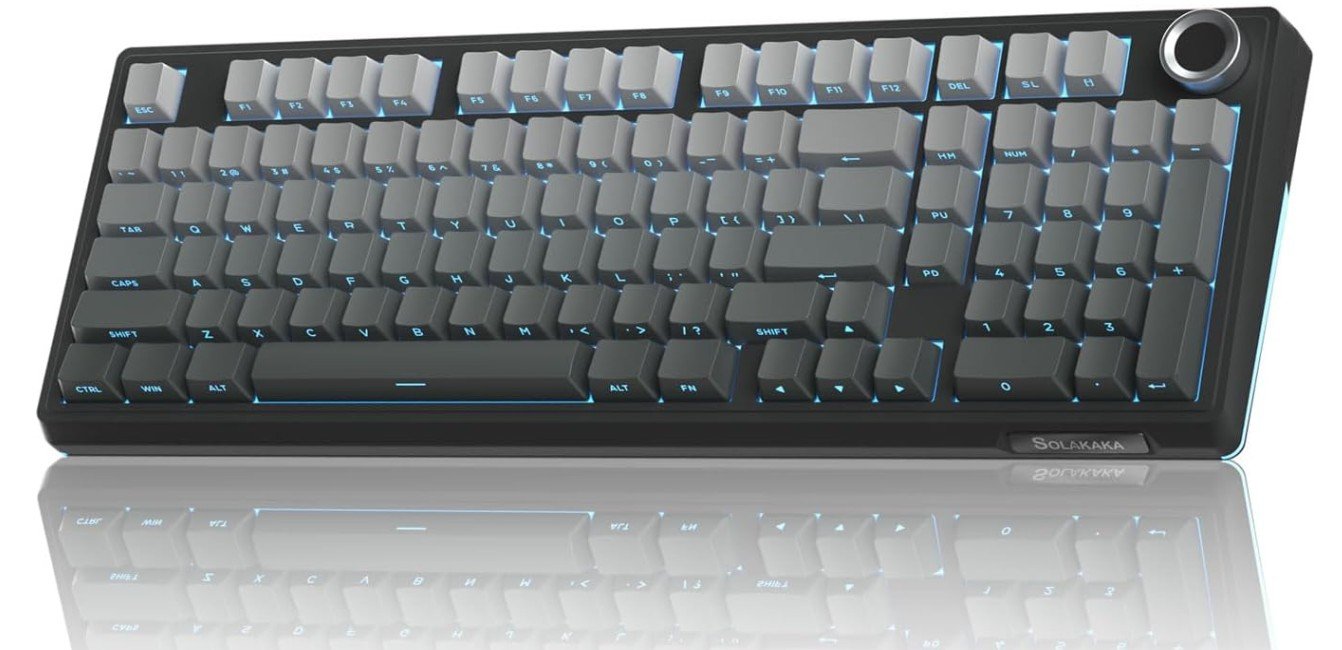
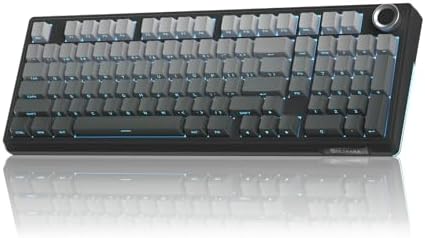
SOLAKAKA KI99 Pro 96% Wireless Mechanical Keyboard
SOLAKAKA KI99 Pro 96% Wireless Mechanical Keyboard
The SOLAKAKA KI99 Pro 96% wireless mechanical keyboard is a well-rounded option for users who want a compact layout without losing the convenience of a numpad. Its 96% design keeps the keyboard smaller than a full-size model while still offering all essential keys, making it a great fit for gaming, productivity, and everyday typing. The gradient-black color gives it a stylish and modern look that blends easily into any setup, whether minimal or RGB-heavy.
Typing on the KI99 Pro feels smooth and satisfying thanks to its pre-lubed mechanical switches. Since this version uses the non-silent switches, each keypress has a clear sound that many mechanical keyboard fans enjoy. The hot-swappable sockets are a big advantage because they let you replace switches whenever you want. If you decide later that you prefer a different switch type, you can swap them without soldering, making this keyboard highly customizable and beginner-friendly.
One of the most impressive features is the gasket-mounted structure. This design usually appears in higher-end keyboards and helps create a softer, bouncier typing feel. It reduces harsh vibrations and gives each keystroke a slightly cushioned sound, making long typing sessions more comfortable. Combined with the creamy switches, the overall typing experience feels refined and pleasant.
The RGB lighting adds personality to the keyboard with multiple customizable effects. Whether you prefer a gentle glow or a more dynamic light show, the lighting enhances the appearance, especially in darker environments. Wireless performance is stable, making it easy to connect to your PC, laptop, or other supported devices without dealing with cables. It’s ideal for clean desk setups or users who frequently move their keyboard.
Overall, the SOLAKAKA KI99 Pro offers an impressive mix of style, comfort, and performance. Its gasket structure, hot-swappable switches, compact layout, and attractive design make it a strong choice for anyone wanting a premium-feeling mechanical keyboard without paying top-tier prices.
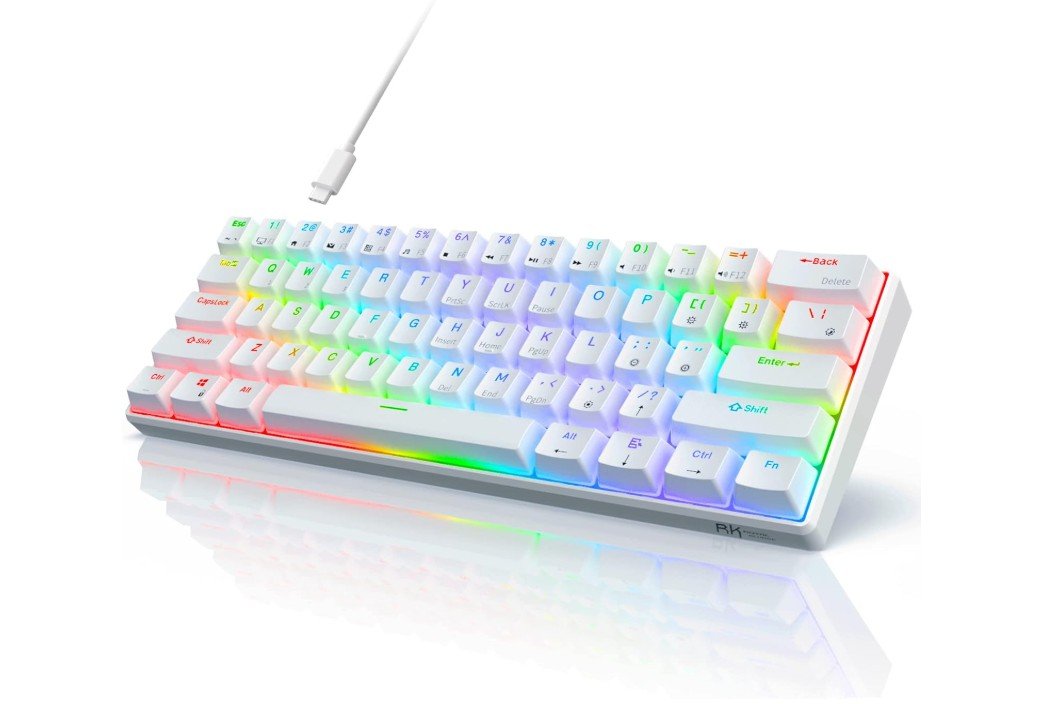
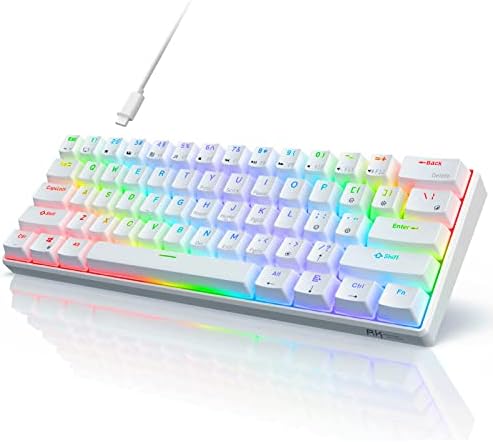
RK ROYAL KLUDGE RK61 60% Gaming Keyboard
RK ROYAL KLUDGE RK61 60% Gaming Keyboard
The RK ROYAL KLUDGE RK61 60% gaming keyboard is a small but capable board great for gamers and people who like minimal desk setups. Because it’s only 60% layout, it removes number pad and extra keys — leaving only the essentials. This makes it tiny and light enough to carry around or use on a small desk, yet still fully functional for typing and gaming.
When you type or play games on this keyboard, the hot-swappable red switches feel smooth and quiet. The linear action requires little force, which makes typing less tiring and gaming more responsive. For late-night typing or long gaming sessions, the quiet switches come in handy. Since the board is hot-swappable, you can swap the switches anytime if you want a different feel — maybe try tactile or clicky at some point — giving you flexibility without needing technical skills.
The RGB backlighting is a nice feature, giving some style to your setup and making it easier to type or game in darker rooms. The keyboard offers anti-ghosting and full key rollover (or “no-key conflict”) so simultaneous key presses register correctly — a must for fast-paced games where you press multiple keys at once. That helps make gameplay smooth and consistent.
For everyday typing, the compact size feels efficient. Though you lose number keys, many users don’t miss them, especially when writing, programming, or chatting. The small size also means more space for mouse movement — helpful for gamers who like quick, large mouse motions. Plugging it in is straightforward thanks to wired USB — no drivers needed, works on Windows or macOS without fuss.
On the downside, the compact layout may not suit users who rely on arrow keys, number pad, or media keys often. Also, being a smaller, budget-oriented keyboard, it doesn’t feel as premium or heavy-duty as bigger metal-framed keyboards. But for what you pay and what you get, the RK61 delivers solid performance, portability, and good typing and gaming experience.
Buying Guide: Hot-Swappable Mechanical Keyboards
Hot-swappable mechanical keyboards let you change switches without soldering, so you can try different feels, fix broken switches, or mix switch types quickly. That flexibility is why hot-swap boards are now the default choice for many gamers, typists, and beginners who want to experiment. This guide walks you through the important factors to consider so you pick a keyboard that fits your budget, workspace, and typing style.
Why choose hot-swappable?
Hot-swap means the switch sockets accept switches directly. No soldering. The practical benefits are simple: cheap upgrades (buy switches not a whole keyboard), easy repairs, and the freedom to fine-tune typing feel. If you like trying linear, tactile, and clicky switches or want to test boutique switches, hot-swap makes it low cost and low effort. It’s also great for newcomers who want to learn customization without tools.
Switches: the heart of feel
Switches define how the keyboard feels and sounds. There are three basic families:
- Linear: smooth, no bump, quiet — good for fast gaming and people who like a light press.
- Tactile: has a bump on actuation — good compromise for typing and gaming.
- Clicky: tactile plus audible click — satisfying for some typists but louder.
When choosing switches, check actuation force (light vs heavy), travel distance, and whether they come pre-lubed. Pre-lubed switches feel smoother out of the box. Also consider switch stem compatibility: most hot-swap PCBs fit standard 3-pin and 5-pin switches but confirm with the keyboard spec.
Layout and size
Keyboards come in many sizes. Pick one based on space and workflow:
- Full (100%): includes numpad — best for data entry.
- 96% / 65% / 75%: compact but keep most keys — good balance.
- 60%: minimal and portable — ideal if you value mouse space or portability.
Smaller layouts save desk space and look cleaner, but you’ll lose dedicated keys (numpad, function row, arrows). Think about shortcuts and whether you’re comfortable using layer keys or remaps.
Build quality & typing feel
Materials matter. Aluminum cases feel solid and dampen sound; plastic cases are lighter and cheaper. Plate material (aluminum, brass, polycarbonate) also affects feel: metal plates produce a firmer, sharper sound while polycarbonate and gasket mounts give a softer, cushioned feel. If sound is important, consider gasket-mounted designs or keyboards marketed for “silent” or “tuned” typing.
Keycaps & stabilizers
Keycaps change texture and durability. PBT keycaps resist shine and feel better long-term than ABS. Double-shot PBT or dye-sublimated legends last longest. Stabilizers affect larger keys (Space, Enter). Well-tuned stabilizers reduce rattle; look for pre-lubed or screw-in stabilizers if you care about a premium sound.
Connectivity & power
Decide wired vs wireless. Many hot-swappable boards are wired only, but tri-mode boards (Bluetooth, 2.4 GHz dongle, USB-C) are common now. Wireless adds convenience but can slightly change latency — high-quality 2.4 GHz dongles are nearly indistinguishable from wired for gaming. Also check battery life if you plan to use wireless often.
Software, programmability & firmware
If you want macros or custom layers, check firmware support. QMK/VIA or manufacturer software lets you remap keys and create macros. QMK/VIA are community standards that provide deep customization and are preferred by enthusiasts. If you rely on plug-and-play only, a keyboard without advanced firmware is still fine.
Hot-swap socket type & limitations
Not all hot-swap PCBs are equal. Some support only 3-pin switches; others accept 3- and 5-pin. If you plan to use a wide range of switches, pick a board that supports both. Also know that hot-swap sockets can wear after many insertions; good vendors use durable sockets but extreme heavy swapping could eventually loosen them.
Sound & mods
If sound matters, look for gasket or foam modulation, pre-lubed stabilizers, and plate material. Many users also add foam between case halves, switch film, and lubed switches for a better acoustic profile. If you want a ready-to-use pleasant sound, pick boards advertised as “gasket” or “tuned”.
Price & ecosystem
Hot-swappable boards span budgets. Entry-level models are affordable and great for beginners; premium boards (aluminum, gasket, QMK support) cost more but offer a better typing experience and longevity. Remember cost of switches and keycaps — a quality set of switches and PBT keycaps can equal the keyboard price. Factor the total ecosystem cost if you plan to customize.
FAQs
A hot-swappable keyboard lets you remove and replace switches without soldering. You can easily try different switch types (tactile, linear, clicky) to tune the feel and sound.
Hot-swap lets you:
✔ Customize feel and sound without tools.
✔ Experiment with switches as your preference changes.
✔ Save money by reusing switches when you upgrade.
Most hot-swappable keyboards support standard 3-pin or 5-pin switches from brands like Cherry, Gateron, Kailh, etc., letting you pick tactile, linear, or clicky feel.
Yes! Make sure your keycaps match the layout and profile (e.g., ANSI vs ISO; 60% vs TKL). Most mechanical keycaps fit standard MX-style switches.
Yes — especially if you want to explore switch types without soldering or pay a premium for a custom board upfront. It’s great for learning and personalization.
Often slightly more than fixed-switch keyboards, but the flexibility and customization make them worth it for many users.
Yes — many users add lubed switches, dampeners, foam, or different keycaps to improve feel and sound. Hot-swap makes this easier.
Final tips
If you’re new, buy a cheap hot-swappable board and a few switch testers before investing in expensive switches. Try linear and tactile to discover preference. If sound is important, read user reviews or watch typing/sound tests. And if you plan heavy customization, choose a board with good community support and QMK/VIA compatibility.
Hot-swappable keyboards make customization accessible. Whether you want a quiet office board, a loud and clicky typing machine, or a gaming setup tuned perfectly to your hands, picking the right combination of layout, switches, build, and firmware will keep you happy for years — and let you change your mind without rewiring anything.

Jawad is a passionate tech enthusiast and writer who loves exploring the latest trends in hardware, gadgets, and digital innovation. With a sharp eye for performance and value, he delivers in-depth recommendations and buying guides to help readers make smarter tech decisions.