
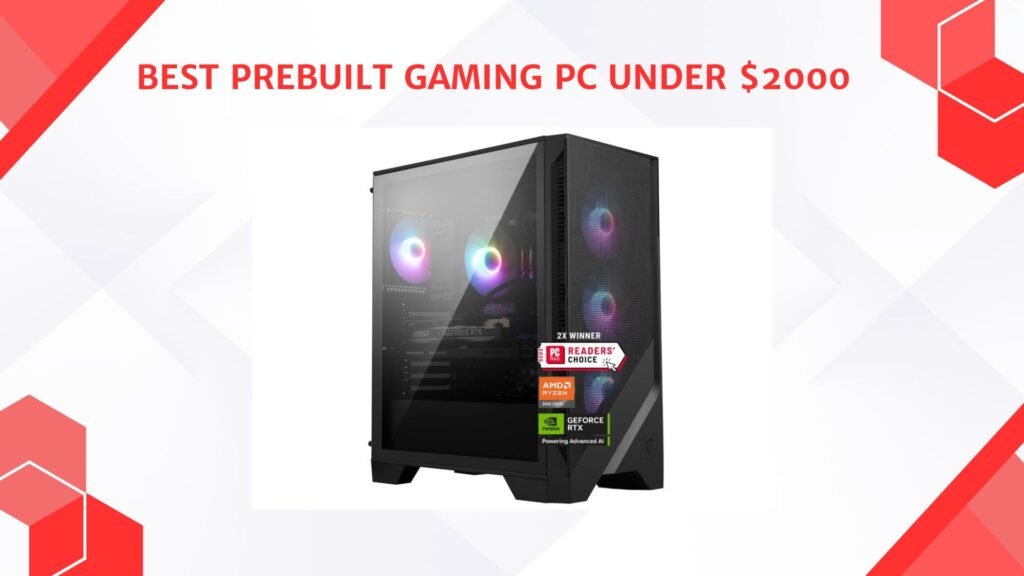
Last Updated on May 15, 2026 by Jawad
Introduction
A prebuilt gaming PC under $2000 delivers high-end gaming performance, advanced hardware, and premium features for gamers who want a powerful system ready to use out of the box. These gaming desktops are capable of handling modern AAA games at ultra settings with smooth frame rates at 1440p and even 4K resolution. Many systems in this category include powerful multi-core processors, advanced RTX graphics cards, fast DDR5 memory, and high-speed NVMe SSD storage for exceptional responsiveness and multitasking.
They are also excellent for streaming, video editing, and content creation. With strong cooling systems and upgrade-friendly designs, gaming PCs under $2000 offer outstanding long-term value and performance.
We also have a recommendation for the Best High End Gaming PC Under $3000, so make sure to check that out too!
Top Prebuilt Gaming PC Under $2000


Comparison
| Gaming PC | Image | Rating | CPU | GPU | RAM | Storage | Cooling | PSU | Best For | Buy |
|---|---|---|---|---|---|---|---|---|---|---|
|
Skytech Gaming Azure 3 🏆 Best Overall 🔥 Top Pick |
 | ★★★★★ | Ryzen 7 7700X | RTX 5070 12GB | 32GB DDR5 | 1TB Gen4 NVMe SSD | 360mm ARGB AIO | 850W Gold | 4K Gaming / Streaming | Check Price |
| iBUYPOWER Slate MESH |
 | ★★★★☆ | Intel i7-14700F | RTX 5070 12GB | 32GB DDR5 | 1TB NVMe SSD | Air Cooling | 750W PSU | 1440p / Streaming | Check Price |
| Skytech Gaming Shadow |
 | ★★★★☆ | Intel i7-13700F | RTX 4060 | 16GB DDR4 | 1TB NVMe SSD | 360mm Liquid | 600W Gold | 1080p / 1440p Gaming | Check Price |
| MSI Codex Z2 |
 | ★★★★☆ | Ryzen 7 8700F | RTX 5070 | 32GB DDR5 | 2TB NVMe SSD | Air Cooling | 750W PSU | High-End Gaming | Check Price |
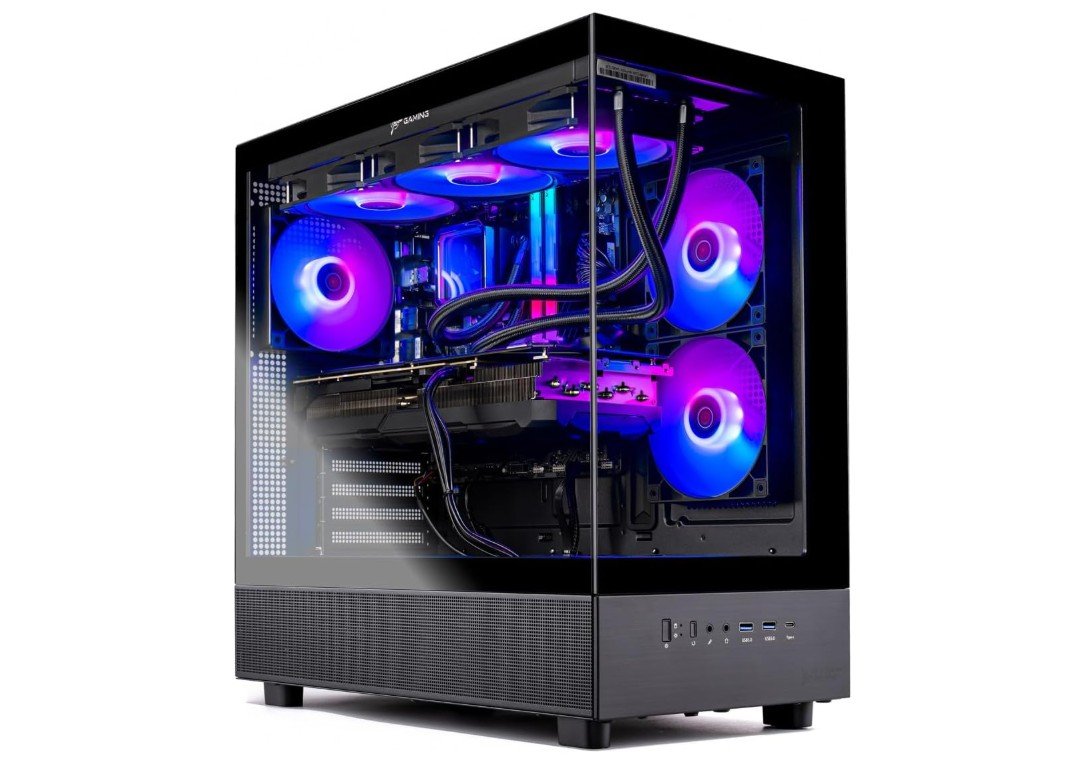
Skytech Gaming Azure 3 Desktop PC
Skytech Gaming Azure 3 Desktop PC
The Skytech Gaming Azure 3 is a powerhouse prebuilt gaming PC designed for serious gamers and creators. Powered by the Ryzen 7 7700X and NVIDIA RTX 5070 12GB, it delivers excellent 1440p and strong 4K gaming performance with smooth frame rates in modern AAA titles. The 32GB DDR5 6000MHz RAM and 1TB Gen4 NVMe SSD ensure fast multitasking, quick boot times, and responsive gameplay.
Its 360mm ARGB liquid cooler keeps temperatures under control even during demanding sessions. The stylish tempered-glass case, 850W Gold PSU, Wi-Fi support, and clean Windows 11 setup make it a premium ready-to-use desktop with excellent upgrade potential and strong overall value.
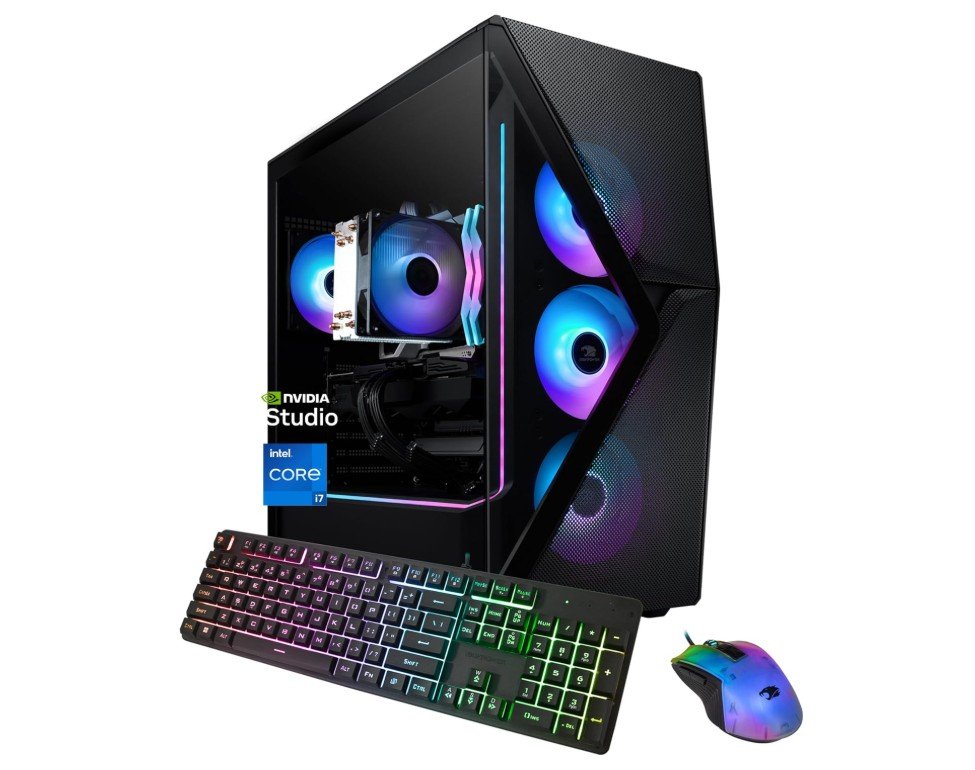
iBUYPOWER Slate MESH Gaming PC
iBUYPOWER Slate MESH Gaming PC
The iBUYPOWER Slate MESH Gaming PC is a powerful prebuilt desktop that delivers excellent gaming and multitasking performance for modern users. Equipped with the Intel Core i7-14700F and NVIDIA RTX 5070 12GB, it handles demanding AAA games at ultra settings with smooth 1440p and capable 4K performance. The 32GB DDR5 5200MHz RGB RAM ensures responsive multitasking, while the 1TB NVMe SSD provides fast boot and load times.
Its mesh-front airflow design helps maintain solid cooling during long gaming sessions. The included RGB keyboard and mouse add convenience for beginners, and Windows 11 comes ready out of the box for a clean plug-and-play experience.
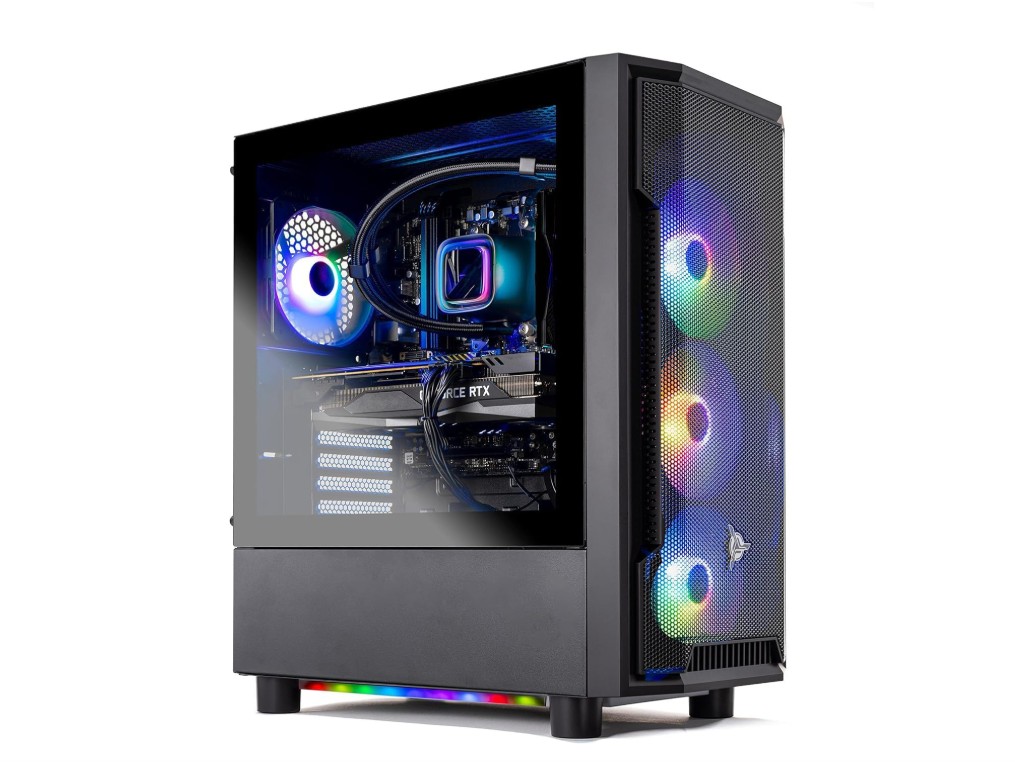
Skytech Gaming Shadow Gaming PC Desktop
Skytech Gaming Shadow Gaming PC Desktop
The Skytech Gaming Shadow is a solid mid-range gaming desktop that delivers smooth 1080p and capable 1440p gaming performance. Powered by the Intel Core i7-13700F and NVIDIA RTX 4060, it handles modern AAA games, streaming, and multitasking with ease. The 16GB DDR4 RAM and 1TB NVMe SSD provide fast responsiveness and quick load times for games and applications.
Its 360mm AIO liquid cooler helps maintain excellent thermal performance during long gaming sessions, while the 600W Gold PSU adds efficiency and reliability. Built-in Wi-Fi and Windows 11 make setup simple, and the sleek black case with RGB styling gives it a premium gaming look.
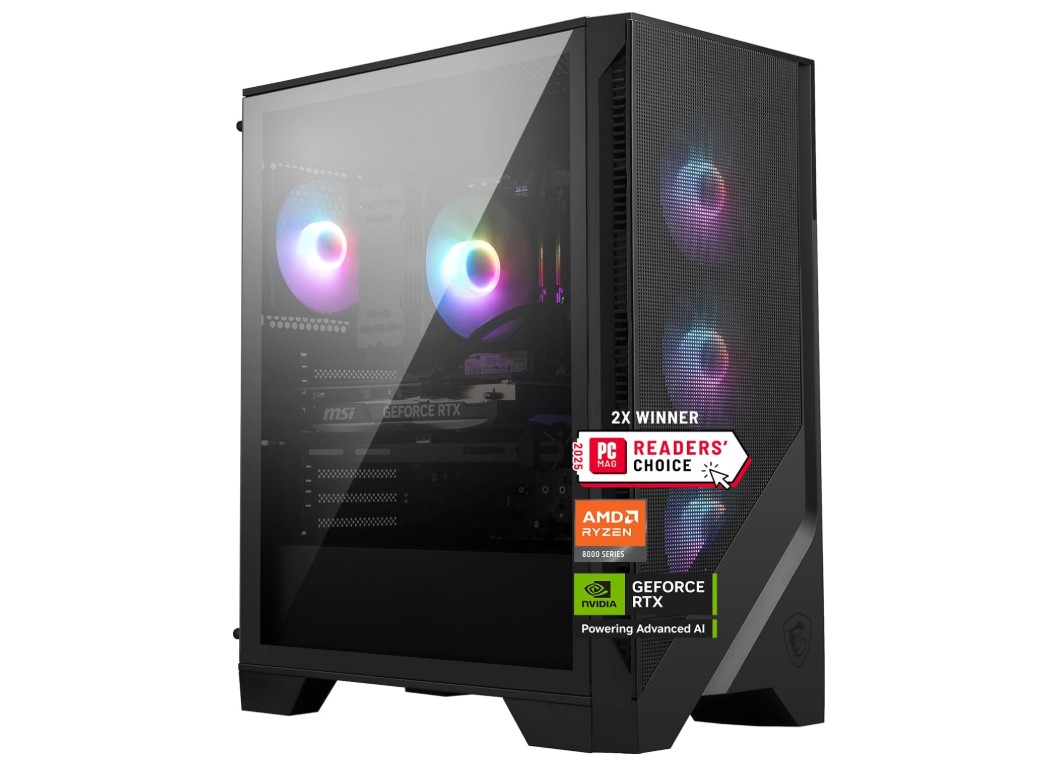
MSI Codex Z2 Gaming Desktop
MSI Codex Z2 Gaming Desktop
The MSI Codex Z2 is a powerful and well-balanced gaming desktop built for high-refresh 1440p gaming, VR, and demanding multitasking workloads. Featuring the AMD Ryzen 7 8700F and NVIDIA RTX 5070, it delivers excellent gaming performance with strong ray tracing and DLSS support in modern AAA titles. The generous 32GB DDR5 RAM and fast 2TB NVMe SSD provide smooth multitasking, quick boot times, and plenty of storage for large game libraries.
Its airflow-focused chassis and MSI cooling design help maintain stable thermals during long gaming sessions. USB Type-C, Wi-Fi support, upgrade-friendly internals, and Windows 11 make it a future-ready prebuilt PC with excellent overall value.
Buying Guide: Prebuilt Gaming PC Under $2000
Purchasing a prebuilt gaming PC for less than $2,000 allows you to forego assembly and compatibility issues while still enjoying high refresh rate performance, ample storage, and future-proofing for the next few years. To get the best deal, consider the $2,000 cap as a starting point: GPU should come first, followed by CPU, cooling/PSU, and storage, and then extras like RGB, bundled peripherals, and decorative parts. A helpful guide that explains what to prioritize, what to avoid, sample configurations to aim for, and how to shop so you actually get the machine you expect is provided below.
What to prioritize (and why)
GPU
More than anything else, the graphics card affects frame rates when gaming. A card that consistently achieves high frame rates at 1440p (or passable 4K performance if you adjust settings) is what you should look for in a prebuilt PC that costs about $2,000. This price range typically contains mid-to-high tier current-generation GPUs (such as the RTX 5070/5070 Ti class or comparable AMD components); be aware that some new midrange cards sacrifice efficiency for raw gains, so before committing, look at independent benchmarks for real-world FPS.
CPU
The CPU is important for optimum frame rates, streaming, and productivity after the GPU. The ideal processor is a contemporary 8–16 core model, such as the AMD Ryzen 7/9 family or the high-end mainstream Intel Core i7/i9. Higher core counts are preferable if you stream or create content in addition to gaming; a CPU with good single-thread performance is more helpful for competitive gaming. According to benchmarks, the best mainstream chips continue to produce top-notch gaming performance with enough headroom for multitasking.
RAM & storage
If you multitask, stream, or create content, 32GB DDR5 is the ideal amount of RAM and storage. 16GB is the recommended minimum. DDR4 at higher capacity can still be acceptable if it frees up money for a more powerful GPU, but DDR5 is preferred whenever possible. For OS and a few heavy games, always go for an NVMe SSD with a minimum of 1TB; if you have a lot of games installed, 2TB is better.
Cooling & PSU
Thermal throttling can be avoided with proper cooling; for high-end CPUs, look for systems with large air coolers or AIO liquid cooling. Upgrade headroom and stability are provided by a high-quality 650W–850W 80+ Gold PSU from a reliable OEM. Stay clear of low-cost OEM PSUs as they are frequently a weak point in prebuilt systems.
Build quality, warranty & support
The main benefits of purchasing prebuilt are the warranty and RMA support. Verify the warranty’s precise coverage (parts, labor, on-site vs. return). Reputable suppliers, such as well-known independent builders and large OEMs, frequently provide better-documented warranties and tested builds. Additionally, find out if you’re on your own or if the vendor offers driver support and BIOS updates. Purchase from a retailer where you can return items promptly if they arrive DOA. Reviews and return policies are important.
Upgrade paths
Examine the form factor and motherboard socket: Future upgrades are made easier by ATX motherboards with multiple PCIe lanes and spare M.2 slots. Make sure there is room in the case, that the PSU has enough wattage and headroom, and that the chassis can accommodate longer GPUs and more cooling if you intend to change the GPU or add storage later. Although a small mini-tower can be less expensive, it frequently prevents significant improvements.
FAQs
A prebuilt gaming PC is a ready-to-use desktop that comes fully assembled by a manufacturer or system builder. It includes the case, CPU, GPU, memory, storage, cooling, and power supply — so you don’t need to build it yourself.
Yes — $2000 is a strong budget for a gaming rig. At this price, you can expect components capable of solid 1440p gaming at high/ultra settings, and even entry-level 4K performance in many titles.
With up to $2000 you can typically get:
1. High-end CPU (like AMD Ryzen 7/9 or Intel Core i7/i9)
2. Mid-to-high tier GPU such as NVIDIA RTX 40/50 series or AMD RX equivalents
3. 32 GB DDR5 RAM and 1–2 TB SSD
This setup handles AAA games at 1440p and esports titles at high refresh rates easily.
GPU is the most important component for gaming performance, especially at 1440p or higher. The CPU matters too, but once you’re above a mid-range model, extra power tends to return diminishing improvements in pure gaming.
Yes — some configurations can run 4K gaming, but performance varies by game and settings. For the smoothest 4K experience in AAA titles, top-tier GPUs like RTX 4080+ or RX 7900 XT are ideal (and may stretch above $2000). For <$2000, many systems target high 1440p performance with workable 4K settings.
Most prebuilt gaming PCs include Windows 11 Home or Pro preinstalled, saving you time and setup hassle. Always check the product page to confirm whether Windows is included or sold separately.
Most mid-tower prebuilt PCs allow for upgrades to RAM, storage, GPU, and even CPU (depending on the motherboard). Small form factor PCs might have limitations due to size and power restrictions, so check expandability before buying.
Conslusion
When tuned, a good prebuilt under $2,000 can handle modern titles at 1440p and many at 4K, while still offering the ease of plug-and-play. GPU should come first, followed by CPU, power/cooling, and storage. Before purchasing, confirm warranty and PSU details, and use independent benchmarks to validate advertised performance (particularly for new GPU models, which can vary in power efficiency and value). You can get a machine that is powerful now and upgradeable tomorrow by using the above checklist to compare a few retailers and maximize value.

Jawad is a passionate tech enthusiast and writer who loves exploring the latest trends in hardware, gadgets, and digital innovation. With a sharp eye for performance and value, he delivers in-depth recommendations and buying guides to help readers make smarter tech decisions.