
Last Updated on April 4, 2026 by Jawad
Introduction
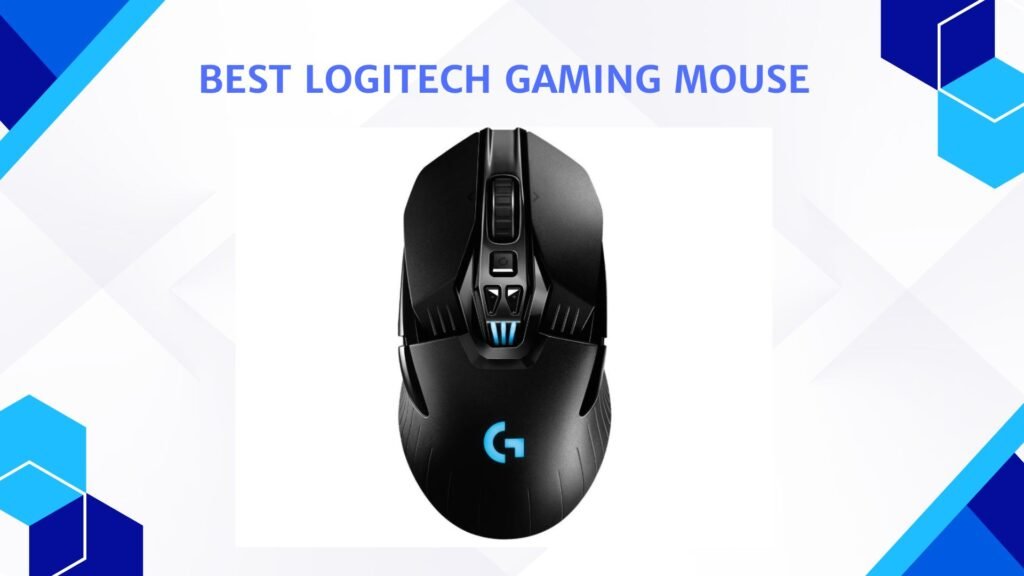
Logitech gaming mice are popular among gamers because they offer a good mix of performance, comfort, and reliability. Logitech is a well-known brand in the gaming industry, and its gaming mice are designed to help players perform better in different types of games. Whether someone plays fast-paced shooting games, strategy games, or casual games, Logitech provides options that suit many gaming styles.
One of the main reasons gamers like Logitech gaming mice is their precision. Most Logitech gaming mice come with high-quality sensors that provide accurate tracking and adjustable DPI settings. This allows users to control the speed and sensitivity of the mouse depending on the game they are playing. Higher DPI settings are useful for fast movements, while lower settings give better control for precise aiming.
Comfort is another important feature. Logitech designs its gaming mice with ergonomic shapes that fit naturally in the hand. This helps reduce strain during long gaming sessions. Many models also include textured grips and lightweight designs, so the mouse feels stable and easy to move.
Logitech gaming mice often include customizable buttons that gamers can program for different actions or shortcuts. This makes gameplay more efficient because players can perform actions quickly without using the keyboard. Some models also feature RGB lighting, allowing users to customize the look of their setup.
Another advantage is durability. Logitech builds its gaming mice with strong materials and high-quality switches designed to last for millions of clicks. This means the mouse can handle intense gaming sessions without wearing out quickly.
Overall, Logitech gaming mice are a great choice for both beginners and experienced gamers. With reliable performance, comfortable designs, and useful customization features, they help improve the gaming experience and give players better control during gameplay.
We also have a recommendation for the Best Gaming Mouse for Beginners, so make sure to check that out too!
Top Logitech Gaming Mouse




Comparison
| Product | Image | Rating | Sensor | DPI | Weight | Buttons | Connectivity | Price | Buy |
|---|---|---|---|---|---|---|---|---|---|
|
Logitech G PRO X Superlight Wireless 🏆 Best Overall |  | ★★★★★ | HERO 25K | Up to 25,600 | ~63g | 5 | Wireless | Premium | Check Price |
|
Logitech G903 Lightspeed Wireless Best Premium Wireless |  | ★★★★☆ | HERO 25K | Up to 25,600 | ~107g | 7–11 | Wireless | High | Check Price |
|
Logitech G PRO 2 Lightspeed Wireless Best Competitive |  | ★★★★☆ | HERO 2 | Up to 44,000 | ~80g | 4–8 | Wireless | High | Check Price |
|
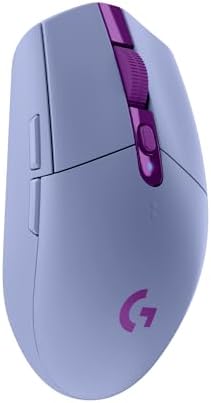
Logitech G305 Lightspeed Wireless 💰 Best Budget |  | ★★★★☆ | HERO | Up to 12,000 | ~99g | 6 | Wireless | Under $50 | Check Price |
| Logitech G502 Lightspeed Wireless |  | ★★★★☆ | HERO 25K | Up to 25,600 | ~114g | 11 | Wireless | Mid‑High | Check Price |
| Logitech G203 Wired Gaming Mouse |  | ★★★☆☆ | Optical Sensor | Up to 8,000 | ~85g | 6 | Wired | Budget | Check Price |
Logitech G PRO X Superlight Wireless Gaming Mouse
Logitech G PRO X Superlight Wireless Gaming Mouse
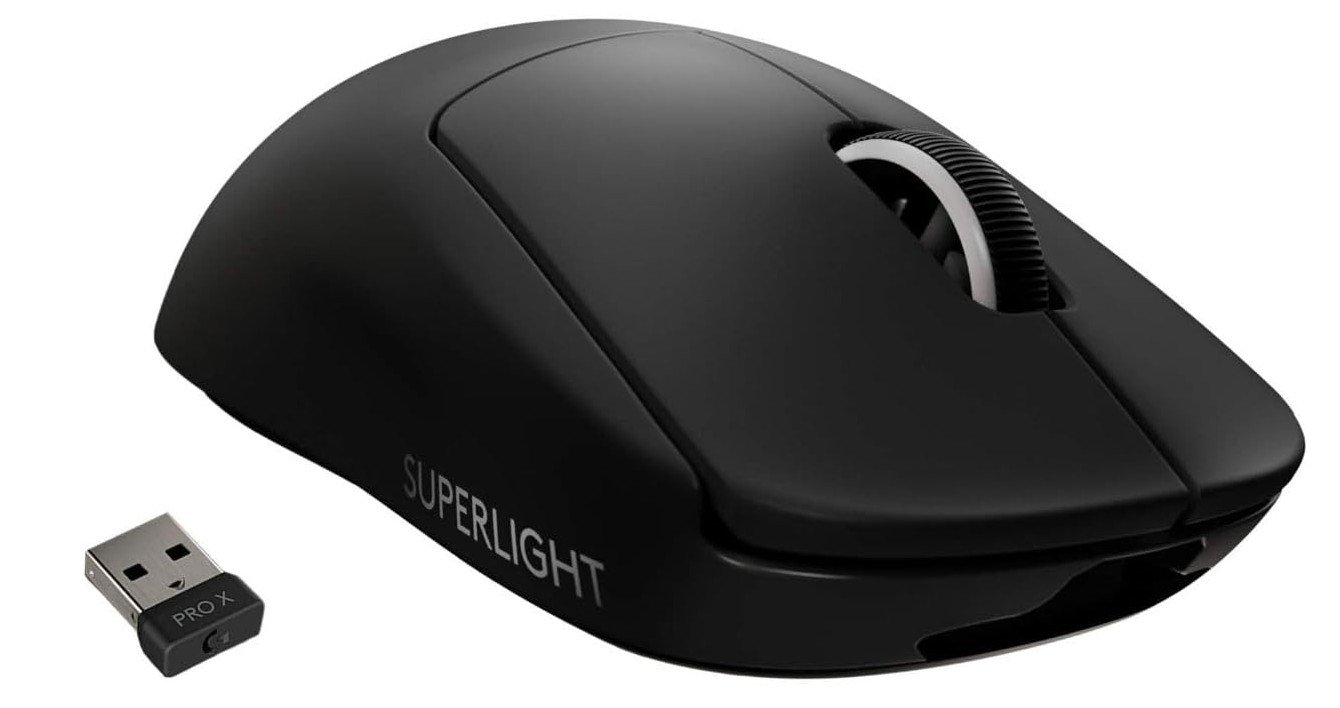
The Logitech G PRO X Superlight Wireless Gaming Mouse is designed for gamers who want speed, precision, and a lightweight feel. It is one of Logitech’s most popular esports mice and is built with a simple but high-performance design. The mouse weighs less than 63 grams, which makes it extremely light and easy to move quickly across the mouse pad. This lightweight design helps players react faster and reduces hand fatigue during long gaming sessions.
One of the best features of this mouse is the HERO 25K optical sensor. This sensor can reach up to 25,600 DPI and provides very accurate tracking. It allows gamers to adjust sensitivity depending on their play style, whether they need fast movement or precise aiming. The sensor is also known for its stable tracking and consistent performance, which is important for competitive games like FPS and esports titles.
The mouse uses Logitech’s LIGHTSPEED wireless technology, which delivers a fast and reliable wireless connection. Many gamers worry about wireless delay, but this mouse is designed to provide very low latency, making it feel almost the same as a wired gaming mouse. Because of this, it is widely used by professional esports players who need quick and responsive controls during intense gameplay.
Battery life is another strong point. The Logitech G PRO X Superlight can last up to about 70 hours on a full charge, so gamers can use it for several days without worrying about charging. It also includes five programmable buttons that can be customized using Logitech G Hub software for different gaming commands or shortcuts.
Overall, the Logitech G PRO X Superlight Wireless Gaming Mouse is a great choice for serious gamers. Its ultra-lightweight design, powerful sensor, long battery life, and reliable wireless performance make it a strong option for competitive gaming and everyday use.
Logitech G903 Lightspeed Wireless Gaming Mouse
Logitech G903 Lightspeed Wireless Gaming Mouse
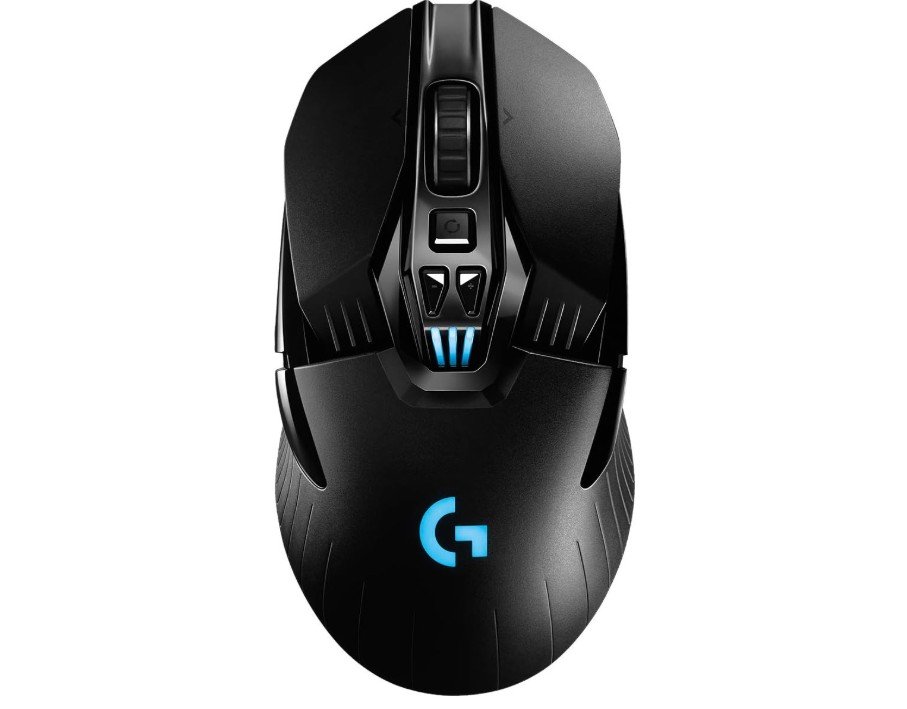
The Logitech G903 Lightspeed is a high-end wireless gaming mouse designed for serious gamers who want top performance without cables. It uses the HERO 25K sensor, which is very accurate and responsive, making it great for fast-paced games like FPS and competitive titles. The tracking feels smooth, and there is no noticeable lag thanks to Logitech’s Lightspeed wireless technology.
One of the best things about this mouse is its ambidextrous design. It can be used comfortably by both left-handed and right-handed users, and the side buttons can be adjusted or removed based on your preference. The build quality feels solid and premium, and the mouse is durable enough for long-term use.
The weight of 107g is slightly on the heavier side compared to modern ultra-light gaming mice, but it still feels balanced in hand. If you prefer a bit more weight, you can add the optional 10g weight for better control. The battery life is impressive, lasting up to 140 hours with RGB lighting, which means you don’t need to charge it frequently.
The LIGHTSYNC RGB lighting looks good and can be customized using Logitech G Hub software. You can also adjust DPI settings, program buttons, and create profiles for different games. The scroll wheel is another highlight, offering both a click mode and a fast free-spin mode, which is useful for browsing and productivity.
Overall, the G903 Lightspeed is a powerful and reliable wireless gaming mouse with excellent performance, strong battery life, and flexible design. It may not be the lightest option, but it delivers great features and quality for gamers who want a premium experience.
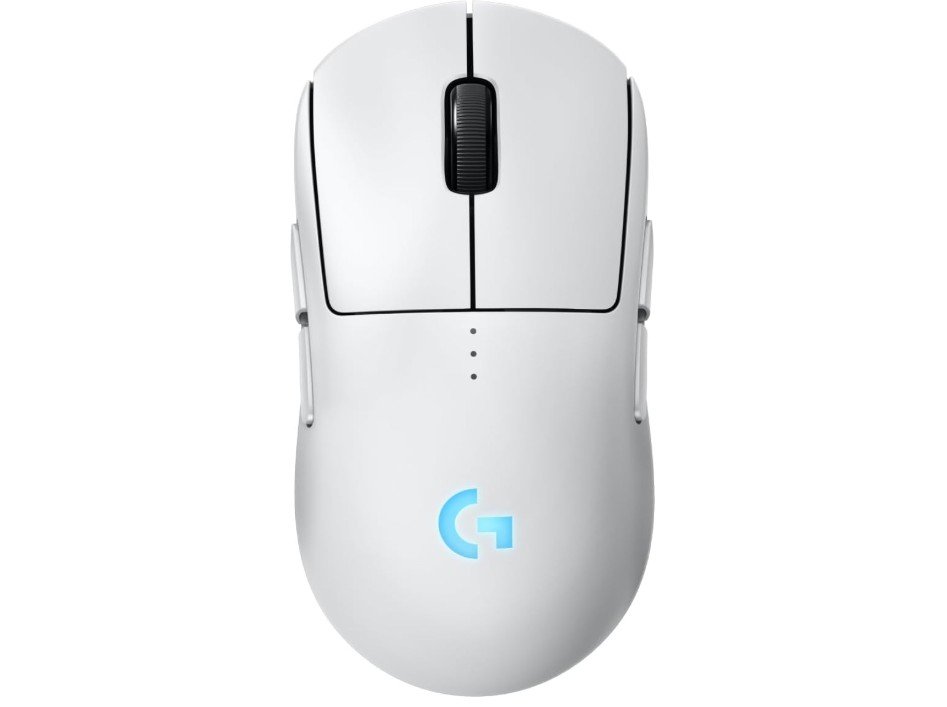
Logitech G PRO 2 Lightspeed Wireless Gaming Mouse
Logitech G PRO 2 Lightspeed Wireless Gaming Mouse
The Logitech G PRO 2 Lightspeed is a premium wireless gaming mouse made for competitive players who want speed, precision, and flexibility. It comes with the new HERO 2 sensor, which offers extremely high accuracy and a wide DPI range up to 44,000. In real use, the tracking feels very smooth and responsive, making it perfect for fast games like FPS and esports titles.
One of the standout features of this mouse is its ambidextrous design. It works well for both right-handed and left-handed users, and the magnetic side buttons can be easily swapped or removed depending on your preference. This gives users more control over how they want to set up the mouse, which is great for customization.
The weight is around 80 grams, which is lighter than many older Logitech models. This makes it easier to move quickly and reduces hand fatigue during long gaming sessions. The shape is simple and comfortable, although some users may find it less ergonomic compared to more curved designs.
Battery life is also very good, lasting up to 60 hours with RGB lighting. The addition of USB-C charging is a big improvement, making it faster and more convenient to recharge. Logitech’s Lightspeed wireless technology ensures a stable and lag-free connection, so it performs just like a wired mouse.
The LIGHTFORCE switches provide a crisp and fast click feel, combining optical speed with mechanical feedback. Overall, the G PRO 2 Lightspeed is a powerful and modern gaming mouse with excellent performance, lightweight design, and flexible features, making it a strong choice for serious gamers.
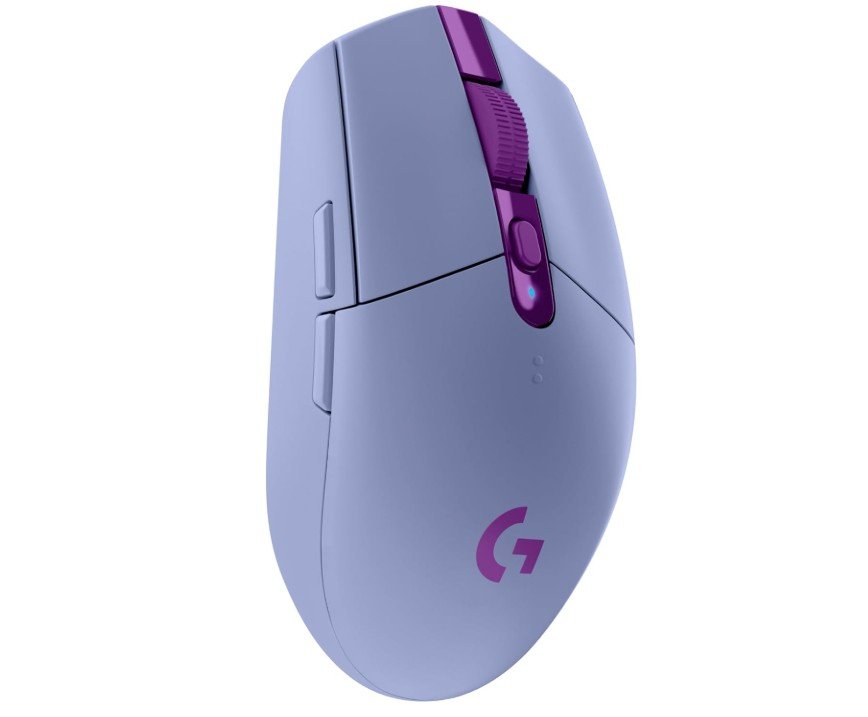
Logitech G305 Lightspeed Wireless Gaming Mouse
Logitech G305 Lightspeed Wireless Gaming Mouse
The Logitech G305 Lightspeed is a popular budget wireless gaming mouse that offers strong performance at an affordable price. It uses Logitech’s HERO sensor with up to 12,000 DPI, which provides accurate and consistent tracking for most games. Whether you are playing FPS or casual games, the mouse feels smooth and responsive without any noticeable lag.
One of the best features of the G305 is its Lightspeed wireless technology. It delivers a fast and stable connection similar to a wired mouse, which is impressive at this price range. This makes it a good choice for gamers who want wireless freedom without sacrificing performance.
The design is simple and compact, making it easy to use for long gaming sessions. It is mainly suited for right-handed users, and the shape works well for different grip styles like claw and fingertip. However, users with larger hands may find it slightly small. The weight is around 99 grams, which is not ultra-light but still comfortable for everyday use.
Battery life is one of its biggest strengths. It can last up to 250 hours on a single AA battery, so you don’t have to worry about frequent charging. The mouse also includes onboard memory, allowing you to save your settings and use them on different computers without software.
The build quality is solid for the price, although it may not feel as premium as higher-end Logitech models. Overall, the G305 Lightspeed is a reliable and affordable wireless gaming mouse that delivers great performance, long battery life, and good value for gamers on a budget.
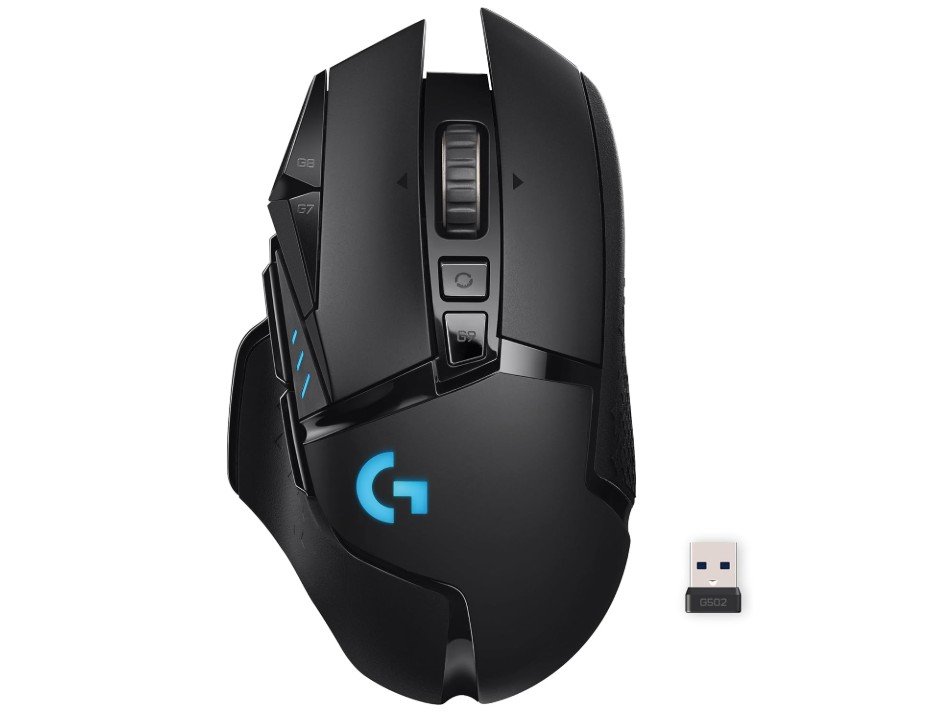
Logitech G502 Lightspeed Wireless Gaming Mouse
Logitech G502 Lightspeed Wireless Gaming Mouse
The Logitech G502 Lightspeed is a high-performance wireless gaming mouse designed for serious gamers who want precision, speed, and customization. It comes with the HERO 25K sensor, which offers excellent accuracy and smooth tracking, making it ideal for fast-paced games and competitive play. The sensor performs consistently across different surfaces, and the Lightspeed wireless technology ensures minimal latency, giving a near-wired experience without the cable.
One of the standout features of the G502 Lightspeed is its tunable weight system. You can add or remove small weights to adjust the mouse’s feel according to your preference. This, combined with its ergonomic shape, provides a comfortable experience even during long gaming sessions. The mouse has a total of 11 programmable buttons, including the dual-mode scroll wheel that switches between a fast free-spin mode and a precise click-to-click mode, giving flexibility for gaming and productivity.
The LIGHTSYNC RGB lighting adds a premium feel and can be fully customized with Logitech G Hub software. Battery life is solid, lasting up to 60 hours without RGB enabled, which is convenient for long gaming sessions without frequent charging. The G502 is also compatible with Logitech’s POWERPLAY system for wireless charging, adding more convenience for users who want uninterrupted gaming.
Overall, the G502 Lightspeed combines speed, accuracy, and comfort with plenty of customization options. It is slightly heavier than ultra-light mice but still balanced and manageable, making it suitable for various grip styles. Whether you play competitive games or want a versatile and reliable wireless mouse for general use, the G502 Lightspeed delivers excellent performance and features that justify its premium price. It remains one of the most respected wireless gaming mice in Logitech’s lineup.
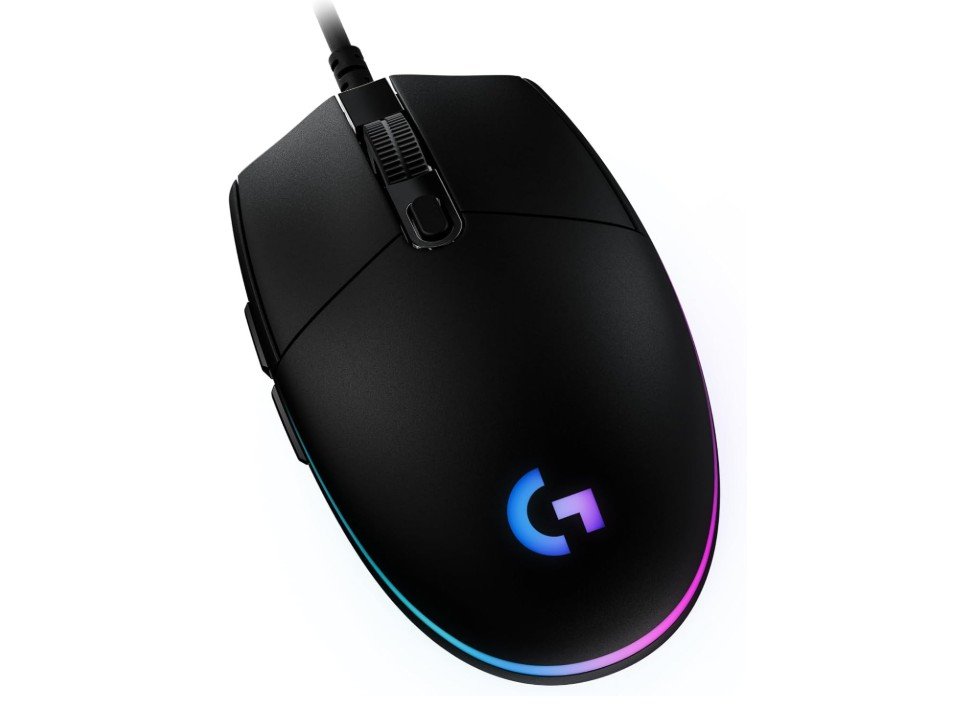
Logitech G203 Wired Gaming Mouse
Logitech G203 Wired Gaming Mouse
The Logitech G203 is a simple but very capable wired gaming mouse that offers reliable performance without a high price tag. It feels comfortable in the hand with a smooth, symmetrical shape that works well for both left‑ and right‑handed users. The buttons have a crisp, responsive click that makes clicking in games and everyday use feel satisfying.
This mouse has an optical sensor with up to 8,000 DPI, which is enough sensitivity for most gamers and general computer tasks. You can adjust the DPI to suit your play style, whether you want faster tracking for big movements or slower precision for aiming. The tracking feels consistent and accurate, and there is no noticeable stutter or lag thanks to the wired connection.
One of the best visual features of the G203 is the LIGHTSYNC RGB lighting. The rainbow optical effect looks bright and colorful, and you can change the colors or effects using Logitech’s G Hub software. The software also lets you program the six buttons and save your settings to the mouse’s onboard memory. This means your custom settings can travel with the mouse if you plug it into another computer.
For gaming, the G203 handles most genres well, from shooters to strategy games. The wired connection helps ensure steady performance, which some gamers prefer over wireless options. The size and shape are suitable for claw and fingertip grips, and many users find it comfortable even during long sessions. While it does not have all the advanced features of higher‑end gaming mice, it delivers excellent value for the price.
Overall, the Logitech G203 is a solid wired gaming mouse that combines good performance, customizable lighting, and easy‑to‑use software. It is a great choice for gamers who want dependable performance without spending a lot.
Logitech Gaming Mouse Buying Guide
When it comes to gaming, having the right mouse can make a huge difference in performance, comfort, and overall experience. A gaming mouse is not just a tool; it is an extension of the player’s hand, offering precision, speed, and customization that a regular mouse cannot provide. Logitech is a brand that has built a strong reputation in the gaming world, offering a wide range of gaming mice that cater to beginners, casual gamers, and professional esports players. This buying guide will help you understand the features, types, and specifications you should consider before choosing the perfect Logitech gaming mouse.
Sensor Type and DPI
One of the first things to consider is the type of sensor the mouse uses. Gaming mice can have optical or laser sensors, each with its benefits. Optical sensors are generally preferred for gaming because they provide higher accuracy and consistency on most surfaces. Logitech has perfected its optical sensor technology with models like the HERO series, which offers extremely high DPI ranges and precise tracking.
A higher DPI (dots per inch) allows the mouse to detect smaller movements, which is crucial for games that require precision, such as first-person shooters or real-time strategy games. When choosing a Logitech gaming mouse, check the DPI range and whether it is adjustable. Many models allow on-the-fly DPI adjustment so you can switch sensitivity depending on your gaming needs.
Ergonomics and Comfort
Ergonomics is another critical factor. Since gamers often spend hours using a mouse, comfort is essential. Logitech designs gaming mice in different shapes and sizes to suit various hand types and grips. Some mice are specifically designed for palm grip, where the whole hand rests on the mouse, while others are better for claw or fingertip grips.
Models like the Logitech G502 series offer an ergonomic shape with customizable weights, allowing gamers to adjust the feel of the mouse to match their personal comfort. If you are prone to hand fatigue or wrist strain, paying attention to ergonomics can prevent long-term discomfort.
Button Configuration and Customization
Button configuration and customization are key aspects of a good gaming mouse. Most Logitech gaming mice come with multiple programmable buttons, which can be mapped to in-game actions or macros. This feature is especially useful in MMO, MOBA, or RPG games where multiple commands are needed quickly.
The Logitech G Pro X Superlight, for example, has a minimalist design but still allows key buttons to be reprogrammed for faster gameplay. Customization does not stop at buttons; many Logitech mice support onboard memory to save profiles, allowing you to carry your settings across different computers without reconfiguring them every time.
Lighting and Aesthetics
Lighting and aesthetics can enhance your gaming setup, although they are not critical for performance. Logitech’s LIGHTSYNC RGB technology allows full-spectrum color customization, which can synchronize with in-game effects, music, or other Logitech peripherals.
While this feature is more about style, it adds a level of immersion and personalization to your gaming environment. Some gamers prefer a minimalistic design without lighting, so Logitech offers options in both fully lit and subdued styles.
Wired vs. Wireless
Another important consideration is the type of connection. Logitech gaming mice are available in wired, wireless, and hybrid versions. Wired mice tend to offer lower latency and a stable connection, which is preferred by professional gamers.
However, Logitech has made significant strides in wireless technology with models like the G Pro X Superlight and G502 Lightspeed, which provide near-zero latency and reliable battery life. Wireless mice also eliminate cable drag, giving you more freedom of movement, but it is essential to check battery life and charging methods before choosing a wireless model.
Weight and Control
Weight is often overlooked but plays a crucial role in control and speed. Gaming mice can vary from ultralight models under 70 grams to heavier models with adjustable weights. Ultralight mice like the Logitech G Pro X Superlight offer faster flicks and less fatigue during long gaming sessions, while heavier mice like the G502 can provide more control for precision aiming. Logitech often includes adjustable weight systems in their mice, allowing gamers to find the perfect balance for their playstyle.
Durability and Build Quality
Durability is another factor to keep in mind. Gaming mice endure intense clicking and movement, so build quality is important. Logitech uses high-quality materials, durable switches, and braided cables on some models to ensure longevity.
Some mice, such as the G502 Hero, are rated for up to 50 million clicks, which is significantly higher than a standard office mouse. Investing in a durable mouse can save money in the long run, especially for gamers who play extensively.
Software Support and Customization
Software and customization support are vital for maximizing a Logitech gaming mouse. Logitech’s G HUB software allows users to customize DPI settings, assign macros, configure RGB lighting, and create game-specific profiles. It also provides updates to keep your mouse performing optimally.
If you play multiple games or switch between work and gaming, software support can help streamline your setup and ensure you have the right settings at all times.
Budget Considerations
Budget is another consideration, as Logitech offers mice across different price ranges. Entry-level models like the G203 provide great performance at a low cost, suitable for casual gamers or those just starting. Mid-range options such as the G502 series balance features, ergonomics, and performance for serious gamers.
High-end models like the G Pro X Superlight cater to professional players seeking ultralight design, top-tier sensors, and wireless freedom. Determining your budget and priorities will help you choose a mouse that offers the best value without unnecessary features.
Compatibility
Compatibility is generally straightforward, as Logitech mice work with both Windows and Mac systems, and many are compatible with gaming consoles. However, it is essential to check if specific features, like advanced macro programming or lighting customization, are fully supported on your platform. This ensures you can utilize the mouse to its full potential, regardless of your gaming system.
Choosing Based on Game Type
Consider the type of games you play most frequently. Fast-paced shooters benefit from high DPI, low latency, and lightweight design. MMOs or MOBAs may require more buttons and customizable macros. Strategy or simulation games may not need extreme DPI, but precision and comfort remain important. Matching your mouse to your gaming style will significantly improve your performance and enjoyment.
Frequently Asked Questions (FAQs) About Logitech Gaming Mice
A Logitech gaming mouse is designed specifically for gaming performance. It features high‑precision sensors (often with adjustable DPI), programmable buttons for custom controls, ergonomic designs for long sessions, and optional RGB lighting. These features allow for faster response times, better accuracy, and a more customizable experience compared to a standard office mouse.
DPI (Dots Per Inch) refers to how sensitive the mouse sensor is. Higher DPI means the cursor moves farther on the screen with less physical movement of the mouse. For gaming, adjustable DPI is useful because players can switch between fast movements (high DPI) and precise targeting (low DPI) depending on the game or situation.
Wired: Offers the lowest possible latency and consistent connection, ideal for competitive play.
Wireless: Provides freedom of movement and a cleaner setup. Logitech’s LIGHTSPEED wireless technology delivers very low latency that rivals wired performance. Battery life and recharging method are key things to check before choosing a wireless model.
Both options are excellent — the choice mainly depends on your preferences.
There are three common grip styles:
Palm Grip: Your entire hand rests on the mouse — best for comfort.
Claw Grip: Fingers arch over buttons — great for precise control.
Fingertip Grip: Only fingertips touch the mouse — ideal for quick flicks.
Logitech offers various shapes to match different grip styles. Knowing your grip helps you pick a comfortable mouse.
Yes. Logitech models like the G Pro X Superlight and G502 Lightspeed are designed with high‑precision sensors and fast response times that benefit FPS gamers, allowing for quick aim adjustments and smoother tracking.
Many Logitech gaming mice work with gaming consoles like PlayStation and Xbox, especially for cursor control and basic gameplay. However, advanced features like programmable macros and lighting customization may require Logitech’s G HUB software, which is typically supported only on Windows and Mac.
Conclusion
Buying the right Logitech gaming mouse requires careful consideration of several factors, including sensor type, DPI, ergonomics, button configuration, lighting, connection type, weight, durability, software support, budget, compatibility, and game type. Logitech provides a wide variety of models to cater to different preferences and skill levels. Paying attention to these aspects ensures that you choose a mouse that not only fits your hand comfortably but also enhances your gaming performance.
With the right combination of features, a Logitech gaming mouse can become an essential part of your gaming setup, helping you react faster, perform better, and immerse yourself in your games like never before. Whether you are a casual gamer or an esports professional, Logitech offers options that meet your needs, combining cutting-edge technology, durability, and comfort in a single device. By understanding your requirements and carefully evaluating the available models, you can make an informed decision and elevate your gaming experience to the next level.

Jawad is a passionate tech enthusiast and writer who loves exploring the latest trends in hardware, gadgets, and digital innovation. With a sharp eye for performance and value, he delivers in-depth recommendations and buying guides to help readers make smarter tech decisions.